
DUODUOGO J6+
DUODUOGO J6+ Smartphone User Manual
Model: J6+
Konec produktuview
The DUODUOGO J6+ is a 4G-enabled smartphone featuring a 6.0-inch HD+ display and running on Android 9.0. It is designed for everyday use, offering a balance of performance and features.
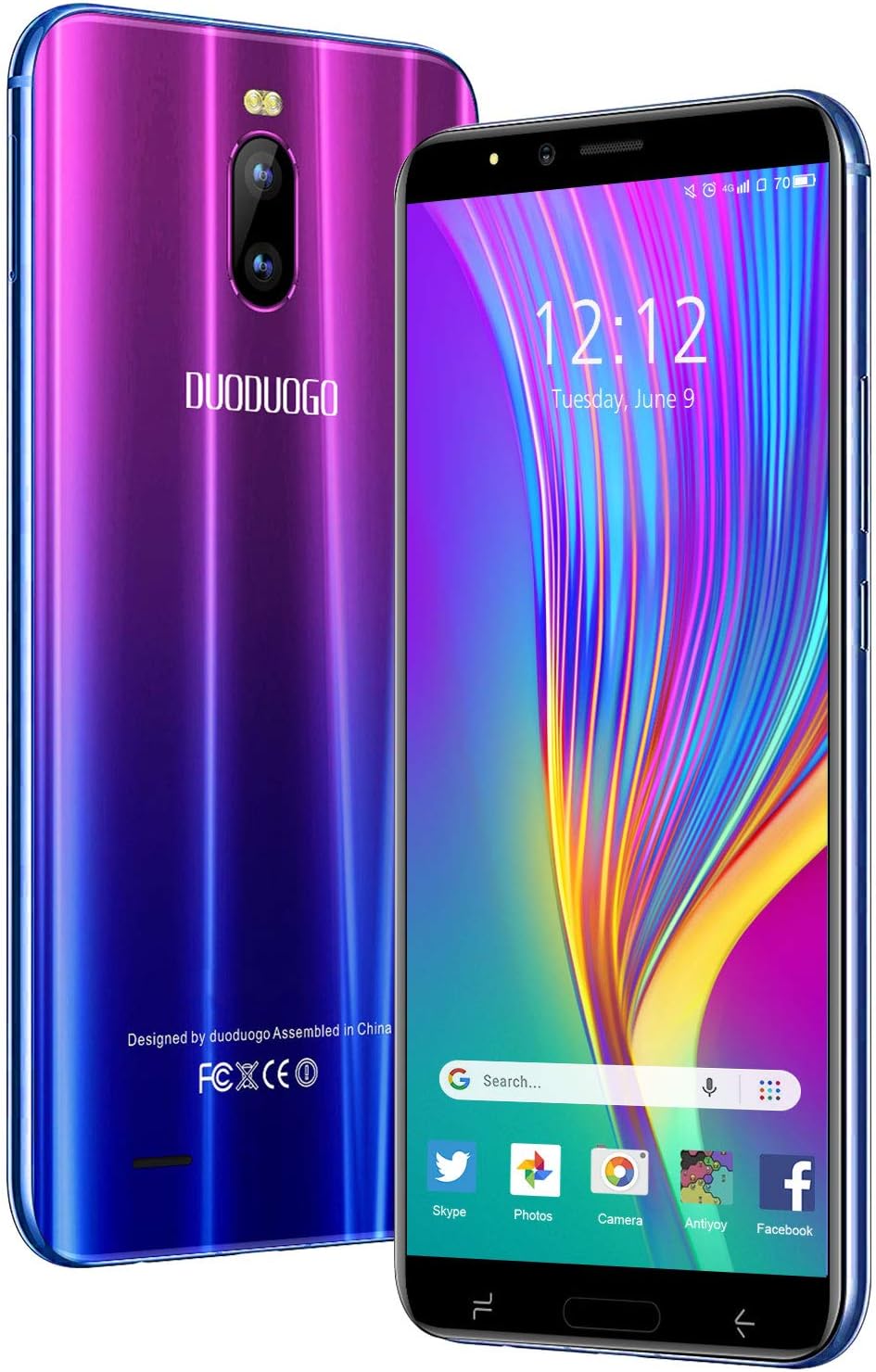
Obrázek: Přední a zadní strana view of the DUODUOGO J6+ smartphone, showcasing its vibrant purple-to-blue gradient finish and the display.
Klíčové vlastnosti:
- Zobrazit: 6.0palcová obrazovka s HD+ rozlišením.
- Operační systém: Android 9.0.
- Výkon: 3GB RAM and 16GB internal storage, expandable up to 128GB via microSD.
- Baterie: 4800 mAh large capacity battery for extended use.
- Kamery: 8MP zadní fotoaparát a 5MP přední fotoaparát.
- Zabezpečení: Face ID unlock feature.
- Konektivita: Dual SIM (2 Micro-SIM + 1 MicroSD) with 2G/3G/4G network support, Wi-Fi, Bluetooth 4.2, and GPS.
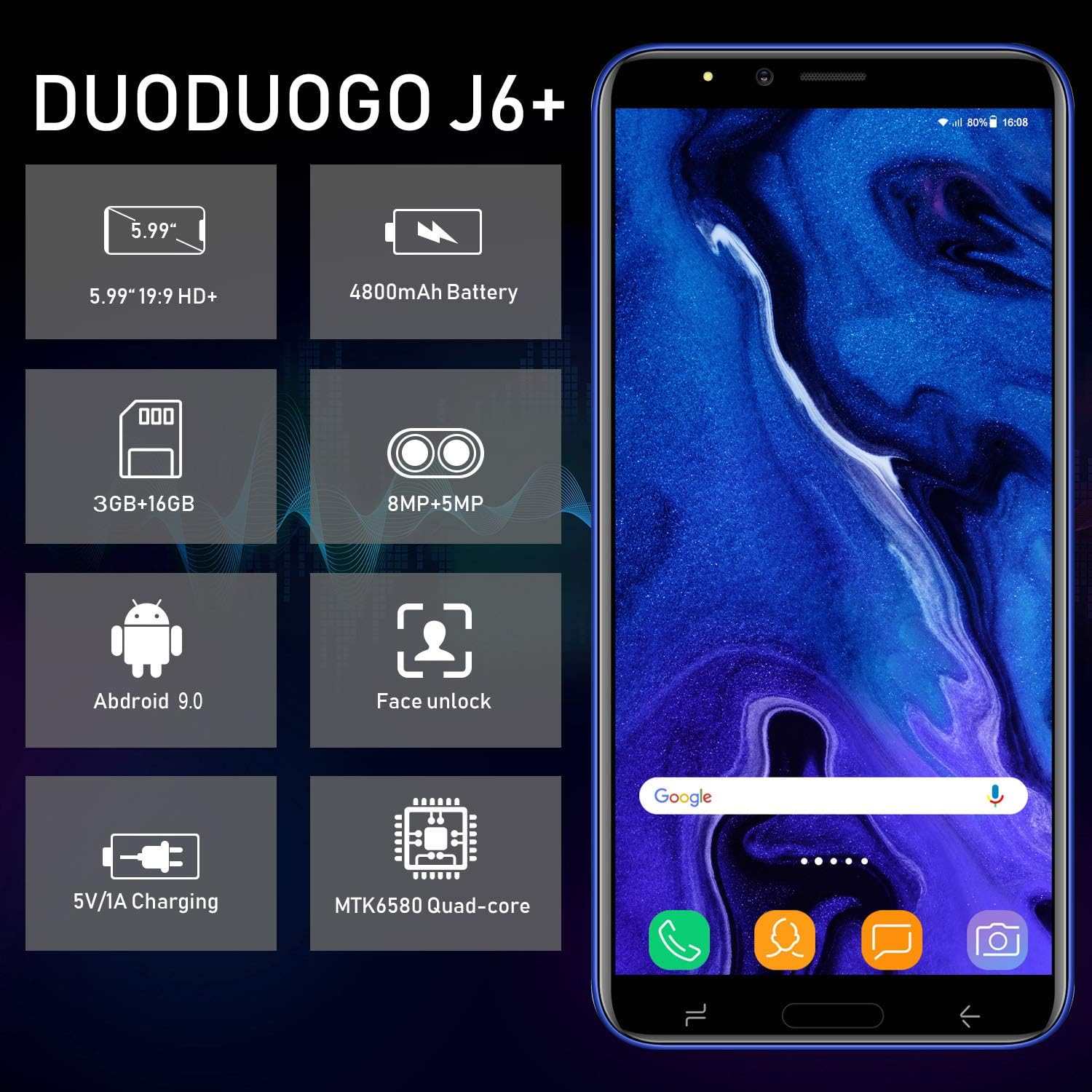
Image: Infographic highlighting key specifications of the DUODUOGO J6+, including screen size, battery capacity, memory, camera resolution, Android version, Face Unlock, charging, and processor type.
Obsah balení
Po otevření balení se prosím ujistěte, že jsou přítomny všechny následující položky:
- DUODUOGO J6+ Smartphone
- Nabíječka
- USB datový kabel
- Sluchátka
- Ochranné pouzdro
- Screen Protector (Anti-burst membrane)
- Uživatelská příručka

Image: All items included in the DUODUOGO J6+ smartphone package, neatly laid out, including the phone, charger, USB cable, headphones, protective case, and user manual.
Nastavení
1. Instalace baterie a počáteční nabití
The DUODUOGO J6+ comes with a removable battery. Before first use, remove the insulating film from the battery terminals. Insert the battery into the designated compartment on the back of the phone. Close the back cover securely.
Connect the charger to the phone's USB port and plug it into a power outlet. Charge the phone completely before initial use. A full charge ensures optimal battery calibration.
2. Instalace SIM karty a karty MicroSD
The phone supports two Micro-SIM cards and one MicroSD card for expandable storage.
- Locate the SIM/MicroSD card slot(s), typically under the battery or on the side of the device.
- Carefully insert your Micro-SIM cards into the SIM slots with the gold contacts facing down.
- If desired, insert a MicroSD card (up to 128GB) into the dedicated MicroSD slot.
- Ensure the cards are seated correctly.
3. Zapnutí a počáteční nastavení
Press and hold the Power button (usually on the right side) until the screen lights up. Follow the on-screen prompts to complete the initial setup, which includes selecting your language, connecting to Wi-Fi, setting up your Google account, and configuring security features like Face ID.
Návod k obsluze
Základní navigace
- Zapnutí/vypnutí: Press and hold the Power button. Select "Power off" or "Restart" from the options.
- Uzamčení/odemknutí obrazovky: Krátkým stisknutím tlačítka napájení zamknete nebo odemknete obrazovku.
- Domovská obrazovka: Přejetím prstem doleva nebo doprava můžete procházet mezi domovskými obrazovkami.
- Oznámení: Přejetím prstu dolů od horního okraje obrazovky získáte přístup k panelu oznámení a rychlému nastavení.
- Nedávné aplikace: Klepněte na čtvercové navigační tlačítko (nebo přejeďte prstem nahoru a podržte jej odspodu, pokud používáte gesta) pro view nedávno používané aplikace.
Volání a odesílání zpráv
- Volání: Otevřete aplikaci „Telefon“, zadejte číslo a klepněte na ikonu volání.
- Zprávy: Open the "Messages" app, tap the new message icon, enter the recipient's number or select from contacts, and type your message.
Použití fotoaparátu
The DUODUOGO J6+ features an 8MP rear camera and a 5MP front camera.
- Otevřete aplikaci „Fotoaparát“.
- Klepnutím na tlačítko spouště pořídíte fotografii.
- Klepnutím na ikonu videa přepnete do režimu nahrávání videa.
- Pro přepínání mezi předním a zadním fotoaparátem použijte ikonu přepínače fotoaparátu.

Image: The DUODUOGO J6+ smartphone displayed with icons indicating its 8MP rear camera and 5MP front camera capabilities.
Face ID Unlock
Chcete-li nastavit Face ID, přejděte na Settings > Security & Location > Face Unlock. Follow the on-screen instructions to register your face. Once set up, simply look at the front camera to unlock your device quickly and securely.
Údržba
Obecná péče
- Udržujte zařízení suché. Vlhkost může poškodit elektronické obvody.
- Vyhněte se extrémním teplotám. Vysoké teploty mohou zkrátit životnost elektronických zařízení a poškodit baterie.
- Chraňte zařízení před pádem, klepáním a otřesy. Hrubé zacházení může poškodit vnitřní obvody.
- Používejte pouze schválené nabíječky a příslušenství.
- Clean the screen and body with a soft, dry cloth. Avoid using harsh chemicals.
Péče o baterie
- Chcete-li prodloužit životnost baterie, vyvarujte se častého úplného vybíjení.
- Nenechávejte telefon nabíjet po příliš dlouhou dobu po úplném nabití.
- Pokud telefon nebudete delší dobu používat, nabijte jej před uskladněním přibližně na 50 %.

Image: A visual representation emphasizing the 4800mAh large capacity battery of the DUODUOGO J6+ smartphone.
Odstraňování problémů
| Problém | Možná příčina / řešení |
|---|---|
| Telefon se nezapne. | Battery might be completely drained. Charge the phone for at least 30 minutes before attempting to power on. Ensure the insulating film is removed from the battery. |
| Nelze se připojit k Wi-Fi. | Ensure Wi-Fi is enabled in settings. Check if the Wi-Fi password is correct. Restart your router and the phone. |
| SIM karta nebyla detekována. | Ensure the SIM card is correctly inserted in the slot. Restart the phone. Check if the SIM card is active with your network provider. |
| Nefunguje Face ID. | Ensure your face is well-lit and not obstructed. Re-register your face in settings if the issue persists. |
| Pomalý výkon. | Close unused apps. Clear cache from apps. Free up storage space by deleting unnecessary files or moving them to the SD card. Restart the phone. |
Specifikace
| Funkce | Detail |
|---|---|
| Název modelu | J6+ |
| Značka | DUODUOGO |
| Operační systém | Android 9.0 |
| Velikost displeje | 6.0 inches (15.3 cm) HD+ |
| BERAN | 3 GB |
| Interní úložiště | 16 GB |
| Rozšiřitelné úložiště | Až 128 GB (MicroSD) |
| Zadní kamera | 8 MP |
| Přední kamera | 5 MP |
| Kapacita baterie | 4800 XNUMX mAh |
| Sloty pro SIM karty | Dual-SIM (2 Micro-SIM) |
| Network Technology | 2G, 3G, 4G |
| Konektivita | Bluetooth 4.2, USB, WLAN (Wi-Fi), GPS |
| Bezpečnostní funkce | ID obličeje |
| Rozměry produktu | 16.1 x 7.7 x 0.8 cm |
| Hmotnost produktu | 170 gramů |
| Barva | Fialový |

Image: Detailed dimensions of the DUODUOGO J6+ smartphone, showing its length, width, and thickness.
Záruka a podpora
The DUODUOGO J6+ smartphone comes with a 1-letá záruka from the date of purchase. This warranty covers manufacturing defects and malfunctions under normal use. Please note that the warranty does not cover damages caused by human factors (e.g., accidental drops, liquid damage, unauthorized repairs).
For any questions, technical support, or warranty claims, please contact DUODUOGO customer service. Refer to the contact information provided in your product packaging or on the official DUODUOGO webmísto.
Ask a question about this manual
Ask about setup, troubleshooting, compatibility, parts, safety, or missing instructions. Manuals+ will review the question and use this page’s manual context to help answer it.