
Zavedení
This manual provides detailed instructions for the installation, operation, and maintenance of your Kolink INSPIRE K9 Midi-Tower Gaming Case. Please read this manual thoroughly before beginning assembly or use to ensure proper functionality and safety. The Kolink INSPIRE K9 is designed for gaming enthusiasts, offering ample space for high-performance components, efficient cooling options, and customizable RGB lighting.
Vlastnosti produktu
- ATX Tower Compatibility: The interior accommodates motherboards from Mini-ITX to ATX formats, along with high-performance graphics cards up to 300 mm in length. CPU coolers can be installed with a maximum height of 155 mm.
- Chladicí systém: Features a pre-installed 120 mm fan at the rear with digitally addressable RGB lighting. Supports up to six 120 mm fans in total. Radiators up to 240 mm can be installed at the front, and up to 120 mm at the rear for water cooling setups.
- Možnosti úložiště: The case provides space for up to 2 x 3.5/2.5 inch drive bays and 2 x 2.5 inch drive bays.
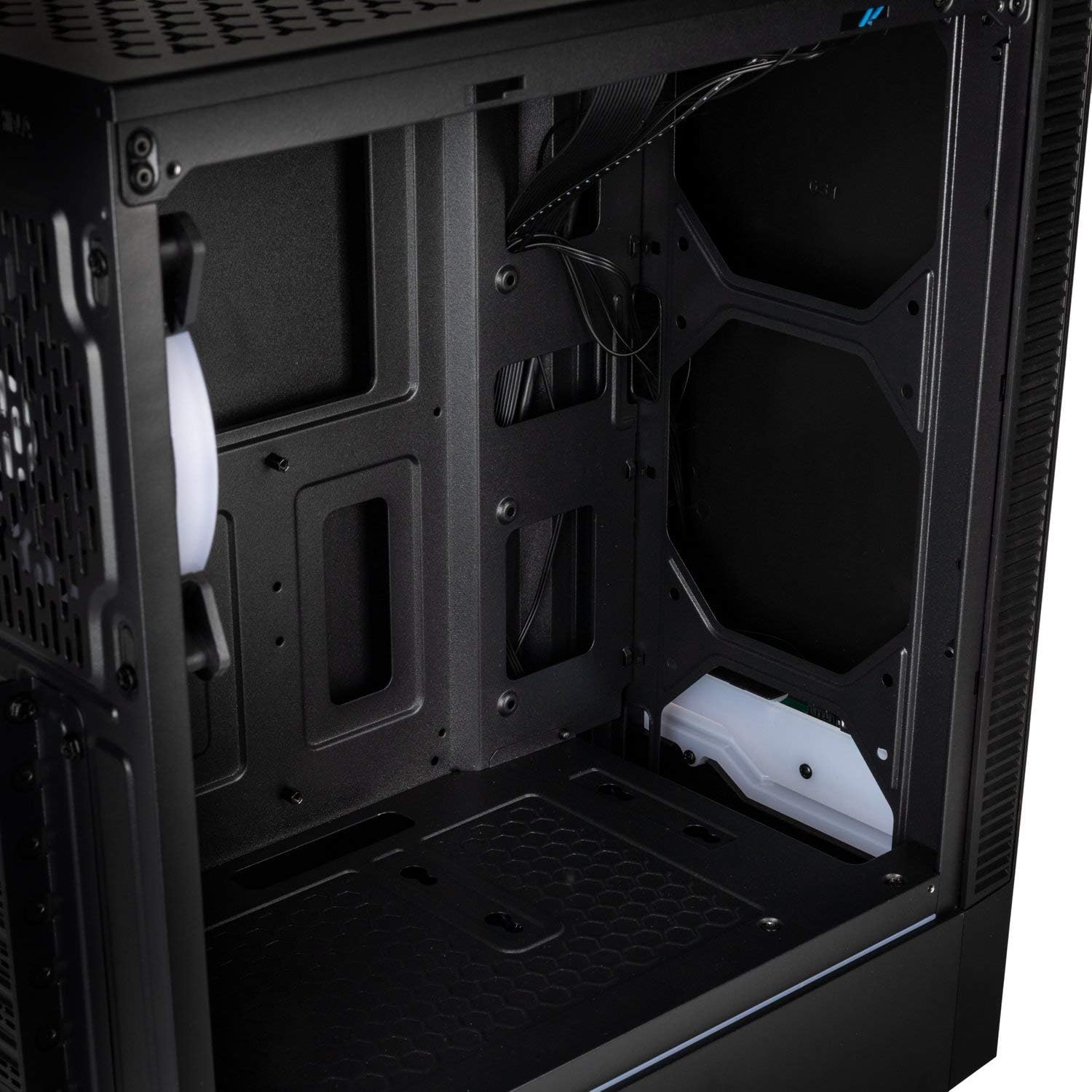
- I/O panel: Equipped with 1x USB 3.0 port, 2x USB 2.0 ports, and an RGB LED control button for easy access and customization.
- RGB Design with Tempered Glass: A side panel made of lightly tinted tempered glass complements the elegant design of the midi tower, allowing for a clear view of internal components and RGB lighting.
Specifikace
| Značka | Koli |
| Název modelu | Inspire K9 |
| Typ pouzdra | Midi-Tower |
| Kompatibilita základní desky | Mini-ITX, ATX |
| Materiál | Tvrzené sklo |
| Barva | Černý |
| Způsob chlazení | Vzduch, voda |
| Předinstalované ventilátory | 1 x 120mm (rear, RGB) |
| Maximální podpora ventilátorů | 6 x 120 mm |
| Podpora radiátorů | Front: up to 240mm, Rear: up to 120mm |
| Drive Bays | 2 x 3.5/2.5 inch, 2 x 2.5 inch |
| Rozšiřující sloty | 7 |
| I/O panel | 1x USB 3.0, 2x USB 2.0, RGB LED Control |
| Maximální délka GPU | 300 mm |
| Maximální výška chladiče CPU | 155 mm |
| Rozměry položky (D x Š x V) | 48H x 44Š x 23V cm |
| Hmotnost položky | 4 kg |
Nastavení a instalace
Follow these steps for proper assembly and installation of components within your Kolink INSPIRE K9 case.
1. Příprava případu
- Vybalte pouzdro a položte ho na stabilní, rovný povrch.
- Remove the tempered glass side panel by unscrewing the thumb screws, then carefully slide it off and set it aside on a soft, non-abrasive surface to prevent scratches.
- Remove the solid metal side panel by unscrewing the thumb screws at the rear and sliding it backward.
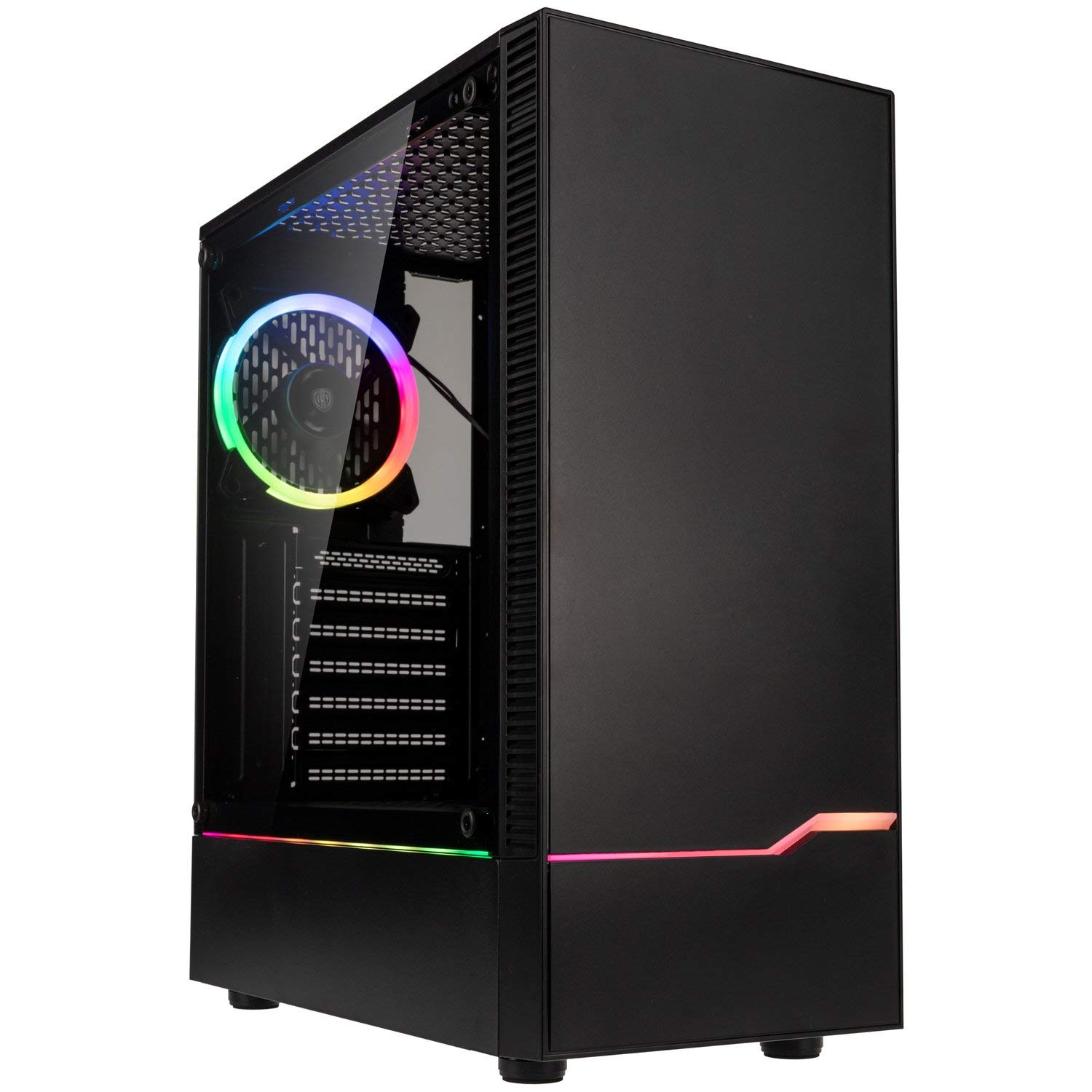
Obrázek: Přední levý view of the Kolink INSPIRE K9 case, showcasing the tempered glass side panel and front RGB strip.

Image: Right side panel of the Kolink INSPIRE K9 case, showing the solid metal panel.
2. Instalace základní desky
- Install the I/O shield that came with your motherboard into the designated slot at the rear of the case.
- Align your ATX or Mini-ITX motherboard with the standoffs inside the case. Ensure all standoffs match the screw holes on your motherboard.
- Zajistěte základní desku pomocí dodaných šroubů. Nepřetahujte je.
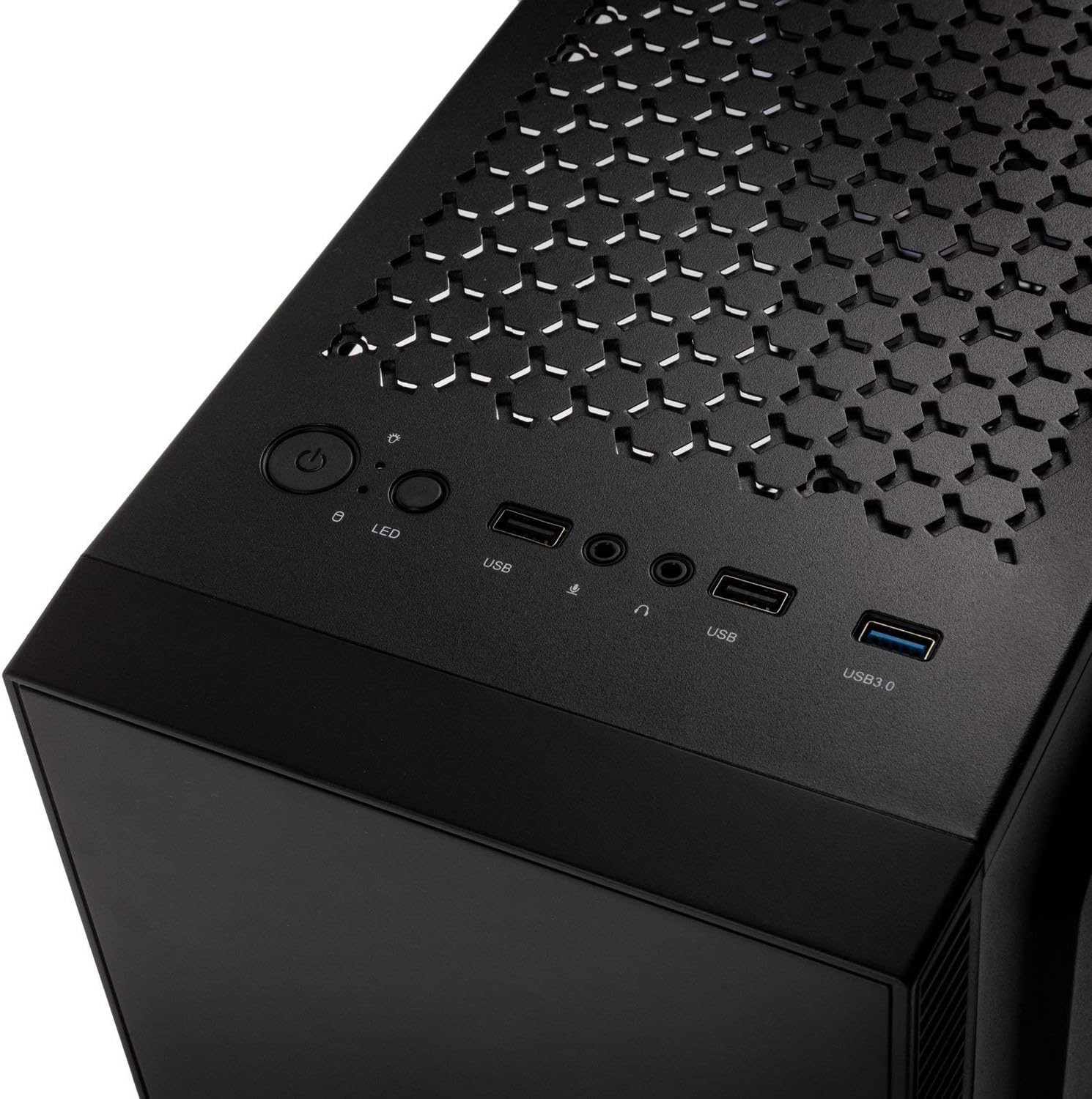
Obrázek: Interiér view of the Kolink INSPIRE K9 case, showing the motherboard tray and cable routing options.
3. CPU and CPU Cooler Installation
- Install your CPU onto the motherboard socket according to your motherboard's instructions.
- Apply thermal paste to the CPU. Refer to the video below for proper thermal paste application techniques.
- Install your CPU cooler (air or liquid) ensuring it fits within the 155 mm height limit. For liquid coolers, install radiators at the front (up to 240mm) or rear (up to 120mm) of the case.
Video: Guide on how to apply thermal paste correctly to a CPU. This is crucial for efficient CPU cooling.
4. Instalace grafické karty (GPU)
- Remove the necessary expansion slot covers at the rear of the case. The case has 7 expansion slots.
- Insert your graphics card into the primary PCIe slot on your motherboard. Ensure it clicks into place.
- Secure the graphics card with screws. The case supports GPUs up to 300 mm in length.
5. Instalace úložného disku
- Install 3.5-inch or 2.5-inch drives into the designated drive bays. The case supports 2 x 3.5/2.5 inch and 2 x 2.5 inch drives.
- Zajistěte pohony šrouby.
6. Instalace napájecího zdroje (PSU)
- Install your PSU into the bottom mounting area of the case.
- Zajistěte zdroj šrouby ze zadní strany skříně.
7. Správa kabelů
- Route all power and data cables through the cutouts in the motherboard tray to the rear of the case.
- Use cable ties (not included) to neatly bundle and secure cables behind the motherboard tray. This improves airflow and aesthetics.

Obrázek: Zadní view of the Kolink INSPIRE K9 case, showing the I/O shield cutout, expansion slots, and rear fan.

Obrázek: Interiér view of the Kolink INSPIRE K9 case from the right side, showing cable routing space and drive bays.
8. Připojení I/O na předním panelu
- Connect the front panel cables (USB 3.0, USB 2.0, HD Audio, Power Switch, Reset Switch, Power LED, HDD LED, RGB LED Control) to the corresponding headers on your motherboard. Refer to your motherboard manual for header locations.

Image: Close-up of the top I/O panel of the Kolink INSPIRE K9 case, featuring USB ports, audio jacks, power button, and RGB LED control.
Návod k obsluze
- Zapnutí/vypnutí: Press the power button on the top I/O panel to turn your system on or off.
- Ovládání RGB: Use the dedicated RGB LED control button on the top I/O panel to cycle through various lighting modes and colors for the pre-installed RGB fan and front RGB strip.
- USB porty: Utilize the USB 3.0 and USB 2.0 ports for connecting peripherals and external devices.
- Audio konektory: Connect your headphones and microphone to the audio jacks on the top I/O panel.
Obrázek: Detail view of the pre-installed 120mm RGB fan at the rear of the Kolink INSPIRE K9 case.
Údržba
Pravidelná údržba pomáhá zajistit optimální výkon a dlouhou životnost komponent vašeho počítače.
- Čištění prachu: Periodically clean dust from the interior of the case, especially from fans and dust filters. Use compressed air or a soft brush.
- Čištění exteriéru: Wipe the exterior surfaces, including the tempered glass panel, with a soft, damp tkanina. Vyhněte se abrazivním čisticím prostředkům.
- Kontrola kabeláže: Occasionally check cable routing to ensure no cables are obstructing airflow or fan operation.
Odstraňování problémů
Pokud narazíte na problémy s sestavením počítače, zvažte následující běžné kroky pro řešení problémů související s případem:
- Systém se nezapíná:
- Ensure the power supply is properly connected to the wall outlet and the PSU switch is in the ON position.
- Ověřte, zda je kabel vypínače na předním panelu správně připojen ke konektoru základní desky.
- Check all power connections from the PSU to the motherboard and components.
- Ventilátory se netočí / RGB nefunguje:
- Confirm that the fan power cables are securely connected to the motherboard or fan controller.
- Check that the RGB cables are properly connected to the motherboard's RGB header or the case's RGB controller.
- Press the RGB LED control button on the I/O panel to cycle through modes.
- Nefunkční USB porty:
- Ensure the USB 3.0 and USB 2.0 front panel cables are correctly plugged into their respective headers on the motherboard.
- Problémy s přehříváním:
- Verify that all case fans are spinning correctly and are oriented for optimal airflow (intake/exhaust).
- Vyčistěte ventilátory a filtry od nahromaděného prachu.
- Ensure the CPU cooler is properly seated and thermal paste is correctly applied.
Záruka a podpora
For warranty information and technical support, please refer to the official KOLINK webnebo se obraťte na prodejce. Uschovejte si doklad o koupi pro případ reklamace.
Výrobce: Koli
Číslo modelu: INSPIREK9
Globální číslo obchodní položky (GTIN): 05999094004030