
Zavedení
Děkuji za nákupasing the Hoco HC4 5.0 Wireless Bluetooth Sport Speaker. This manual provides detailed instructions for the proper setup, operation, and maintenance of your device. Please read this manual thoroughly before use to ensure optimal performance and to prevent damage.
Konec produktuview
The Hoco HC4 is a portable wireless speaker designed for outdoor and sport use, featuring Bluetooth 5.0 connectivity, multiple playback options, and a robust design.
Obsah balení:
- Bezdrátový Bluetooth reproduktor Hoco HC4
- USB nabíjecí kabel
- Uživatelská příručka
Ovládací prvky a porty:
Seznamte se s tlačítky a připojovacími porty reproduktoru:

Obraz: Close-up of the Hoco HC4 speaker showing the AUX port, DC-5V charging port, USB port, TF card slot, and control buttons.
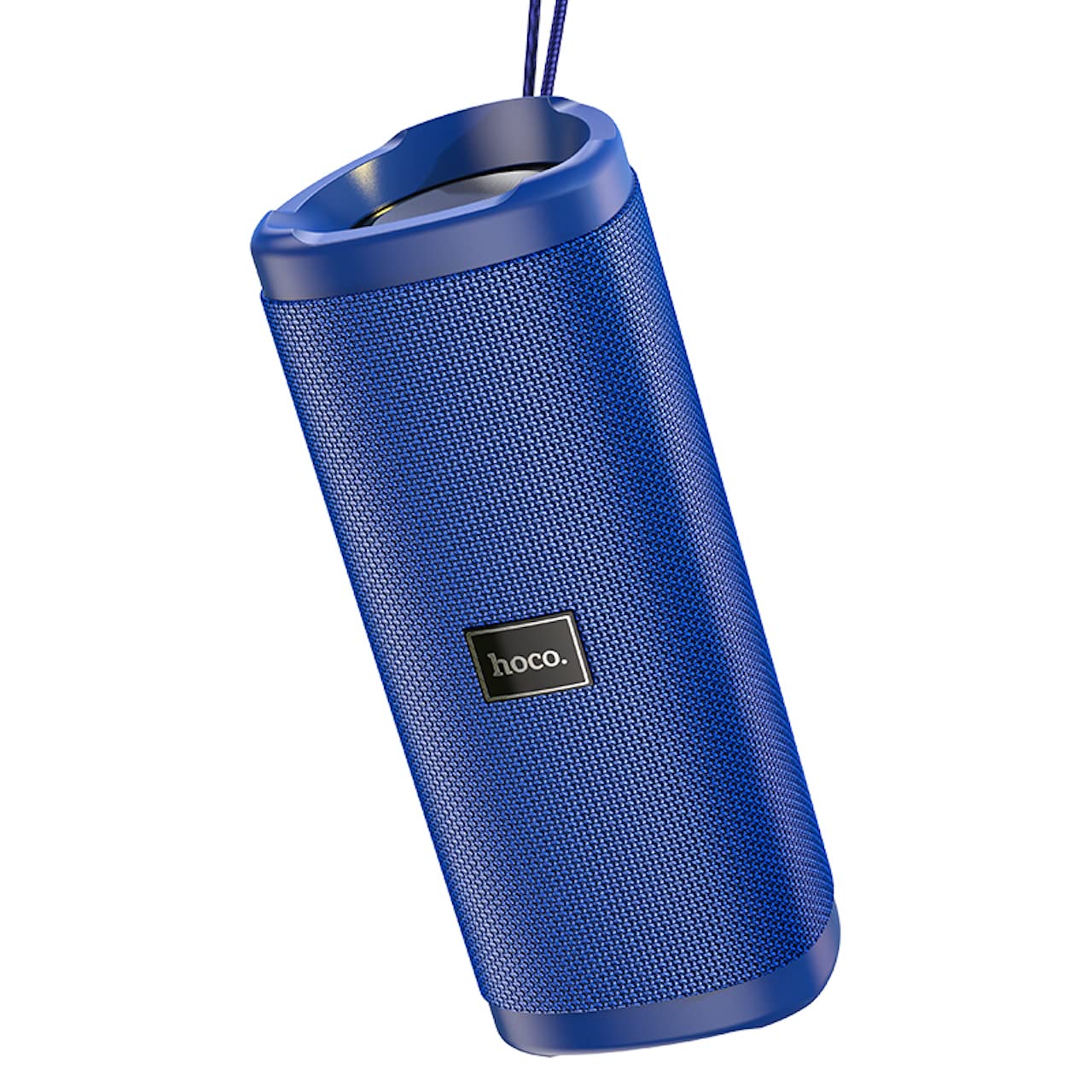
Obraz: Úhlové view of the Hoco HC4 blue wireless speaker, highlighting its cylindrical design and fabric mesh.
- Vypínač: Stiskněte a podržte pro zapnutí/vypnutí. Krátkým stisknutím přehrajete/pozastavíte.
- Tlačítko režimu (M): Short press to switch between Bluetooth, FM Radio, TF Card, USB, and AUX modes.
- Tlačítko pro snížení hlasitosti / Předchozí skladba (-): Krátkým stisknutím přejdete na předchozí skladbu, dlouhým stisknutím snížíte hlasitost.
- Tlačítko pro zvýšení hlasitosti / další skladbu (+): Krátkým stisknutím přejdete na další skladbu, dlouhým stisknutím zvýšíte hlasitost.
- AUX port: Pro kabelové připojení zvuku pomocí 3.5mm audio kabelu.
- Port DC-5V: Pro nabíjení reproduktoru pomocí dodaného USB kabelu.
- USB port: Pro přehrávání zvuku z USB flash disku.
- Slot na kartu TF: Pro přehrávání zvuku z karty TF (MicroSD).
Nastavení
Počáteční nabíjení:
- Před prvním použitím reproduktor plně nabijte.
- Connect the small end of the USB charging cable to the DC-5V port on the speaker.
- Connect the larger end of the USB cable to a USB power adapter (5V/1A recommended) or a computer's USB port.
- Kontrolka nabíjení se během nabíjení rozsvítí a po úplném nabití zhasne.
Návod k obsluze
Zapnutí/vypnutí:
- Zapnutí: Stiskněte a podržte tlačítko napájení přibližně 3 sekundy. Uslyšíte zvukový signál.
- Vypnutí: Stiskněte a podržte tlačítko napájení přibližně 3 sekundy. Uslyšíte zvukový signál.
Bluetooth párování:
- Ensure the speaker is powered on and in Bluetooth mode (indicated by a flashing blue LED and an audible prompt). If not, short press the 'M' (Mode) button to switch to Bluetooth mode.
- Povolte Bluetooth na svém mobilním zařízení (chytrém telefonu, tabletu atd.).
- Hledat available Bluetooth devices. Select "HC4" from the list.
- Once paired, the blue LED will stop flashing and remain solid, and you will hear a confirmation sound.
- Nyní můžete přehrávat zvuk ze zařízení přes reproduktor.
Režim rádia FM:
- Short press the 'M' (Mode) button until you hear the FM radio prompt.
- To auto-scan and save available stations, short press the Power button. The speaker will scan and store stations automatically.
- Mezi uloženými stanicemi se můžete pohybovat pomocí tlačítek „-“ a „+“.
TF Card / USB Playback:
- Insert a TF (MicroSD) card or USB flash drive into the respective slot.
- The speaker will automatically switch to TF card or USB mode and begin playing audio files. If not, short press the 'M' (Mode) button to select the correct mode.
- Use the Power button to play/pause, and the '-' and '+' buttons for track navigation and volume control.
Režim AUX:
- Připojte jeden konec 3.5mm audio kabelu (není součástí balení) k portu AUX na reproduktoru.
- Connect the other end to the audio output of your device (e.g., laptop, MP3 player).
- Short press the 'M' (Mode) button to switch to AUX mode.
- Audio will now play through the speaker. Volume can be controlled via the speaker or your connected device.
Funkce True Wireless Stereo (TWS):
The TWS function allows you to pair two Hoco HC4 speakers together for a stereo sound experience.
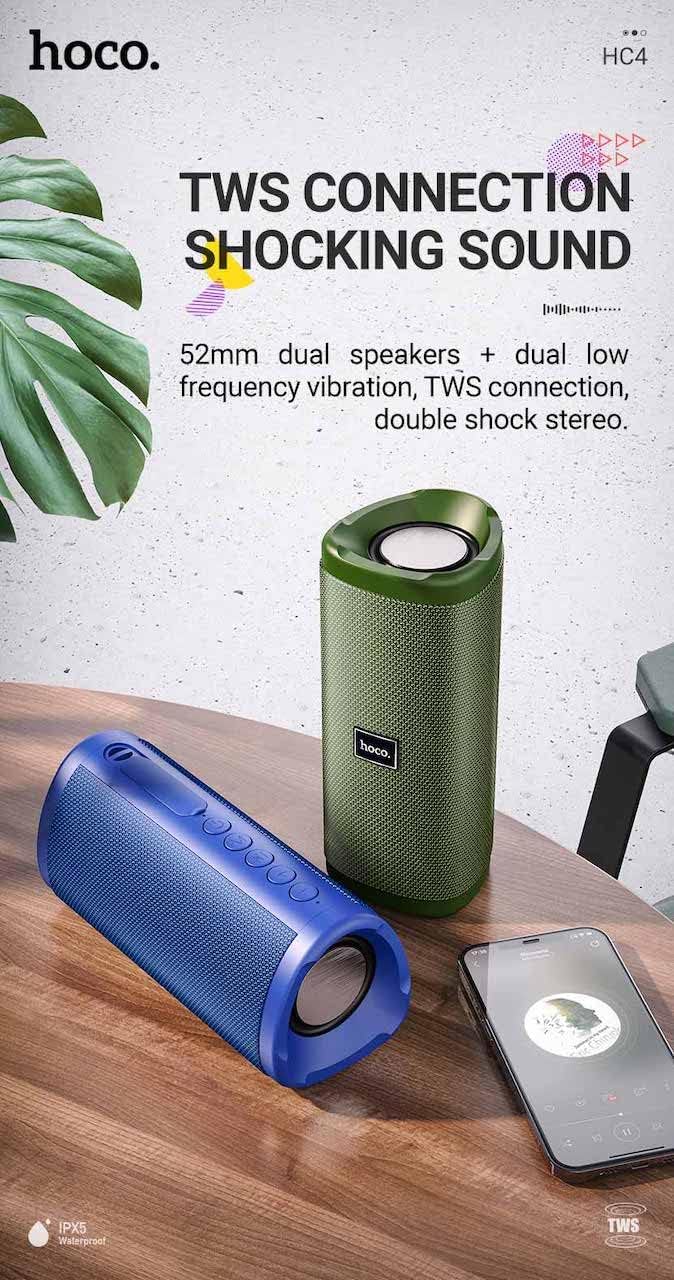
Obraz: A promotional image showing two Hoco HC4 speakers (blue and green) connected via TWS, with a smartphone playing music. The image also highlights 'IPX5 Waterproof'.
- Ensure both HC4 speakers are powered on and in Bluetooth pairing mode (flashing blue LED).
- On one of the speakers (this will be the primary speaker), double-press the Power button. You will hear a tone indicating it is searching for another speaker.
- The two speakers will automatically connect to each other. Once connected, you will hear a confirmation sound, and the LED on the primary speaker will flash, while the secondary speaker's LED will be solid.
- Nyní připojte mobilní zařízení k primárnímu reproduktoru přes Bluetooth, jak je popsáno v části „Párování přes Bluetooth“.
- Zvuk se nyní bude přehrávat stereo přes oba reproduktory.
Nabíjení
When the battery is low, the speaker will emit an audible warning. Connect the speaker to a power source using the provided USB cable to recharge. A full charge takes approximately 2-3 hours. The speaker provides up to 3 hours of playtime on a full charge, depending on volume level and usage.
Údržba
Čištění:
Reproduktor otřete měkkým, suchým hadříkem. Nepoužívejte abrazivní čisticí prostředky, líh ani jiná chemická rozpouštědla, protože by mohla poškodit povrch.
Skladování:
Store the speaker in a cool, dry place away from direct sunlight and extreme temperatures. If storing for an extended period, charge the battery at least once every three months to prolong its lifespan.
Voděodolnost (IPX5):
The Hoco HC4 speaker features an IPX5 water resistance rating, meaning it is protected against low-pressure water jets from any direction. This makes it suitable for outdoor use and resistant to splashes and light rain. Neponořujte reproduktor do vody. Ensure the port cover is securely closed to maintain water resistance.
Odstraňování problémů
| Problém | Možná příčina | Řešení |
|---|---|---|
| Reproduktor se nezapne | Slabá baterie; Tlačítko napájení nebylo stisknuto dostatečně dlouho. | Nabijte reproduktor; Stiskněte a podržte tlačítko napájení po dobu 3 sekund |
| Žádný zvuk | Příliš nízká hlasitost; Nesprávný režim; Zařízení není připojeno | Increase volume; Switch to correct mode (Bluetooth, AUX, etc.); Ensure device is paired/connected |
| Párování Bluetooth se nezdařilo | Reproduktor není v režimu párování; Bluetooth zařízení vypnuto; Příliš daleko od reproduktoru | Ensure speaker is in Bluetooth mode (flashing LED); Turn on device Bluetooth; Move device closer (within 10m) |
| Párování TWS se nezdařilo | Speakers not in TWS pairing mode; Too far apart | Ensure both speakers are in Bluetooth mode, then double-press Power button on one; Keep speakers close during TWS pairing |
Specifikace

Obraz: The Hoco HC4 speaker with its dimensions clearly marked: 20 cm in length, 8.8 cm in height, and 8.1 cm in width.
- Značka: Hoco
- Model: HC4
- Verze Bluetooth: 5.0
- Výstupní výkon: 10W
- Velikost reproduktoru: 52 mm
- Kapacita baterie: 1500 XNUMX mAh
- Prázdno: Přibližně 3 hodiny (při 80% hlasitosti)
- Doba nabíjení: Přibližně 2-3 hodiny
- Rozměry: 200 x 88 x 81 mm (Length x Height x Width)
- Hmotnost: 540 gramů
- Možnosti připojení: Bluetooth, FM Radio, TF Card, USB, AUX
- Voděodolnost: IPX5 (odolné proti stříkající vodě)
- Typ ovládání: Tlačítko
Bezpečnostní informace
- Nevystavujte reproduktor extrémním teplotám ani přímému slunečnímu záření po delší dobu.
- Vyvarujte se pádu reproduktoru nebo jej nevystavujte silným nárazům.
- Keep the speaker away from water and liquids, especially when ports are open.
- Nepokoušejte se reproduktor sami rozebírat, opravovat ani upravovat. Zrušíte tak platnost záruky a může dojít k poškození.
- Používejte pouze specifikovaný nabíjecí objemtage (DC 5V) and the provided charging cable.
- Uchovávejte mimo dosah dětí.
Záruka a podpora
This product is covered by a standard manufacturer's warranty. For specific warranty terms and conditions, please refer to the warranty card included with your purchase or contact your local retailer. For technical support or service inquiries, please contact Hoco customer service or the authorized distributor in your region.