
Zavedení
The Sharkoon Skiller SGK30 is a mechanical gaming keyboard designed for performance and durability. It features customizable RGB lighting, N-Key rollover, and a 1000Hz polling rate for responsive gameplay and typing. This manual provides essential information for setting up, operating, and maintaining your keyboard.

Image: Sharkoon Skiller SGK30 Mechanical Gaming Keyboard banner displaying the product name and type.
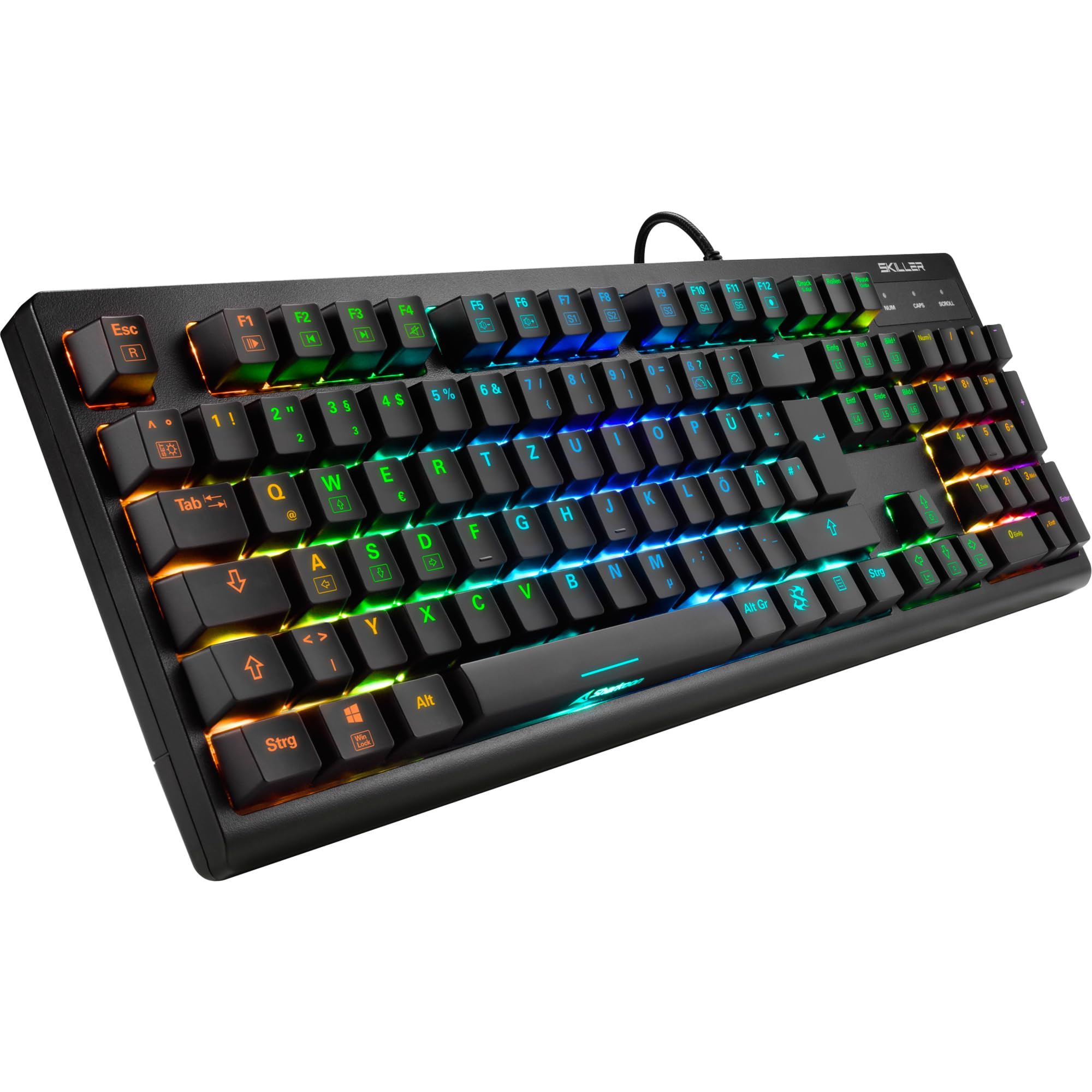
Obrázek: Pohled shora dolů view of the Sharkoon Skiller SGK30 mechanical gaming keyboard, showcasinjeho plné rozložení a zářivé RGB podsvícení.
Konec produktuview Video
Video: Oficiální produkt u konceview of the Sharkoon Skiller SGK30 Mechanical Gaming Keyboard, demonstrating its features, RGB lighting effects, and mechanical switches.
Nastavení
Follow these steps to set up your Sharkoon Skiller SGK30 keyboard:
- Rozbalte klávesnici: Opatrně vyjměte klávesnici a přiložený USB kabel z obalu.
- Připojení k počítači: Plug the Micro USB end of the cable into the keyboard's port and the standard USB-A end into an available USB port on your computer.
- Instalace ovladače: The keyboard is plug-and-play. Your operating system (Windows 10 or later recommended) should automatically detect and install the necessary drivers.
- Instalace softwaru (volitelné): For advanced customization of RGB lighting and key assignments, download the official Sharkoon software from the manufacturer's webmísto.

Image: The Sharkoon Skiller SGK30 keyboard positioned on a desk, ready for connection.
Návod k obsluze
Základní funkce kláves
The Sharkoon Skiller SGK30 features a standard layout with additional function keys accessible via the FN klíč.
- FN + F1–F12: Access multimedia controls (e.g., play/pause, volume up/down, mute).
- FN + klávesa Windows: Zamkněte/odemkněte klávesu Windows, abyste zabránili nechtěnému stisknutí během hraní.
- N-Key Rollover: All keys are registered simultaneously, ensuring every keystroke is detected, even during rapid input.
Ovládání osvětlení RGB
The keyboard offers extensive RGB lighting customization. Use the following combinations to adjust lighting effects:
- FN + Insert/Home/Page Up/Delete/End/Page Down: Cycle through various pre-programmed lighting effects.
- FN + Arrow Keys (Up/Down): Adjust brightness levels of the lighting.
- FN + Arrow Keys (Left/Right): Upravte rychlost dynamických světelných efektů.
- Custom Illumination: Use the dedicated software for advanced per-key lighting customization.

Obrázek: Detailní záběr view of the keyboard keys highlighting the adjustable RGB illumination capabilities.
Přizpůsobení softwaru
For advanced settings, macro programming, and detailed RGB customization, download and install the Sharkoon Skiller SGK30 software from the official Sharkoon webwebu. Software vám umožňuje:
- Create and save custom lighting profiles.
- Program macros for specific keys.
- Přemapovat funkce kláves.

Image: A screenshot showing the graphical user interface of the Sharkoon Skiller SGK30 customization software, illustrating various options for lighting and key remapping.
Údržba
Správná údržba zajistí dlouhou životnost a výkon vaší klávesnice:
- Čištění: Use a soft, dry cloth to wipe the surface of the keyboard. For deeper cleaning, use compressed air to remove dust and debris from between the keycaps.
- Demontáž krytky kláves: If necessary, keycaps can be carefully removed using a keycap puller (not included) for thorough cleaning of the switches. Reinstall keycaps by pressing them firmly onto the switch stems.
- Vyhněte se tekutinám: Nevystavujte klávesnici tekutinám. V případě polití klávesnici okamžitě odpojte a nechte ji před opětovným připojením zcela vyschnout.
- Skladování: Klávesnici skladujte na chladném a suchém místě mimo dosah přímého slunečního záření a extrémních teplot.

Obrázek: Detailní záběr view of the mechanical switches on the Sharkoon Skiller SGK30 keyboard, illustrating their design for durability and ease of maintenance. Note: This model is available with Red switches, while the image shows Blue switches.
Odstraňování problémů
If you encounter issues with your Sharkoon Skiller SGK30 keyboard, refer to the following common solutions:
| Problém | Možná příčina | Řešení |
|---|---|---|
| Klávesnice nereaguje | Volné USB připojení, vadný USB port, problém s ovladačem. |
|
| RGB osvětlení nefunguje nebo je nesprávné | Lighting settings incorrect, software conflict. |
|
| Klíče se neregistrují | Prach/nečistoty pod klávesou, vadný spínač. |
|
Specifikace
| Funkce | Detail |
|---|---|
| Značka | Sharkoon |
| Číslo modelu | 4044951030026 |
| Typ klávesnice | Mechanická herní klávesnice |
| Typ přepínače | Red Switch (Blue switches are also available for this model series) |
| Konektivita | Micro USB |
| Míra hlasování | 1000 Hz |
| N-Key Rollover | Podporováno |
| RGB osvětlení | Customizable RGB |
| Operační systém | Windows 10 (and compatible with other Windows versions) |
| Rozměry (DxŠxV) | 44 x 14.4 x 3.5 cm |
| Hmotnost | 867 g |
Co je v krabici
The Sharkoon Skiller SGK30 package includes:
- Sharkoon Skiller SGK30 Mechanical Gaming Keyboard
- USB kabel
Záruka a podpora
For warranty information and technical support, please refer to the official Sharkoon webnebo se obraťte na místního prodejce. Uschovejte si doklad o koupi pro případ reklamace.
Poznámka: Specifikace a funkce produktu se mohou změnit bez předchozího upozornění.