
1. Úvod
Welcome to the user manual for your new boAt Airdopes 621 Truly Wireless Earbuds. This guide provides detailed instructions on how to set up, operate, maintain, and troubleshoot your earbuds to ensure you get the best possible audio experience. The Airdopes 621 offers an impressive 150 hours of playback with its charging case, ASAP Charge technology for quick power-ups, and IPX7 water resistance for durability.
2. Co je v krabici
- 1 x boAt Airdopes 621 TWS Earbuds
- 1 x nabíjecí pouzdro
- 1 x USB nabíjecí kabel typu C
- 2 x Additional Earbud Tips (pairs)
- 1 x Uživatelská příručka
3. Konec produktuview
The boAt Airdopes 621 earbuds are designed for comfort and secure fit, featuring a never-drop design. The charging case includes a digital battery indicator for convenient power monitoring.

The boAt Airdopes 621 earbuds, showcasing their sleek black design and in-ear fit.

The charging case features a clear digital display indicating the battery level.

The earbuds are shown alongside their open charging case, ready for use.
Ovládací prvky
The Airdopes 621 features smooth touch controls for easy management of music playback, calls, and voice assistant activation.
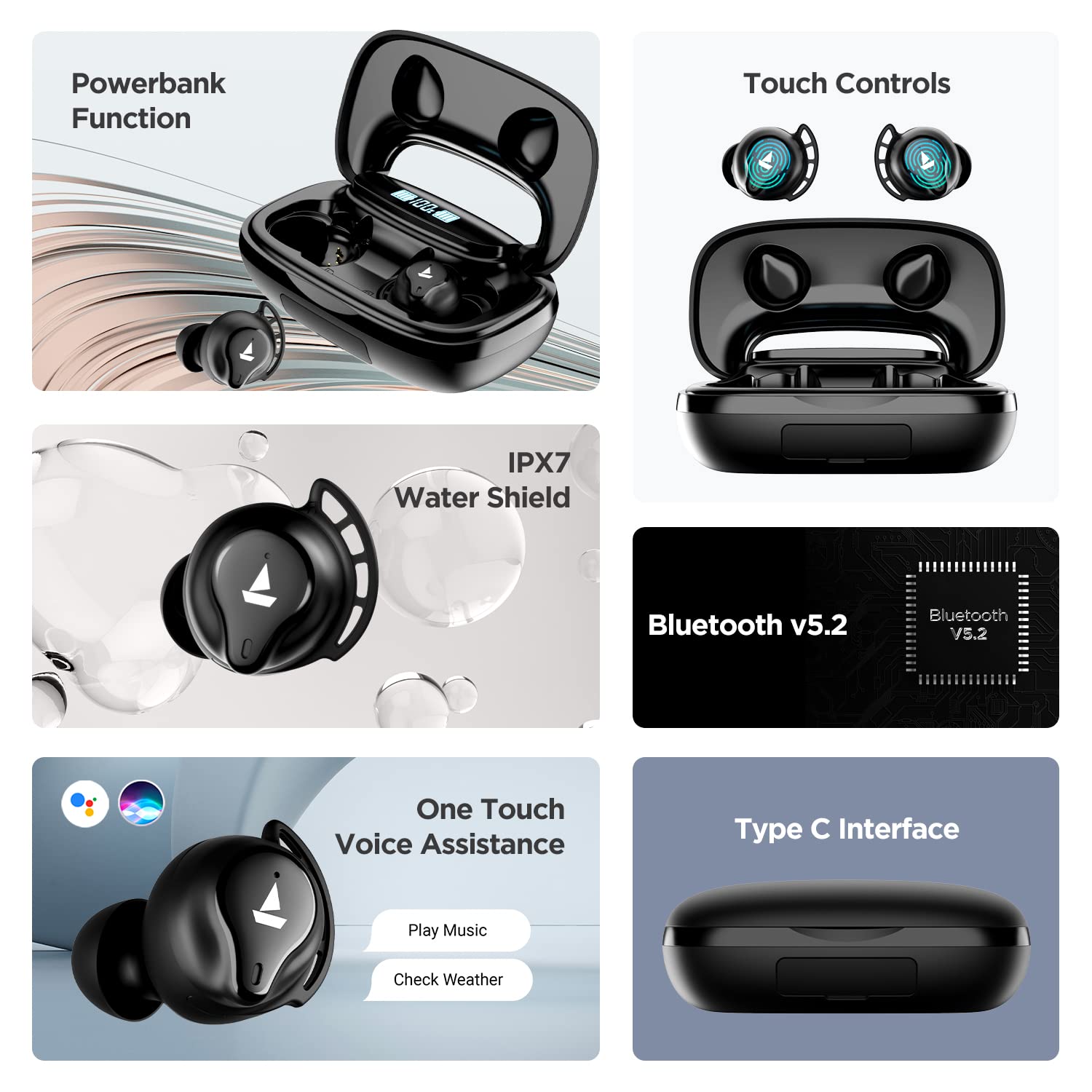
A visual summary of key features including power bank function, touch controls, IPX7 water resistance, Bluetooth v5.2, voice assistance, and Type-C interface.
4. Nastavení
4.1 Nabíjení sluchátek a pouzdra
Before first use, fully charge the Airdopes 621. Place both earbuds into the charging case. Connect the Type-C charging cable to the case and a power source. The digital indicator on the case will show the charging status.
The ASAP Charge technology provides up to 60 minutes of playback with just 5 minutes of charging.

Illustration of the ASAP Charge feature, highlighting 5 minutes of charge for 60 minutes of playtime.
4.2 Funkce powerbanky
The 2600mAh capacity of the charging case allows it to function as a power bank, providing emergency power to other devices via its USB-A output port (cable not included).
4.3 Párování s vaším zařízením
- Open the lid of the charging case. The earbuds will power on automatically due to IWP (Insta Wake N' Pair) Technology.
- Ujistěte se, že je na vašem zařízení (chytrém telefonu, tabletu atd.) povoleno rozhraní Bluetooth.
- Hledat "Airdopes 621" in the list of available Bluetooth devices.
- Select "Airdopes 621" to connect. Once connected, you will hear an audio prompt.
The earbuds will automatically connect to the last paired device when taken out of the case, provided Bluetooth is active on the device.

Visual representation of the IWP Technology, showing the earbuds automatically appearing for connection when the case is opened.
5. Návod k obsluze
5.1 Zapnutí/vypnutí
- Zapnutí: Open the charging case lid. The earbuds will power on automatically.
- Vypnout: Vložte sluchátka zpět do nabíjecího pouzdra a zavřete víko. Automaticky se vypnou.
5.2 Přehrávání hudby
- Přehrát/pozastavit: Jedním klepnutím na kterékoli sluchátko.
- Další skladba: Dvakrát klepněte na pravé sluchátko.
- Předchozí skladba: Dvakrát klepněte na levé sluchátko.
5.3 Správa hovorů
- Přijmout/ukončit hovor: Jedním klepnutím na kterékoli sluchátko.
- Odmítnout hovor: Stiskněte a podržte jedno ze sluchátek po dobu 2 sekund.
5.4 Hlasový asistent
- Aktivace hlasového asistenta (Siri/Google Assistant): Třikrát klepněte na kterékoli sluchátko.
6. Údržba
- Čištění: Pravidelně čistěte sluchátka a nabíjecí pouzdro měkkým, suchým hadříkem. Nepoužívejte agresivní chemikálie ani abrazivní materiály.
- Voděodolnost: The Airdopes 621 are IPX7 rated, meaning they are protected against immersion in water up to 1 meter for 30 minutes. Do not intentionally submerge them or use them for swimming. Ensure the charging port is dry before charging.
- Skladování: Pokud sluchátka nepoužíváte, uchovávejte je v nabíjecím pouzdře, aby byla chráněna a zůstala nabitá. Nevystavujte je extrémním teplotám.
7. Řešení problémů
- Sluchátka se nepřipojují/nepárují:
- Ujistěte se, že jsou obě sluchátka nabitá.
- Vypněte Bluetooth na zařízení a poté jej znovu zapněte.
- Forget "Airdopes 621" from your device's Bluetooth settings and try pairing again.
- Place both earbuds back in the case, close the lid, wait a few seconds, then open the lid to re-initiate pairing.
- Funguje pouze jedno sluchátko:
- Ujistěte se, že jsou obě sluchátka nabitá.
- Vložte obě sluchátka zpět do nabíjecího pouzdra, zavřete víko a znovu ho otevřete. Tím se často znovu synchronizují.
- If the issue persists, try resetting the earbuds (refer to the full product manual for specific reset instructions if available, as this varies by model).
- Nabíjecí pouzdro se nenabíjí:
- Zkontrolujte nabíjecí kabel a adaptér. Zkuste jiný kabel nebo zdroj napájení.
- Ensure the Type-C cable is fully inserted into the charging port.
- Špatná kvalita zvuku nebo výpadky signálu:
- Ujistěte se, že sluchátka jsou v dosahu Bluetooth vašeho zařízení (až 10 metrů).
- Snižte rušení tím, že se přesunete dál od jiných bezdrátových zařízení nebo silných elektromagnetických polí.
- Clean the earbud tips and speaker mesh to ensure no debris is blocking the sound.
- Ensure the earbud tips fit snugly in your ears for optimal sound quality.
8. Specifikace
| Funkce | Specifikace |
|---|---|
| Název modelu | Airdopes 621 |
| Technologie připojení | Bluetooth |
| Technologie bezdrátové komunikace | Skutečně bezdrátové |
| Verze Bluetooth | 5.2 |
| Dosah Bluetooth | 10 metrů |
| Playback Time (per charge) | Až 5.5 hodin |
| Celková doba přehrávání (s pouzdrem) | Až 150 hodin |
| Nabití ASAP | 5 Mins Charge = 60 Mins Playtime |
| Nabíjecí port | Typ-C |
| Úroveň odolnosti proti vodě | IPX7 |
| Velikost zvukového ovladače | 6 milimetrů |
| Kontrolní metoda | Dotek |
| Podpora hlasového asistenta | Siri, Google Assistant |
| Kapacita baterie pouzdra | 2600mAh (functions as Powerbank) |
| Hmotnost položky | 106 gramů |
| Rozměry produktu | 8.9 x 5.3 x 3.2 cm |
9. Záruka a podpora
Your boAt Airdopes 621 comes with a 1letá záruka výrobce from the date of purchase. This warranty covers manufacturing defects. Please retain your purchase receipt for warranty claims.
For further assistance, technical support, or warranty claims, please visit the official boAt webnebo kontaktujte jejich zákaznický servis. Další informace a zdroje podpory naleznete na Obchod boAt na Amazonu.