
1. Úvod a konecview
The Picture Keeper Connect is a versatile external storage device designed for backing up photos, videos, and contacts from various devices. This 256GB model provides ample space to secure your digital memories without the need for internet or cloud services. It features multiple connectors for broad compatibility across different platforms.

Image: Picture Keeper Connect 256GB USB Stick, silver color, showing its compact design.
2. Průvodce nastavením
To begin using your Picture Keeper Connect, follow these steps:
- Stáhněte si aplikaci: Hledat the "Picture Keeper" app on your device's app store (Google Play Store for Android or Apple App Store for iOS). Install the application.
- Připojte zařízení: Plug the appropriate connector of the Picture Keeper Connect into your smartphone, tablet, or computer. The device supports Lightning (iPhone/iPad), USB-C (iPhone 15/Android/Mac), Micro USB (Old Android Devices), and USB 3.0 (Mac/PC Computers).
- Otevřete aplikaci: Once connected, open the Picture Keeper app. If it's your first time, you may need to create an account or sign in.
- Udělit přístup: The app will prompt you to grant access to the drive. Confirm this to proceed.

Image: Illustration of the Picture Keeper app interface on a phone and laptop, demonstrating quick and effortless backup.

Image: Four-step visual guide showing how to set up the Picture Keeper Connect: Create Account/Sign In, Select Product, Grant Access, and Start Backup.
3. Návod k obsluze
Once the Picture Keeper Connect is set up, backing up your data is straightforward:
- Zahájit zálohování: From the app's home screen, tap "Start Backup". The device will automatically begin scanning and saving your photos, videos, and contacts.
- Automatic Duplicate Detection: The Picture Keeper Connect is designed to skip over duplicate files, ensuring efficient use of storage space.
- Resume Functionality: If a backup is interrupted, the device will pick up where it left off during the next session, preventing redundant transfers.
- Není vyžadován internet: All backup operations are performed directly on the device, meaning no Wi-Fi or cellular data connection is needed.
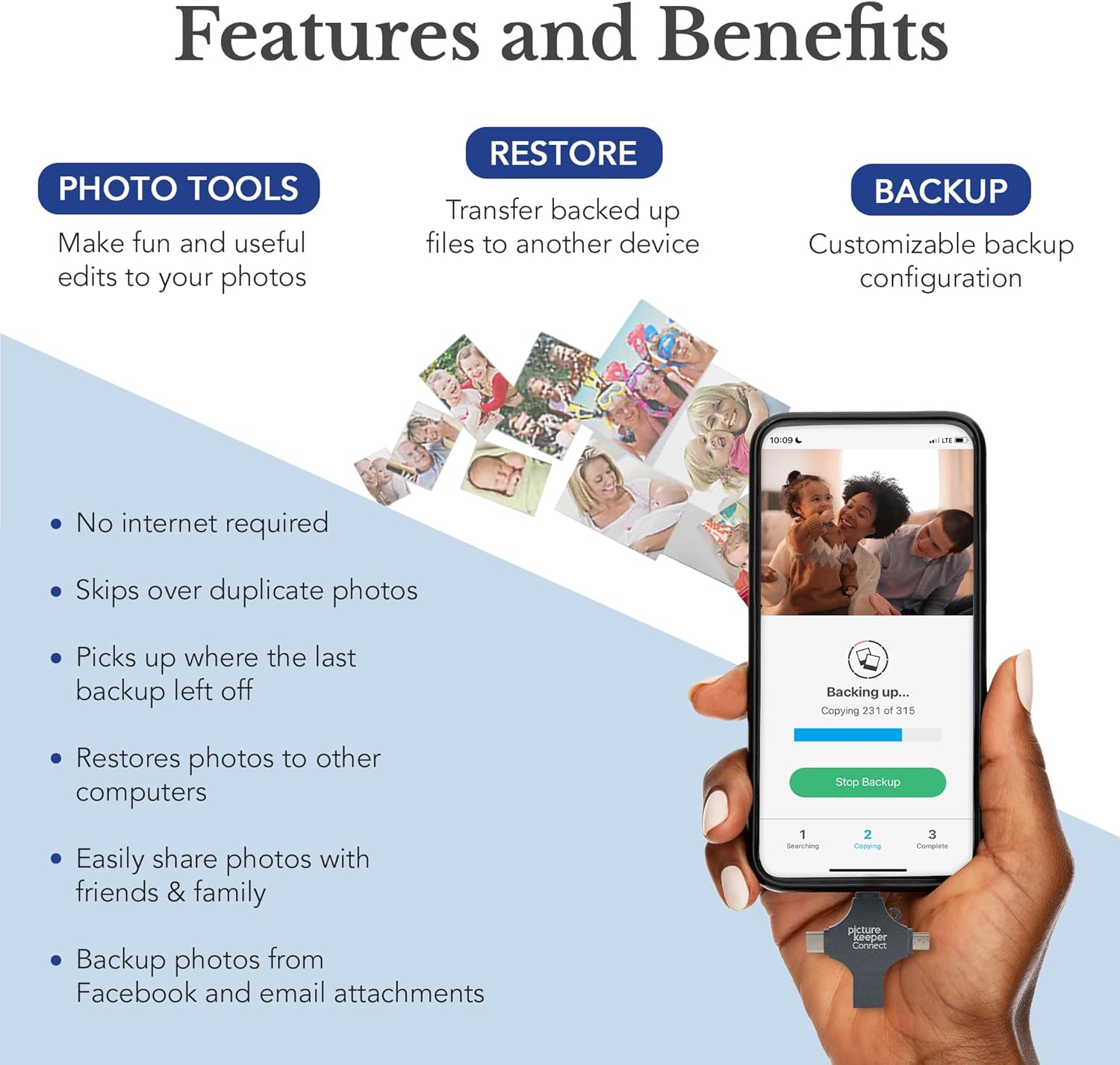
Image: A hand holding the Picture Keeper Connect, highlighting its multiple connector types for different devices.

Image: A smartphone screen displaying the Picture Keeper app with a progress bar indicating a backup is in progress, showing "Backing up..." and "Copying..." status.
4. Klíčové vlastnosti
- Kompatibilita 4 v 1: Equipped with Lightning, USB-C, Micro USB, and USB 3.0 connectors for broad device support.
- Automatické zálohování: Simplifies the process of saving photos, videos, and contacts with a single tap.
- Duplikát File Řízení: Intelligently identifies and skips duplicate files during backup.
- AI-Powered Batch Scanning: Digitizes physical photos quickly and efficiently.
- Magic Erase: An in-app feature to remove unwanted objects or distractions from your pictures.
- Photo Organization: Helps keep your digital memories neatly arranged.
- Podpora více zařízení: Compatible with iPhones (iOS 12+), iPads (iOS 12+), Android (5+), Windows (7+), and Mac OS (10.3+).

Image: Diagram illustrating the 4-in-1 compatibility of the Picture Keeper Connect, showing USB-C, Lightning, USB 3.0, and Micro USB connectors.

Image: Infographic detailing the features and benefits of Picture Keeper Connect, including Photo Tools, Restore, and Backup capabilities, with a phone displaying the app.

Obrázek: Vizuální examples of powerful new features like Retouch, Magic Erase, and Colorize, demonstrating before-and-after effects on photos.
5. Údržba
To ensure the longevity and optimal performance of your Picture Keeper Connect, consider the following maintenance tips:
- Bezpečné odstranění: Always safely eject the device from your computer or phone before physically disconnecting it to prevent data corruption.
- Chraňte konektory: Pokud konektory nepoužíváte, uchovávejte na nich ochranné krytky, abyste zabránili vniknutí prachu a poškození.
- Podmínky skladování: Zařízení skladujte na chladném a suchém místě mimo dosah extrémních teplot a přímého slunečního záření.
- Pravidelné zálohy: Perform regular backups to ensure your most recent memories are always secured.
6. Řešení problémů
If you encounter issues with your Picture Keeper Connect, try these common troubleshooting steps:
- Aplikace se nespouští: Ensure the Picture Keeper app is updated to the latest version. Restart your device and try again.
- Zařízení nebylo rozpoznáno: Check that the Picture Keeper Connect is fully inserted into the correct port on your device. Try a different port or restart your device.
- Pomalé přenosové rychlosti: Ensure your device's operating system and the Picture Keeper app are up to date. Large numbers of files or very large files can naturally take longer to transfer.
- Backup Interrupted: If a backup stops unexpectedly, simply reconnect the device and restart the app. The device is designed to resume from where it left off.
- Nedostatek úložného prostoru: Verify the remaining storage space on your Picture Keeper Connect. If full, consider transferring existing backups to another storage solution or purchasing a larger capacity device.
7. Specifikace
| Funkce | Detail |
|---|---|
| Značka | Strážce obrázků |
| Název modelu | Picture Keeper Connect |
| Kapacita paměti | 256 GB |
| Technologie připojení | USB |
| Připojení k hardwaru | Lightning, USB 2.0 Micro B, USB Type A, USB Type C |
| Typ paměti Flash | USB |
| Hardwarová platforma | Mac, PC |
| Speciální funkce | Přenosný |
| Rychlost zápisu | 30 XNUMX MB/s |
| Hmotnost položky | 2.08 unce |
| Rozměry balení | 6.18 x 4.17 x 1.02 palce |
| ASIN | B08TB12CLL |
| UPC/GTIN | 811962031267 |
| Datum první dostupnosti | 18. ledna 2021 |
8. Záruka a podpora
For product support, technical assistance, or warranty inquiries, please refer to the official Picture Keeper website or contact their customer service directly. Optional photo and data recovery plans may be available for purchase to provide extended protection for your digital memories.
Always ensure you are using official Picture Keeper support channels for assistance.