
Zavedení
Welcome to your new TELLUR Dash Patrol DC1 Car Camera. This manual provides instructions for installation, operation, and maintenance to ensure optimal performance and longevity of your device. Please read this manual thoroughly before using the product.
Bezpečnostní informace
- Ensure the dash camera is securely mounted and does not obstruct the driver's view nebo zasahovat do ovládání vozidla.
- Nepoužívejte zařízení za jízdy. Nastavení upravujte pouze tehdy, když je vozidlo bezpečně zaparkované.
- Nevystavujte zařízení extrémním teplotám, delšímu přímému slunečnímu záření nebo vlhkosti.
- Use only the provided power adapter and cables to prevent damage and ensure proper operation.
- Keep the lens clean to ensure clear video recordings.
- Nepokoušejte se zařízení rozebírat ani opravovat sami. Požádejte o pomoc kvalifikovaný servisní personál.
Obsah balení
- 1 x Dash Patrol Dashcam DC1
- 1 x magnetický držák
- 1 x kabel MicroUSB
- 1 x Duální USB nabíječka do auta
- 1 x Uživatelská příručka
Konec produktuview
Komponenty


Ovládací prvky a indikátory
- Vypínač: Press and hold to turn the device on or off. Short press to toggle screen display.
- Tlačítko M (režim): Switches between video recording, still photo, and playback modes.
- Tlačítka nahoru/dolů: Procházení možností nabídky nebo úprava nastavení.
- Tlačítko OK: Confirms selections or starts/stops recording in video mode.
- Slot na kartu TF: Insert a microSD card for storing recordings.
- MicroUSB port: Připojuje se k autonabíječce pro napájení.
- Mikrofon: Nahrává zvuk.
Nastavení
1. Vložte paměťovou kartu
Before first use, insert a Class 10 or higher microSD card (not included) into the TF Card slot. Ensure the card is inserted correctly until it clicks into place.
2. Namontujte palubní kameru
Clean the windshield area where the camera will be mounted. Attach the magnetic bracket to the windshield using its adhesive. Ensure the camera's position does not obstruct your view. Once the bracket is secured, attach the dash camera to the magnetic bracket.
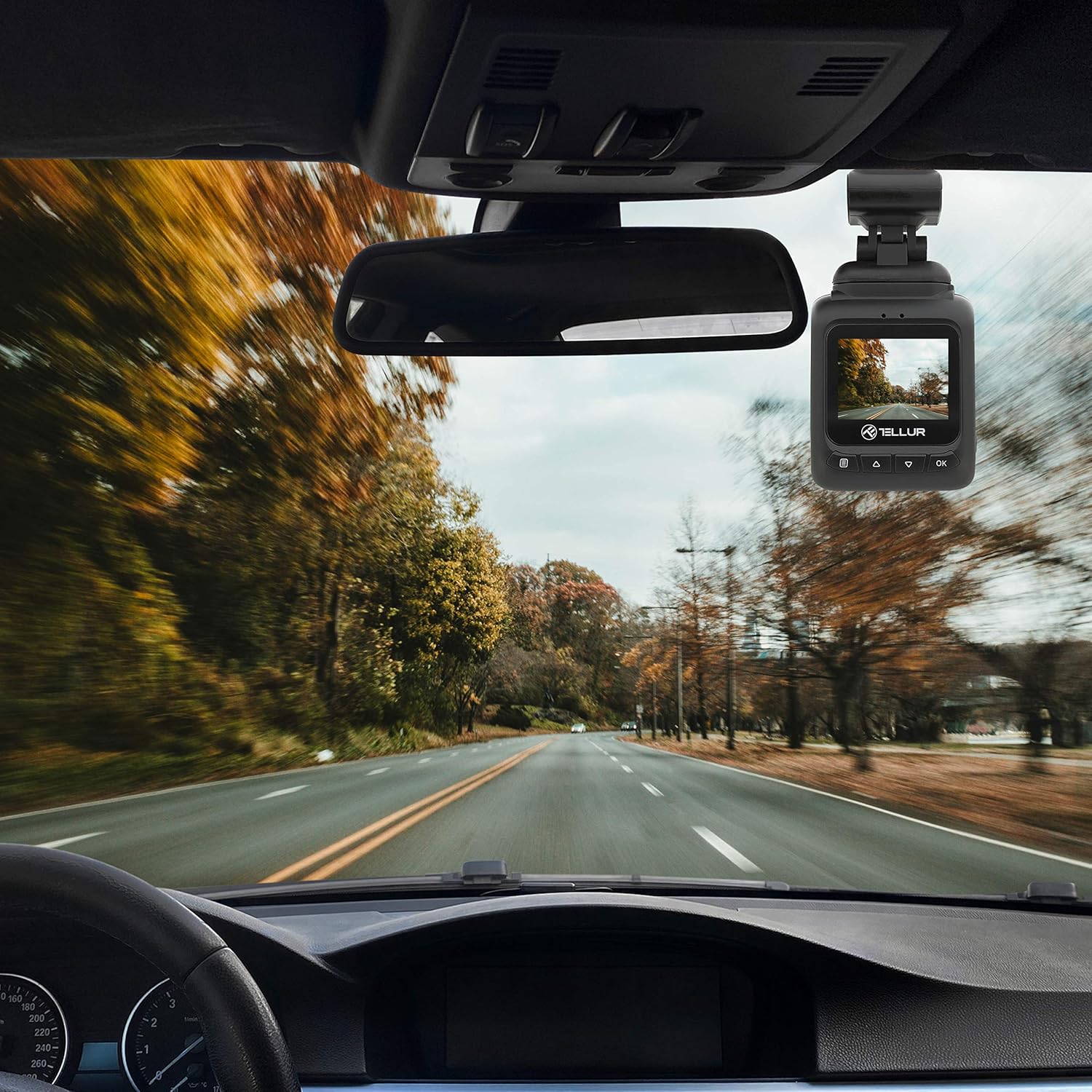
3. Připojte napájení
Connect the MicroUSB cable to the dash camera's MicroUSB port and the other end to the Dual USB Car Charger. Plug the car charger into your vehicle's 12V power outlet (cigarette lighter socket). The camera will automatically power on and begin recording when the vehicle starts.
Návod k obsluze
Základní nahrávání
Once powered on, the camera automatically starts recording in a continuous loop. The recording indicator (usually a red dot) will flash on the screen. Videos are recorded in FullHD 1080P resolution with a 140-degree wide-angle lens.
Funkce G-senzoru
The built-in G-sensor detects sudden impacts or collisions. When an event is detected, the current video segment is automatically locked and saved to prevent it from being overwritten by loop recording. This ensures critical footage je zachováno.

Funkce sledování parkování
When the parking monitoring function is enabled, the camera will automatically start recording if it detects motion or an impact while the vehicle is parked and the engine is off. This feature provides surveillance for your vehicle when unattended.

Navigace v nabídce
Stiskněte tlačítko M button to enter the menu. Use the Nahoru/dolů tlačítka pro navigaci mezi možnostmi a OK pro výběr. Stiskněte M znovu pro opuštění nabídky.
přehrávání videa
In playback mode (accessed via the M button), use the Nahoru/dolů tlačítka pro výběr videa file a OK to play it. Press M vrátit se k file seznam.
Údržba
Čištění objektivu
Regularly clean the camera lens with a soft, lint-free cloth to ensure clear video quality. Do not use abrasive cleaners.
Správa paměťových karet
It is recommended to format the microSD card periodically (e.g., once a month) within the camera's settings to maintain optimal performance and prevent data corruption.
Odstraňování problémů
- Kamera se nezapíná: Check the power connection to the car charger and the vehicle's 12V outlet. Ensure the vehicle's ignition is on.
- Nahrávání se neočekávaně zastaví: Ensure the microSD card is properly inserted and is a Class 10 or higher. Format the card if issues persist.
- Špatná kvalita videa: Clean the camera lens. Check menu settings to ensure 1080P resolution is selected.
- G-senzor se nespouští: Adjust the G-sensor sensitivity in the camera's settings.
- Parkovací monitor nefunguje: Ensure the parking monitoring function is enabled in the settings.
Specifikace
| Funkce | Detail |
|---|---|
| Název modelu | DC1 |
| Číslo modelu položky | 711001 TLL |
| Rozlišení záznamu videa | 1080p |
| Pole View | 140 stupňů |
| Speciální funkce | Automatic Incident Detection (G-Sensor), Parking Monitoring |
| Technologie připojení | USB |
| Typ montáže | Magnetic Mount with Adhesive |
| Rozměry produktu | 1.72 x 1.47 x 2.17 palce |
| Hmotnost položky | 8.4 unce |
| Baterie | Je vyžadována 1 lithium-polymerová baterie |
| Barva | Černý |
| Výrobce | TELLUR |
Záruka a podpora
TELLUR products are designed for reliability and performance. For warranty information, technical support, or service inquiries, please refer to the contact details provided on the official TELLUR webnebo v dokumentaci k nákupu. Uschovejte si doklad o koupi pro případ reklamace.