
1. Úvod
This manual provides comprehensive instructions for the LogiLink CR0047 USB 2.0 Smart ID Card Reader. This device is designed to facilitate secure access to various online services requiring chip card authentication, such as online tax reports, online banking, and digital identification (eID, DNIe). It offers broad compatibility with major operating systems and supports standard IC/ID cards.
2. Bezpečnostní informace
- Nevystavujte zařízení vlhkosti nebo extrémním teplotám.
- Zabraňte pádu zařízení nebo jeho vystavení silným nárazům.
- Nepokoušejte se zařízení rozebírat ani opravovat sami. Obraťte se na kvalifikovaný servisní personál.
- Udržujte zařízení mimo dosah dětí.
- Během používání zajistěte dostatečné větrání v okolí zařízení.
3. Obsah balení
Prosím, ověřte, zda jsou v balení přítomny všechny položky:
- LogiLink CR0047 USB 2.0 Smart ID Card Reader
- Uživatelská příručka (tento dokument)

Image 3.1: The LogiLink CR0047 Smart ID Card Reader shown alongside its retail box, indicating typical package contents.
4. Nastavení
The LogiLink CR0047 Smart ID Card Reader is designed for plug-and-play functionality, requiring no driver installation on supported operating systems.
4.1. Systémové požadavky
- Operating System: Windows, Mac OS Catalina 10.15 or later
- Available USB 2.0 Type-A port
4.2. Connecting the Card Reader
- Locate an available USB 2.0 Type-A port on your computer (desktop PC or laptop).
- Insert the USB connector of the LogiLink CR0047 into the USB port.
- The operating system should automatically detect and configure the device. No additional software or drivers are typically needed.

Image 4.1: The LogiLink CR0047 Smart ID Card Reader, showing its compact design and integrated USB cable for connection.

Image 4.2: The card reader connected to a laptop via its USB cable, with an ID card partially inserted into the slot, demonstrating a typical setup.
5. Provoz
Once the card reader is connected and recognized by your computer, you can begin using it with compatible applications.
5.1. Inserting a Smart Card
- Ensure the smart card (IC/ID card) is clean and free of debris.
- Orient the card with the chip facing upwards and towards the card reader slot.
- Gently slide the card into the slot until it is fully seated. The anti-slip pads on the bottom of the reader help prevent movement during insertion.
- The application you are using will typically indicate when the card is detected and ready for use.

Obrázek 5.1: Detailní záběr view of an ID card being inserted into the designated slot of the LogiLink CR0047 card reader.
5.2. Podporované aplikace
The LogiLink CR0047 is compatible with applications that utilize ISO/IEC 7816 compliant chip cards and PC/SC 1.0 and 2.0 standards. Common uses include:
- Online tax reporting
- Online banking
- Digital identification (eID, DNIe)
- Access to secure government services
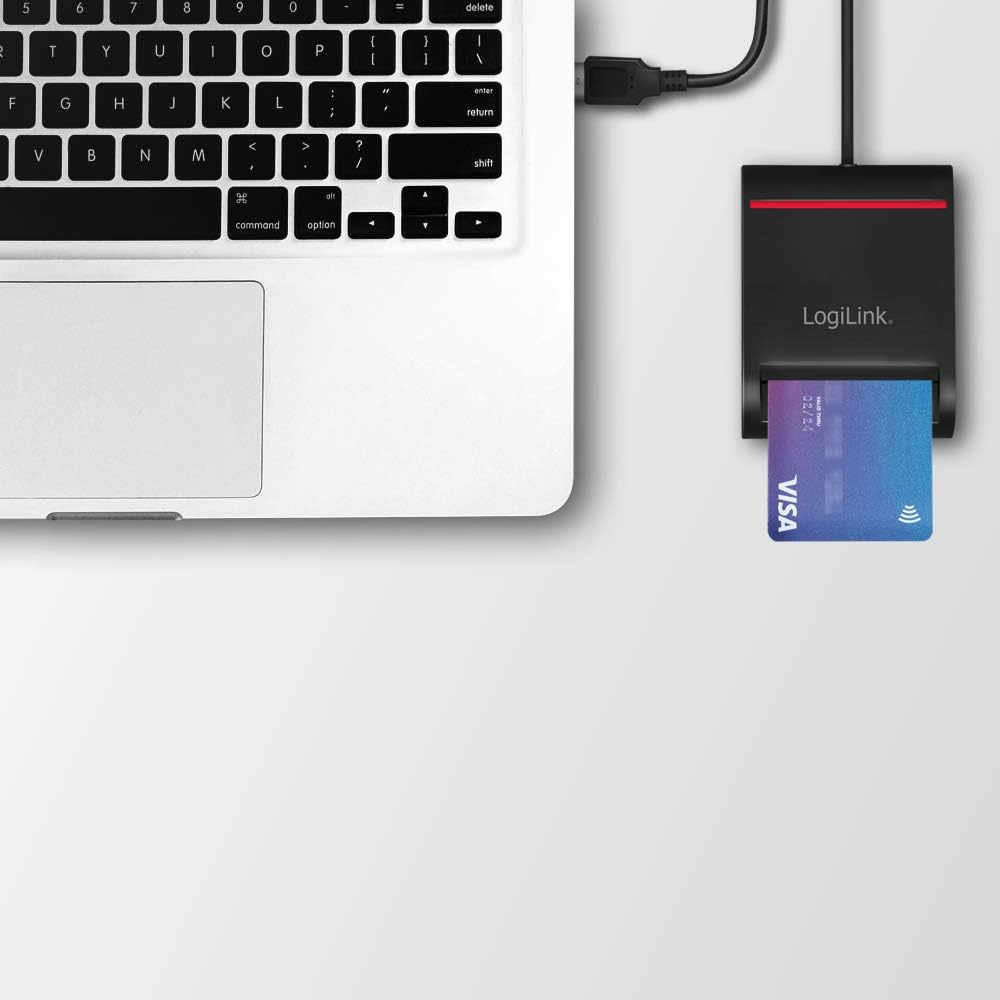
Image 5.2: The card reader connected to a laptop, demonstrating its use with a credit card (which often features a smart chip) for various applications.
6. Údržba
To ensure optimal performance and longevity of your LogiLink CR0047 Smart ID Card Reader, follow these simple maintenance guidelines:
- Čištění: Use a soft, dry, lint-free cloth to wipe the exterior of the device. Do not use liquid cleaners or abrasive materials.
- Skladování: When not in use, store the card reader in a clean, dry environment, away from direct sunlight and extreme temperatures.
- Slot na kartu: Avoid inserting foreign objects into the card slot. If dust accumulates, use a can of compressed air to gently clear it.
7. Řešení problémů
If you encounter issues with your LogiLink CR0047 Smart ID Card Reader, refer to the following common problems and solutions:
| Problém | Možná příčina | Řešení |
|---|---|---|
| Zařízení nebylo počítačem rozpoznáno | Loose USB connection, incompatible OS, faulty USB port. | Ensure the USB cable is securely connected. Try a different USB port. Verify your operating system meets the minimum requirements (Windows, Mac OS Catalina 10.15 or later). |
| Smart card not detected | Card inserted incorrectly, dirty card chip, incompatible card, application issue. | Re-insert the card, ensuring the chip faces up and is fully seated. Clean the card's chip with a soft cloth. Confirm the card is an ISO/IEC 7816 compliant chip card. Ensure the application you are using is configured to detect smart card readers. |
| No driver found message | Misunderstanding of plug-and-play functionality. | The LogiLink CR0047 is plug-and-play and does not require manual driver installation on supported operating systems. If you receive this message, it might be an OS-specific error or an issue with the USB port. |
8. Specifikace
| Funkce | Detail |
|---|---|
| Model | CR0047 |
| Konektivita | USB 2.0 typu A |
| Podporované typy karet | IC/ID cards compliant with ISO/IEC 7816 Class A, B and C (5V/3V/1.8V) |
| Normy | PC/SC 1.0 and 2.0, USB CCID Transport Specification Rev1.1 |
| Podpora operačního systému | Windows, Mac OS Catalina 10.15 or later |
| Plug & Play | Yes, no driver installation required |
| Rozměry (DxŠxV) | 8.5 x 6.5 x 2.5 cm (3.35 x 2.56 x 0.98 palce) |
| Délka kabelu | 0.9 m |
| Hmotnost | 2.26 unce |
| Barva | Černý |
| Speciální funkce | Protiskluzové podložky |
9. Záruka a podpora
LogiLink products are designed for reliability and performance. For information regarding warranty coverage and technical support, please refer to the warranty card included with your product or visit the official LogiLink website. Please have your product model number (CR0047) and purchase details available when contacting support.