
1. Úvod
Thank you for choosing the ErGear PC Monitor Arm. This manual provides essential information for the safe and efficient installation, operation, and maintenance of your monitor arm. Please read these instructions carefully before use and retain them for future reference.
2. Bezpečnostní informace
- Před montáží se ujistěte, že jsou všechny součásti přítomny a nepoškozené. Nepoužívejte, pokud některé součásti chybí nebo jsou vadné.
- This monitor arm is designed for monitors between 13 and 32 inches, with a weight capacity of 2-10kg. Do not exceed these limits.
- Always adjust the gas spring pressure only when the arm is in a horizontal position. Failure to do so may prevent proper adjustment.
- Ensure the mounting surface (desk) is stable and strong enough to support the combined weight of the monitor arm and your monitor.
- Během instalace držte děti a domácí zvířata mimo dosah.
- Všechny šrouby pevně utáhněte, ale nepřetahujte je, abyste zabránili stržení závitů nebo poškození součástí.
3. Obsah balení
Ověřte, zda jsou všechny součásti součástí balení:
- Sestava ramene monitoru
- C-Clamp Montážní hardware
- Montážní hardware pro průchodky
- Deska VESA
- Klipy pro správu kabelů
- Hex Keys / Wrenches
- Návod k použití
4. Specifikace
| Značka | ErGear |
| Číslo modelu | EGSSK4W |
| Materiál | Legovaná ocel |
| Barva | Bílý |
| Typ montáže | Držák na stůl (C-Clamp nebo průchodka) |
| Typ pohybu | Tiltable, Swivel, Rotate |
| Kompatibilní velikost monitoru | 13-32 palců |
| Kapacita zatížení | 2-10 kg |
| Kompatibilita VESA | 75x75mm, 100x100mm |
| Maximální úhel náklonu | Nahoru 90°, dolů 40° |
| Úhel otočení | ±90° |
| Otáčení | 360° |
| Záruka | 5letá záruka výrobce |
5. Nastavení a instalace
The ErGear monitor arm offers two installation methods: C-clamp and grommet. Choose the method best suited for your desk.
5.1 Pre-Purchase Checklist
Before installation, ensure your setup meets the following requirements:
- Velikost monitoru: 13-32 palců
- Hmotnost monitoru: 2-10 kg
- Standard VESA: 75x75mm nebo 100x100mm
- Tloušťka stolu:
- C-Clamp: 10-82 mm
- Grommet: 10-86mm

5.2 Způsoby montáže

5.3 kroky instalace
Follow these general steps for installation. Refer to the included detailed manual for specific diagrams and screw types.
- Připevněte základnu: Secure the chosen mounting base (C-clamp or grommet) to your desk. Ensure it is tightly fastened.
- Connect the Arm: Slide the monitor arm onto the base post.
- Připojte desku VESA k monitoru: Secure the VESA plate to the back of your monitor using the provided screws.
- Montáž monitoru na rameno: Slide the VESA plate with the monitor onto the arm's VESA head. Tighten the securing screw.

6. Obsluha a seřízení
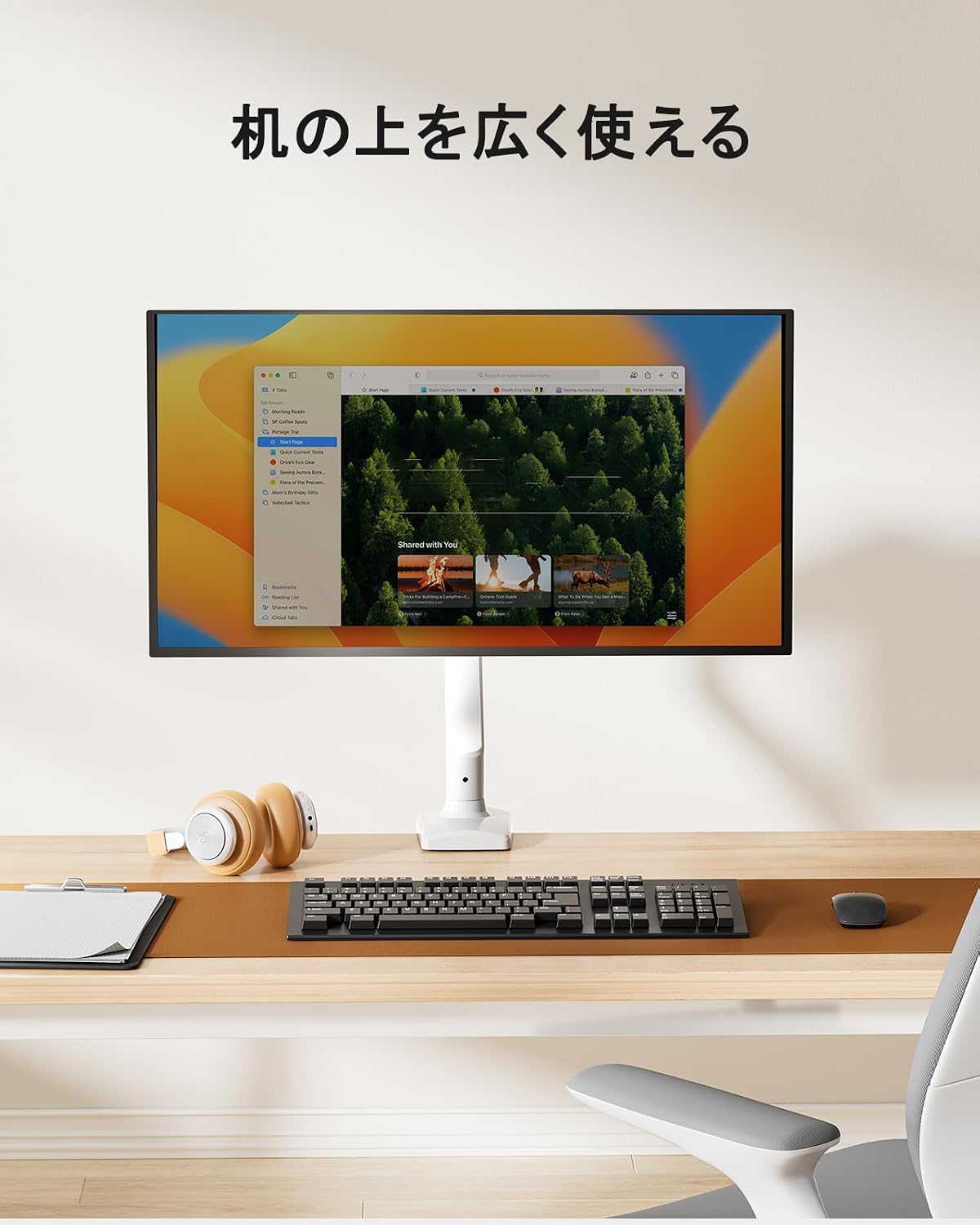
The ErGear monitor arm features a gas spring system for smooth and effortless adjustments, allowing you to optimize your viewing experience and desk space.
6.1 Nastavení polohy monitoru
Once installed, you can adjust your monitor to various positions:
- Nastavení výšky: Easily move the monitor up or down to achieve ergonomic eye-level viewIng.
- Náklon: Adjust the screen angle up to 90° upwards and 40° downwards to reduce glare and improve viewpohodlí.
- Otočný: Rotate the monitor left or right by 90° at the arm joints.
- Otáčení: Rotate the monitor 360° from landscape to portrait orientation.


6.2 Nastavení napětí plynové pružiny
The gas spring tension needs to be adjusted to match your monitor's weight for optimal movement and stability.
- Ensure the monitor arm is in a horizontal position.
- Locate the gas spring adjustment screw on the arm.
- Use the provided hex key to turn the screw:
- Turn towards '+' for heavier monitors (increase tension).
- Turn towards '-' for lighter monitors (decrease tension).
- Test the arm's movement. Adjust until the monitor stays in place when released and moves smoothly with minimal effort.
Important: Adjust the gas spring pressure only when the arm is horizontal. Gas pressure cannot be adjusted if the arm is not horizontal.

6.3 Správa kabelů
Utilize the integrated cable management clips to route and organize your monitor cables, maintaining a tidy and efficient workspace.


7. Údržba
Regular maintenance ensures the longevity and optimal performance of your ErGear monitor arm.
- Čištění: Otřete paži měkkým hadříkemamp hadříkem. Nepoužívejte abrazivní čisticí prostředky ani rozpouštědla, která by mohla poškodit povrchovou úpravu.
- Zkontrolujte připojení: Pravidelně kontrolujte všechny šrouby a vruty, zda jsou pevně utažené. V případě potřeby je dotáhněte.
- Plynová pružina: If the arm's movement becomes stiff or loose, re-adjust the gas spring tension as described in Section 6.2.

8. Řešení problémů
Pokud narazíte na problémy s ramenem monitoru, podívejte se na následující běžné problémy a jejich řešení:
| Problém | Možná příčina | Řešení |
|---|---|---|
| Monitor arm sags or won't stay in position. | Napětí plynové pružiny je vzhledem k hmotnosti monitoru příliš nízké. | Increase gas spring tension (turn '+' on adjustment screw). Ensure arm is horizontal during adjustment. |
| Monitor arm is too stiff to move. | Napětí plynové pružiny je vzhledem k hmotnosti monitoru příliš vysoké. | Decrease gas spring tension (turn '-' on adjustment screw). Ensure arm is horizontal during adjustment. |
| Monitor wobbles or feels unstable. | Mounting screws are loose; monitor is too heavy. | Check and tighten all mounting screws. Verify monitor weight is within the 2-10kg range. |
| Cannot adjust gas spring. | Arm is not horizontal during adjustment. | Position the arm horizontally before attempting to adjust the gas spring tension. |
9. Záruka a podpora
The ErGear PC Monitor Arm (Model EGSSK4W) comes with a 5letá záruka výrobce od data nákupu. Tato záruka se vztahuje na vady materiálu a zpracování při běžném používání.
For warranty claims, technical support, or any questions regarding your product, please contact ErGear customer service through the retailer where you purchased the product or visit the official ErGear webstránky pro kontaktní informace.
Please have your purchase receipt and product model number (EGSSK4W) available when contacting support.