
Zavedení
This manual provides instructions for the MARVO GT-80 Wireless Gamepad. It covers setup, operation, maintenance, and troubleshooting for optimal use with compatible devices including PlayStation 4, PC, Android, and iOS.
Obsah balení
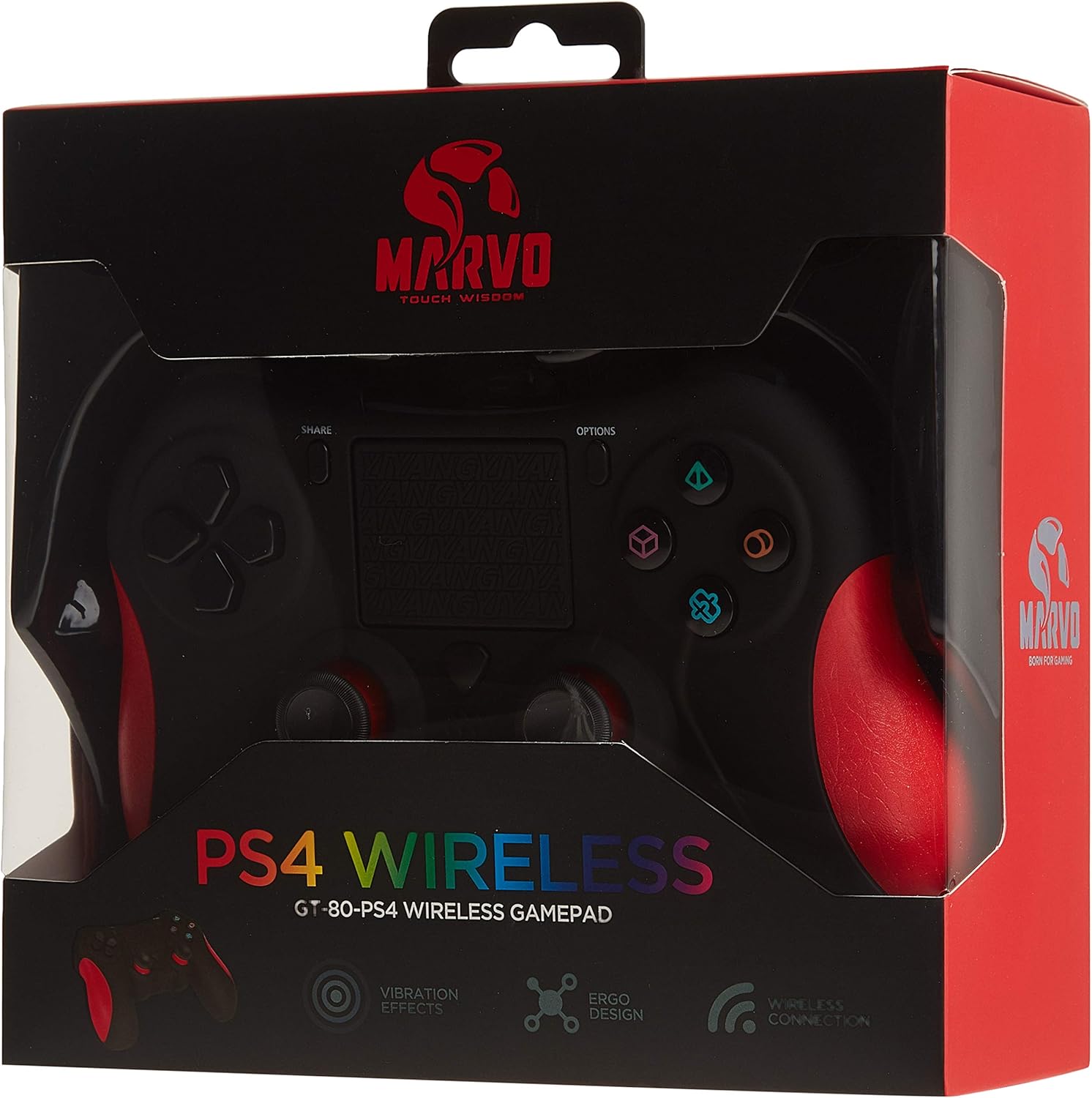
Image: The MARVO GT-80 Wireless Gamepad in its retail packaging.
- Bezdrátový gamepad MARVO GT-80
- Nabíjecí kabel USB (80 cm)
- Uživatelská příručka (tento dokument)
Vlastnosti produktu
- Wireless connectivity via Bluetooth V4.2
- Wired connectivity via USB cable
- Built-in rechargeable battery (600 mAh capacity)
- Double vibration feedback for immersive gaming
- Integrated 6-axis sensor (3D-Sensor + G-Sensor)
- Large LED light bar
- Built-in loudspeaker function
- Podpora 3.5mm stereo jacku pro sluchátka
- Ovládání dotykové plochy
- 19 programovatelných tlačítek
Nastavení
1. Nabíjení gamepadu
Before first use, fully charge the gamepad. Connect the supplied USB cable to the Micro USB port on the gamepad and the other end to a USB power source (e.g., console, PC, USB wall adapter).

Image: The MARVO GT-80 Gamepad connected to its USB charging cable.
The LED light bar will indicate charging status. A full charge typically takes approximately 2-3 hours.
2. Připojení k PlayStationu 4 (PS4)
- Zapněte konzoli PS4.
- Connect the gamepad to the PS4 console using the USB cable.
- Press the "PS" button on the gamepad. The gamepad will pair with the console.
- Po spárování můžete odpojit kabel USB pro bezdrátové přehrávání.
3. Připojení k počítači (Windows)
The gamepad supports both D-input and X-input modes for PC.
Kabelové připojení:
Connect the gamepad to your PC using the USB cable. The PC should automatically detect and install the necessary drivers. The gamepad will operate in D-input mode by default. Some games may require X-input mode, which can often be toggled via specific button combinations or software.
Připojení Bluetooth:
- Ujistěte se, že váš počítač má povolenou technologii Bluetooth.
- Put the gamepad into pairing mode (specific button combination, usually "SHARE" + "PS" button until LED flashes rapidly).
- V počítači přejděte do nastavení Bluetooth a vyhledejte nová zařízení.
- Select "Wireless Controller" or "GT-80" from the list of available devices to pair.
4. Connecting to Android/iOS Devices
- Ujistěte se, že je na vašem zařízení Android nebo iOS povoleno Bluetooth.
- Put the gamepad into pairing mode (specific button combination, usually "SHARE" + "PS" button until LED flashes rapidly).
- On your mobile device, go to Bluetooth settings and search for new devices.
- Select "Wireless Controller" or "GT-80" from the list of available devices to pair.
Návod k obsluze
Rozložení a funkce tlačítek

Obrázek: Přední strana view of the MARVO GT-80 Wireless Gamepad.

Obrázek: Zadní view of the MARVO GT-80 Wireless Gamepad, highlighting the M-buttons.
- Směrová tlačítka (D-Pad): Used for directional input.
- Analogové páčky: Two analog sticks for precise 3D movement and camera control.
- Akční tlačítka (trojúhelník, kruh, kříž, čtverec): Tlačítka primárních akcí.
- Tlačítko SDÍLET: Used for sharing gameplay content (PS4).
- Tlačítko MOŽNOSTI: Přístup k herním menu nebo systémovým možnostem.
- Tlačítko PS: Power on/off the gamepad, access PS4 system menu.
- Tlačítka L1/R1: Knoflíky na ramenou.
- Spouštěče L2/R2: Analogové spouštěče.
- Touchpad: Multi-touch input surface.
- Tlačítka M1, M2, M3, M4: Programmable back buttons (refer to device-specific instructions for programming).
Speciální funkce
- Double Vibration: Provides tactile feedback during gameplay.
- 6osý senzor: Includes a 3D-Sensor and G-Sensor for motion-controlled gameplay.
- Reproduktor: Integrated speaker for enhanced audio effects (PS4).
- Funkce sluchátek: Connect a 3.5mm stereo headset for audio output and microphone input (PS4).
Údržba
Čištění
Wipe the gamepad with a soft, dry cloth. Do not use harsh chemicals or abrasive cleaners. Avoid getting moisture into openings.
Skladování
Store the gamepad in a cool, dry place away from direct sunlight and extreme temperatures. Avoid placing heavy objects on the gamepad.
Odstraňování problémů
Gamepad Does Not Power On
- Ensure the gamepad is fully charged. Connect it to a power source using the USB cable.
- Stiskněte tlačítko PS pro pokus o zapnutí.
Problémy s připojením
- Bezdrátový: Ensure Bluetooth is enabled on your device and the gamepad is in pairing mode. Try re-pairing the device.
- Kabelové: Ensure the USB cable is securely connected to both the gamepad and the device. Try a different USB port or cable.
- PS4: If issues persist, try resetting the gamepad (a small reset button is usually located on the back, requiring a pin to press).
Buttons or Joysticks Unresponsive
- Ensure the gamepad is properly connected and powered on.
- Test the gamepad with another game or application to rule out software issues.
- If possible, try resetting the gamepad.
Vibrace nefungují
- Zkontrolujte nastavení ve hře, zda je zapnutá vibrační zpětná vazba.
- Ujistěte se, že je gamepad plně nabitý.
Specifikace

Image: Technical specifications as printed on the product packaging.
| Funkce | Detail |
|---|---|
| Model | GT-80 |
| Konektivita | Wireless (Bluetooth V4.2), Wired (USB cable) |
| Tlačítka | 19 |
| Kapacita baterie | 600 mA |
| Reproduktor | 6/8Ω-1W |
| Rozhraní | Podpora EXT, 3.5 mm jack |
| Kompatibilita | PS4, PC (D-input & X-input), Android, iOS |
| Pohybový senzor | 3D-Sensor + G-Sensor |
| Délka kabelu micro USB | 80 cm |
| Rozměry | 40.49 x 9.5 x 9.5 cm |
| Hmotnost | 310 g |
Záruka a podpora
For warranty information and technical support, please refer to the documentation provided with your purchase or contact MARVO customer service directly. Keep your proof of purchase for warranty claims.