
Zavedení
Thank you for choosing the BALDR 359V2-BL Digital Weather Station. This device provides accurate indoor and outdoor temperature and humidity readings, a 12-hour weather forecast, time display, alarm clock, and moon phase information. It supports up to three wireless outdoor sensors for comprehensive monitoring of various locations. Please read this manual carefully to ensure proper setup and operation.
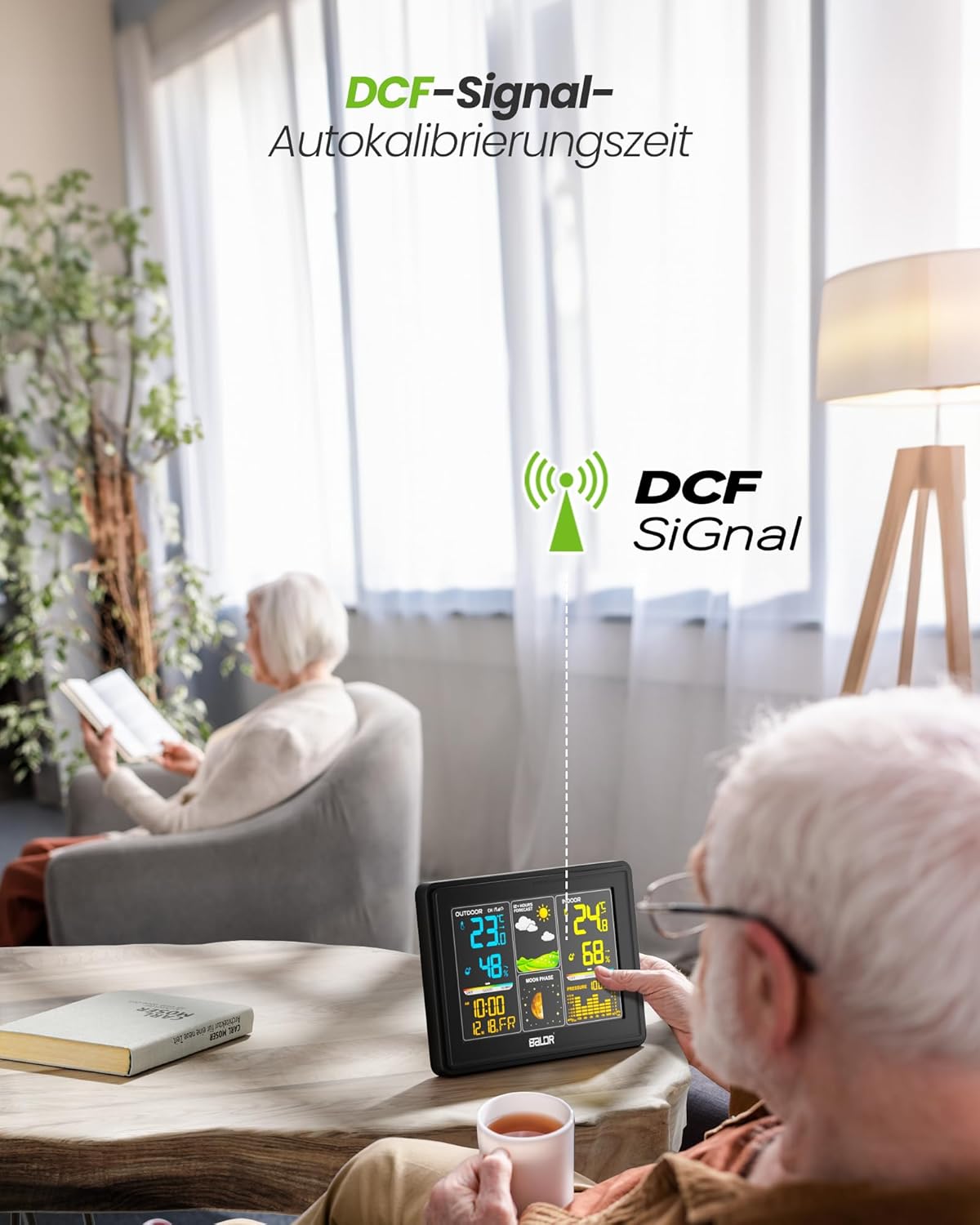
Image: The BALDR 359V2-BL Digital Weather Station main unit, showcasing its vibrant display with various weather and time data.
Nastavení
1. Zapnutí hlavní jednotky
The main unit can be powered by the included AC adapter or by batteries (not included) for backup. For continuous display and optimal performance, it is recommended to use the AC adapter.
- AC adaptér: Connect the AC adapter to the power port on the back of the main unit and plug it into a wall outlet.
- Baterie: Open the battery compartment on the back of the main unit and insert 3 x AAA batteries (not included), observing the correct polarity.
2. Napájení venkovního senzoru
The outdoor sensor requires 2 x AA batteries (not included).
- Otevřete kryt baterie na zadní straně venkovního senzoru.
- Vložte 2 baterie typu AA a dbejte na správnou polaritu.
- Bezpečně uzavřete přihrádku na baterie.

Image: Powering the main unit via AC adapter and battery installation for the outdoor sensor.
3. Pairing the Outdoor Sensor
Once both units are powered, the main unit will automatically search for the outdoor sensor. The outdoor temperature and humidity should appear on the display within a few minutes. If not, manually initiate pairing:
- Stiskněte a podržte KANÁL button on the main unit for 3 seconds to initiate a search for outdoor sensors.
- Stiskněte tlačítko TX button inside the outdoor sensor's battery compartment to send a signal.

Image: Wireless connection between the main unit and the outdoor sensor.
4. Umístění venkovního senzoru
For accurate readings, place the outdoor sensor in a shaded, dry location, protected from direct sunlight and rain. Avoid placing it near heat sources or metal objects that could interfere with the wireless signal.

Image: Guidelines for optimal outdoor sensor placement to ensure accurate data.
5. DCF Signal for Automatic Time Calibration
The weather station features a DCF radio-controlled clock function, which automatically synchronizes the time with the atomic clock signal. This ensures precise timekeeping. The DCF signal icon will appear on the display when successfully synchronized.

Image: The weather station receiving the DCF signal for automatic time calibration.
Provozní
1. Zobrazit přesview
Barevný displej hlavní jednotky je rozdělen do několika sekcí:
- Venkovní sekce: Displays outdoor temperature, humidity, and channel number.
- Předpověď počasí: Shows animated icons predicting weather for the next 12-24 hours.
- Vnitřní sekce: Displays indoor temperature, humidity, and comfort level indicator.
- Čas a datum: Zobrazuje aktuální čas, datum a den v týdnu.
- Fáze Měsíce: Znázorňuje aktuální fázi Měsíce.
- Barometrický tlak: Displays current atmospheric pressure and a historical bar chart.

Image: The VA screen offers a clear viewing angle, displaying comprehensive weather data.
2. Předpověď počasí
The weather station analyzes changes in atmospheric pressure to predict weather conditions for the next 12 to 24 hours. The forecast icons include Sunny, Partly Cloudy, Cloudy, Rainy, and Snowy.

Image: Visual representation of weather changes predicted for the next 12 hours.
3. Ovládání podsvícení
The display features adjustable backlight settings for comfortable viewing in various lighting conditions. Press the SNOOZE / SVĚTLO button to cycle through different brightness levels (Off, 10%, 50%, 100%).

Image: Adjusting the backlight to create a comfortable viewatmosféru.
4. Ukazatel úrovně komfortu
The indoor section includes a comfort level indicator (DRY, GOOD, HUMID) based on the indoor temperature and humidity, helping you maintain an optimal indoor environment.

Image: The comfort status display helps monitor indoor conditions.
5. Multiple Sensor Monitoring
The weather station supports up to three outdoor sensors (one included). You can switch between sensor channels by pressing the KANÁL button on the main unit. This allows monitoring of different areas like a garden, garage, or basement.

Image: Monitoring temperature and humidity from up to three different locations using multiple outdoor sensors.
Údržba
- Čištění: Otřete displej a casing s měkkým, damp tkanina. Nepoužívejte abrazivní čisticí prostředky nebo rozpouštědla.
- Výměna baterie: Replace batteries in both the main unit and outdoor sensor when the low battery indicator appears on the display. Ensure correct polarity when inserting new batteries.
- Sensor Environment: Pravidelně kontrolujte umístění venkovního senzoru, abyste zajistili jeho ochranu před extrémními povětrnostními podmínkami a přímým slunečním zářením, a tím zajistili přesné měření.
Odstraňování problémů
| Problém | Možná příčina | Řešení |
|---|---|---|
| Žádné údaje o venkovní teplotě/vlhkosti. | Senzor není spárovaný nebo je mimo dosah; slabá baterie senzoru. | Ensure sensor is within 100m of the main unit. Replace sensor batteries. Press and hold KANÁL on main unit for 3 seconds, then press TX on sensor. |
| Nesprávné zobrazení času. | DCF signal not received; manual time not set. | Ensure main unit is placed away from interference. Manually set time if DCF signal is consistently unavailable. |
| Displej je tmavý nebo prázdný. | Low main unit battery; AC adapter not connected. | Replace main unit batteries or connect the AC adapter. Adjust backlight using the SNOOZE / SVĚTLO tlačítko. |
| Inaccurate temperature/humidity. | Snímač vystavený přímému slunečnímu záření/dešti; špatné větrání. | Relocate outdoor sensor to a shaded, dry area. Ensure proper air circulation around both units. |
Specifikace
- Číslo modelu: 359V2-BL
- Rozměry hlavní jednotky: 16 x 11 x 2 cm (d x š x v)
- Rozměry venkovního senzoru: 10 x 3.6 x 1.8 cm (V x Š x H)
- Hmotnost: 400 grams (main unit)
- Technologie připojení: Bezdrátově 433 MHz
- Přesnost teploty: ±2 °C
- Doporučená použití: Tlak, teplota, vlhkost, fáze měsíce
- Speciální vlastnosti: Clock, Transparent display (VA screen)
- Zahrnuté komponenty: 1 Main Unit, 1 Outdoor Sensor

Image: Dimensions of the BALDR 359V2-BL Digital Weather Station main unit.
Záruka
BALDR products are manufactured to high-quality standards. This product is covered by a standard manufacturer's warranty against defects in materials and workmanship. Please refer to the product packaging or BALDR's official webkonkrétní záruční podmínky a dobu trvání naleznete na webu.
Podpora
For further assistance, technical support, or inquiries regarding your BALDR 359V2-BL Digital Weather Station, please visit the official BALDR webnebo kontaktujte jejich oddělení zákaznických služeb. Kontaktní informace obvykle naleznete na obalu produktu nebo na etiketě výrobce. webmísto.