
1. Úvod
The Carrera RC Mario Kart Yoshi Quad (Model 370200997X) is a remote-controlled vehicle designed for users aged 6 and up. This manual provides essential information for the safe and optimal use of your RC Yoshi Quad, ensuring an enjoyable experience. Please read all instructions carefully before operating the product.
2. Co je v krabici
Pečlivě vybalte všechny komponenty a ujistěte se, že jsou k dispozici následující položky:
- Carrera RC Yoshi Quad Vehicle
- Dálkové ovládání
- 3.2V 700 mAh LiFePo4 Battery (for vehicle)
- USB nabíjecí kabel
- Návod k použití

Image: The Carrera RC Mario Kart Yoshi Quad shown in its original retail packaging, indicating included components.
3. Nastavení
3.1. Nabíjení baterie vozidla
Before first use, fully charge the vehicle's 3.2V 700 mAh LiFePo4 battery. The charging process typically takes approximately 50 minutes.
- Connect the USB charging cable to the vehicle's charging port.
- Zapojte druhý konec USB kabelu do kompatibilního USB zdroje napájení (např. počítače, USB adaptéru do zásuvky, powerbanky).
- The charging indicator light on the vehicle or cable will show the charging status (refer to specific indicator behavior in the quick start guide if available).
- Once charging is complete, disconnect the cable.

Image: The Yoshi Quad vehicle, ready for battery charging via its USB cable.
3.2. Instalace baterie dálkového ovládání
The remote control requires batteries for operation. Please ensure you use the correct type and polarity.
- Najděte přihrádku na baterie na zadní straně dálkového ovladače.
- Otevřete kryt bateriového prostoru.
- Insert the required batteries (e.g., AA or AAA, typically 2x) according to the polarity markings (+/-).
- Bezpečně zavřete kryt bateriového prostoru.
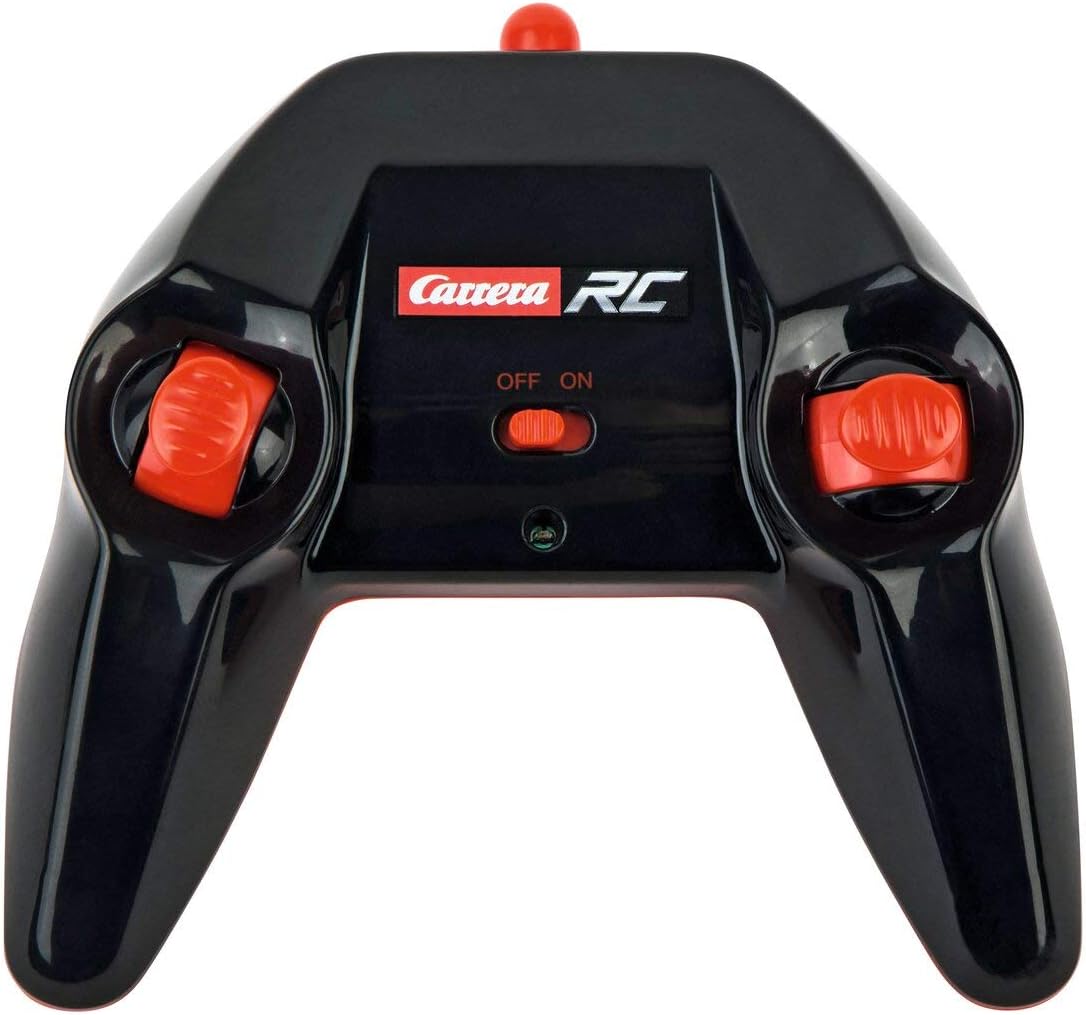
Image: The Carrera RC remote control, showing its design and controls.
3.3. Párování vozidla a dálkového ovladače
To establish a connection between the vehicle and the remote control, follow these steps:
- Ensure both the vehicle and the remote control have fresh or fully charged batteries.
- Turn on the vehicle using its power switch.
- Zapněte dálkový ovladač pomocí jeho vypínače.
- The vehicle and remote control should automatically pair. A successful connection is usually indicated by a solid light on both devices (refer to your quick start guide for specific light indicators).
Video: This video demonstrates the unboxing, battery installation, and initial pairing process for the Carrera RC Mario Kart Yoshi Quad.
4. Návod k obsluze
Once paired, you can begin operating your Carrera RC Yoshi Quad.
- Dopředu Dozadu: Use the throttle trigger or joystick on the remote control to move the vehicle forward or backward.
- Řízení: Use the steering wheel or directional controls on the remote control to turn the vehicle left or right.
- Rychlost: The Yoshi Quad can reach speeds of up to 9 km/h. Adjust your control input for desired speed.
- Rozsah: Operate the vehicle within the specified range of the remote control to maintain connection and avoid loss of control.
Bezpečnostní opatření:
- Always operate in open areas, away from people, pets, and obstacles.
- Nepoužívejte v blízkosti vody nebo ve vlhkém prostředí.
- Avoid operating on public roads or near traffic.
- Supervise younger children during operation.
5. Údržba
5.1. Čištění
To maintain the appearance and functionality of your RC Yoshi Quad:
- Wipe the vehicle and remote control with a soft, dry cloth after each use.
- Do not use harsh chemicals or solvents, as these can damage the plastic.
- Avoid getting water into electronic components.
5.2. Péče o baterii a její skladování
- Always remove batteries from the remote control if not in use for extended periods.
- Store the vehicle's LiFePo4 battery in a cool, dry place, away from direct sunlight and extreme temperatures.
- Nepřebíjejte ani úplně nevybíjejte baterii.
6. Řešení problémů
If you encounter issues with your RC Yoshi Quad, refer to the following common problems and solutions:
| Problém | Možná příčina | Řešení |
|---|---|---|
| Vozidlo se nepohybuje. | Low or uncharged vehicle battery. Baterie v dálkovém ovladači jsou vybité nebo nesprávně vložené. Vozidlo a dálkové ovládání nejsou spárované. | Nabijte baterii vozidla. Replace/install remote control batteries correctly. Re-pair vehicle and remote control. |
| Špatný regulační rozsah nebo přerušované připojení. | Rušení od jiných RC zařízení nebo elektroniky. Operating beyond effective range. Vybité baterie. | Move to a different location. Operate closer to the vehicle. Nabijte/vyměňte baterie. |
| Vehicle moves slowly or erratically. | Slabá baterie vozidla. Překážka v kolech/nápravách. | Nabijte baterii vozidla. Check and clear any obstructions. |
7. Specifikace
| Značka | Carrera |
| Název modelu | 370200997X |
| Charakter | Yoshi |
| Typ vozidla | Čtyřkolka |
| Materiál | Plast |
| Barva | Multicolor (predominantly Green) |
| Věkové rozmezí (popis) | 6+ let |
| Maximální rychlost | 9 kilometrů za hodinu |
| Zdroj napájení | Napájení z baterie |
| Vehicle Battery Type | 1 Lithium-ion (3.2V 700 mAh LiFePo4) - included |
| Doba nabíjení | Přibl. 50 minut |
| Provozní doba | Až 30 minut |
| Typ dálkového ovládání | Radio Control (2.4 GHz) |
| Rozměry (položka) | 36.5 x 20.5 x 23 centimetrů |
| Hmotnost (položka) | 1.06 kg |
| Speciální funkce | Blikající světlo |
| Země původu | Čína |
8. Záruka a podpora
8.1. Záruka výrobce
This Carrera RC product is covered by a 2letá záruka výrobceUschovejte si prosím doklad o koupi pro případné reklamace. Záruka se vztahuje na vady materiálu a zpracování při běžném používání.
8.2. Zákaznická podpora
For technical assistance, spare parts, or warranty inquiries, please contact Carrera customer support. Refer to the contact information provided on the product packaging or the official Carrera webmísto.