
Konec produktuview
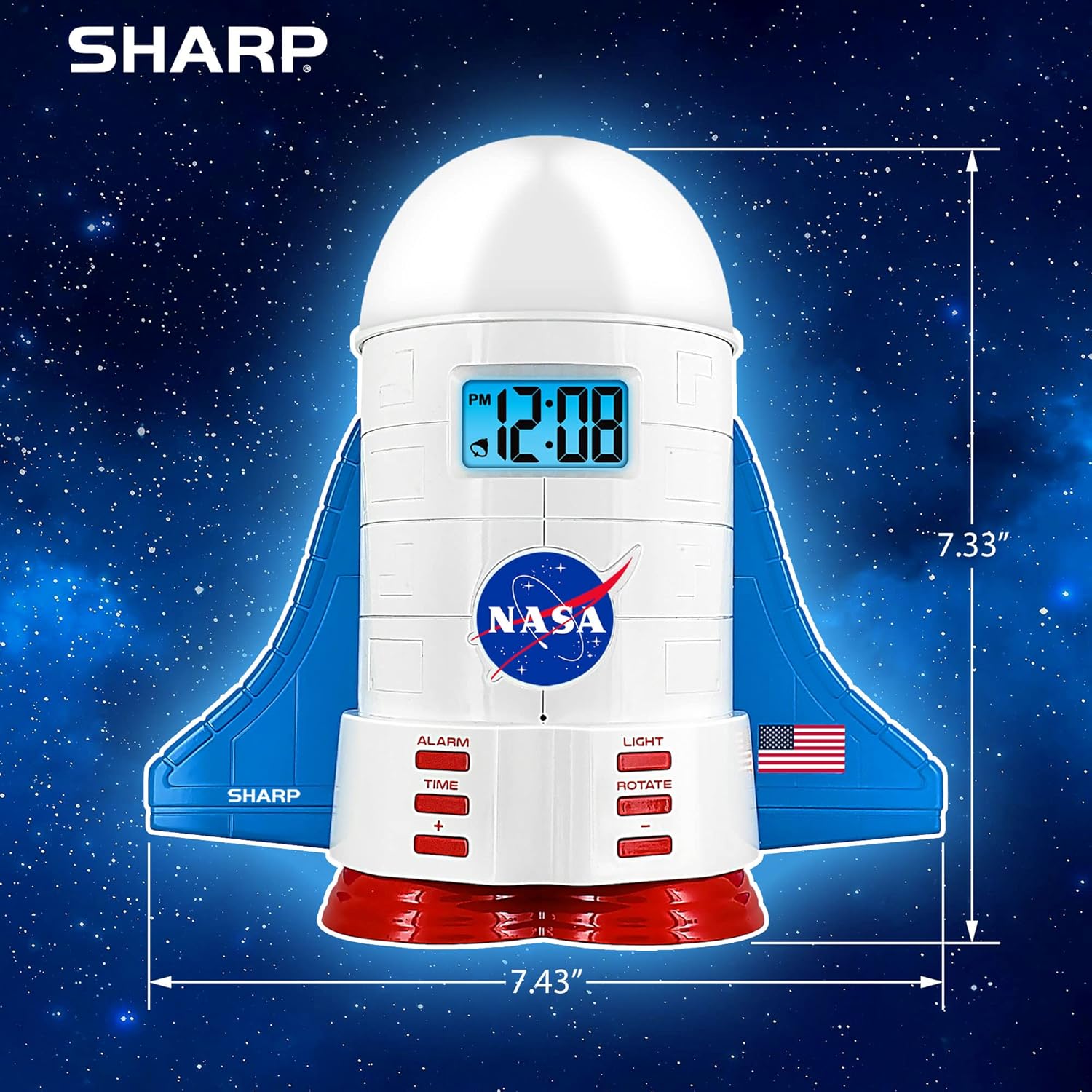
This manual provides instructions for the Sharp NASA Space Shuttle Night Light Alarm Clock. This device combines an alarm clock with a space-themed nightlight and projection feature, designed to enhance a child's bedroom environment.

Nastavení
Vybalování
- Opatrně vyjměte všechny součásti z obalu.
- Ověřte, zda jsou přítomny všechny položky uvedené v části „Co je v krabici“.
Připojení napájení
The alarm clock can be powered via the included electric adapter. For continuous operation of all features, including the nightlight and projection, direct power is recommended.
For battery backup, insert appropriate batteries (not included) into the battery compartment located at the base of the unit. This ensures timekeeping and alarm function during power outages.

Návod k obsluze
Nastavení času
- Stiskněte tlačítko ČAS tlačítko.
- Použijte + a - tlačítky pro nastavení hodin a minut.
- Stiskněte ČAS znovu pro potvrzení.
Nastavení alarmu
- Stiskněte tlačítko POPLACH tlačítko.
- Použijte + a - tlačítky nastavte požadovaný čas budíku.
- Stiskněte POPLACH again to activate the alarm. An alarm icon will appear on the display.
Funkce Snooze
To temporarily silence the alarm, tap the top of the unit. The alarm will sound again after a short interval.
Nightlight and Projection Features
The unit features light-up wings and a rocket booster base, along with a rotating projection cap.

Aktivace světel
Stiskněte tlačítko SVĚTLO button to cycle through the 4 color options for the wings and booster lights.
Projection Caps
The device includes two interchangeable space-themed projection caps and a frosted nightlight cap. Twist counter-clockwise to attach or remove caps.

Rotující projekce
Stiskněte tlačítko STŘÍDAT button to activate or deactivate the rotation of the projected images.
Údržba
- Clean the unit with a soft, dry cloth. Avoid abrasive cleaners or solvents.
- Ensure the projection caps are free from dust or smudges for clear image projection.
- Replace batteries in the backup compartment as needed to maintain time settings during power interruptions.
Odstraňování problémů
| Problém | Možná příčina | Řešení |
|---|---|---|
| Clock not displaying time | Žádná síla | Ensure the electric adapter is securely plugged in. Check battery backup. |
| Alarm nezní | Alarm not set or deactivated | Verify alarm time is set and activated (alarm icon visible). |
| Projection unclear or dim | Dust on cap or insufficient darkness | Clean the projection cap. Ensure the room is sufficiently dark for optimal projection. |
| Projekce se neotáčí | Rotate function off | Stiskněte tlačítko STŘÍDAT button to activate the rotation feature. |
Specifikace
- Značka: Ostrý
- Číslo modelu: Sharp NASA e Shuttle Alarm Clock
- Zdroj napájení: Electric Adapter (Battery backup for timekeeping)
- Typ zdroje světla: LED
- Nightlight Colors: 4 možností
- Projection Themes: 2 interchangeable space scenes
- Zobrazit: LCD s modrým podsvícením
- Rozměry: 7.43 x 1.5 x 7.43 palce
- Hmotnost: 1.33 libry
- Materiál: Plast
- Speciální vlastnosti: Color Changing, Snooze Function, Rotating Projection
Záruka a podpora
Informace o záruce nebo technickou podporu získáte od oficiálního webnebo kontaktujte jejich zákaznický servis.
Výrobce: Ostrý
UPC: 049353005447
ASIN: B08PL6K2C5