
OMAIC XRT136
OMAIC Universal VIZIO Smart TV Remote Control XRT136 User Manual
Značka: OMAIC | Model: XRT136
1. Úvod
Thank you for choosing the OMAIC Universal VIZIO Smart TV Remote Control XRT136. This remote is designed to provide seamless control over your VIZIO Smart TV, offering immediate functionality without the need for complex programming. Its intuitive design and robust features ensure a convenient and reliable viewzkušenosti.

Figure 1: OMAIC Universal VIZIO Smart TV Remote Control XRT136
2. Kompatibilita
The XRT136 remote control is universally compatible with a wide range of VIZIO Smart TVs and replaces many original VIZIO remote models. No programming is required; simply insert batteries and begin use.
2.1. Compatible VIZIO TV Series:
- VIZIO SmartCast V Series
- VIZIO SmartCast M Series
- VIZIO SmartCast D Series
- VIZIO SmartCast P Series
- VIZIO SmartCast PX Series
- VIZIO SmartCast E Series
- All LED LCD HD UHD 4K HDR Smart TVs
2.2. Replaces VIZIO Remote Models:
- XRT140
- XRT260
- XRT136
- XRT270
- XRT112
- XRT122
- XRT302
- XRT135
- XRT510
- XRT500
- XRT100
- VR1
- VR2
- VR10
- VR15
- And many more VIZIO Smart TV Remote Control models.
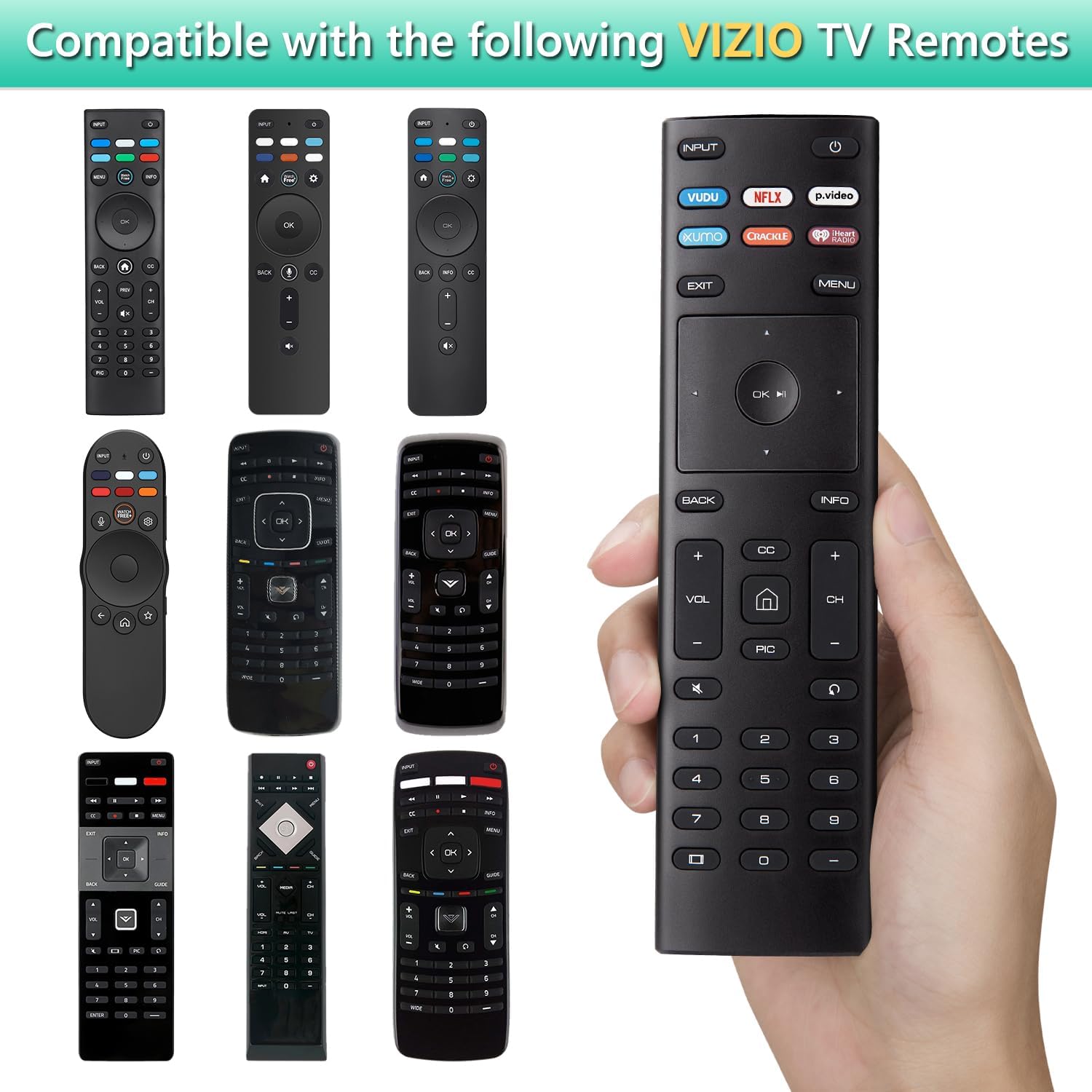
Figure 2: Compatible VIZIO TV Remote Models
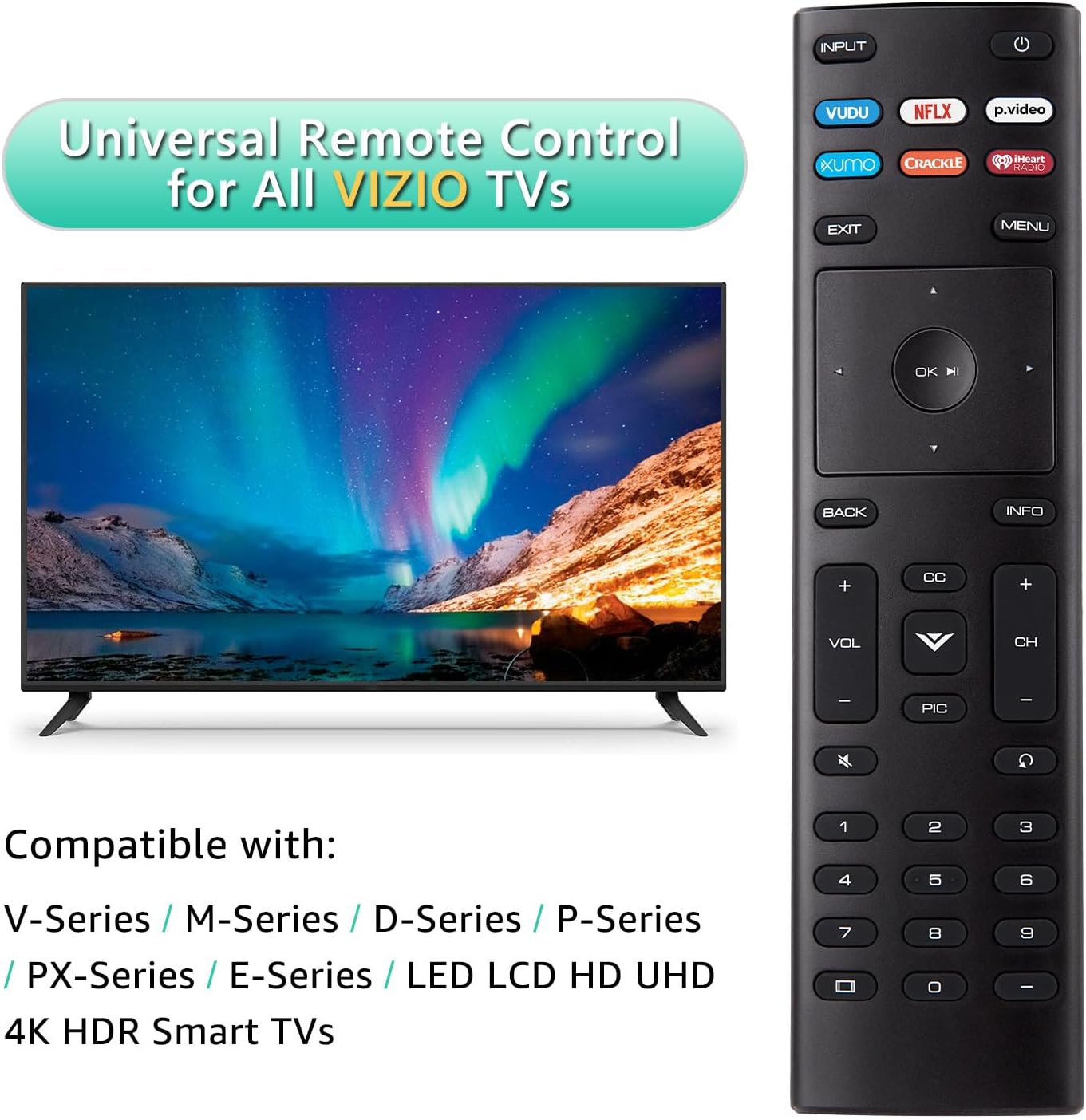
Figure 3: Universal Remote Control for All VIZIO TVs
3. Nastavení
The OMAIC XRT136 remote control is designed for immediate use. Follow these simple steps to get started:
- Najděte přihrádku na baterie na zadní straně dálkového ovladače.
- Posuňte kryt baterie dolů a otevřete jej.
- Insert two (2) AAA batteries (not included), ensuring the positive (+) and negative (-) terminals align correctly with the indicators inside the compartment.
- Zasuňte kryt baterie zpět na místo, dokud bezpečně nezapadne.
- Your remote control is now ready to use with your VIZIO Smart TV.

Obrázek 4: Instalace baterie
4. Návod k obsluze
This section details the functions of the buttons on your OMAIC XRT136 remote control.

Obrázek 5: Funkce tlačítek dálkového ovladače
| Tlačítko | Funkce |
|---|---|
| MOC | Zapíná a vypíná televizor. |
| VSTUP | Selects the input source (e.g., HDMI 1, HDMI 2). |
| VUDU | Direct access to the VUDU application. |
| NETFLIX | Direct access to the NETFLIX application. |
| p.video | Přímý přístup k aplikaci Prime Video. |
| XUMO | Direct access to the XUMO application. |
| PRASKÁNÍ | Direct access to the CRACKLE application. |
| Rádio iHeart | Direct access to the iHeart Radio application. |
| EXIT | Ukončí aktuální menu nebo aplikaci. |
| MENU | Zobrazí hlavní nabídku na obrazovce. |
| Navigation Pad (Up/Down/Left/Right) | Prochází nabídkami a možnostmi. |
| OK / Přehrát/Pozastavit | Confirms selections or plays/pauses media. |
| ZADNÍ | Returns to the previous step or screen. |
| INFO | Zobrazuje informace na televizní obrazovce. |
| VOL +/- | Nastavuje úroveň hlasitosti. |
| CH +/- | Mění kanály. |
| ZTLUMIT | Ztlumí nebo zruší ztlumení zvuku televizoru. |
| CC | Controls the closed caption decoder. |
| PIC | Přístup k nastavení obrazu. |
| Číselná tlačítka (0-9) | Přímý výběr kanálu. |
5. Klíčové vlastnosti
- Free of Setup Requirements: Works right out of the box without any programming. Simply insert 2 AAA batteries.
- Short Keys Launch: Features 6 dedicated shortcut buttons for quick access to popular streaming applications (VUDU, NETFLIX, Prime Video, XUMO, CRACKLE, iHeart Radio).
- No Delay Response: Utilizes strong infrared technology for further transmission and multi-angle induction. Provides a fast response time of less than 0.1 second to your TV.
- Odolný design: Made from ABS material, designed to be drop resistant and supports over 150,000 clicks.

Figure 6: Shortcut App Buttons

Figure 7: Fast Response and Extended Range
6. Údržba
Pro zajištění dlouhé životnosti a optimálního výkonu vašeho dálkového ovladače dodržujte prosím tyto pokyny pro údržbu:
- Čištění: Use a soft, dry cloth to clean the remote control. Do not use liquid cleaners or aerosol sprays.
- Výměna baterie: Replace batteries when the remote's response becomes sluggish or inconsistent. Always replace both batteries at the same time with new AAA batteries.
- Skladování: Dálkový ovladač skladujte na chladném a suchém místě mimo dosah přímého slunečního záření a extrémních teplot.
- Zacházení: Zabraňte pádu dálkového ovladače nebo jeho vystavování silným nárazům.
7. Řešení problémů
If you encounter any issues with your remote control, please refer to the following troubleshooting tips:
| Problém | Možné řešení |
|---|---|
| Dálkový ovladač nereaguje na signál televizoru. |
|
| Konkrétní tlačítka nefungují. |
|
| Dálkové ovládání funguje přerušovaně. |
|
8. Specifikace
| Funkce | Detail |
|---|---|
| Číslo modelu | XRT136 |
| Rozměry produktu | 6.6 x 1.8 x 0.6 palce |
| Hmotnost položky | 1.76 unce |
| Jsou vyžadovány baterie | 2 baterie AAA (nejsou součástí balení) |
| Technologie připojení | Infračervený (IR) |
| Maximální provozní vzdálenost | Až 40 stop (12 metrů) |
| Doba odezvy | Méně než 0.1 sekunda |
| Materiál | ABS |

Obrázek 8: Rozměry dálkového ovladače
9. Záruka a podpora
OMAIC provides a 100-day warranty return service for this product. If you have any questions about your order, product functionality, or require further assistance, please do not hesitate to contact our customer support team directly. We are committed to responding to your inquiries within 12 hours.
For support, please refer to the contact information provided with your purchase or visit the official OMAIC store page on Amazon.
10. Bezpečnostní informace
VAROVÁNÍ:
- Keep the remote control away from fire or high heat sources to prevent damage or melting.
- Do not expose the remote to water or excessive moisture.
- Nepokoušejte se dálkový ovladač rozebírat ani upravovat.
- Použité baterie zlikvidujte v souladu s místními předpisy.