
PlayZoom GoCam
PlayZoom GoCam User Manual
Vodotěsná dětská akční kamera
Model: GoCam | Brand: PlayZoom
Zavedení
The PlayZoom GoCam is a durable and fun waterproof action camera designed specifically for kids. It allows young adventurers to capture their exciting moments in 1080P HD video and 12MP photos, whether on land or underwater. With its robust waterproof casing, built-in microphone and speaker, and a variety of mounting options, the GoCam is ready for any adventure.

The PlayZoom GoCam, enclosed in its protective waterproof housing, ready for action.
Konec produktuview
Familiarize yourself with the various parts and components of your PlayZoom GoCam.

Detailní view of the GoCam's buttons and ports, including the Power/Mode button, Shutter/Select button, Micro SD slot, and Micro USB port.
Komponenty fotoaparátu:
- Čočka: Zachycuje obrázky a videa.
- 2palcový LCD displej: Pro viewing live footage, playback, and menu navigation.
- Tlačítko napájení / režimu: Turns the camera on/off and switches between video, photo, and playback modes.
- Tlačítko závěrky/výběru: Starts/stops recording, takes photos, and confirms selections.
- Tlačítko nahoru: Navigates menus upwards or zooms in.
- Down/Shutter Button: Navigates menus downwards or acts as an alternative shutter button.
- Mikrofon: Nahrává zvuk.
- Reproduktor: Pro přehrávání zvuku.
- Slot Micro SD: For inserting a Micro SD card (up to 32GB, not included) to store recordings.
- Micro USB port: Pro nabíjení fotoaparátu a přenos dat.
- Kontrolka stavu: Shows camera status (e.g., charging, recording).
Dodávané příslušenství:
- Vodotěsné pouzdro: Protects the camera underwater up to 90 feet (30 meters).
- Montážní sada: Various mounts for attaching the camera to helmets, bikes, skateboards, and more.
- USB nabíjecí kabel: Pro nabíjení fotoaparátu.

Key features of the GoCam, including its 2-inch LCD screen and built-in battery.
Nastavení
1. Nabíjení fotoaparátu
Before first use, fully charge your GoCam. Connect the included USB charging cable to the camera's Micro USB port and the other end to a USB power adapter (not included) or a computer's USB port. The status indicator light will show charging progress and turn off when fully charged. A full charge provides approximately 1.5 hours of recording time.
2. Installing a Micro SD Card
The GoCam requires a Micro SD card (not included) to save photos and videos. It supports cards up to 32GB. Locate the Micro SD slot on the side of the camera. Gently insert the Micro SD card with the gold contacts facing the back of the camera until it clicks into place. To remove, push the card in again until it springs out.
3. Připevnění vodotěsného pouzdra a držáků
For underwater adventures or added protection, place the GoCam inside its waterproof case. Ensure the case is securely latched before submersion. The included mounting kit allows you to attach the camera to various surfaces and gear.
- Open the waterproof case by releasinzápadku.
- Carefully place the GoCam inside, ensuring it fits snugly.
- Close the case firmly, making sure the latch is secure.
- Attach the desired mount (e.g., helmet mount, bike mount) to the bottom of the waterproof case using the provided screws and adapters.
- Secure the mount to your gear.

Examples of how to use the mounting kit for different activities like skateboarding and biking.

The GoCam is versatile for various adventures, from roller coasters to mountain climbing.
Návod k obsluze
Zapnutí/vypnutí
- Zapnutí: Stiskněte a podržte Tlačítko napájení/režimu for a few seconds until the screen lights up.
- Vypnutí: Stiskněte a podržte Tlačítko napájení/režimu znovu, dokud se obrazovka nevypne.
Přepínání režimů
Once the camera is on, short press the Tlačítko napájení/režimu to cycle through the different modes: Video Recording, Photo Capture, and Playback.
Nahrávání videí
- Switch to Video Recording mode (indicated by a video camera icon on the screen).
- Stiskněte tlačítko Tlačítko závěrky/výběru once to start recording. A red dot or recording timer will appear on the screen.
- Stiskněte tlačítko Tlačítko závěrky/výběru znovu pro zastavení nahrávání. Video file budou uloženy na Micro SD kartu.
Fotografování
- Switch to Photo Capture mode (indicated by a camera icon on the screen).
- Kompozice snímku se provede pomocí LCD displeje.
- Stiskněte tlačítko Tlačítko závěrky/výběru once to take a photo. The image will be saved to the Micro SD card.
Přehrávání
- Switch to Playback mode (indicated by a play icon).
- Použijte Up a Dolů buttons to navigate through your recorded videos and photos.
- Stiskněte tlačítko Tlačítko závěrky/výběru to play a video or view fotku na celou obrazovku.
Použití pod vodou
The PlayZoom GoCam is waterproof up to 90 feet (30 meters) when properly enclosed in its waterproof case. Always ensure the case is clean and securely sealed before taking it underwater. After use in saltwater, rinse the case with fresh water and let it air dry.
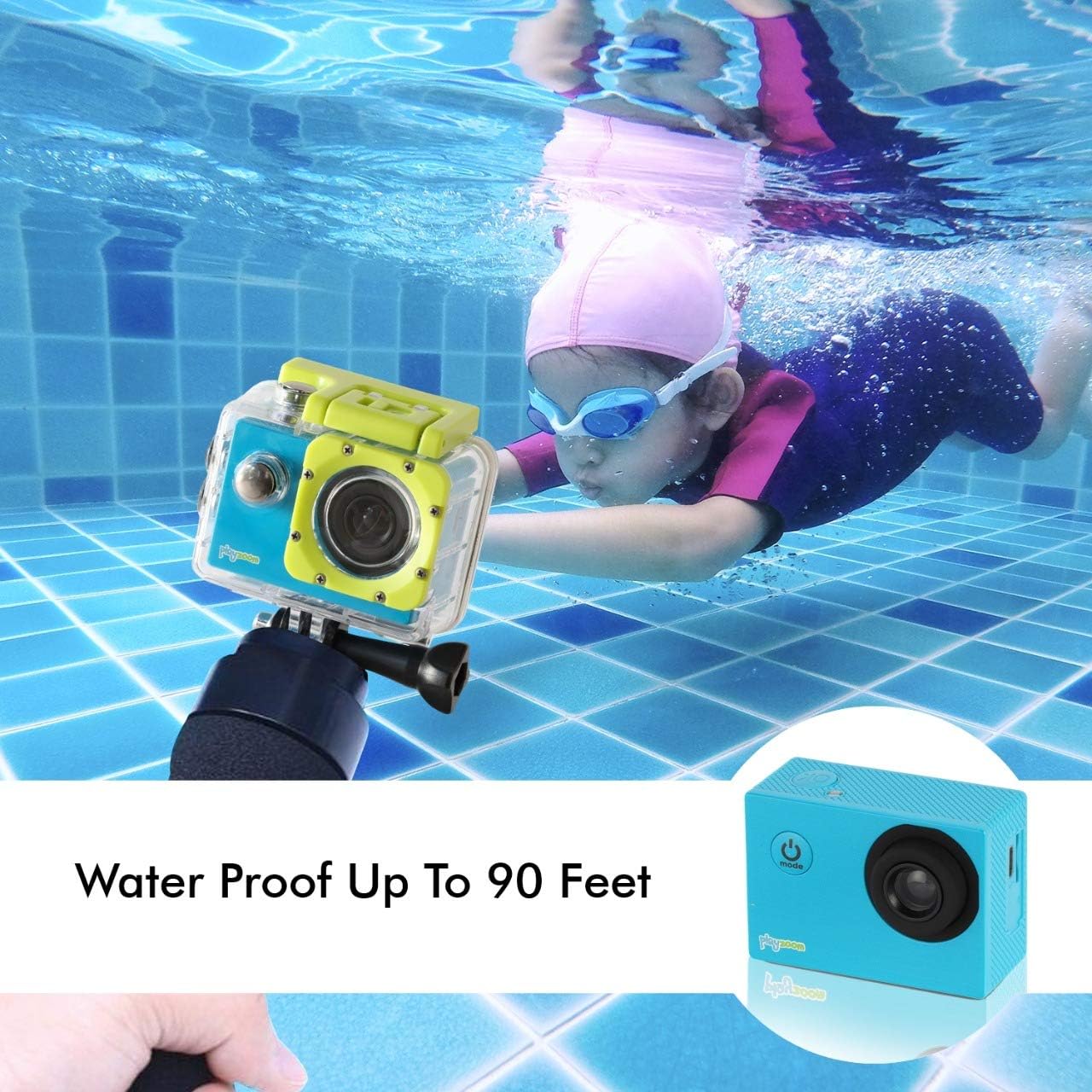
The GoCam is designed for underwater adventures, waterproof up to 90 feet.
Údržba
- Čištění: Use a soft, dry cloth to clean the camera body. For the lens, use a lens cleaning cloth. For the waterproof case, rinse with fresh water after each use, especially in saltwater, and wipe dry.
- Skladování: Fotoaparát skladujte na chladném a suchém místě mimo dosah přímého slunečního záření a extrémních teplot. Pokud jej skladujete delší dobu, vyjměte kartu Micro SD.
- Péče o baterie: Chcete-li prodloužit životnost baterie, vyvarujte se častého úplného vybíjení. Pravidelně ji nabíjejte, i když ji nepoužíváte, abyste zachovali její dobrý stav.
- Vodotěsné těsnění pouzdra: Periodically inspect the rubber seal of the waterproof case for any dirt, debris, or damage. A clean and intact seal is crucial for maintaining its waterproof integrity.
Odstraňování problémů
| Problém | Možná příčina | Řešení |
|---|---|---|
| Fotoaparát se nezapne. | Baterie je vybitá. | Plně nabijte fotoaparát pomocí kabelu USB. |
| Nelze nahrávat video ani fotografovat. | Není vložena karta Micro SD nebo je karta plná/poškozená. | Insert a Micro SD card. If already inserted, check if it's full and delete files or format the card (this will erase all data). Try a different Micro SD card. |
| Špatná kvalita obrazu/videa. | Objektiv je znečištěný nebo jsou špatné světelné podmínky. | Clean the camera lens with a soft cloth. Ensure adequate lighting for best results. |
| Fotoaparát se zasekne nebo přestane reagovat. | Softwarová závada. | Press and hold the Power/Mode button for 10-15 seconds to force a shutdown. Restart the camera. |
Specifikace
| Funkce | Detail |
|---|---|
| Značka | PlayZoom |
| Název modelu | GoCam |
| Rozlišení záznamu videa | 1080p HD |
| Efektivní rozlišení | 12 MP |
| Velikost obrazovky | 2 palce (LCD) |
| Úroveň odolnosti proti vodě | Waterproof (up to 90 feet / 30 meters with case) |
| Typ paměti Flash | Micro SD (podporuje až 32 GB) |
| Vestavěná baterie | 400 XNUMX mAh dobíjecí lithiová baterie |
| Doba nahrávání | Přibl. 1.5 hodin |
| Hmotnost položky | 4 unce |
| Rozměry produktu | 3 x 1 x 3.5 palce |
Záruka a podpora
For warranty information and customer support, please refer to the contact details provided with your product packaging or visit the official PlayZoom webUschovejte si účtenku jako doklad o koupi pro případné reklamace.
For additional assistance or frequently asked questions, you may visit the PlayZoom Store on Amazon.
Ask a question about this manual
Ask about setup, troubleshooting, compatibility, parts, safety, or missing instructions. Manuals+ will review the question and use this page’s manual context to help answer it.