
1. Bezpečnostní informace
Please read all safety instructions carefully before operating this device. Keep this manual for future reference.
- Do not overload wall outlets or extension cords beyond their rated capacity. Overloading can cause electric shock or fire.
- Nevystavujte jednotku dešti nebo vlhkosti, abyste předešli nebezpečí požáru nebo úrazu elektrickým proudem.
- Neotevírejte skříň. Servis svěřte pouze kvalifikovanému personálu.
- Ujistěte se, že napájecí kabel není přiskřípnut nebo po něm nešlape.
2. Konec produktuview
The DANFI AUDIO DF TE-2017 is a versatile 3-speed record player with built-in speakers, Bluetooth input, and USB recording capabilities. It supports 7", 10", and 12" vinyl records.

Obrázek 2.1: Přední strana view of the DANFI AUDIO DF TE-2017 Record Player with the dust cover open, showing the platter and tone arm.
Zahrnuté komponenty:
- DANFI AUDIO DF TE-2017 Record Player
- Adaptér 45 RPM
- Napájecí kabel a adaptér
- Replacement Needle (Stylus)
- Slipmat pro gramofon
- Uživatelská příručka (tento dokument)
3. Pokyny k nastavení
3.1 Vybalení a umístění
- Opatrně vyjměte gramofon z obalu.
- Umístěte přístroj na stabilní, rovný povrch mimo dosah přímého slunečního záření, zdrojů tepla a nadměrného prachu či vibrací.
- Zajistěte dostatečné větrání kolem jednotky.
3.2 Počáteční montáž
- Protiprachový kryt: The removable dust cover can be placed on top of the unit to protect the platter and tone arm when not in use.
- Slipmat: Place the provided turntable slipmat onto the platter.
- Ochrana stylusu: Remove the clear plastic stylus protector from the needle before first use. Be careful not to damage the stylus.
3.3 Připojení napájení
- Connect the power adapter to the DC IN port on the back of the record player.
- Zapojte napájecí adaptér do vhodné zásuvky.
4. Návod k obsluze

Image 4.1: Diagram illustrating the various controls and components of the record player, including the 45 RPM adapter, tone arm, tone arm lifter, auto stop control, speed switch, ON/OFF button (volume control), and cartridge.
4.1 Basic Turntable Operation
- Zapnutí/vypnutí a hlasitost: Rotate the ON/OFF/VOLUME knob clockwise to power on the unit and adjust the volume.
- Vyberte rychlost: Set the speed switch (33, 45, or 78 RPM) to match the record you are playing. For 45 RPM records, place the 45 RPM adapter on the spindle.
- Záznam o místě: Place your vinyl record on the turntable platter.
- Lift Tone Arm: Use the tone arm lifter to gently raise the tone arm.
- Pozice raménka přenosky: Manually move the tone arm over the desired starting groove of the record.
- Spodní raménko tónu: Gently lower the tone arm using the lifter. The music will begin to play.
- Automatické zastavení: The turntable features an auto-stop function that will stop the platter rotation automatically when the record finishes playing. Ensure the 'Auto Stop Control' switch is engaged for this feature.
- Konec přehrávání: When the record finishes, use the tone arm lifter to raise the tone arm, return it to its rest, and secure it with the clip.
4.2 Bluetooth Input Mode
This record player can receive audio wirelessly from Bluetooth-enabled devices like smartphones or tablets.

Image 4.2: A smartphone displaying its Bluetooth settings, connected to the TE-2017 record player, demonstrating wireless music streaming.
- Vyberte režim Bluetooth: Press the 'M' button on the front panel until 'BT' appears on the display. The unit will enter pairing mode.
- Povolení Bluetooth na zařízení: Na svém smartphonu nebo tabletu povolte Bluetooth a vyhledejte dostupná zařízení.
- Spárovat zařízení: Select 'TE-2017' from the list of devices. Once paired, you will hear a confirmation sound.
- Přehrát hudbu: You can now stream music from your device through the record player's built-in speakers.
Note: This unit functions as a Bluetooth receiver only and cannot connect to external Bluetooth speakers.
4.3 USB Recording (Vinyl to Digital)
Convert your vinyl records into digital audio files (WAV format) directly onto a USB flash drive.
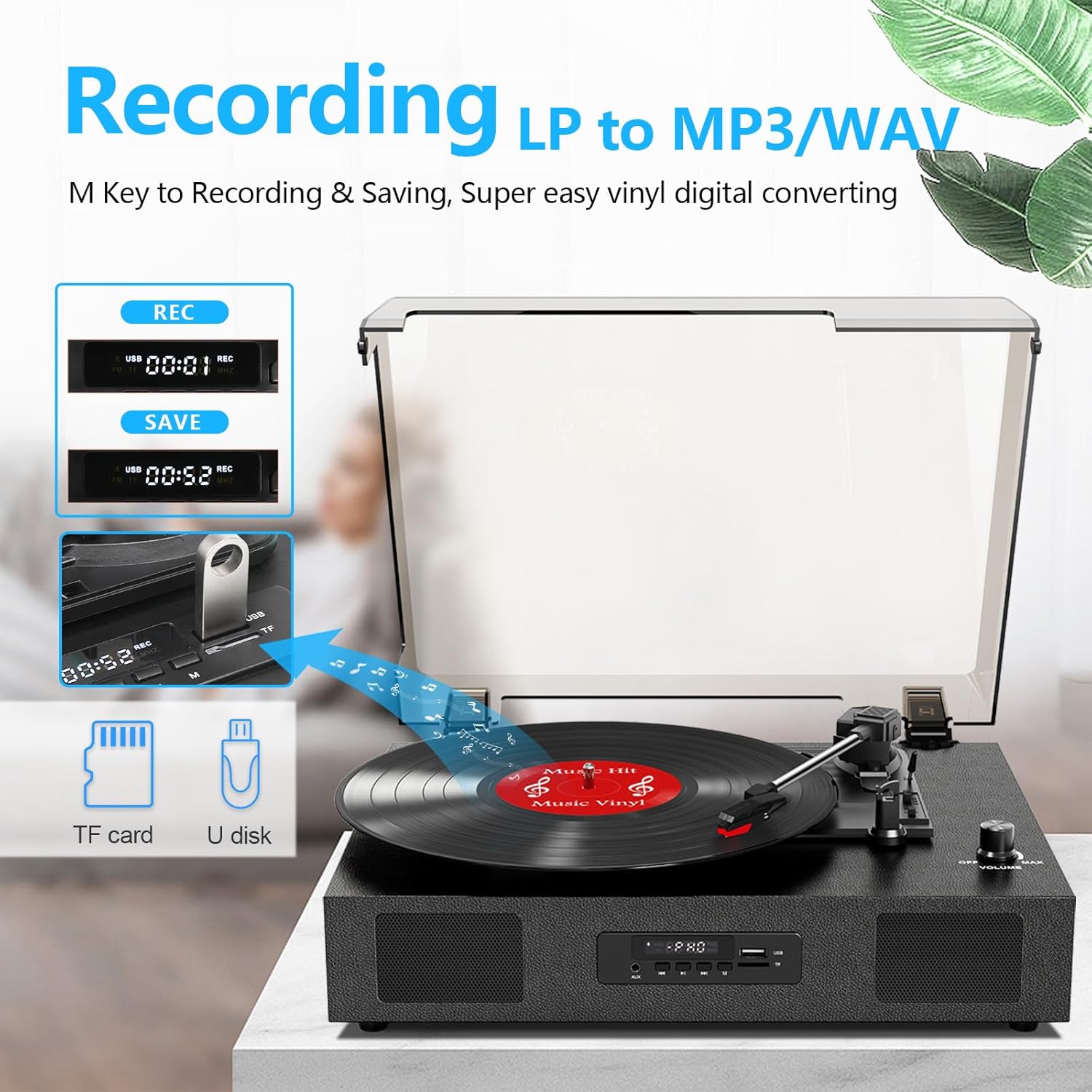
Image 4.3: The record player's display showing 'REC' and a timer, with a USB flash drive inserted, indicating the USB recording function.
- Vložte USB disk: Insert a USB flash drive (formatted to FAT32) into the USB port on the front panel.
- Spustit přehrávání: Begin playing your vinyl record as described in section 4.1.
- Spustit nahrávání: Press the 'REC' button on the front panel. The display will show 'REC' and a timer, indicating recording has started.
- Zastavit nahrávání: Stiskněte tlačítko „REC“ znovu pro zastavení nahrávání. Nahraný file will be saved to your USB drive.
- Přístup Files: You can access the recorded WAV files on your computer. If MP3 format is desired, conversion can be done using computer software.
4.4 RCA Line-Out Connection
Connect the record player to external powered speakers or a home audio system for enhanced sound.
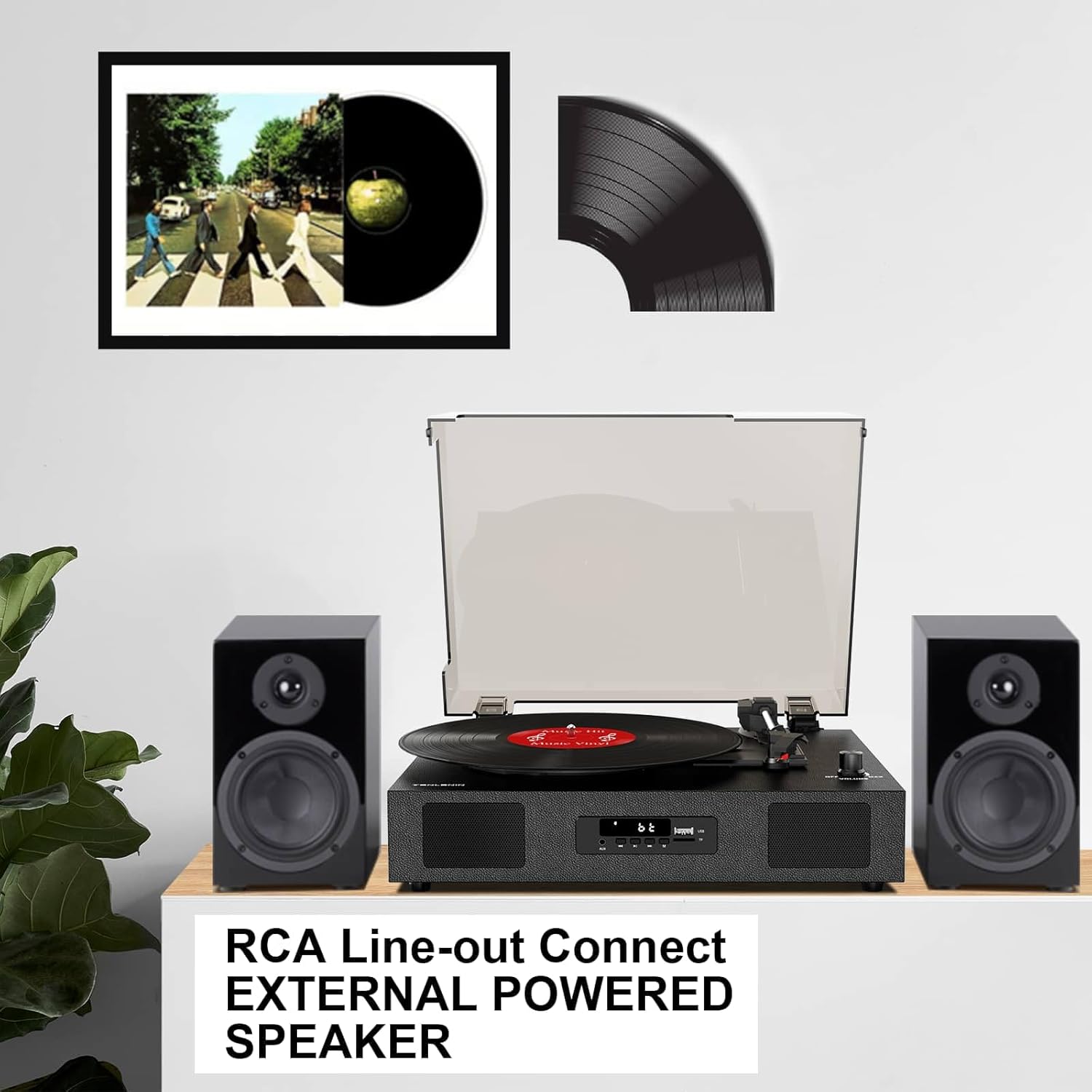
Image 4.4: The record player connected via RCA cables to a pair of external powered speakers, demonstrating the line-out functionality.
- Připojit kabely: Use RCA audio cables (not included) to connect the RCA L/R output jacks on the back of the record player to the corresponding input jacks on your external ampzesilovač nebo aktivní reproduktory.
- Upravit hlasitost: Control the volume primarily through your external audio system. The record player's volume knob will still affect the output level.
4.5 AUX Line-In
Connect external audio devices (e.g., MP3 players) via the AUX IN port.
- Připojovací kabel: Use a 3.5mm audio cable (not included) to connect your external device to the AUX IN port on the front panel.
- Vyberte režim AUX: Press the 'M' button until 'AUX' appears on the display.
- Přehrát zvuk: Play audio from your connected device. The sound will be output through the record player's speakers.
5. Údržba
5.1 Čištění jednotky
- Vnější povrch jednotky otřete měkkým, suchým hadříkem. Nepoužívejte abrazivní čisticí prostředky ani rozpouštědla.
- Keep the dust cover clean to prevent dust from settling on the platter and records.
5.2 Stylus Care and Replacement
- Stylus (jehla) je citlivá součástka. Zacházejte s ním opatrně.
- Periodicky čistěte stylus měkkým kartáčkem, jemně jej kartáčujte zezadu dopředu.
- A worn stylus can damage records and degrade sound quality. Replace the stylus after approximately 300-500 hours of playback, or if you notice a decrease in sound quality or increased skipping.
- To replace the stylus, refer to the instructions provided with the replacement needle.
5.3 Péče o záznamy
- Always handle records by their edges to avoid transferring oils from your skin.
- Desky skladujte svisle v obalech na chladném a suchém místě.
- Pravidelně čistěte desky speciálním kartáčkem nebo roztokem na čištění desek, abyste odstranili prach a statický náboj.
6. Řešení problémů
If you experience issues with your record player, consult the following troubleshooting guide.
- Bez napájení:
- Ujistěte se, že je napájecí adaptér bezpečně připojen k jednotce a k funkční zásuvce.
- Check if the ON/OFF/VOLUME knob is turned clockwise to power on.
- Žádný zvuk:
- Increase the volume using the ON/OFF/VOLUME knob.
- Ensure the correct input mode (PHONO, BT, AUX) is selected.
- If using RCA output, ensure external speakers are powered on and correctly connected, and their volume is adjusted.
- Check if the stylus protector has been removed.
- Přeskakování záznamů:
- Ujistěte se, že gramofon stojí na stabilním a rovném povrchu.
- Vyčistěte desku od prachu nebo nečistot.
- Check the stylus for damage or wear; replace if necessary.
- Some records, especially new or heavier pressings, may be more prone to skipping.
- USB Recording Issues (e.g., skipping, corrupted files):
- Ensure the USB drive is formatted to FAT32. Other formats like exFAT may not be compatible for recording.
- Zkuste jiný USB flash disk.
- Ensure the record is clean and playing smoothly during recording.
- Bluetooth Disconnecting/Resetting:
- If the Bluetooth player is paused for an extended period, the unit may revert to another mode. Re-select Bluetooth mode using the 'M' button.
- Ensure your Bluetooth device is within range.
7. Specifikace
| Název modelu | TE-2017 |
| Značka | DANFI AUDIO DF |
| Rozměry produktu | 14.1 x 11.2 x 4.9 palce |
| Hmotnost položky | 4.85 libry |
| Materiál | Konstrukce dřeva, plast |
| Maximální rychlost otáčení | 78 ot./min |
| Podporované rychlosti | 33 1/3, 45, 78 ot./min |
| Speciální funkce | Built-In Bluetooth Receiver, Digital Display, Digital Recorder, RCA Output |
| Kompatibilní zařízení | Headphone, MP3 Player, Personal Computer, Smartphone, Tablet |
8. Záruka a podpora
DANFI AUDIO DF offers a 30-day money-back or replacement policy for this product. For any inquiries or assistance, please contact customer service. Support is available 24 hours a day.
For further support or warranty claims, please refer to your purchase documentation or contact the seller directly.