
Zavedení
This manual provides essential information for the safe and efficient operation of your MEDION P64145 All-in-One Audio System. Please read it thoroughly before using the device and keep it for future reference.
Důležité bezpečnostní informace
Při používání tohoto výrobku vždy dodržujte základní bezpečnostní opatření, abyste snížili riziko požáru, úrazu elektrickým proudem a zranění osob. Uchovejte si tento návod k obsluze pro budoucí použití.
- Nevystavujte zařízení dešti nebo vlhkosti.
- Neblokujte žádné ventilační otvory.
- Používejte pouze nástavce/příslušenství specifikované výrobcem.
- Veškeré opravy svěřte kvalifikovanému servisnímu personálu.
Obsah balení
Při vybalování se ujistěte, že jsou všechny položky přítomny a v dobrém stavu:
- MEDION Life MD44125 P64145 AiO Audio System
- Dálkové ovládání (včetně baterie)
- Napájecí kabel
- Uživatelská příručka
Nastavení
1. Vybalení a umístění
Carefully remove the audio system from its packaging. Place the unit on a stable, flat surface away from direct sunlight, heat sources, and excessive dust or moisture. Ensure adequate ventilation around the unit.
2. Connecting the Power and Antenna
Connect the provided power cord to the AC IN socket on the rear of the audio system, then plug the other end into a wall outlet. Extend the telescopic antenna on the rear of the unit for optimal FM and DAB+ radio reception. Adjust its position for the best signal quality.
Obraz: Zadní view of the MEDION P64145 audio system with the power cord connected and the telescopic antenna extended. This image demonstrates how to properly connect power and set up the antenna for improved radio signal reception.
3. Instalace baterie dálkového ovládání
Open the battery compartment on the remote control and insert the provided battery, observing the correct polarity.
Návod k obsluze
1. Zapnutí/vypnutí
Stiskněte tlačítko MOC tlačítko na jednotce nebo dálkovém ovladači pro zapnutí nebo vypnutí systému.
2. Výběr zdroje
Stiskněte tlačítko ZDROJ button repeatedly to cycle through available input sources: DAB+, FM, CD, USB, Bluetooth, AUX-in.
3. Provoz DAB+ rádia
- Vyberte režim DAB+.
- Systém automaticky vyhledá dostupné stanice DAB+.
- Použijte TUNE +/- buttons or rotary knob to navigate through stations.
- Stiskněte OK vyberte stanici.
- To save a station, press and hold a preset number button (1-30).
Video: This video demonstrates selecting DAB+ radio, adjusting volume, and other functions on a similar MEDION micro audio system. It illustrates the user interface and controls for various audio modes.
4. Provoz rádia FM
- Vyberte režim FM.
- Použijte TUNE +/- buttons to manually tune or press and hold to auto-scan for the next available station.
- To save a station, press and hold a preset number button (1-30).
5. Přehrávání CD
- Vyberte režim CD.
- Insert a CD (audio CD or MP3 CD) into the CD slot.
- The system will automatically begin playback.
- Použití PLAY/PAUSE, ZASTÁVKA, PŘESKOČIT +/- tlačítka pro ovládání.
Obraz: Přední view of the audio system highlighting the integrated CD player. This image shows where to insert CDs for playback.
6. Přehrávání z USB
- Vložte USB flash disk obsahující MP3 filedo portu USB.
- Vyberte režim USB.
- Procházejte a vybírejte skladby pomocí navigačních tlačítek.
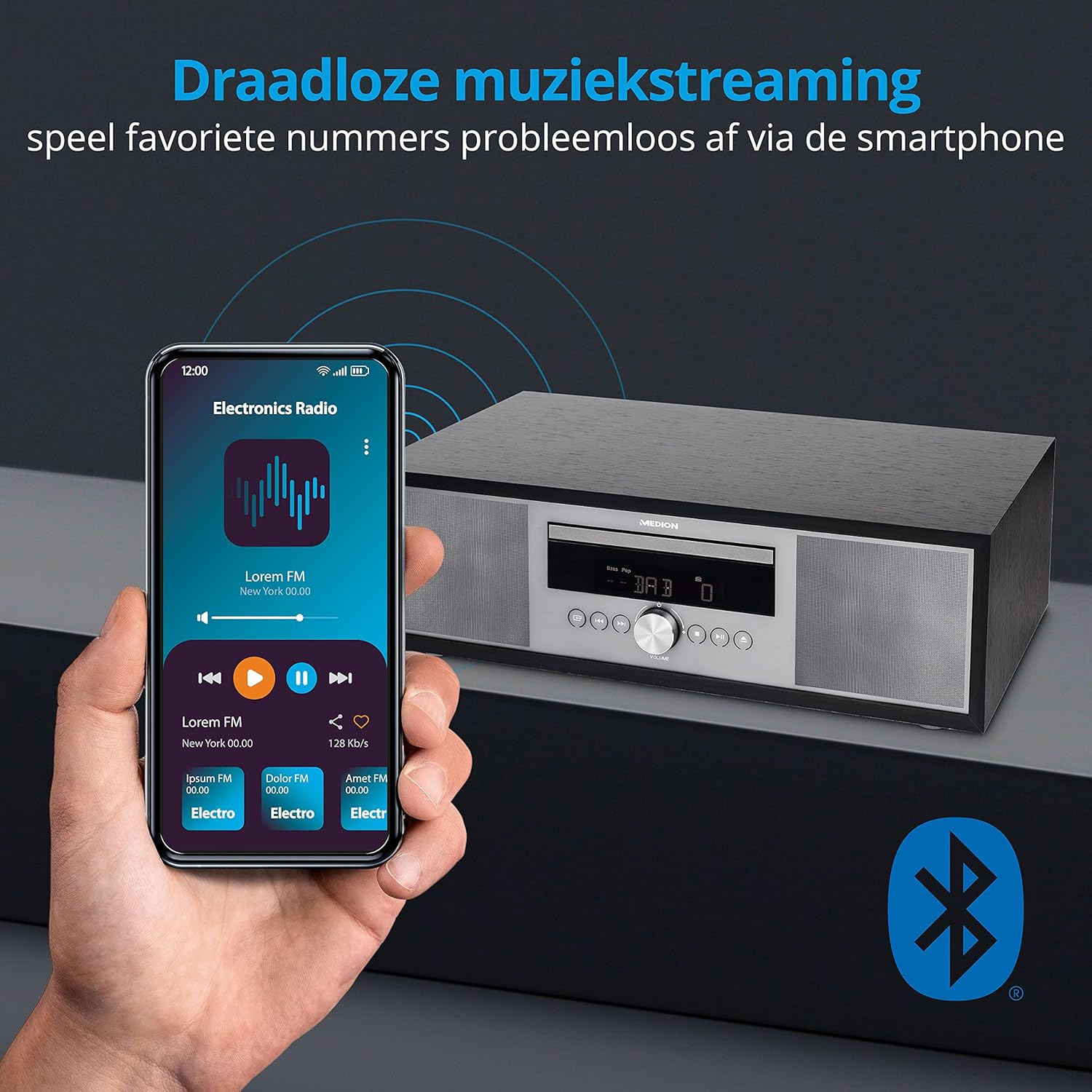
7. Bluetooth streamování
- Select Bluetooth mode. The display will show "Pairing".
- On your smartphone or tablet, enable Bluetooth and search for "MEDION P64145".
- Vyberte zařízení, které chcete spárovat. Po připojení můžete bezdrátově streamovat zvuk.

Obraz: A smartphone displaying a music app connected via Bluetooth to the MEDION audio system. This image demonstrates wireless music streaming capability.
8. Připojení AUX-in
Connect an external audio device (e.g., MP3 player) to the AUX-in port using a 3.5mm audio cable. Select AUX-in mode to play audio from the connected device.
9. Alarm and Sleep Timer
The system features an alarm function (wake via radio, alarm sound, CD, or USB) and a sleep timer. Refer to the detailed instructions in the full user manual for setting these features.
10. Nastavení zvuku
Upravte zvukový profesionálfile using the equalizer settings. The system offers five selectable sound settings (Pop, Rock, Jazz, Classic, Flat) to optimize your listening experience.

Obraz: Icons representing different sound equalizer presets (Pop, Rock, Jazz, Classic, Flat) available on the audio system. This image highlights the customizable sound options.
Údržba
- Čištění: Use a soft, dry cloth to clean the unit. Do not use liquid cleaners or aerosol sprays.
- Péče o CD: S CD manipulujte za hrany. Udržujte je čisté a bez škrábanců.
- Skladování: Pokud přístroj delší dobu nepoužíváte, odpojte jej ze zásuvky a uložte jej na chladném a suchém místě.
Odstraňování problémů
| Problém | Možná příčina | Řešení |
|---|---|---|
| Žádná síla | Power cord not connected properly; Power outlet not working. | Zkontrolujte připojení napájecího kabelu; zkuste jinou zásuvku. |
| Žádný zvuk | Příliš nízká hlasitost; Funkce ztlumení je aktivní; Vybrán nesprávný zdroj. | Increase volume; Deactivate mute; Select correct source. |
| Špatný příjem rádia | Anténa není správně vysunutá nebo umístěná; Rušení. | Extend and adjust antenna; Move unit away from other electronic devices. |
| Problémy s párováním pomocí rozhraní Bluetooth | Zařízení není v režimu párování; Bluetooth na externím zařízení je vypnutý. | Ensure system is in Bluetooth pairing mode; Enable Bluetooth on external device and retry pairing. |
Specifikace
- Model: MEDION P64145 (MD44125)
- Zvukový výstupní výkon: 15 Wattů
- Rádiový tuner: DAB+, PLL-FM Stereo (30 presets each)
- CD přehrávač: Supports Audio CD, MP3-CD
- Konektivita: Bluetooth, USB, AUX-in
- Speciální vlastnosti: Alarm function, Sleep timer, Color display
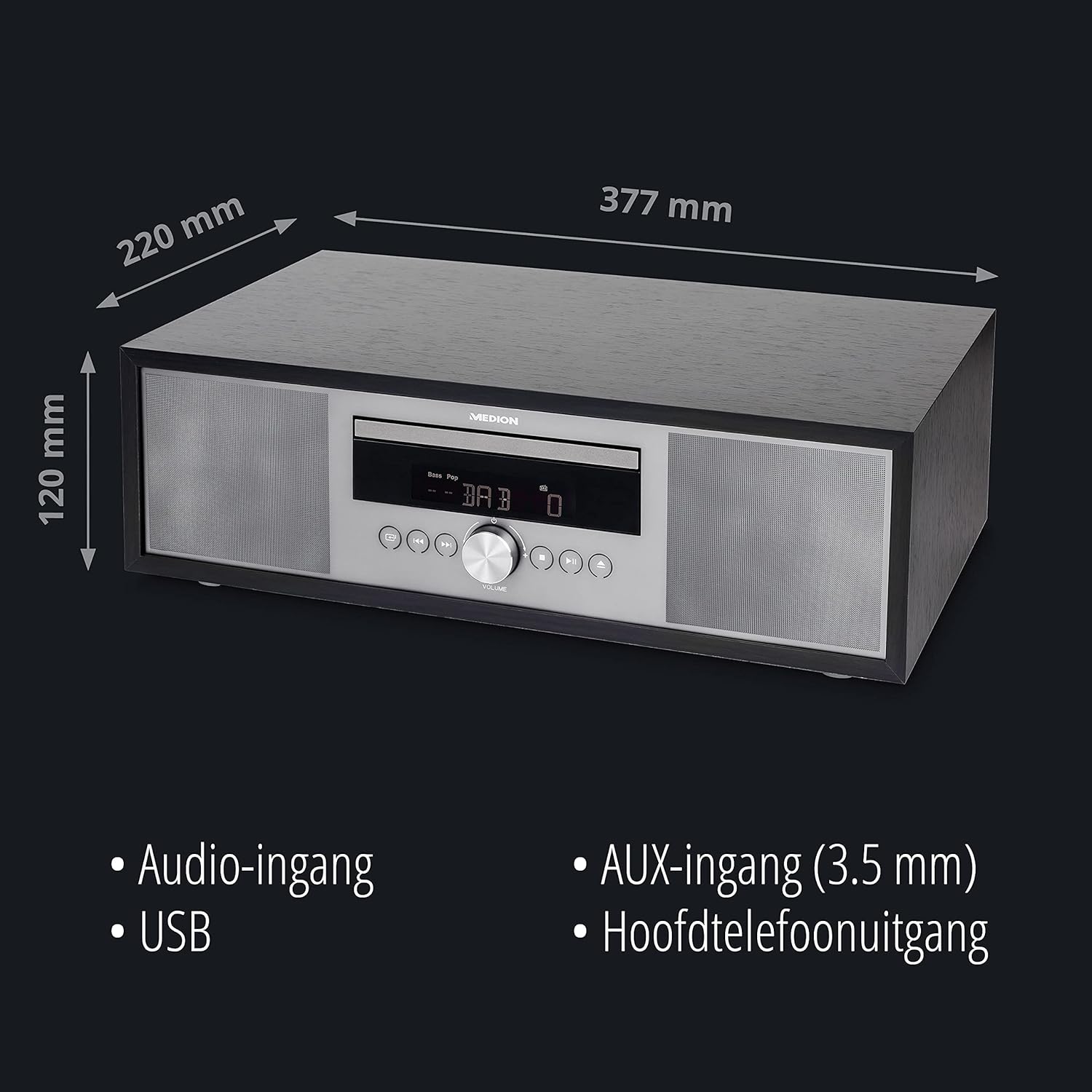
- Rozměry (přibližně): 41.8 x 27.3 x 15.5 cm
- Hmotnost (přibližně): 3.95 kg

Obraz: The MEDION P64145 audio system with its dimensions indicated. This image provides a visual representation of the product's size.
Záruka a podpora
For warranty information, technical support, or service inquiries, please refer to the warranty card included in your package or visit the official MEDION webUschovejte si doklad o koupi pro případ reklamace.