
1. Úvod
The Vgate VR800 OBD2 Scanner is a powerful and user-friendly diagnostic tool designed for automotive enthusiasts and professional mechanics alike. It provides comprehensive diagnostic functions for OBD-II/EOBD compliant vehicles, enabling users to quickly identify and resolve issues related to the Check Engine Light (CEL). This manual provides detailed instructions on how to set up, operate, and maintain your VR800 scanner to ensure optimal performance and accurate vehicle diagnostics.
2. Konec produktuview
The Vgate VR800 is a handheld diagnostic device featuring a color LCD display, intuitive button layout, and a durable OBD-II connector cable. Its compact design allows for easy portability and use in various automotive environments.
2.1 klíčové komponenty
- LCD barevný displej: Provides clear and detailed diagnostic information.
- Navigační tlačítka: Šipky nahoru, dolů, vlevo, vpravo pro navigaci v menu.
- Tlačítko OK: Potvrzuje výběr.
- Tlačítko I/M: Shortcut for I/M Readiness status.
- Question Mark (?) Button: Provides help and DTC lookup information.
- Tlačítko návratu: Přejde zpět na předchozí obrazovku.
- Konektor OBD-II: Connects the scanner to the vehicle's diagnostic port.
- USB port: For software updates and data printing.

3. Vlastnosti
The Vgate VR800 OBD2 Scanner offers a comprehensive set of features for vehicle diagnostics:
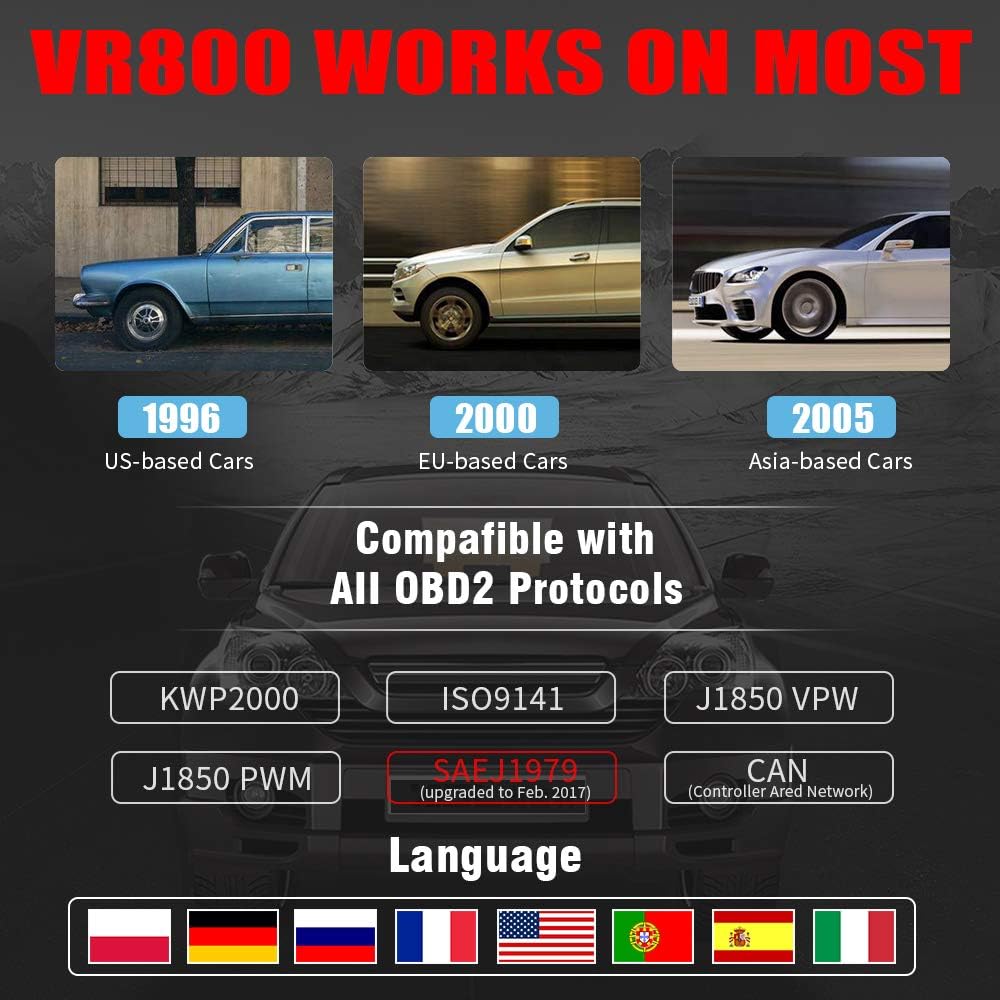
- All OBD2 Protocols Support: Compatible with ISO9141, KWP2000, J1850 PWM, J1850 VPW, and CAN protocols. Compliance with SAEJ1979 has been upgraded to the latest standards (February 2017).
- Široká kompatibilita vozidel: Works with most American vehicles manufactured after 1996, European vehicles after 2000, and Asian vehicles after 2005. Applicable to OBD-II/CAN/EOBD-compliant vehicles, including light-duty trucks (6.5T or less), SUVs, and minivans.
- Smog Check Helper (I/M Readiness): Features Red-Yellow-Green LEDs and a built-in speaker to indicate readiness status for emissions testing. Dedicated I/M and '?' shortcut keys provide quick access to readiness checks.
- Full OBD Service Modes: Quickly reads and checks Diagnostic Trouble Codes (DTCs), views freeze frame data, reads live PCM data stream, performs On-Board Monitor tests, and displays live O2 sensor test data.
- Vestavěná knihovna pro vyhledávání DTC: Allows accurate determination of the causes of the Check Engine Light.
- Accurate Battery Status Check: Reads real-time battery and voltage informace.
- Podpora více jazyků: Available in English, French, German, Italian, Spanish, Russian, Polish, and Portuguese.
- Data Logging and Printing: Supports data logging and connection to a PC for printing diagnostic data files.



4. Nastavení
Follow these steps to set up your Vgate VR800 OBD2 Scanner:
- Vyhledejte port OBD-II: Zásuvka OBD-II se obvykle nachází pod palubní deskou na straně řidiče vozidla. Pokud ji nemůžete najít, podívejte se do návodu k obsluze vozidla.
- Připojení skeneru: Plug the VR800's OBD-II connector cable firmly into the vehicle's OBD-II port.
- Zapnutí: The scanner will automatically power on once connected to the vehicle's OBD-II port. No external power source or batteries are required as it draws power directly from the vehicle.
- Initial Setup (if prompted): If this is your first time using the scanner or after a factory reset, you may be prompted to select a language. Use the navigation buttons to select your preferred language and press OK.

5. Návod k obsluze
Once the scanner is connected and powered on, you can begin diagnosing your vehicle.
5.1 Navigace v nabídce
Použijte UP a DOLŮ šipkami procházejte možnostmi nabídky. Stiskněte OK pro výběr možnosti. Stiskněte tlačítko Návrat tlačítko pro návrat na předchozí obrazovku.
5.2 Čtení diagnostických chybových kódů (DTC)
- Z hlavní nabídky vyberte Přečtěte si DTC.
- The scanner will display any active or pending DTCs. Each code will have a brief description.
5.3 Clearing DTCs
Warning: Clearing DTCs will erase all diagnostic trouble codes from the vehicle's computer and may reset readiness monitors. Ensure you have addressed the underlying issue before clearing codes.
- Z hlavní nabídky vyberte Vymazat DTC.
- Confirm your selection when prompted. The scanner will attempt to clear the codes.
5.4 I/M Readiness Function
The I/M Readiness function checks if the various emissions-related systems on the vehicle are operating correctly and if they have completed their self-tests.
- Stiskněte příslušné tlačítko I/M tlačítko na skeneru.
- The display will show the status of various monitors (e.g., O2 Sensor, EVAP, Catalyst). A green light indicates ready, yellow indicates pending, and red indicates not ready or a fault.
5.5 Viewživá data
Live Data allows you to view data ze senzorů v reálném čase z řídicí jednotky motoru (ECU) vozidla.
- Z hlavní nabídky vyberte Živá data.
- Choose the specific data parameters you wish to view (e.g., engine RPM, vehicle speed, O2 sensor voltagE).
5.6 Vyhledávání DTC
If you have a DTC and need more information, use the built-in DTC lookup library.
- Z hlavní nabídky vyberte Vyhledávání DTC nebo stiskněte ? button when a DTC is displayed.
- Enter the DTC code (if not already displayed) to get a detailed description and possible causes.
5.7 Kontrola stavu baterie
To check your vehicle's battery voltage and status:
- Z hlavní nabídky vyberte Baterie.
- Skener zobrazí aktuální stav nabití baterietage and an estimated charge percentage.
6. Údržba
Proper maintenance ensures the longevity and accuracy of your Vgate VR800 scanner.
- Čištění: K čištění vnější strany skeneru používejte měkký, suchý hadřík. Nepoužívejte abrazivní čisticí prostředky ani rozpouštědla.
- Skladování: Skener skladujte v čistém a suchém prostředí mimo dosah extrémních teplot a přímého slunečního záření.
- Aktualizace softwaru: Regularly check for software updates to ensure compatibility with the latest vehicle models and diagnostic protocols. Updates can typically be performed by connecting the scanner to a PC via the USB port and using the provided update software.
7. Řešení problémů
If you encounter issues while using your Vgate VR800 scanner, refer to the following common problems and solutions:
- Skener se nezapne:
- Ensure the OBD-II connector is securely plugged into the vehicle's port.
- Zkontrolujte, zda je zapalování vozidla v poloze ON (motor může být vypnutý).
- Check the vehicle's fuse for the OBD-II port (consult your vehicle's manual).
-
Ask a question about this manual
Ask about setup, troubleshooting, compatibility, parts, safety, or missing instructions. Manuals+ will review the question and use this page’s manual context to help answer it.