
1. Úvod
Thank you for choosing the MARVO Scorpion Gaming Mouse M399. This manual provides essential information for setting up, operating, maintaining, and troubleshooting your new gaming mouse. Please read it carefully to ensure optimal performance and longevity of your device.
2. Vlastnosti produktu
- Ultra-lightweight Honeycomb Design: Weighing approximately 76 grams, the mouse features a unique honeycomb shell for reduced weight and enhanced airflow.
- High-Performance Optical Sensor: Equipped with a gaming-grade optical sensor, offering up to 6400 DPI for precise tracking.
- 6 programovatelných tlačítek: Customize your gaming experience with six buttons that can be assigned various functions.
- Dynamické RGB podsvícení: Enjoy 16.8 million colors with 7 different backlight modes to personalize your setup.
- Ambidextrous Ergonomic Design: Comfortable design suitable for both left and right-handed users, ideal for extended gaming or office use.
3. Obsah balení
- MARVO Scorpion Gaming Mouse M399
- Uživatelská příručka
4. Nastavení
- Připojte myš: Plug the USB connector of the MARVO Scorpion Gaming Mouse M399 into an available USB port on your computer.
- Automatická instalace ovladačů: Your operating system will typically detect the mouse and install the necessary drivers automatically. This may take a few moments.
- Test funkčnosti: Once installed, move the mouse and click the buttons to ensure basic functionality.
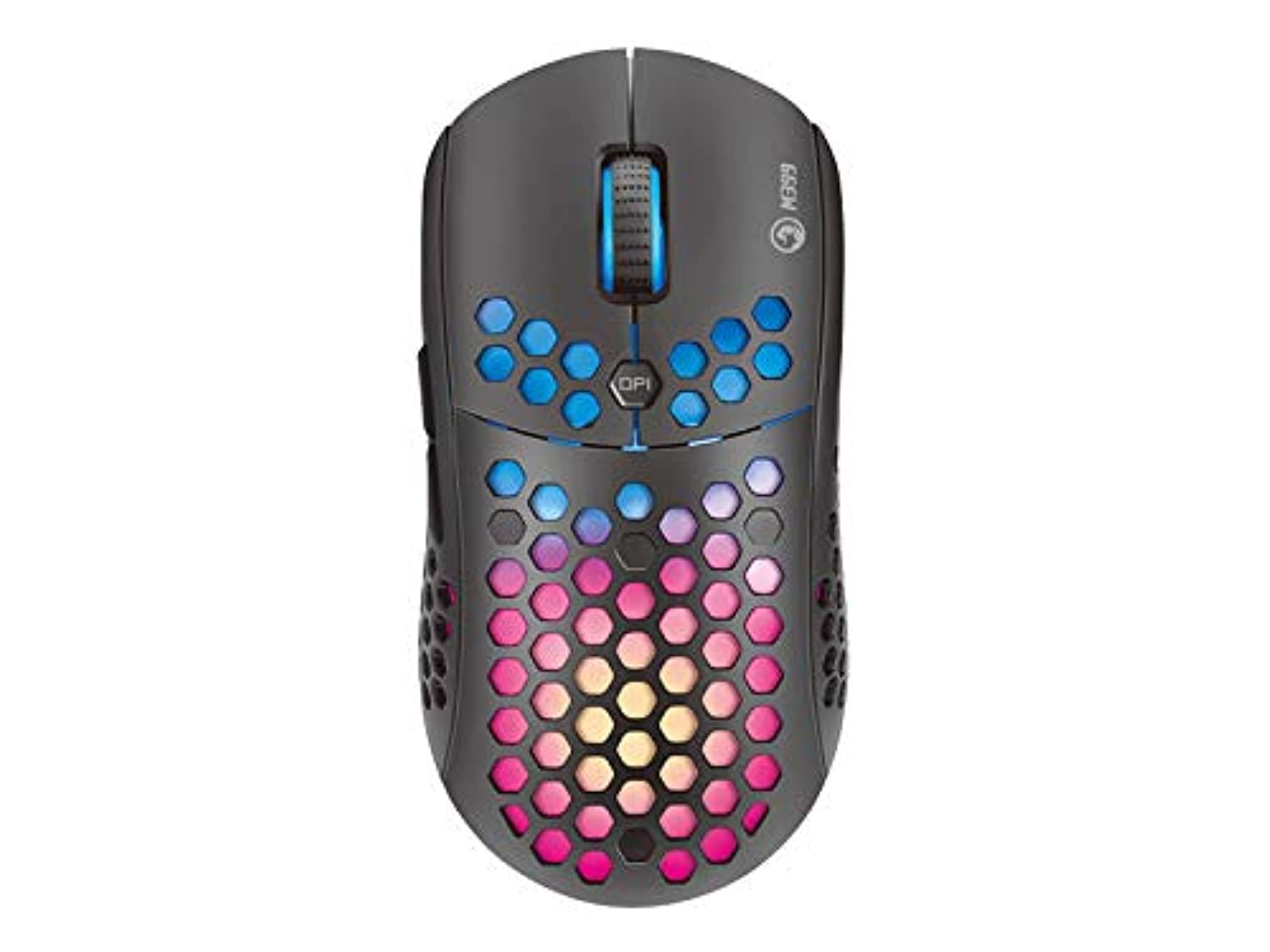
Obrázek 1: Shora dolů view of the MARVO Scorpion Gaming Mouse M399, highlighting its honeycomb shell and illuminated scroll wheel.
5. Návod k obsluze
5.1 Základní funkce
- Levé kliknutí: Tlačítko primární akce.
- Klikněte pravým tlačítkem myši: Tlačítko sekundární akce, obvykle pro kontextové nabídky.
- Rolovací kolečko: Posouvání dokumentů nahoru/dolů nebo web stránky. Lze na ně také kliknout prostředním tlačítkem myši.
5.2 Nastavení DPI
The mouse features a dedicated DPI button (usually located behind the scroll wheel) to cycle through different sensitivity levels. Press this button to instantly change the DPI setting to match your preference or game requirements. The default DPI settings are typically pre-configured but can be customized via software.
5.3 programovatelná tlačítka
The MARVO M399 includes 6 programmable buttons. These buttons can be assigned various functions, macros, or key combinations using the dedicated MARVO software. Refer to the customization section for more details.

Obrázek 2: Strana view of the MARVO Scorpion Gaming Mouse M399, illustrating the ergonomic contour and accessible side buttons.
6. Přizpůsobení
To unlock the full potential of your MARVO Scorpion Gaming Mouse M399, including button remapping, macro creation, and advanced RGB lighting effects, you will need to download and install the official MARVO software. This software allows for detailed personalization of your mouse settings.
- Přiřazení tlačítka: Přiřaďte funkce libovolnému ze 6 programovatelných tlačítek.
- Nastavení DPI: Adjust DPI levels and create custom profiles.
- RGB osvětlení: Choose from 7 different backlight modes and millions of colors, adjust brightness, speed, and effects.
- Editor maker: Create and assign complex macros to streamline in-game actions.
Note: The software can typically be found on the official MARVO website. Ensure you download the correct version for your M399 model.
7. Údržba
Správná údržba zajistí dlouhou životnost a výkon vaší herní myši.
- Čištění: K otření povrchu myši použijte měkký, suchý hadřík. V případě odolných nečistot použijte lehceamp cloth can be used, but ensure no liquid enters the mouse. Use compressed air to clean dust from the honeycomb holes and around buttons.
- Péče o senzor: Keep the optical sensor on the underside of the mouse clean and free from debris. Avoid touching the sensor directly.
- Správa kabelů: Abyste předešli poškození, vyhněte se ostrým ohybům nebo nadměrnému tahání za kabel USB.
- Skladování: Pokud myš nepoužíváte, skladujte ji v čistém a suchém prostředí mimo dosah extrémních teplot a přímého slunečního záření.
8. Řešení problémů
If you encounter issues with your MARVO Scorpion Gaming Mouse M399, refer to the following common solutions:
| Problém | Možné řešení |
|---|---|
| Myš neodpovídá |
|
| Pohyb kurzoru je nepravidelný nebo trhaný |
|
| RGB osvětlení nefunguje nebo se zaseklo |
|
| Programovatelná tlačítka nefungují |
|
9. Specifikace
| Funkce | Detail |
|---|---|
| Číslo modelu | M399 |
| Typ snímače | Optický |
| DPI (body na palec) | Až 6400 XNUMX DPI |
| Tlačítka | 6 programovatelná tlačítka |
| Osvětlení | RGB, 16.8 Million Colors, 7 Modes |
| Design | Ultra-lightweight Honeycomb, Ambidextrous |
| Hmotnost | Přibl. 76 gramů |
| Konektivita | Kabel USB |
| Rozměry produktu | 4.4 x 3.23 x 2.98 cm (přibližně) |
10. Záruka a podpora
10.1 Informace o záruce
MARVO products are designed and manufactured to the highest quality standards. This product is covered by a limited warranty from the date of purchase. Please refer to the warranty card included with your product or visit the official MARVO webPodrobné záruční podmínky platné pro váš region naleznete na webových stránkách.
10.2 Technická podpora
For technical assistance, driver downloads, or further inquiries, please visit the official MARVO support website or contact their customer service. You may need your product model number (M399) and proof of purchase when seeking support.
- Oficiální Webmísto: www.marvo-tech.com (Zkontrolujte prosím regionální odchylky)
- E-mail podpory: Viz webstránky pro kontaktní údaje.