
MIFA X11-BK
Uživatelská příručka k bezdrátovým sluchátkům MIFA X11
Model: X11-BK | Brand: MIFA
1. Úvod
Thank you for choosing the MIFA X11 True Wireless Earbuds. This manual provides essential information on how to set up, operate, and maintain your earbuds to ensure optimal performance and longevity. Please read this manual thoroughly before using the product.
2. Co je v krabici
- MIFA X11 True Wireless Earbuds (Left & Right)
- Nabíjecí pouzdro
- Náušníky (různé velikosti)
- USB nabíjecí kabel
- Uživatelská příručka
3. Vlastnosti produktu
- Skutečně bezdrátový design: Bluetooth 5.0 for total freedom, switch between Twin Mode and Mono Mode.
- Expertly Tuned Sound: Powerful bass and clear details with advanced Qualcomm chip, supporting APT-X and ACC.
- IPX7 Vodotěsnost: Protection against sweat, rain, and snow, ideal for sports.
- Výkonná baterie: Up to 5 hours of playtime on a single charge, with the charging case providing up to 100 additional hours.
- Ergonomický design: Unique ear-fins for a secure, comfortable fit.
- Redukce šumu CVC 8.0: Built-in microphone with CVC 8.0 for crystal-clear phone calls and voice assistant support.
4. Nastavení
4.1 Počáteční nabíjení
Before first use, fully charge both the earbuds and the charging case. Place the earbuds into the charging case. Connect the USB charging cable to the case and a power source. The indicator lights on the case will show the charging status.
4.2 Párování
The MIFA X11 earbuds feature one-step pairing for convenience.
- Vyjměte obě sluchátka z nabíjecího pouzdra. Automaticky se zapnou a propojí.
- On your mobile device, open the Bluetooth settings.
- Select "MIFA X11" from the list of available devices to pair.
- Po připojení uslyšíte potvrzovací výzvu.
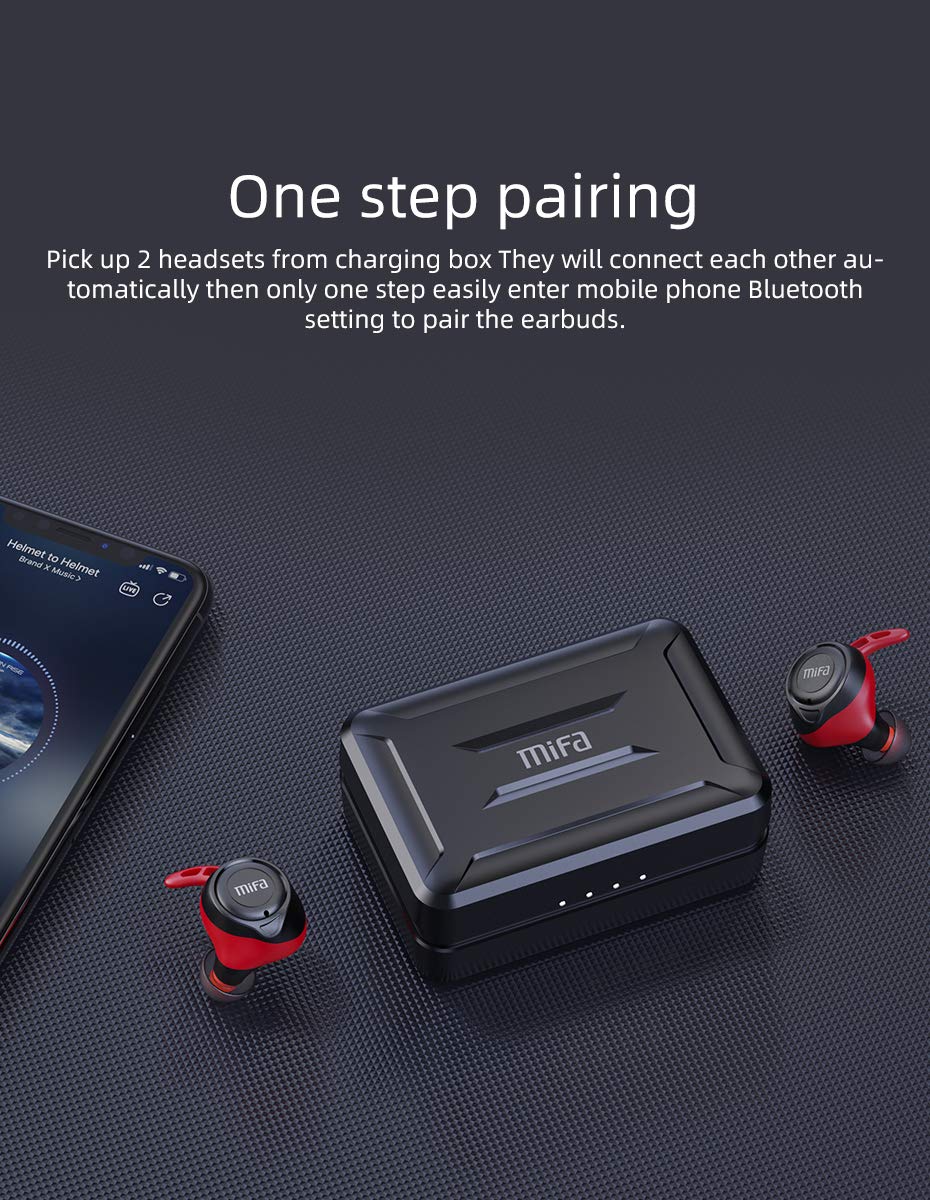
Figure 4.2.1: One-step pairing process with earbuds and charging case.
5. Návod k obsluze
5.1 Základní ovládací prvky
The MIFA X11 earbuds feature physical buttons for reliable control. Specific functions may vary slightly based on your device and application.
- Zapnutí/vypnutí: Earbuds power on automatically when removed from the case and power off when placed back in.
- Přehrát/pozastavit: Stiskněte jednou tlačítko na kterémkoli sluchátku.
- Další skladba: Double-press the button on the right earbud.
- Předchozí skladba: Double-press the button on the left earbud.
- Zvýšit hlasitost: Triple-press the button on the right earbud.
- Snížit hlasitost: Triple-press the button on the left earbud.
5.2 Mono Mode and Twin Mode
Sluchátka lze používat samostatně (mono režim) nebo společně (dvojitý režim).
- Mono režim: Simply take one earbud out of the charging case. It will automatically connect to your device, allowing you to use it independently for calls or audio while maintaining awareness of your surroundings.
- Dvojitý režim: Take both earbuds out of the charging case. They will automatically connect to each other and then to your device, providing an immersive stereo sound experience.
5.3 Telefonní hovory
The MIFA X11 earbuds support call control functions.
- Přijmout/ukončit hovor: Stiskněte jednou tlačítko na kterémkoli sluchátku.
- Odmítnout hovor: Stiskněte a podržte tlačítko na kterémkoli sluchátku po dobu 2 sekund.
5.4 Hlasový asistent
Activate your device's voice assistant (Siri, Google Assistant, etc.) directly from the earbuds.
- Aktivovat Voice Assistant: Press and hold the button on either earbud for 2 seconds (after rejecting a call, if applicable).

Figure 5.4.1: Activating voice assistant with MIFA X11 earbuds.
6. Údržba
6.1 Čištění
Pravidelné čištění pomáhá udržovat kvalitu zvuku a hygienu.
- Jemně otřete sluchátka a nabíjecí pouzdro měkkým, suchým hadříkem, který nepouští vlákna.
- For ear tips, remove them and clean with a mild soap solution if necessary, then rinse thoroughly and dry completely before reattaching.
- Nepoužívejte abrazivní čisticí prostředky nebo rozpouštědla.
6.2 Vodotěsnost (IPX7)
The MIFA X11 earbuds are IPX7 waterproof, meaning they can withstand immersion in water up to 1 meter for 30 minutes. This makes them suitable for workouts and use in rainy conditions.
- Nabíjecí pouzdro úmyslně neponořujte, protože není vodotěsné.
- Před vložením sluchátek zpět do nabíjecího pouzdra se ujistěte, že jsou suchá, abyste předešli jejich poškození.
- IPX7 rating applies to fresh water; exposure to salt water, chlorinated water, or other liquids may cause damage.

Figure 6.2.1: MIFA X11 earbuds demonstrating IPX7 waterproof capability.
7. Řešení problémů
If you encounter issues with your MIFA X11 earbuds, try the following solutions:
- Sluchátka se nespárují: Place both earbuds back into the charging case, close the lid for a few seconds, then take them out again. They should automatically connect.
- Sluchátka se nepřipojují k zařízení: Ensure Bluetooth is enabled on your device. Forget "MIFA X11" in your device's Bluetooth settings and attempt to pair again.
- Z jednoho sluchátka žádný zvuk: Ensure both earbuds are charged. Try placing them back in the case and taking them out again. If the issue persists, reset the earbuds (refer to manufacturer's webwebu, kde v případě potřeby najdete konkrétní pokyny k resetování).
- Problémy s nabíjením: Ensure the charging cable is securely connected and the power source is working. Clean the charging contacts on both the earbuds and the case with a dry cotton swab.
- Špatná kvalita zvuku: Ensure earbuds are properly seated in your ears. Try different sized ear tips for a better seal. Check if there is any debris in the earbud nozzles.
Pro další pomoc se prosím obraťte na zákaznickou podporu MIFA.
8. Specifikace
| Název modelu | MIFA X11 |
| Technologie připojení | Bezdrátové připojení (Bluetooth 5.0) |
| Úroveň odolnosti proti vodě | IPX7 Vodotěsný |
| Výdrž baterie (sluchátka) | Až 5 hodin |
| Výdrž baterie (s nabíjecím pouzdrem) | Až 100 hodin |
| Mikrofon | Yes (with CVC8.0 Noise Reduction) |
| Typ ovládání | Ovládání hovorů, Dálkové ovládání |
| Kompatibilní zařízení | Chytré telefony, tablety, notebooky, zařízení s podporou Bluetooth |
| Materiál | Silikon, plast |
| Rozměry produktu | 3.1 x 2.5 x 2.6 cm |
| Hmotnost položky | 249 g |
9. Záruka a podpora
MIFA products are manufactured to the highest quality standards. For information regarding warranty coverage, technical support, or service inquiries, please visit the official MIFA webnebo se obraťte přímo na jejich zákaznický servis. Uschovejte si prosím doklad o koupi pro případ reklamace.
Ask a question about this manual
Ask about setup, troubleshooting, compatibility, parts, safety, or missing instructions. Manuals+ will review the question and use this page’s manual context to help answer it.