
1. Úvod
Thank you for choosing the Symcode 2-in-1 Wireless CCD Barcode Scanner. This device offers both 2.4GHz wireless and USB wired connectivity, providing flexibility for various applications. It is designed for efficient and accurate scanning of 1D barcodes from both printed materials and digital screens. This manual provides detailed instructions on setting up, operating, maintaining, and troubleshooting your barcode scanner.
2. Konec produktuview
2.1 Obsah balení
Po vybalení se prosím ujistěte, že jsou všechny níže uvedené položky přítomny a v dobrém stavu:
- 1 x Symcode CCD Barcode Scanner
- 1 x USB kabel
- 1 x 2.4GHz bezdrátový adaptér
- 1 x anglická uživatelská příručka

Figure 2.1: Package Contents of the Symcode Barcode Scanner.
2.2 Scanner Components
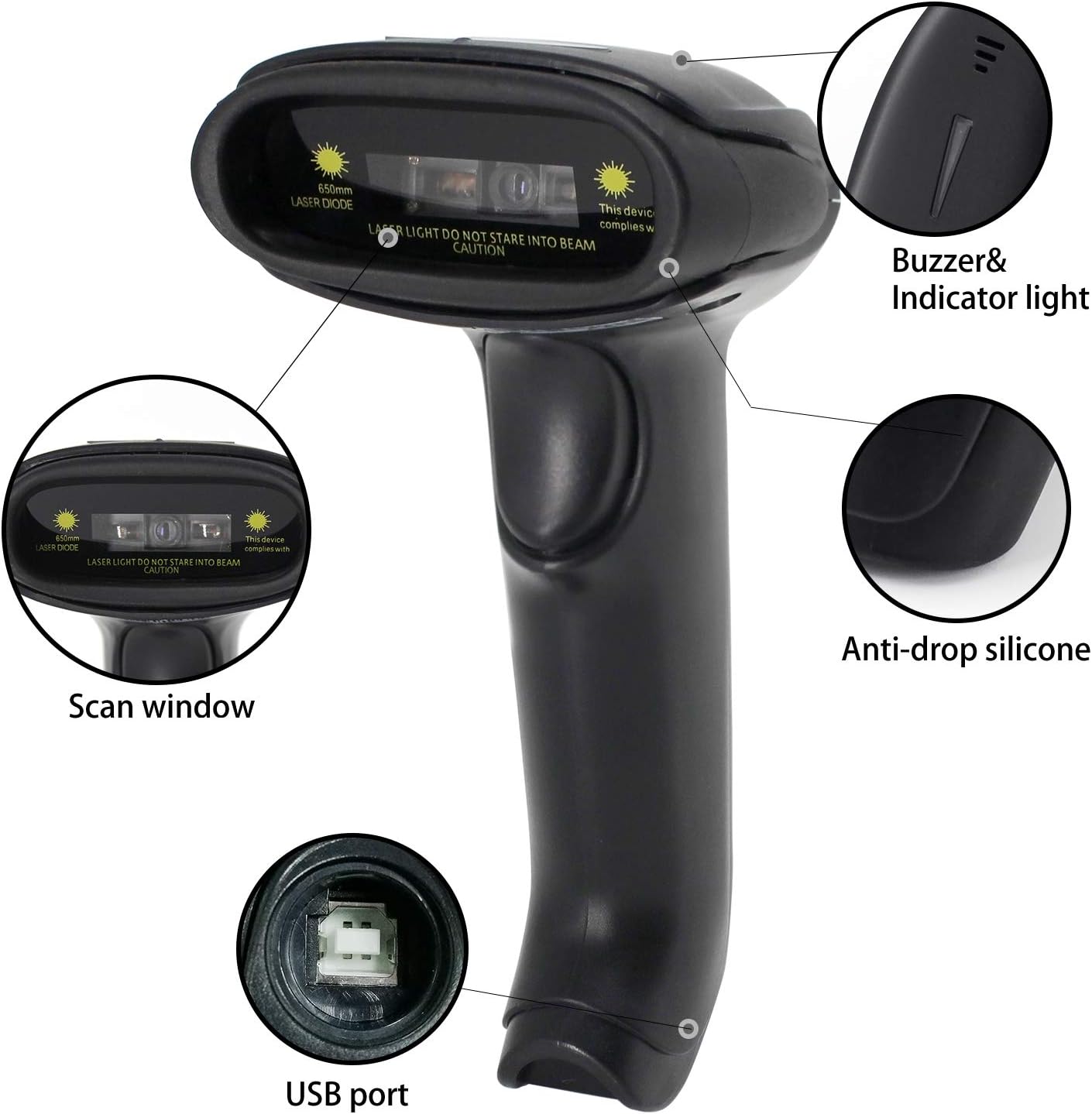
Figure 2.2: Key Components of the Symcode Barcode Scanner.
- Okno skenování: Area through which the barcode is read.
- Buzzer & Indicator Light: Provides audio and visual feedback for successful scans and status.
- USB port: Pro kabelové připojení a nabíjení.
- Anti-drop Silicone: Provides protection against accidental drops.
2.3 Rozměry produktu
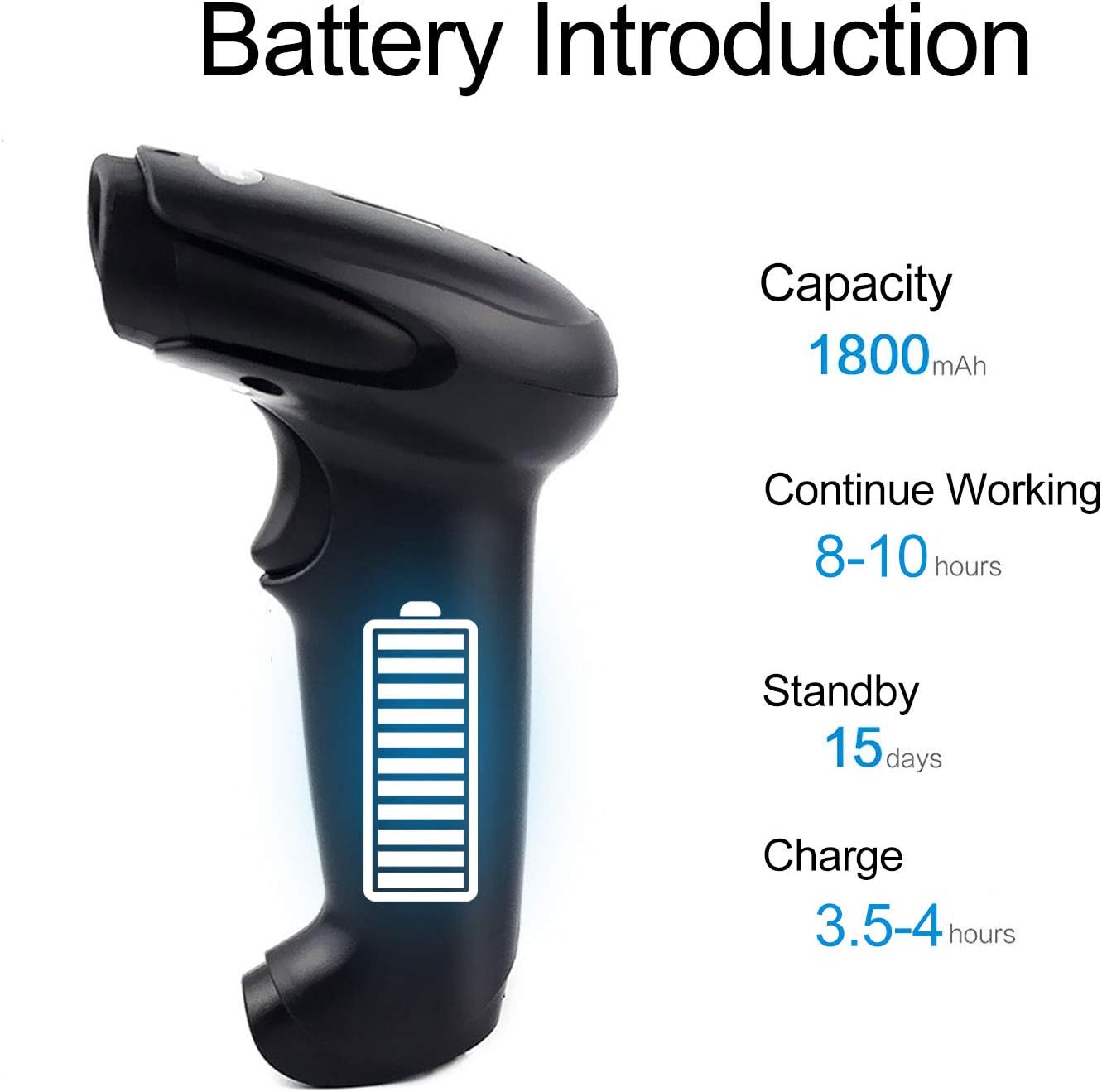
Figure 2.3: Dimensions of the Symcode Barcode Scanner.
3. Nastavení
3.1 Drátové připojení (USB)
- Connect the USB cable to the scanner's USB port.
- Plug the other end of the USB cable into an available USB port on your computer, laptop, or POS machine.
- The scanner is plug-and-play; no additional drivers are required. It will be recognized automatically by Windows, Mac, Android, and Linux systems.
3.2 Wireless Connection (2.4GHz Dongle)
- Insert the 2.4GHz wireless dongle into an available USB port on your computer, laptop, or POS machine.
- Turn on the barcode scanner. It will automatically pair with the dongle.
- The scanner is plug-and-play; no additional drivers are required. It will be recognized automatically by Windows, Mac, Android, and Linux systems.
4. Návod k obsluze
4.1 Základní postup skenování
- Ensure the scanner is powered on and connected (wired or wireless).
- Namiřte skenovací okénko na čárový kód, který chcete naskenovat.
- Press the trigger button (if in trigger mode) or position the scanner over the barcode (if in auto-sense or continuous mode).
- A successful scan will be indicated by a beep and a flash of the indicator light. The barcode data will be transmitted to your connected device.
4.2 Režimy skenování
The scanner supports three scanning modes:
- Spouštěcí skenování: Press the trigger button to activate the scan beam.
- Auto-sense Scan: Skener automaticky detekuje čárový kód ve svém poli view and activates the scan beam.
- Nepřetržité skenování: The scan beam remains continuously active, allowing for rapid scanning without pressing the trigger.
Refer to the included user manual (physical copy) for instructions on how to switch between these scanning modes. If you encounter difficulties, please contact Symcode customer support.
4.3 Podporované typy čárových kódů
This CCD barcode scanner is designed to read 1D čárové kódy, whether printed on paper or displayed on digital screens. It does not support 2D barcodes (e.g., QR codes).
Supported 1D barcode symbologies include: EAN-8, EAN-13, Codabar, CODE11, CODE 39, CODE 93, CODE128, China Post, GS1-128, GS1 Limited, GS1 Omnidirectional, UPC-A, UPC-E, ISBN/ISSN, ISBT, Interleaved 2 of 5, Matrix 2 of 5, Industrial 2 of 5, 2 of 5, MSI, Plessey, ITF14.

Figure 4.1: Scanning a barcode from a digital screen.
5. Informace o baterii
The Symcode barcode scanner is equipped with a high-capacity rechargeable battery for extended operation.

Figure 5.1: Battery Specifications.
- Kapacita: 1800 XNUMX mAh
- Nepřetržitá pracovní doba: 8 až 10 hodin
- Pohotovostní doba: 15 dní
- Doba nabíjení: 3.5 až 4 hodin
To charge the scanner, connect it to a USB power source using the provided USB cable. The indicator light will show charging status.
6. Bezdrátové připojení
The 2.4GHz wireless connection provides reliable data transmission over a significant range.
- Transmission Distance (Indoor): 15-30 meters (in crowded indoor environments)
- Transmission Distance (Outdoor): 30-100 meters (in open outdoor environments)

Figure 6.1: Wireless Transmission Range.
6.1 Provozní režimy
The scanner supports two primary operating modes for data handling:
- Normální režim: Data is transferred immediately after each scan.
- Režim úložiště: Barcode data is stored internally in the scanner's 16MB memory (capable of storing over 50,000 barcode entries). Data can then be uploaded to the connected device by scanning a specific setting code. This mode is useful for inventory taking or when out of wireless range.
7. Barcode Programming
The Symcode barcode scanner is programmable, allowing customization of its output and behavior. These settings are typically configured by scanning specific programming barcodes found in the full user manual.
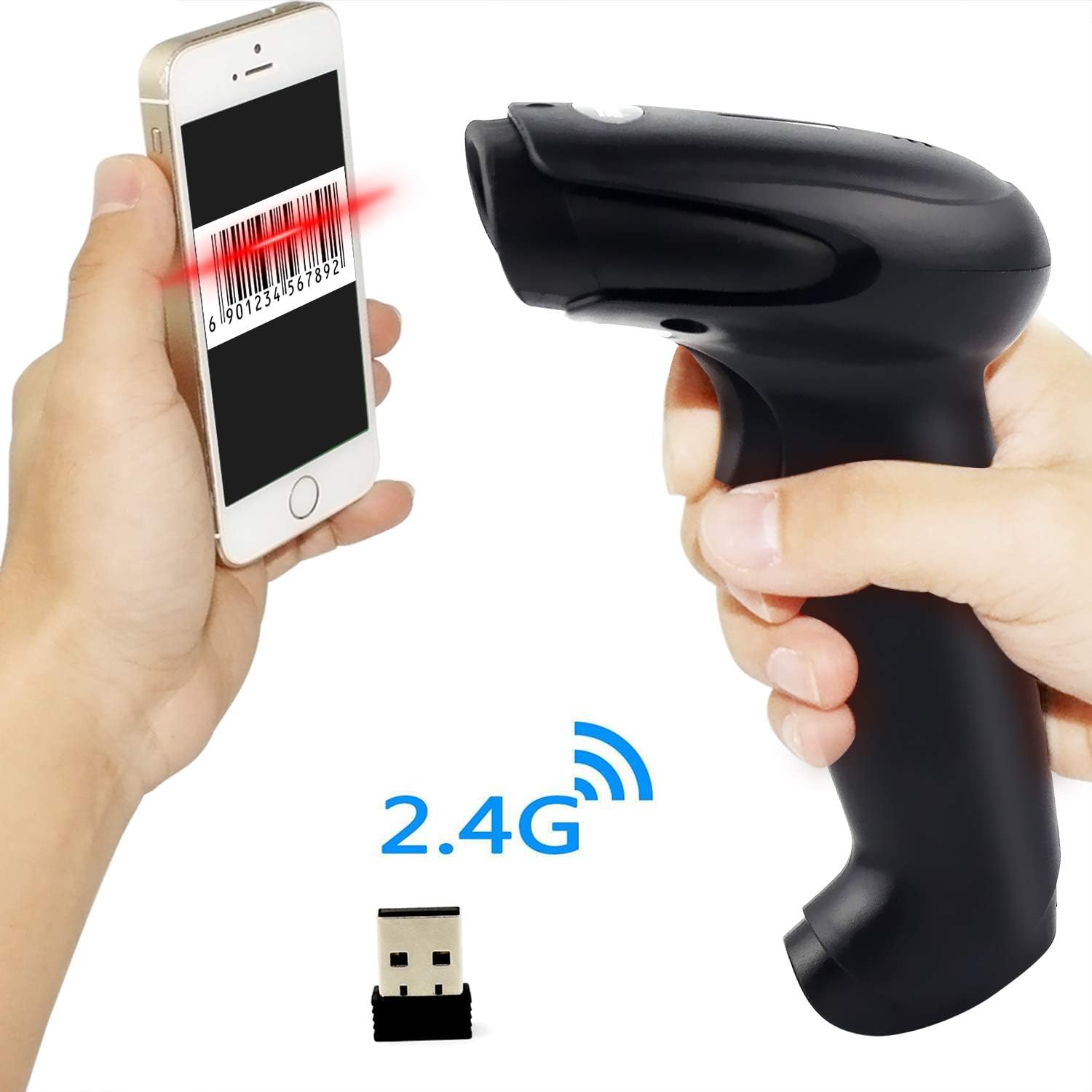
Figure 7.1: Barcode Programming Capabilities.
Programmable features include:
- Konverze případu: Adjusting output to uppercase or lowercase.
- Nastavení hlasitosti: Changing the sound level of the buzzer.
- Terminator Setting: Adding a specific character (e.g., Enter, Tab) after each scanned barcode.
- Prefix or Suffix Setting: Adding custom characters before or after the scanned data.
- Character Manipulation: Adding or masking specific characters within the barcode data.
For detailed programming instructions, please refer to the comprehensive programming guide included with your scanner or contact Symcode support.
8. Údržba
Správná údržba zajišťuje dlouhou životnost a optimální výkon vašeho skeneru.
- Čištění: Use a soft, dry cloth to clean the scanner's exterior. For the scan window, use a lint-free cloth lightly dampNepoužívejte agresivní chemikálie ani abrazivní materiály.
- Skladování: Skener skladujte na chladném a suchém místě, mimo dosah přímého slunečního záření a extrémních teplot.
- Péče o baterie: Avoid fully discharging the battery frequently. If storing for a long period, charge the battery to about 50% and recharge every few months.
9. Řešení problémů
Pokud se se skenerem setkáte s problémy, podívejte se na následující běžné problémy a jejich řešení:
| Problém | Možná příčina / řešení |
|---|---|
| Skener se nezapne. | Battery is low or depleted. Charge the scanner for 3.5-4 hours. |
| Scanner does not scan barcodes. |
|
| Do počítače nebyla přenesena žádná data. |
|
| Scanner beeps continuously or behaves erratically. | The scanner might be in an incorrect setting mode. Refer to the full user manual for factory reset instructions or contact support. |
If the problem persists after trying these solutions, please contact Symcode customer support for further assistance.
10. Specifikace
| Parametr | Hodnota |
|---|---|
| Světelný zdroj | 632nm Visible LED Light |
| Režim skenování | Trigger / Auto-sense / Continuous |
| Rezoluce | ≥ 4 mil / 0.1mm @ PCS90% |
| Procesor | ARM32-bit |
| Rychlost skenování | 200 skenů/sec |
| Hloubka ostrosti | 40-500 mm |
| Indikátor | LED a bzučák |
| Kontrast tisku | ≥ 30% |
| Provozní svtage | DC 3.3V-5V |
| Kapacita baterie | 1800 XNUMX mAh |
| Nepřetržitý provoz | 8-10 hodin |
| Pohotovostní doba | 15 dní |
| Doba nabíjení | 3.5-4 hodin |
| Wireless Transmission (Indoor) | 15-30 metry |
| Wireless Transmission (Outdoor) | 30-100 metry |
| Kapacita úložiště | 16MB (over 50,000 barcode entries) |
| Provozní teplota | -20 ℃ to 50 ℃ (-4 ℉ to 122 ℉) |
| Skladovací teplota | -40 ℃ to 70 ℃ (-40 ℉ to 158 ℉) |
| Vlhkost | 5 % až 95 % (bez kondenzace) |
| Okolní jas | Maximálně 100,000 XNUMX luxů |
| Podporovaný OS | Windows, Mac, Android, Linux |
11. Záruka a podpora
The Symcode barcode scanner comes with a 180denní záruka od data nákupu, která se vztahuje na výrobní vady a poruchy při běžném používání. Uschovejte si prosím doklad o koupi pro případné reklamace.
For technical support, warranty service, or any questions regarding your product, please contact Symcode customer service through the platform where you purchased the product or refer to the contact information provided in the physical user manual.