
LucidSound LS15X
Uživatelská příručka k bezdrátovému hernímu headsetu LucidSound LS15X
Model: LS15X | Brand: LucidSound
Zavedení
The LucidSound LS15X Wireless Gaming Headset is officially licensed for use on Xbox, offering an immersive audio experience for gamers. Designed for comfort and performance, this headset features intuitive on-earcup controls, low-latency wireless connectivity, and a versatile dual-mic system. Enjoy crystal-clear communication and rich audio across Xbox One, Xbox Series X|S, Nintendo Switch, PC, and mobile devices.
Co je v krabici
- Bezdrátová náhlavní souprava
- Odnímatelný Boom Mic
- Micro-USB nabíjecí kabel
- USB bezdrátový vysílač
- Rychlý průvodce
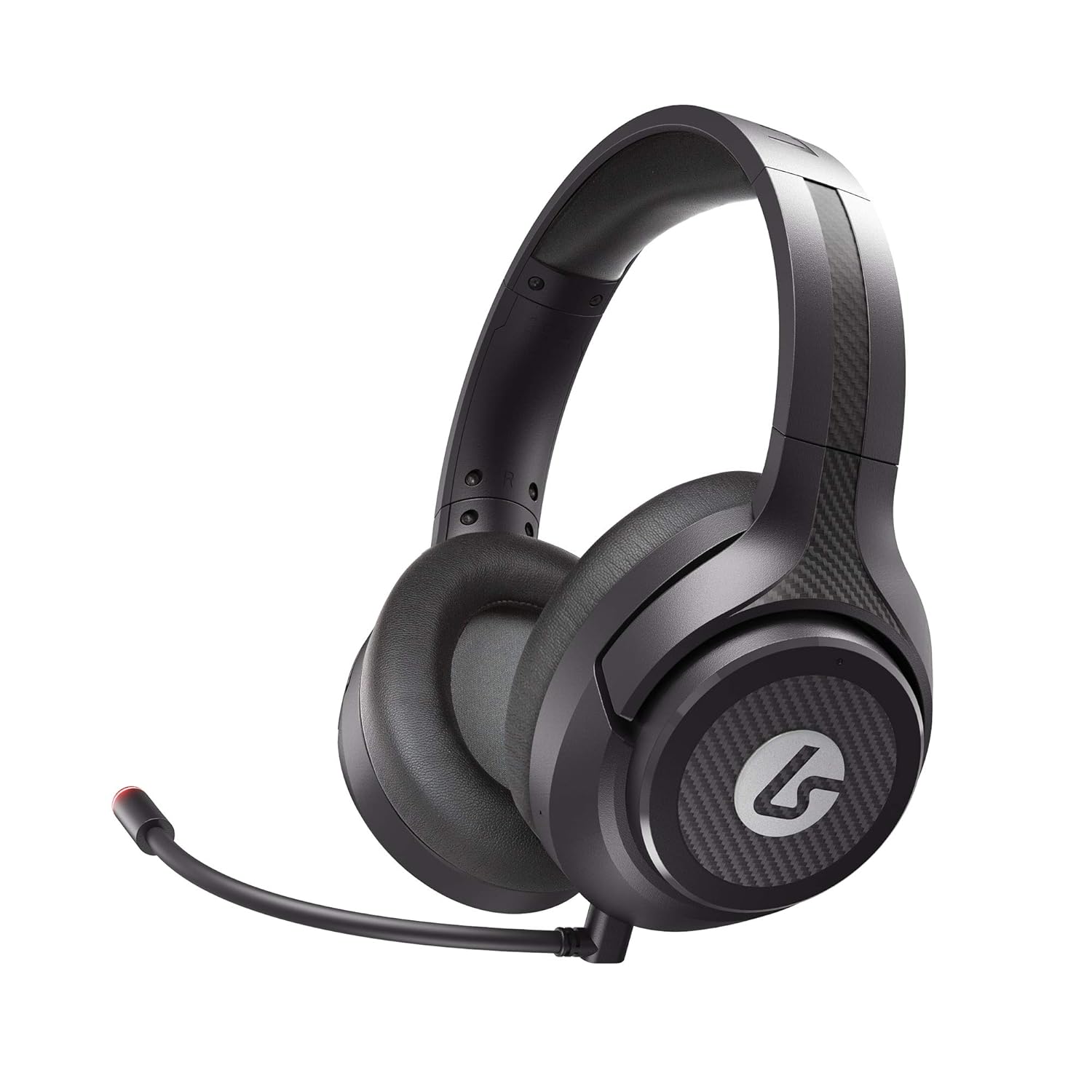
Image: LucidSound LS15X Wireless Gaming Headset, showing the main product.
Vlastnosti produktu
- Quick Access Audio Controls: Easily adjust headset volume, game/chat balance, mic mute, game audio mute, and mic monitoring via on-earcup controls.
- Bezproblémové bezdrátové připojení: Low latency, interference-free wireless provides a strong connection even in crowded Wi-Fi environments. Quick and easy to set up.
- Navrženo pro pohodlí: Ultra-lightweight frame and memory foam earpads allow for hours of comfortable gaming.
- Prémiový zvuk: Custom-tuned 50mm drivers and 3 EQ modes (Signature, Bass Boost, Neutral) enhance positional awareness. Supports spatial sound with Windows Sonic.
- Dual-Mic System: Features a flexible boom mic with an LED mute indicator for precision chat. Detach the boom mic to activate the built-in backup mic.
- Monitorování mikrofonu: Hear your own voice in the headset to manage your output. Can be disabled by holding the button on the right earcup for 3 seconds.
- Dobíjecí baterie: Provides up to 15 hours of use on a single charge. Check battery level by holding the button on the left earcup for 3 seconds.
Průvodce nastavením
1. Počáteční poplatek
Before first use, fully charge your LS15X headset using the provided Micro-USB charging cable. Connect the cable to the headset's charging port and a USB power source. The LED indicator will show charging status.
2. Připojení k Xboxu
- Insert the USB Wireless Transmitter into an available USB port on your Xbox console.
- Power on the headset by holding the power button on the left earcup.
- The headset will automatically pair with the transmitter. A solid LED on both the headset and transmitter indicates a successful connection.
3. Connecting to PC/Nintendo Switch/Mobile
For PC, Nintendo Switch (docked mode), or other compatible devices, insert the USB Wireless Transmitter into an available USB port. The headset will connect automatically. For mobile devices, the headset can be used via a 3.5mm audio cable (not included) if wireless is not preferred or supported.
Video: Official LucidSound LS15X Surround Sound overview, demonstrující klíčové funkce a nastavení.
Návod k obsluze
Ovládání náhlavní soupravy
- Levý náušník:
- Rotate the outer ring to adjust headset volume.
- Stisknutím středového tlačítka mute game audio.
- Hold the center button for 3 seconds to check úroveň baterie.
- Pravý náušník:
- Rotate the outer ring to adjust game/chat balance.
- Stisknutím středového tlačítka ztlumit mikrofon. The boom mic LED will illuminate red when muted.
- Hold the center button for 3 seconds to toggle mic monitoring zapnuto/vypnuto.
- Režimy EQ: The headset features 3 EQ modes. Press the dedicated EQ button (location varies slightly by model, typically near the power button) to cycle through Signature, Bass Boost, and Neutral modes.

Image: LucidSound LS15X Headset with the removable boom microphone attached.

Image: Close-up of the LucidSound LS15X earcup, highlighting the intuitive control layout.
Údržba
- Čištění: K čištění sluchátek s mikrofonem používejte měkký, suchý hadřík. Nepoužívejte agresivní chemikálie ani abrazivní materiály.
- Skladování: Sluchátka skladujte na chladném a suchém místě mimo dosah přímého slunečního záření a extrémních teplot.
- Péče o baterie: Chcete-li prodloužit životnost baterie, vyvarujte se častého úplného vybíjení. Pravidelně nabíjejte sluchátka, i když je delší dobu nepoužíváte.
Odstraňování problémů
Žádný zvuk / Odpojení
- Ujistěte se, že je sluchátko zapnuté a plně nabité.
- Verify the USB Wireless Transmitter is securely plugged into the console/PC.
- Re-pair the headset by powering both off and on again.
- Check console/PC audio settings to ensure the headset is selected as the output device.
Problémy s mikrofonem
- Ensure the boom mic is securely attached.
- Check if the microphone is muted (red LED on boom mic indicates mute). Press the mic mute button on the right earcup to unmute.
- Verify mic monitoring is enabled if you wish to hear your own voice.
- Check console/PC audio settings for microphone input levels.
Specifikace
| Funkce | Detail |
|---|---|
| Číslo modelu | LS15X |
| Technologie připojení | Bezdrátové (Wi-Fi) |
| Jack pro sluchátka | Zásuvka 3.5 mm |
| Materiál | Paměťová pěna |
| Hmotnost položky | 12.5 unce (0.78 libry) |
| Rozměry produktu | 3.94 x 7.87 x 7.87 palce |
| Baterie | 1 lithium-polymerová baterie (součástí balení) |
| Výrobce | PowerA |
Záruka a podpora
For warranty information and technical support, please refer to the official LucidSound webnebo se obraťte přímo na jejich zákaznický servis. Uschovejte si doklad o koupi pro případné reklamace.
Ask a question about this manual
Ask about setup, troubleshooting, compatibility, parts, safety, or missing instructions. Manuals+ will review the question and use this page’s manual context to help answer it.