
1. Konec produktuview
The Yaheetech Home Office Wood Computer Desk is a versatile and compact workstation designed for various uses, including studying, writing, and general office tasks. It features a spacious desktop, a convenient pull-out keyboard tray, a storage drawer, and integrated shelving with a hutch for organization.

Obrázek 1.1: Konecview of the Yaheetech Home Office Wood Computer Desk in white, showcasing its compact design with a hutch, keyboard tray, and side storage.
Its durable construction and thoughtful design make it an ideal solution for optimizing space in home offices, student rooms, or apartments.
2. Bezpečnostní informace
Důležité bezpečnostní upozornění:
- For your safety, please do not stand or sit on the desktop.
- Ensure all screws and fasteners are securely tightened during assembly to prevent instability.
- Během montáže uchovávejte malé díly mimo dosah dětí, aby se zabránilo nebezpečí udušení.
- Pravidelně kontrolujte všechna spojení, abyste se ujistili, že jsou pevná a bezpečná.
A detailed Safety Information PDF is available for download from the product's Amazon page for further guidance.
3. Nastavení a montáž
Your Yaheetech Computer Desk is designed for straightforward assembly. All necessary tools are included. It is recommended that one person assembles the desk.
3.1. Videonávod k montáži
Video 3.1: Official installation guide for the Yaheetech Computer Desk. This video provides step-by-step visual instructions for assembling the desk components, including attaching drawer slides, assembling the drawer, and securing the hutch.
3.2. Obecné tipy pro montáž
- Unpack all components and verify against the parts list provided in the physical manual. All parts are typically numbered for easy identification.
- Rozložte veškeré hardware a nástroje.
- Pečlivě dodržujte očíslované kroky v návodu k použití.
- Avoid overtightening screws, especially when working with MDF, to prevent cracking the wood.
- Ensure all connections are flush and stable before proceeding to the next step.
For detailed written instructions and diagrams, please refer to the Installation Manual (PDF) available on the product's Amazon page.
4. Návod k obsluze
The Yaheetech Computer Desk is designed for ease of use and efficient organization.
4.1. Přihrádka na klávesnici
The pull-out keyboard tray provides a convenient space for your keyboard and mouse, keeping your main desktop clear. It operates on high-quality, smooth-sliding rails for effortless extension and retraction.

Image 4.1: The pull-out keyboard tray fully extended, showing its smooth operation.
4.2. Odkládací zásuvka
The integrated storage drawer offers a discreet space for small office supplies, documents, or personal items. The drawer features smooth-sliding mechanisms and an oblate line-shaped handle for comfortable and safe use.
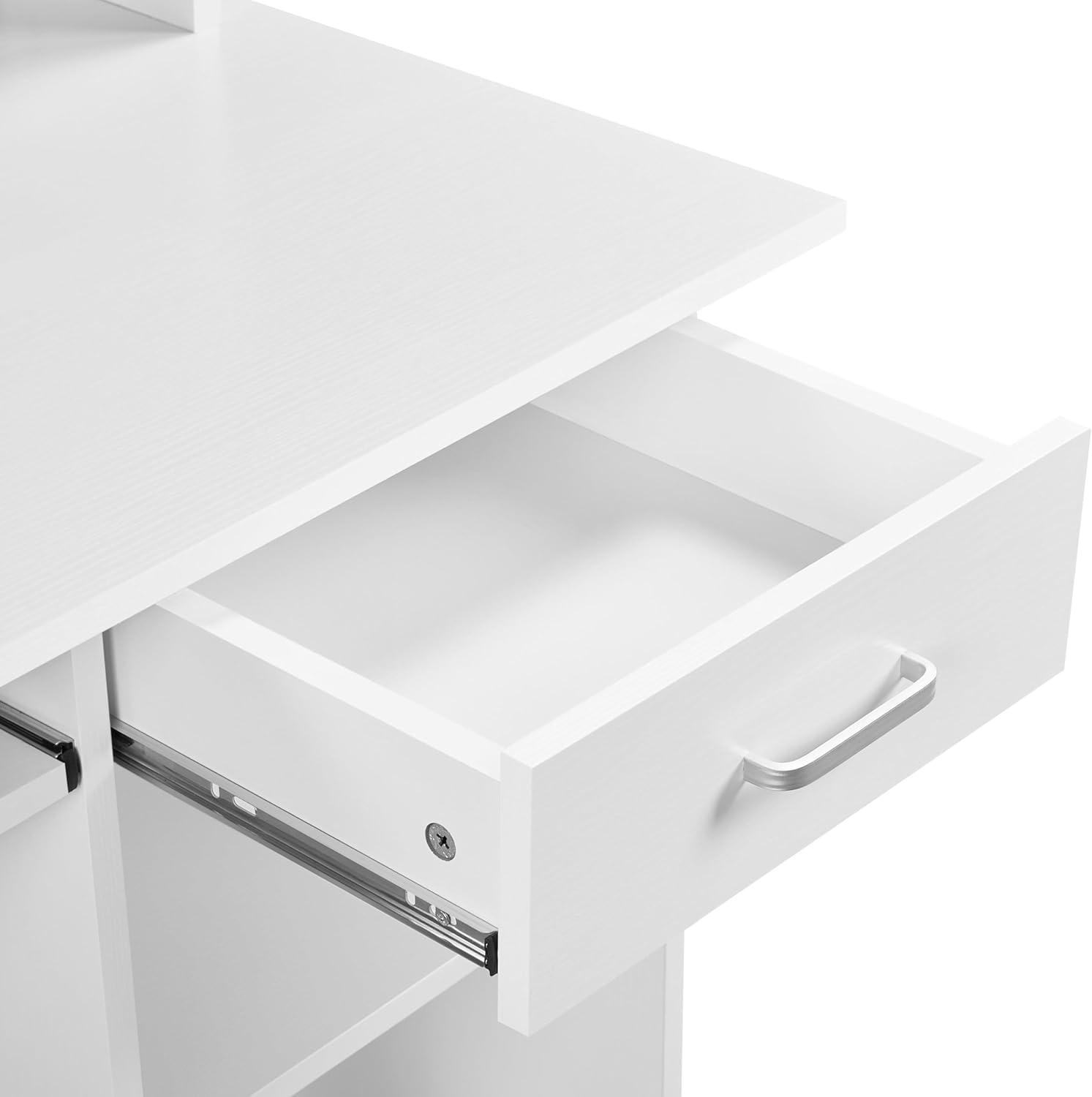
Image 4.2: The desk's single storage drawer, partially open, revealing its interior space.
4.3. Shelving and Hutch
The desk includes open shelving and a hutch design, providing ample space for books, decorative items, or a small printer. The lower shelf can be adjusted or removed to accommodate a PC tower, offering flexible storage solutions.
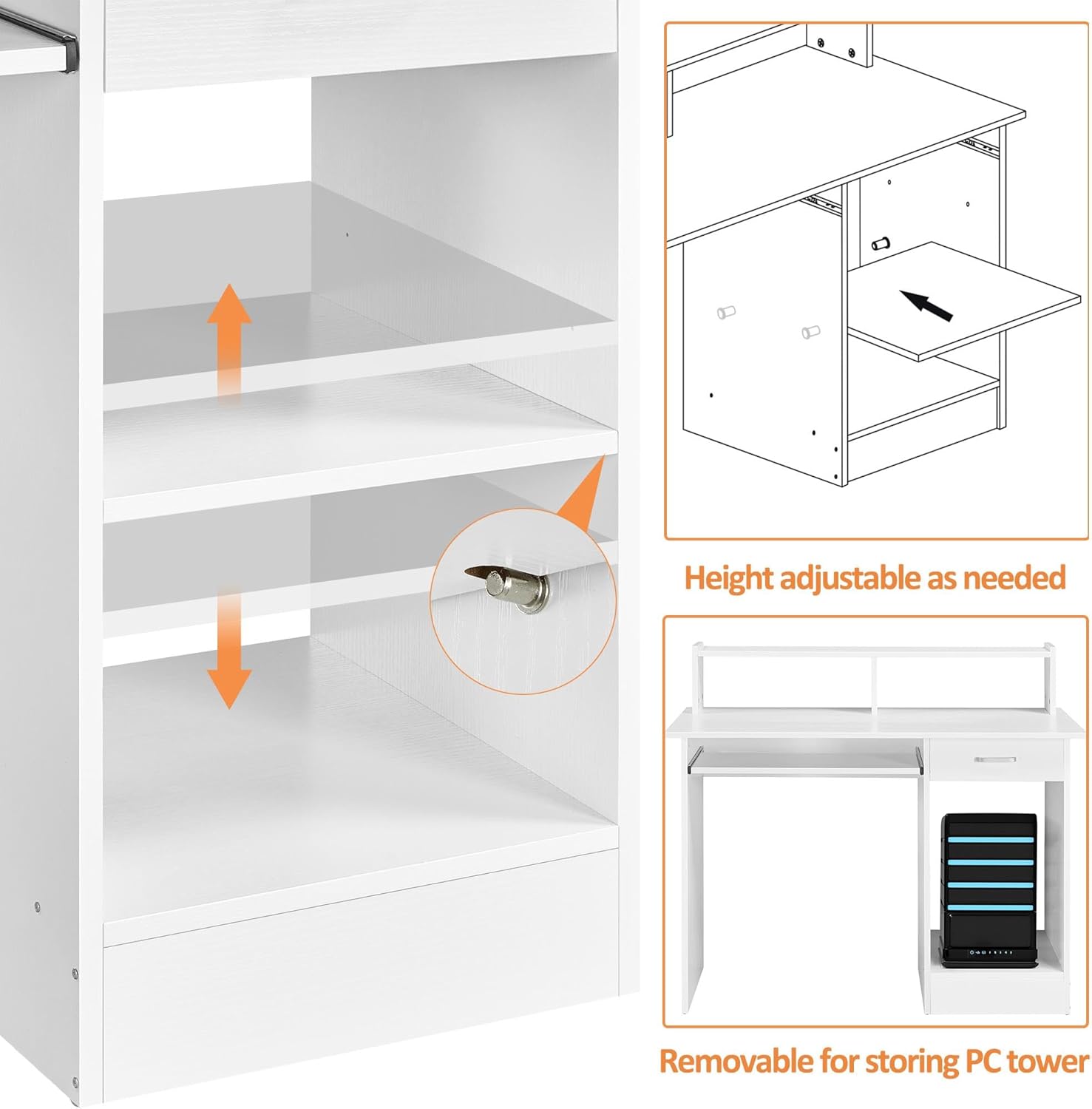
Image 4.3: The adjustable shelf on the side of the desk, designed to accommodate a PC tower or other items.
5. Údržba
To ensure the longevity and appearance of your Yaheetech Computer Desk, follow these simple maintenance guidelines:
- Čištění: Wipe the veneered laminated desktop and other surfaces with a damp hadříkem. Nepoužívejte agresivní chemikálie nebo abrazivní čisticí prostředky, které by mohly poškodit povrchovou úpravu.
- Rozlití: The veneered surface is water-resistant. In case of spills, wipe them immediately with a dry cloth to prevent water damage.
- Ochrana: While the surface is scratch-resistant, using coasters for drinks and protective pads under heavy or sharp objects is recommended to maintain its pristine condition.
- Železářské zboží: Pravidelně kontrolujte všechny šrouby a upevňovací prvky, zda jsou pevně utažené. V případě potřeby je dotáhněte pro zachování stability.
Image 5.1: Close-up of the desk surface showing its water-resistant properties, making it easy to clean spills.
6. Řešení problémů
If you encounter any issues with your Yaheetech Computer Desk, consider the following common troubleshooting steps:
| Problém | Možná příčina | Řešení |
|---|---|---|
| Stůl se kymácí nebo je nestabilní. | Uvolněné spojovací prvky nebo nerovná montáž. | Check and tighten all screws and bolts. Ensure the desk is on a level surface. |
| Drawer or keyboard tray sticks. | Misaligned slides or debris in the tracks. | Ensure slides are correctly installed and aligned. Clean tracks of any dust or debris. |
| Chybějící díly během montáže. | Chyba v balení. | Contact Yaheetech customer support with your product model and a description of the missing parts. |
7. Specifikace
Detailed specifications for the Yaheetech Home Office Wood Computer Desk:
- Značka: Yaheetech
- Číslo modelu: YT-00099536
- Barva: Bílý
- Materiál: Engineered Wood (CARB P2-compliant MDF) with Veneered Surface
- Rozměry produktu (H x Š x V): 20 cm x 42 cm x 37 cm
- Hmotnost položky: 58.2 libry
- Doporučená maximální hmotnost (stolní): 110.2 liber (50 kg)
- Maximum Weight Recommendation (Drawer): 11 libry
- Maximum Weight Recommendation (Compartment Board): 22 libry
- Maximum Weight Recommendation (Keyboard Tray): 11 libry
- Počet zásuvek: 1
- Počet polic: 1 (nastavitelné)
- Požadovaná montáž: Ano (včetně veškerého montážního nářadí)

Image 7.1: Dimensional diagram of the Yaheetech Computer Desk, providing detailed measurements.
8. Záruka a podpora
Společnost Yaheetech se zavázala k poskytování kvalitních produktů a spokojenosti zákazníků.
8.1. Returns and Protection Plans
- Tento produkt je způsobilý pro snadné vrácení do 30 dnů.
- Optional protection plans are available for purchase, including 2-Year and 3-Year Protection Plans, and a monthly Complete Protect plan. Please refer to the product's purchase page for details on coverage and pricing.
8.2. Zákaznická podpora
For any inquiries, assistance with assembly, or to report missing/damaged parts, please contact Yaheetech Customer Support. Contact information can typically be found on the product's packaging or the official Yaheetech store page on Amazon.