
InFocus IN119BB
InFocus IN119BB Multimedia Projector User Manual
Model: IN119BB
Zavedení
This manual provides comprehensive instructions for the safe and efficient operation of your InFocus IN119BB Multimedia Projector. Please read this manual thoroughly before using the projector and retain it for future reference.
The InFocus IN119BB projector is designed for versatile use, offering a very long lamp life, high brightness, and extensive connectivity options. Its compact and lightweight design ensures ease of portability and installation.
Bezpečnostní informace
Vždy dodržujte následující bezpečnostní opatření, abyste předešli požáru, úrazu elektrickým proudem nebo zranění:
- Nezakrývejte ventilační otvory.
- Nevystavujte projektor dešti ani vlhkosti.
- Veškeré opravy svěřte kvalifikovanému servisnímu personálu.
- Nedívejte se přímo do objektivu projektoru, když je lamp je zapnuto.
- Zajistěte správné uzemnění napájecího kabelu.
Konec produktuview
Komponenty a ovládací prvky
Familiarize yourself with the main components and controls of your InFocus IN119BB projector.

Obrázek 1: Úhlové view of the InFocus IN119BB projector, showing the lens, ventilation grilles, and top panel controls.

Obrázek 2: Přední view of the InFocus IN119BB projector, highlighting the main projection lens.

Obrázek 3: Shora dolů šikmo view of the InFocus IN119BB projector, showing the control panel layout.

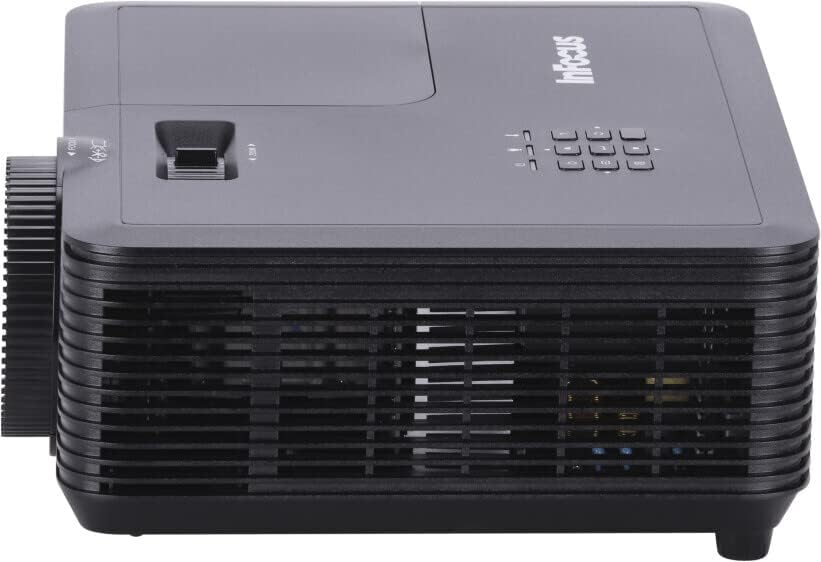
Obrázek 4: Strana view of the InFocus IN119BB projector, illustrating its compact profile.
Obrázek 5: Zadní view of the InFocus IN119BB projector, displaying all available input and output ports including HDMI, VGA, S-Video, and audio connections.
Nastavení
Umístění
Choose a stable, flat surface for the projector. Ensure adequate ventilation around the unit. For optimal image quality, position the projector perpendicular to the projection surface.
Připojení napájení
- Připojte napájecí kabel k napájecímu vstupu projektoru.
- Plug the other end of the power cord into a grounded electrical outlet (240V recommended).
Připojení vstupních zdrojů
The IN119BB projector supports multiple input sources:
- HDMI: Use an HDMI cable to connect your computer, Blu-ray player, or other HDMI-enabled device to either HDMI 1 or HDMI 2 port.
- VGA: Connect your computer's VGA output to the VGA IN port using a VGA cable.
- S-Video: For older video sources, connect an S-Video cable to the S-VIDEO port.
- Zvuk: Connect external audio devices to the AUDIO IN port. Audio output is available via the AUDIO OUT port.
Návod k obsluze
Zapnutí/vypnutí
- To power on, press the Power button on the projector or remote control. The power indicator light will turn blue.
- To power off, press the Power button twice. The projector will enter a cooling down cycle before shutting down completely.
Úprava obrazu
- Soustředit: Otáčejte ostřícím kroužkem na objektivu, dokud nebude obraz ostrý a jasný.
- Lupa: Adjust the zoom lever next to the lens to change the image size.
- Korekce lichoběžníkového zkreslení: If the image appears trapezoidal, use the keystone correction function in the OSD menu to square the image.
Výběr zdroje vstupu
Press the "Source" button on the projector's control panel or remote control to cycle through available input sources (HDMI 1, HDMI 2, VGA, S-Video).
Nabídka na obrazovce (OSD).
Press the "Menu" button to access the OSD menu. Use the arrow keys to navigate and the "Enter" button to select options. Adjust settings such as brightness, contrast, color, and aspect ratio.
Údržba
Lamp Nahrazení
Jáamp life of the IN119BB is very long, but eventually, it will need replacement. When the lamp Pokud se rozsvítí indikátor nebo se obraz ztlumí, je čas vyměnit baterii.ampViz podrobnýamp replacement guide in the full user manual for specific steps.
Čištění projektoru
- Čočka: Používejte měkký hadřík bez žmolků, speciálně určený pro optické čočky. Nepoužívejte abrazivní čisticí prostředky.
- Casing: Otřete projektor casing s měkkým, damp tkanina. Vyhněte se používání agresivních chemikálií.
- Vzduchové filtry: Regularly check and clean the air filters to ensure proper ventilation and prevent overheating.
Odstraňování problémů
| Problém | Možná příčina | Řešení |
|---|---|---|
| Není zobrazen žádný obrázek | Power cord disconnected; Incorrect input source selected; Lamp problém. | Check power connection; Select correct input source; Replace lamp v případě potřeby. |
| Obraz je rozmazaný | Objektiv rozostřený; Projektor je příliš blízko/daleko od promítací plochy. | Adjust focus ring; Reposition projector. |
| Projektor se přehřívá | Zablokované větrání; Znečištěný vzduchový filtr. | Ensure clear ventilation; Clean air filter. |
Specifikace
| Funkce | Detail |
|---|---|
| Číslo modelu | IN119BB |
| Technologie displeje | DLP |
| Nativní rozlišení | 1280 800 x (WUXGA) |
| Jas | 3500 XNUMX lumenů |
| Konektivita | HDMI (x2), VGA In, VGA Out, S-Video, Audio In, Audio Out, RS232 |
| Napájení | 240V, 267W |
| Rozměry produktu (D x Š x V) | 23.62 x 31.24 x 10.67 cm |
| Hmotnost produktu | 2.6 kg (5.5 liber) |
| Form Factor | Přenosný |
| Doporučené použití | Domácí kino |
Záruka a podpora
For warranty information and technical support, please visit the official InFocus webnebo kontaktujte jejich zákaznický servis. Uschovejte si účtenku jako doklad o koupi.
Online podpora: www.infocus.com/support
Ask a question about this manual
Ask about setup, troubleshooting, compatibility, parts, safety, or missing instructions. Manuals+ will review the question and use this page’s manual context to help answer it.