
Zavedení
Thank you for choosing the TECNOSWITCH CR035WB Wi-Fi Touch Thermostat. This device is designed to provide precise and convenient control over your home's heating and cooling systems. With its intuitive touch interface and Wi-Fi connectivity, you can manage your climate settings locally or remotely via a dedicated smartphone application. Please read this manual carefully before installation and operation to ensure proper use and optimal performance.
Důležité bezpečnostní informace
VAROVÁNÍ: Electrical installation should only be performed by a qualified electrician. Disconnect power at the circuit breaker before installing or servicing the thermostat to prevent electrical shock or equipment damage.
- Ensure the power supply is 230VAC, 50-60Hz as specified.
- Nevystavujte termostat vodě ani nadměrné vlhkosti.
- Nepokoušejte se zařízení opravovat ani upravovat sami. Kontaktujte kvalifikovaný servisní personál.
- Uchovávejte obalové materiály mimo dosah dětí.
Konec produktuview
The TECNOSWITCH CR035WB is a wall-mounted Wi-Fi touch thermostat featuring a backlit LCD display. It offers daily and weekly programming capabilities for both heating and cooling modes. Remote control is available via iOS and Android applications.
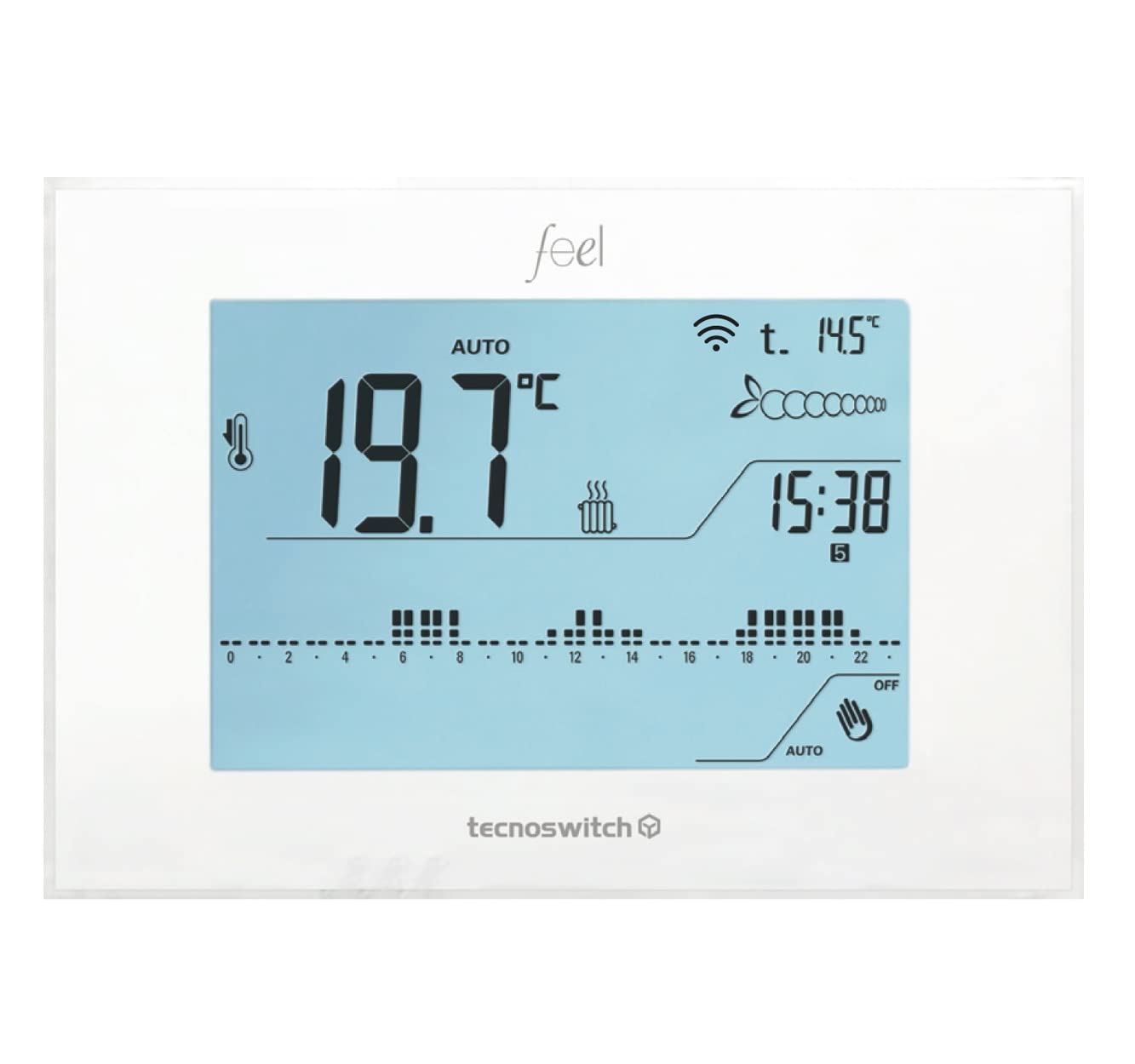
Obrázek 1: Přední strana view of the TECNOSWITCH CR035WB Wi-Fi Touch Thermostat, showing its LCD display and touch interface.
Nastavení
1. Instalace
- Odpojení napájení: Turn off the main power supply to your heating/cooling system at the circuit breaker before beginning installation.
- Montáž: Mount the thermostat on a standard wall box. Ensure it is placed in an area free from direct sunlight, drafts, or heat sources that could affect temperature readings.
- Zapojení: Connect the power supply (230VAC, 50-60Hz) to the designated terminals. Connect the heating/cooling system wires to the appropriate relay terminals (6A 250VAC contact rating). Refer to the wiring diagram provided in the product packaging for specific connections.
- Optional External Probe: If using an external temperature probe (model SO001SE), connect it to the dedicated terminals.
- Bezpečná montáž: Secure the thermostat to the wall box using screws.
- Obnovení napájení: Restore power to the system at the circuit breaker.
2. Počáteční zapnutí a základní nastavení
- Upon first power-on, the LCD display will illuminate.
- Set the current date and time using the touch controls.
- Select the operating mode: Heating (Riscaldamento) or Cooling (Affrescamento).
- Adjust the temperature differential (from 0 to 1°C) if proportional temperature control is desired.
3. Připojení k Wi-Fi a aplikacím
- Stáhnout aplikaci: Download the official TECNOSWITCH app from the App Store (iOS) or Google Play Store (Android).
- Vytvořit účet: Otevřete aplikaci a vytvořte si uživatelský účet, nebo se přihlaste, pokud jej již máte.
- Přidat zařízení: Follow the in-app instructions to add your CR035WB thermostat. This typically involves putting the thermostat into pairing mode (refer to the on-screen instructions on the thermostat or the app) and connecting it to your home Wi-Fi network.
- Dálkové ovládání: Once connected, you can control the thermostat remotely via the app.
Návod k obsluze
1. Basic Controls (Touch Interface)
The CR035WB features a touch-sensitive LCD display. Navigate menus and adjust settings by tapping the corresponding icons or areas on the screen.
2. Nastavení teploty
- Ruční nastavení: In manual mode, you can directly set the desired temperature using the up/down arrows on the display. The thermostat will maintain this temperature until changed or until a programmed schedule takes over.
- Rozsah teplot: The adjustable temperature range is +2°C to +35°C.
3. Provozní režimy
Termostat podporuje dva hlavní provozní režimy:
- Heating (Riscaldamento): Aktivuje topný systém, když okolní teplota klesne pod nastavenou hodnotu.
- Cooling (Affrescamento): Aktivuje chladicí systém, když okolní teplota stoupne nad nastavenou hodnotu.
- Switch between modes via the thermostat's menu or the mobile app.
4. Programming (Daily/Weekly)
The CR035WB allows for daily and weekly programming to automate temperature control.
- Přístup k nabídce programu: Navigate to the programming section on the thermostat's display or through the app.
- Set Time Slots: Define specific time periods for each day of the week.
- Set Temperature Levels: Assign one of three customizable temperature levels (e.g., Comfort, Economy, Away) to each time slot.
- Uložit program: Ensure you save your programmed schedule. The internal supercapacitor maintains programming in case of power loss.
5. App Control (iOS/Android)
The mobile application provides comprehensive control and monitoring features:
- Remote temperature adjustment and mode selection.
- Creation and modification of daily/weekly programs.
- Monitoring of current temperature and system status.
- Access to advanced functions and statistics.
6. Pokročilé funkce
- Keyboard Lock (Password): Secure the thermostat's physical controls with a password to prevent unauthorized changes.
- Anti-seize Pump Function: Periodically activates the pump to prevent seizing during long periods of inactivity.
- Boiler Block Detection: Monitors the boiler status and can detect potential issues.
- Statistika: View usage statistics and temperature trends.
- Odpočítávání: Timer function for temporary temperature changes.
Údržba
- Čištění: Jemně otřete displej termostatu a casing with a soft, dry cloth. Do not use abrasive cleaners, solvents, or spray cleaners directly onto the device.
- Žádné díly opravitelné uživatelem: The CR035WB does not contain user-serviceable parts. Do not attempt to open the casing.
- Superkondenzátor: The internal supercapacitor maintains programming settings during power outages, eliminating the need for battery replacement for this function.
Odstraňování problémů
| Problém | Možná příčina | Řešení |
|---|---|---|
| Displej termostatu je prázdný. | Žádné napájení. | Check the circuit breaker and wiring connections. Ensure 230VAC power is supplied. |
| Systém vytápění/chlazení nereaguje. | Incorrect wiring; System mode incorrect; Temperature setpoint not reached. | Verify wiring connections. Ensure the thermostat is in the correct operating mode (Heating/Cooling). Adjust the setpoint to be above/below the ambient temperature to trigger the system. |
| Wi-Fi connection fails or disconnects. | Nesprávné heslo k Wi-Fi; Router je příliš daleko; Problémy se sítí. | Re-enter Wi-Fi password. Move router closer or use a Wi-Fi extender. Restart router and thermostat. Ensure your Wi-Fi network is 2.4GHz. |
| Nefunguje ovládání aplikace. | No internet connection; App not updated; Thermostat not connected to Wi-Fi. | Check phone's internet connection. Update the app to the latest version. Verify the thermostat's Wi-Fi connection status. |
| Údaje o teplotě se zdají být nepřesné. | Termostat vystavený průvanu, přímému slunečnímu záření nebo zdrojům tepla. | Relocate the thermostat if possible, or shield it from external influences. If an external probe is connected, ensure it is correctly installed and functioning. |
Specifikace
| Model | CR035WB |
| Značka | TECNOSWITCH |
| Napájení | 230VAC, 50-60Hz |
| Typ zobrazení | LCD, Backlit Blue |
| Rozsah regulace teploty | +2°C až +35°C |
| Hodnocení kontaktu | 6A 250VAC |
| Typ řízení teploty | ON-OFF, Proportional |
| Adjustable Thermal Differential | 0 až 1 °C |
| Provozní režimy | Topení / Chlazení |
| Konektivita | Wi-Fi |
| Kontrolní metoda | App (iOS, Android), Touch Interface |
| Vnitřní paměť | Supercapacitor for program retention |
| External Probe Support | Yes (SO001SE) |
Informace o záruce
TECNOSWITCH products are manufactured to high-quality standards. This product is covered by a standard manufacturer's warranty against defects in materials and workmanship. The specific duration and terms of the warranty may vary by region and retailer. Please refer to your purchase documentation or contact TECNOSWITCH customer support for detailed warranty information applicable to your product.
Pro všechny záruční nároky je vyžadován doklad o koupi.
Zákaznická podpora
If you encounter any issues or have questions regarding the installation, operation, or maintenance of your TECNOSWITCH CR035WB thermostat, please contact our customer support team.
- Webmísto: Visit the official TECNOSWITCH webweb s nejčastějšími dotazy, zdroji podpory a kontaktními formuláři.
- E-mail/Telefon: Refer to the contact information provided in your product packaging or on the official TECNOSWITCH webstránky pro přímou podporu.
Please have your product model (CR035WB) and purchase details ready when contacting support.