
1. Úvod
The LogiLink ID0201 Bluetooth V5.1 Wireless Keypad is designed to provide a dedicated numeric input solution for laptops and other compatible devices. It connects wirelessly via Bluetooth V5.1, offering a compact and ergonomic design for efficient data entry without cable clutter. This manual provides essential information for the proper setup, operation, and maintenance of your keypad.
2. Bezpečnostní informace
- Udržujte zařízení mimo dosah vody, vlhkosti a extrémních teplot.
- Nepokoušejte se zařízení rozebírat ani opravovat sami. Veškerý servis svěřte kvalifikovanému personálu.
- Use only specified batteries (1x AAA). Ensure correct polarity when inserting batteries.
- Zlikvidujte baterie v souladu s místními předpisy.
- Avoid dropping or subjecting the keypad to strong impacts.
3. Obsah balení
Po vybalení zkontrolujte obsah balení:
- LogiLink ID0201 Bluetooth V5.1 Wireless Keypad
- 1x AAA Baterie
- Uživatelská příručka (tento dokument)
4. Konec produktuview
The LogiLink ID0201 features a compact design with 17 keys, including a Num Lock function. Its ergonomic shape ensures comfortable use.

Obrázek 4.1: Přední view of the LogiLink ID0201 Wireless Keypad, showing the 17-key layout including Num Lock, arithmetic operators, and navigation keys.

Obrázek 4.2: Boční profíkfile of the LogiLink ID0201 Wireless Keypad, highlighting its ergonomic design.
5. Nastavení
5.1 Instalace baterie
- Locate the battery compartment on the underside of the keypad.
- Jemně posuňte kryt baterie.
- Insert the provided 1x AAA battery, ensuring the correct polarity (+/-) as indicated inside the compartment.
- Pevně zavřete kryt baterie.

Obrázek 5.1: Underside of the keypad showing the battery compartment for AAA battery installation.
5.2 Párování Bluetooth
To connect your LogiLink ID0201 Wireless Keypad to your device:
- Ensure the keypad has a fresh battery installed.
- Turn on the keypad using the power switch (if available, otherwise it may be always on). The Bluetooth indicator light should begin to flash, indicating it is in pairing mode.
- On your computer, laptop, or compatible device, navigate to the Bluetooth settings.
- Povolte Bluetooth a vyhledejte nová zařízení.
- Select "LogiLink ID0201" or a similar name from the list of available devices.
- Follow any on-screen prompts to complete the pairing process. A successful connection will usually be indicated by the Bluetooth light on the keypad becoming solid or turning off.
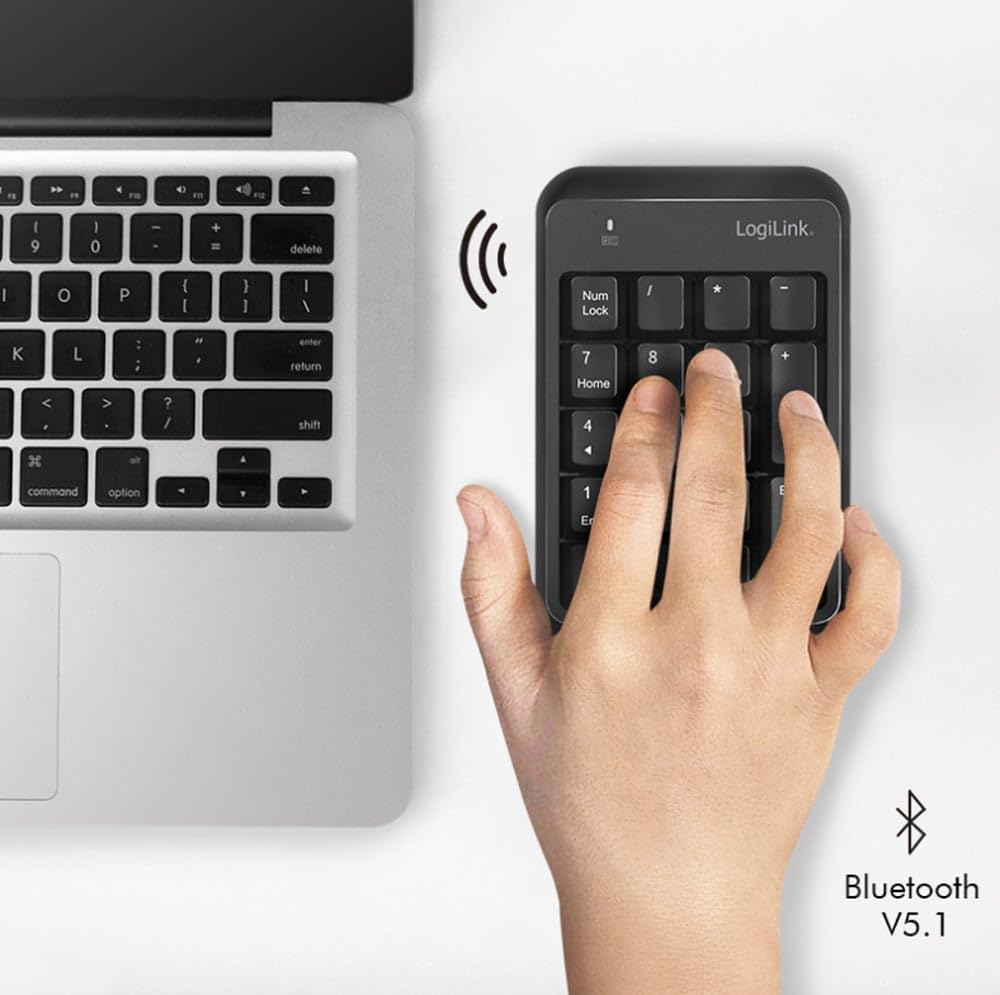
Obrázek 5.2: The LogiLink ID0201 Keypad positioned next to a laptop, illustrating its wireless connectivity via Bluetooth V5.1.
6. Návod k obsluze
6.1 Základní použití
Once paired, the keypad functions as a standard numeric keypad. Simply press the desired number or function key to input data into your active application.
6.2 Num Lock Function
The Num Lock key toggles the numeric input mode. When Num Lock is active, the keys will input numbers. When Num Lock is inactive, some keys may function as navigation keys (e.g., Home, End, PgUp, PgDn, arrow keys), as indicated by the secondary legends on the keycaps.
6.3 Kompatibilita
The LogiLink ID0201 Wireless Keypad is compatible with various operating systems, including:
- Windows
- Linux
- Android
- Mac OS

Obrázek 6.1: The LogiLink ID0201 Keypad being used alongside a standard keyboard and monitor, demonstrating its application in a typical desktop environment.
7. Údržba
7.1 Čištění
To clean your keypad:
- Ensure the keypad is turned off.
- K otření povrchu použijte měkký, suchý hadřík, který nepouští vlákna.
- Pro odolnou špínu lehceampnavlhčete hadřík vodou nebo jemným neabrazivním čisticím prostředkem.
- Do not spray liquids directly onto the keypad.
- The keys can be removed for thorough cleaning if necessary, but exercise caution to avoid damage.
7.2 Výměna baterie
When the keypad's performance degrades or the indicator light suggests low battery, replace the AAA battery by following the steps in Section 5.1.
8. Řešení problémů
- Klávesnice nereaguje: Check battery level and ensure it is correctly inserted. Try replacing the battery.
- Problémy s připojením Bluetooth:
- Ujistěte se, že je na vašem zařízení povoleno Bluetooth.
- Make sure the keypad is within the 10-meter operating range.
- Try unpairing and re-pairing the keypad with your device (refer to Section 5.2).
- Restart your computer/device and the keypad.
- Incorrect characters or no numbers: Ensure the Num Lock function is active. Press the Num Lock key to toggle it.
- Input delay: Ensure there are no other devices causing Bluetooth interference. Try moving closer to your device.
9. Specifikace
| Funkce | Specifikace |
|---|---|
| Značka | LogiLink |
| Název modelu | ID0201 |
| Technologie připojení | Bluetooth V5.1 |
| Provozní rozsah | Až 10 metrů |
| Počet klíčů | 17 |
| Speciální funkce | Ergonomický |
| Kompatibilní zařízení | Přenosný počítač |
| Kompatibilní operační systémy | Windows, Linux, Android, Mac OS |
| Zdroj napájení | 1x AAA baterie (součástí balení) |
| Barva | Černý |
| Výrobce | 2direct GmbH |
| Země původu | Čína |
10. Záruka a podpora
LogiLink products are designed for reliability and performance. This product typically comes with a manufacturer's warranty covering defects in materials and workmanship for a specified period. Please refer to the warranty card included with your purchase or visit the official LogiLink webpodrobné záruční podmínky naleznete na webu.
For technical support, troubleshooting assistance, or warranty claims, please contact your retailer or the LogiLink customer service department. Contact information can usually be found on the product packaging or the official LogiLink webmísto.