
Zavedení
Děkuji za nákupasing the Crestlive Products Writing Computer Desk. This manual provides detailed instructions for the assembly, operation, maintenance, and troubleshooting of your new desk. Please read all instructions carefully before assembly and retain this manual for future reference.
Bezpečnostní informace
Během montáže a používání dodržujte následující bezpečnostní opatření:
- Uchovávejte všechny obalové materiály mimo dosah dětí.
- Před zahájením montáže se ujistěte, že jsou všechny díly přítomny a nepoškozené. Nepoužívejte, pokud některé díly chybí nebo jsou poškozené.
- Stůl sestavte na měkkém a čistém povrchu, abyste zabránili poškrábání.
- It is recommended that two adults assemble this product.
- Šrouby neutahujte příliš, mohlo by dojít k poškození materiálu.
- Nestůjte ani nesedejte na stůl.
- Umístěte stůl na rovný povrch, aby se nepřevrátil.
- Do not exceed the maximum weight recommendation of 100 pounds for the desktop.
Seznam dílů
Before assembly, verify that all components listed below are present. All necessary assembly tools are included with the product.

This diagram illustrates the key dimensions of the desk, including its length (47.24 inches), width (20.08 inches), and height (29.92 inches). It also details the dimensions of the keyboard tray, drawer, and shelf compartments.
Refer to the included assembly diagram for a complete list of parts and hardware.
Nastavení a montáž
Follow these general steps for assembling your writing computer desk. A detailed step-by-step guide with illustrations is provided in the separate assembly instruction sheet included in the packaging.
- Rozbalte komponenty: Opatrně vyjměte všechny díly z obalu. Položte je na čistý, měkký povrch, aby nedošlo k jejich poškození.
- Identifikace hardwaru: Separate and identify all screws, dowels, and other hardware components using the provided hardware list.
- Sestavte rám: Begin by assembling the main frame of the desk according to the instructions, ensuring all connections are secure but not overtightened.
- Install Keyboard Tray and Drawer Slides: Attach the metal slides for the keyboard tray and the main storage drawer as directed. Ensure they are aligned correctly for smooth operation.
- Attach Shelves and Panels: Secure the internal shelves and back panels.
- Install Drawer and Keyboard Tray: Insert the assembled drawer and keyboard tray into their respective slides. Test for smooth movement.
- Konečné utažení: Once the desk is fully assembled, gently tighten all screws to ensure stability. Do not overtighten.
- Umístění: Position the desk in your desired location, ensuring it is stable and level.
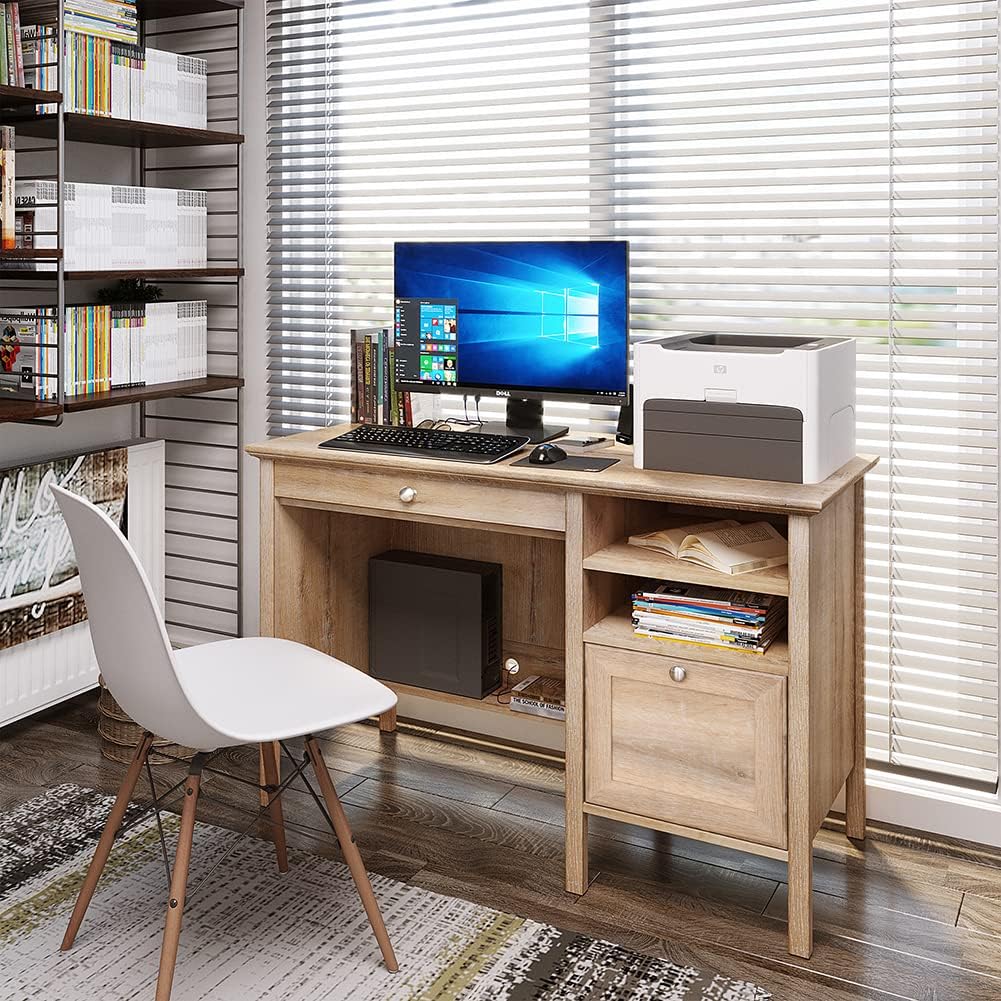
This image shows the fully assembled Crestlive Products Writing Computer Desk in an office environment, featuring a computer monitor, keyboard, and printer. The desk includes a keyboard tray, a drawer, and open shelves.
Návod k obsluze
Your Crestlive Products Writing Computer Desk is designed for versatile use in home office or study environments. Here’s how to utilize its features:
- Použití na počítači: Prostorná pracovní plocha nabízí ample surface area for a computer monitor, laptop, printer, and other work essentials. Ensure items are placed evenly to distribute weight.
- Zásobník klávesnice: The pull-out keyboard tray is designed to hold a standard keyboard and mouse, keeping your main desktop clear. Gently pull the tray out for use and push it back in when not needed.

Detailní view of the pull-out keyboard tray, designed to store a keyboard and mouse, demonstrating its smooth sliding mechanism.
- Úložná zásuvka: The large drawer offers concealed storage for documents, office supplies, or personal items. It features metal slides for smooth opening and closing.
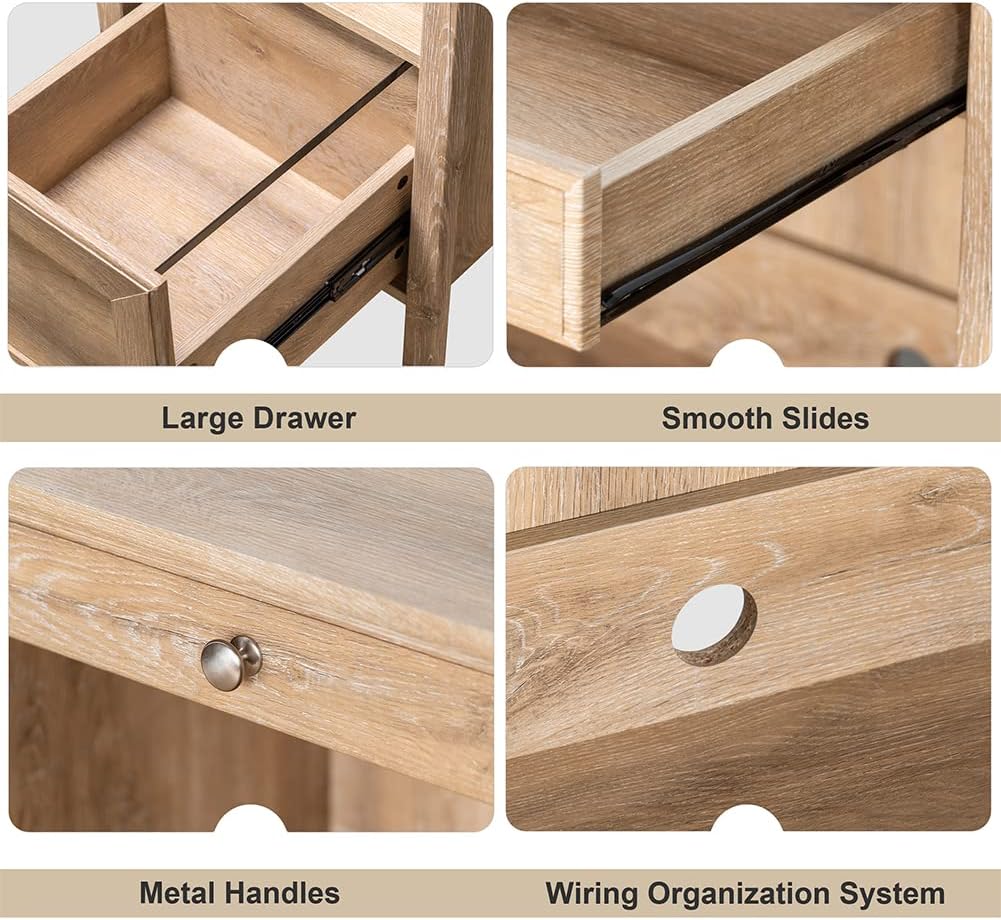
This image highlights the spacious storage drawer, equipped with metal slides for smooth operation, suitable for organizing various items.
- Otevřené police: The side shelves provide accessible storage for books, binders, or decorative items.
- Správa kabelů: Utilize the integrated wiring organization system to keep cables tidy and out of sight.
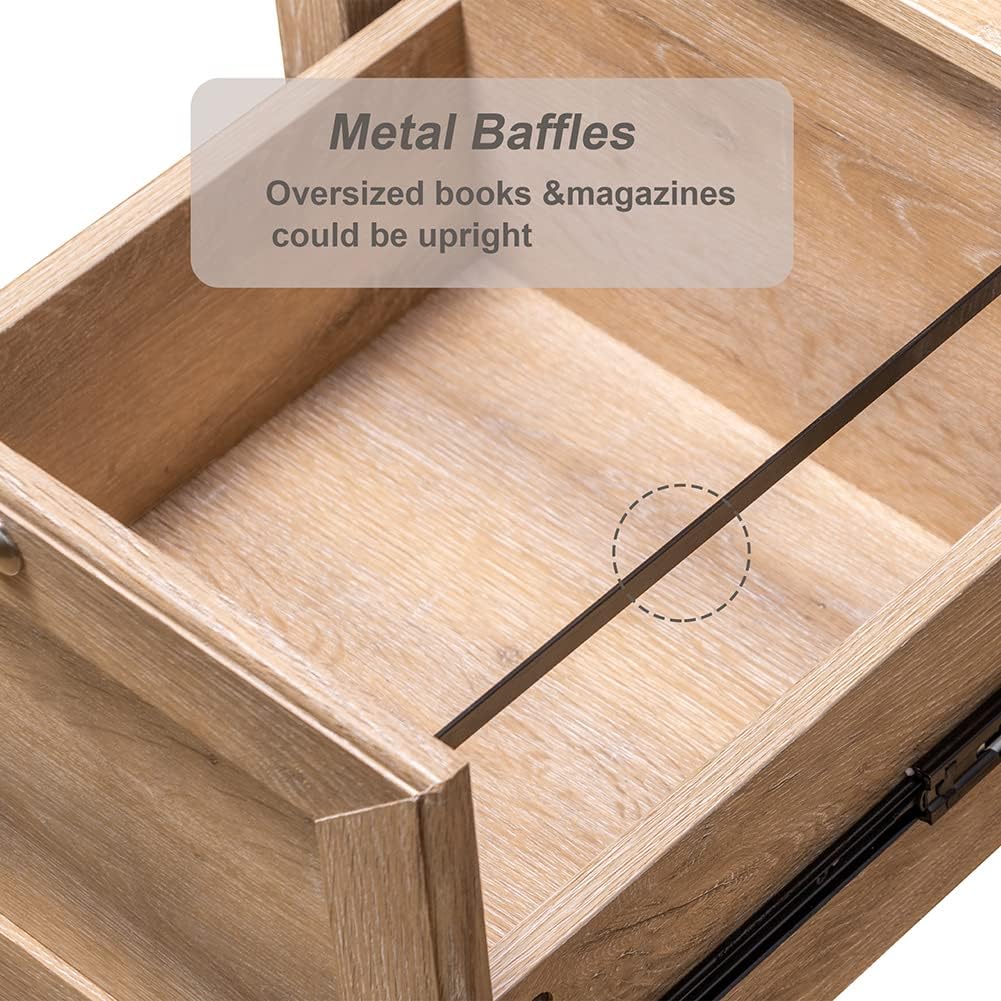
This collage displays various features of the desk: a large storage drawer, smooth-gliding drawer slides, durable metal handles, and a dedicated wiring organization system for cables.
Údržba a péče
To ensure the longevity and appearance of your Crestlive Products Writing Computer Desk, follow these maintenance guidelines:
- Čištění: The desk is made of premium MDF wood with a water and oil-proof finish. For general cleaning, wipe the surface with a soft, damp hadříkem. Nepoužívejte abrazivní čisticí prostředky ani agresivní chemikálie, které by mohly poškodit povrchovou úpravu.
- Rozlití: Wipe up spills immediately with a dry cloth to prevent moisture damage.
- Železářské zboží: Pravidelně kontrolujte všechny šrouby a spojovací prvky, zda jsou pevně utažené. V případě potřeby je dotáhněte, ale nepřetahujte je.
- Vyhněte se přímému slunečnímu záření: Dlouhodobé vystavení přímému slunečnímu záření může způsobit vyblednutí nebo změnu barvy dřevěného povrchu.
- Tepelná ochrana: Používejte pod horké předměty podložky nebo ochranné podložky, abyste zabránili vzniku skvrn od tepla.
Odstraňování problémů
Pokud narazíte na jakékoli problémy se stolem, podívejte se na následující běžné problémy a jejich řešení:
| Problém | Možná příčina | Řešení |
|---|---|---|
| Stůl se kymácí nebo je nestabilní. | Uvolněné upevňovací prvky; nerovná podlaha. | Check and tighten all screws. Ensure the desk is on a level surface; use shims if necessary. |
| Drawer or keyboard tray does not slide smoothly. | Misaligned slides; obstruction; damaged slides. | Ensure slides are correctly installed and aligned. Check for any objects blocking the path. If slides are damaged, contact customer support for replacement parts. |
| Parts appear damaged or defective upon arrival. | Poškození při přepravě; výrobní vada. | Do not proceed with assembly. Contact Crestlive Products customer support immediately with details and photos of the damaged parts. |
| Difficulty with assembly instructions. | Unclear steps; missing diagrams. | Review the assembly instruction sheet carefully. If still unclear, contact customer support for assistance. |
Specifikace
| Funkce | Detail |
|---|---|
| Značka | Produkty Crestlive |
| Číslo modelu | B08LNTWC9Q |
| Rozměry produktu (D x Š x V) | 47.24 cm x 20.08 cm x 29.92 cm |
| Rozměry přihrádky na klávesnici (Š x H x V) | 24.41 cm x 12.80 cm x 1.77 cm |
| Rozměry zásuvky (Š x H x V) | 18.11 cm x 12.2 cm x 10.04 cm |
| Adjustable Cabinet Shelf Dimensions (W x D x H) | 14.37 cm x 18.90 cm x 10.63 cm |
| Hmotnost položky | 78.44 libry |
| Materiál | Technické dřevo (MDF) |
| Barva | Dub |
| Doporučená maximální hmotnost | 100 libry |
| Montáž Vyžadována | Ano |
| Doporučený počet osob pro shromáždění | 2 |
| Zahrnuté komponenty | 1PC Writing Computer Desk |
Záruka a zákaznická podpora
For warranty information or to report missing/damaged parts, please contact Crestlive Products customer support. Keep your purchase receipt and model number (B08LNTWC9Q) handy for faster service.
Contact information can typically be found on the packaging or through the retailer where the product was purchased.