
1. Konec produktuview
The Prolink PRO1501SFCU is a 1500VA/900W single-phase output Line-Interactive Uninterruptible Power Supply (UPS) system. It features PROLiNK’s Super-Fast Charging technology, allowing the battery to recharge to 90% capacity within 2-4 hours. An Advanced Early Warning system provides alerts for output overload, high temperature, or low battery conditions. The Intelligent Battery Management system protects against overcharging and deep discharging, enhancing battery performance and reliability. The device includes universal sockets for broad compatibility and supports a wide input voltage range. Automatic shutdown occurs in cases of over temperature and overload to prevent damage.
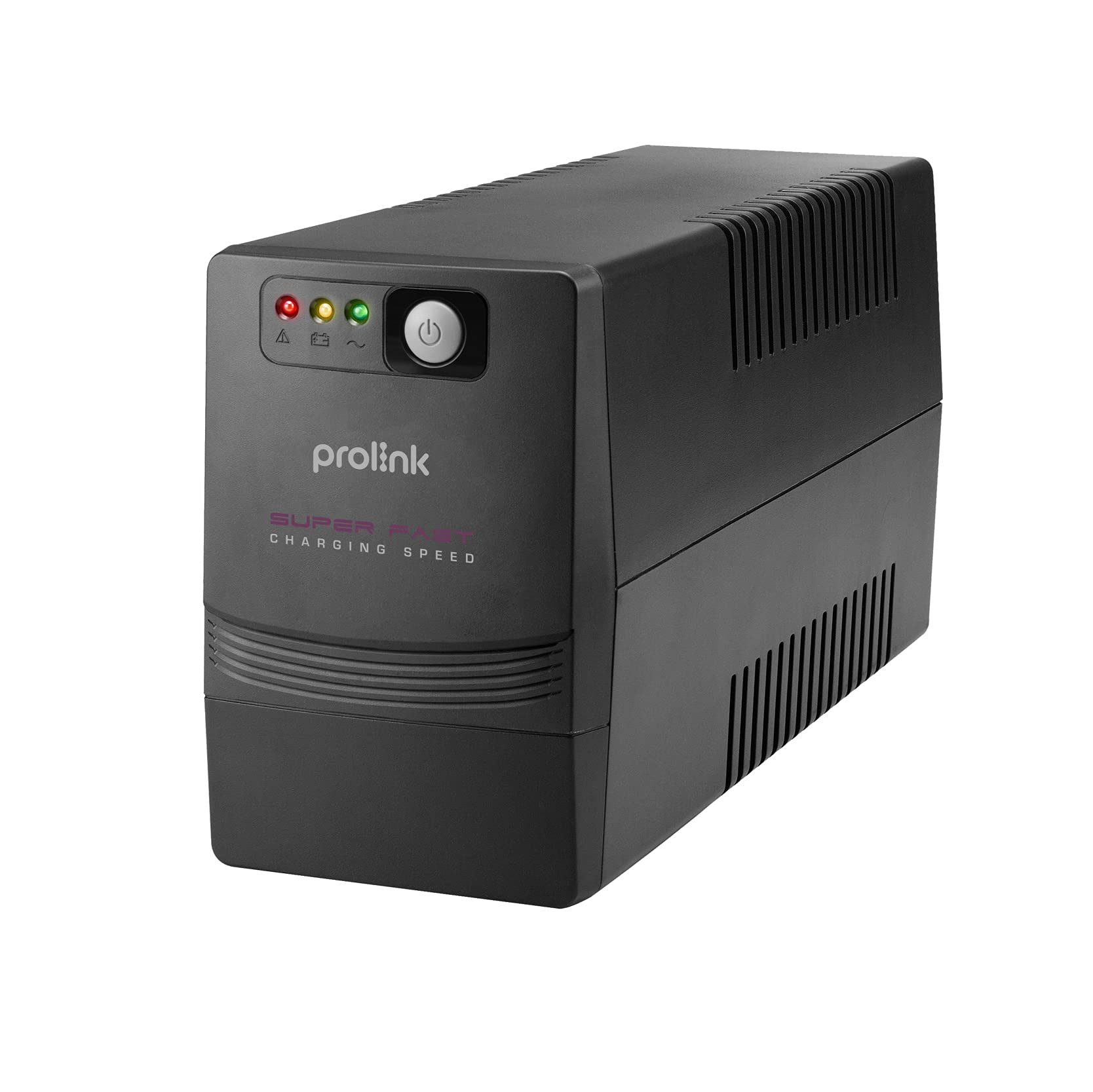
Obrázek 1: Přední a zadní část view of the Prolink PRO1501SFCU UPS.
Klíčové vlastnosti:
- Super rychlé nabíjení: Recharges battery to 90% capacity within 2-4 hours.
- Mikroprocesorové ovládání: Ensures high reliability and stable operation.
- Boost and Buck AVR: Provides automatic voltage regulation for stable output.
- Automatické restartování: Automatically restarts when AC power is restored.
- Simulovaný sinusový výstup: Suitable for various electronic devices.
- Wide Input Voltage Rozsah: Accommodates fluctuating power conditions.
- Universal Sockets: Offers broad compatibility with different plug types.
- Pokročilá ochrana: Includes overload, over-temperature, and short circuit protection.
2. Pokyny k nastavení
Follow these steps to properly set up your Prolink PRO1501SFCU UPS:
- Vybalte UPS: Opatrně vyjměte UPS z obalu. Zkontrolujte, zda při přepravě nedošlo k poškození.
- Umístění UPS: Place the UPS in a well-ventilated area, away from direct sunlight, heat sources, and excessive moisture. Ensure there is adequate space around the unit for airflow.
- Připojení k napájení ze sítě: Plug the UPS power cord into a grounded wall outlet. The UPS will begin charging its internal battery. Allow the battery to charge for at least 4 hours before initial use to ensure optimal backup time.
- Připojit zařízení: Plug your computer, monitor, modem, router, NAS, or other critical equipment into the universal output sockets on the rear panel of the UPS. Ensure the total load does not exceed the UPS's capacity (900W).
- Připojení USB (volitelné): For monitoring and control, connect the USB cable from the UPS to your computer. Install the monitoring software provided by Prolink (if applicable).
- Zapnutí: Press the power button on the front panel to turn on the UPS. The LCD display will illuminate, showing operational status.

Figure 2: Rear panel connections including AC input, backup outputs, USB port, and RJ45 ports.
3. Obsluha UPS
3.1. Přední panel a indikátory
The front panel of the UPS features an LCD display and control buttons for monitoring and managing the unit.

Figure 3: Front panel with power button and status indicators.
3.2. Zapnutí/vypnutí
- Zapnutí: Press and hold the power button for approximately 2 seconds until the UPS beeps and the LCD display illuminates.
- Vypnutí: Press and hold the power button for approximately 2 seconds until the UPS beeps and the LCD display turns off.
3.3. Automatická Voltage Regulace (AVR)
The UPS automatically regulates incoming AC voltage to provide a stable output to connected devices. This protects equipment from voltage fluctuations (sags, surges, under/over voltage) without switching to battery power.

Figure 4: Explanation of 3-step Boost and Buck AVR operation.
3.4. Provoz se záložní baterií
V případě výpadku proudutage, the UPS will automatically switch to battery power, providing continuous power to connected devices. The LCD display will indicate battery mode, and an audible alarm will sound. The backup time depends on the connected load.

Figure 5: Estimated backup times for different load levels (refer to PRO1501SFCU row for this model).
3.5. Super-Fast Charging
The UPS features Super-Fast Charging technology, significantly reducing the time required to recharge the battery after a power event.

Figure 6: Super-Fast Charging capability, reaching 90% charge in 2-4 hours.
4. Údržba
Správná údržba zajišťuje dlouhou životnost a optimální výkon vaší UPS.
- Péče o baterie: Keep the UPS connected to AC power to ensure the battery remains charged. Avoid frequent deep discharges, which can shorten battery life.
- Čištění: Regularly clean the exterior of the UPS with a dry cloth. Do not use liquid or aerosol cleaners. Ensure ventilation openings are free from dust and debris.
- Skladování: If storing the UPS for an extended period, ensure it is fully charged, then disconnect it from AC power. Recharge the battery every three months to prevent permanent damage.
- Výměna baterie: Batteries have a limited lifespan. If the UPS's backup time significantly decreases, the battery may need replacement. Contact Prolink support for assistance.
5. Řešení problémů
Tato část se zabývá běžnými problémy, se kterými se můžete setkat u vaší UPS.
| Problém | Možná příčina | Řešení |
|---|---|---|
| UPS se nezapne | No AC input; Low battery; Faulty power button | Check AC power connection; Charge battery for 4 hours; Contact support if issue persists. |
| UPS beeps continuously in battery mode | Low battery; Overload | Save work and shut down equipment; Reduce connected load. |
| Krátká doba zálohování | Battery not fully charged; Battery nearing end of life; Overload | Allow battery to charge fully; Replace battery; Reduce connected load. |
| UPS does not provide power during outage | UPS not turned on; Battery discharged; Internal fault | Ensure UPS is on; Allow battery to charge; Contact support. |
6. Technické specifikace
Detailed specifications for the Prolink PRO1501SFCU UPS.

Obrázek 7: Přesview technických specifikací.
| Funkce | Popis |
|---|---|
| Kapacita | 1500 VA / 900 XNUMX W |
| Vstupní objemtage Dosah | 140 - 300V ±5% |
| Vstupní frekvence | 50Hz/60Hz (automatické snímání) |
| Fáze | Single + GND |
| Výstupní objemtage Dosah | 230VAC +12% -14% (AC Mode); 230VAC ±10% (Battery Mode) |
| Výstupní frekvence | 50Hz/60Hz (Battery Mode) |
| Průběh | Simulovaná sinusovka (režim baterie) |
| Doba přenosu | Typicky 2 ms |
| Typ baterie | 12V/10Ah x 2pc |
| Doba zálohování | Up to 40 mins depending on load |
| Doba nabíjení | 2 - 4 hours recover to 90% capacity |
| Protection/Monitoring | Short Circuit Protection, Surge Protection, Overload Protection, Intelligent Battery Management |
| Rozhraní | RJ45 (Fax/Modem Protection), USB Port |
| Software | Support Windows® 2000/ 2003/ XP/ Vista/ 2008/ 7, Linux, Unix, and Mac OS |
| Úroveň hluku | <40dB |
| Teplota | 0°C - 40°C |
| Vlhkost | 0 - 90 % |
| Účiník | Až do 0.7 |
| Vestavěný AVR | TRUE Full AVR (3 kroky) |
| Rozměry (D x Š x V) | Rozměr 320 x 130 x 182 mm |
| Hmotnost | 10.4 kg |
7. Záruka a podpora
The Prolink PRO1501SFCU UPS comes with a 2-year local manufacturer warranty. For technical support, warranty claims, or service inquiries, please refer to the contact information provided by your local Prolink distributor or the official Prolink webmísto.
For additional resources and support, visit the official Prolink webmísto: www.prolink2u.com


