
DigiLand DL1036
DigiLand DL1036 Android Tablet User Manual
Model: DL1036
1. Úvod
This manual provides detailed instructions for the safe and efficient use of your DigiLand DL1036 Android Tablet. Please read this manual thoroughly before operating the device and keep it for future reference. The DigiLand DL1036 is a 10.1-inch Android tablet designed for versatile use, featuring a quad-core processor, HD IPS touchscreen, and dual cameras.
2. Bezpečnostní informace
To ensure proper operation and avoid damage, please observe the following safety precautions:
- Nevystavujte tablet extrémním teplotám, přímému slunečnímu záření ani vysoké vlhkosti.
- Zabraňte pádu tabletu na zem nebo jeho vystavení silným nárazům.
- Use only the charger and charging cable provided with the tablet.
- Do not disassemble, repair, or modify the tablet yourself. Refer to qualified service personnel.
- Tabletu uchovávejte mimo dosah vody a jiných tekutin.
- Tablet a jeho baterii zlikvidujte zodpovědně v souladu s místními předpisy.
3. Co je v krabici
Carefully unpack your DigiLand DL1036 Tablet and ensure all items are present:
- DL1036 Tablet
- Nabíječka
- Nabíjecí kabel
- Uživatelská příručka (tento dokument)

Image: The DigiLand DL1036 Tablet shown with its included charger and charging cable, alongside the user manual.
4. Konec produktuview
Seznamte se s fyzickými součástmi tabletu.
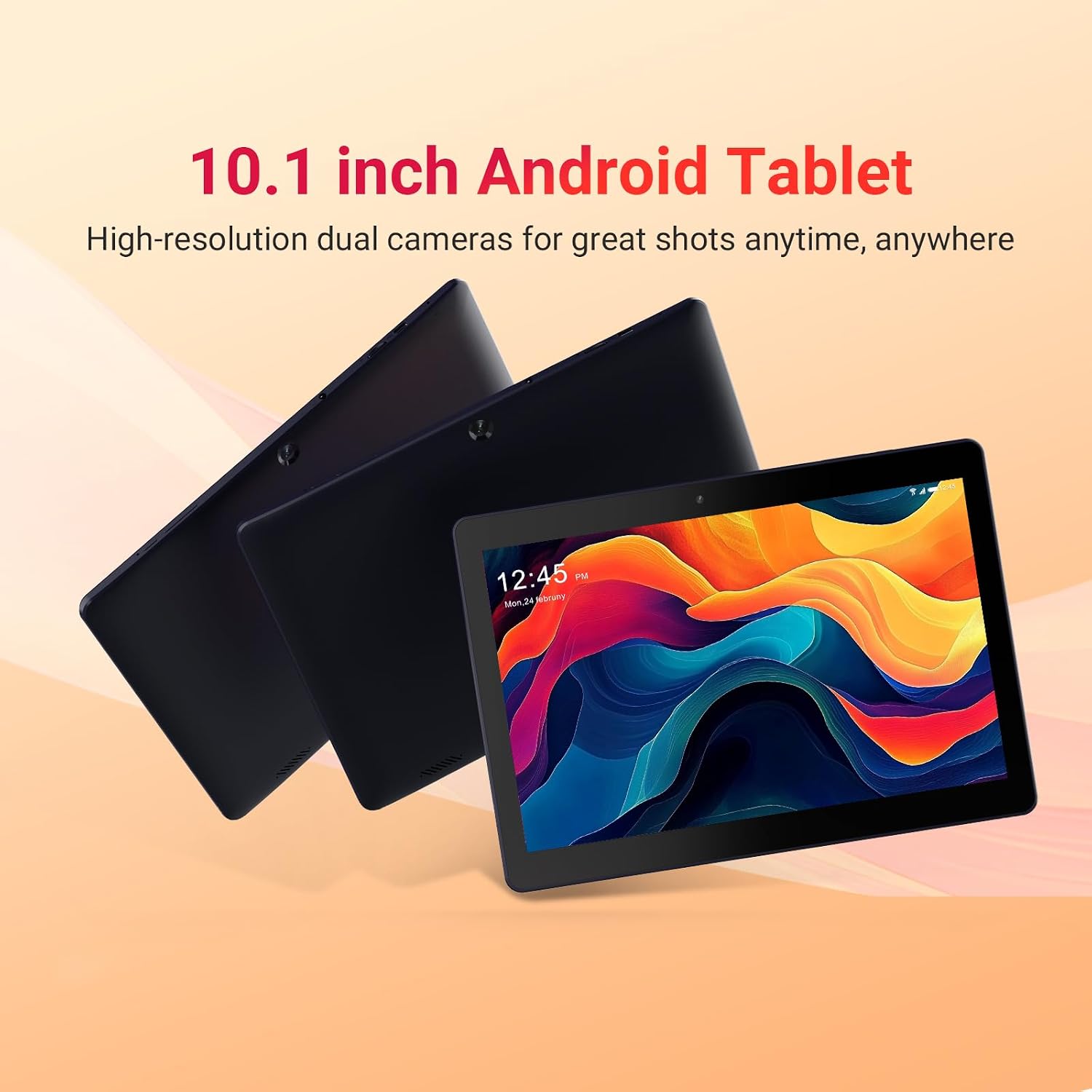
Image: Three DigiLand DL1036 tablets displayed from different angles, showcasing tenký profesionálfile and rear camera placement.
4.1. Porty a tlačítka
- Vypínač: Located on the side, used to turn the tablet on/off or put it to sleep/wake it up.
- Tlačítka hlasitosti: Upravte hlasitost zvuku.
- Port USB-C: Pro nabíjení a přenos dat.
- Sluchátkový jack: 3.5mm audio výstup.
- Slot pro microSD kartu: Pro rozšíření úložiště až na 256 GB.
- Přední kamera: Pro videohovory a selfie.
- Zadní kamera: Pro pořizování fotografií a videí.
- Řečníci: Pro audio výstup.

Obrázek: Detailní záběr view of the DigiLand DL1036 tablet's side, highlighting the USB-C charging port and the MicroSD card slot.
5. Nastavení
5.1. Nabíjení tabletu
Before first use, fully charge the tablet. Connect the provided charging cable to the USB-C port on the tablet and the other end to the charger. Plug the charger into a power outlet. The battery indicator on the screen will show charging status.
5.2. Zapnutí/vypnutí
- Zapnutí: Press and hold the Power button until the DigiLand logo appears.
- Vypnutí: Stiskněte a podržte tlačítko Napájení, dokud se nezobrazí nabídka možností napájení. Vyberte „Vypnout“ a potvrďte.
- Spánek/Probuzení: Krátkým stisknutím tlačítka napájení tablet uspíte nebo probudíte.
5.3. Počáteční nastavení
Po prvním zapnutí vás tablet provede procesem počátečního nastavení:
- Výběr jazyka: Vyberte preferovaný jazyk.
- Wi-Fi připojení: Select your Wi-Fi network and enter the password. A stable internet connection is recommended for setup.
- Účet Google: Přihlaste se pomocí svého stávajícího účtu Google nebo si vytvořte nový. To je nezbytné pro přístup k Obchodu Google Play a dalším službám Google.
- Datum a čas: Nastavte správné datum a čas nebo nechte síť, aby je nastavila automaticky.
- Zabezpečení: Pro zabezpečení si nastavte zámek obrazovky (PIN, vzorec nebo heslo).
6. Ovládání tabletu
6.1. Navigace a gesta
The DigiLand DL1036 uses a touch-sensitive screen for navigation:
- Klepněte na: Výběr položky nebo otevření aplikace.
- Dotkněte se a podržte: Pro přístup k kontextovým nabídkám nebo přesun ikon.
- Výpad: Procházení stránek nebo seznamů.
- Přiblížení/zvětšení prsty: Pro přiblížení nebo oddálení obrázků nebo web stránky.
6.2. Připojení k Wi-Fi
Připojení k síti Wi-Fi:
- Přejít na Nastavení > Síť a internet > Wi-Fi.
- Zapněte Wi-Fi.
- Vyberte požadovanou síť ze seznamu.
- Zadejte heslo, pokud se zobrazí výzva, a klepněte na Připojit.

Image: A graphic illustrating the 2.4G WiFi capability of the DigiLand DL1036 tablet, along with camera and charging details.
6.3. Stahování aplikací
Access the Google Play Store to download and install applications:
- Klepněte na Obchod Play ikonu na domovské obrazovce nebo v liště s aplikacemi.
- Hledat the app you want to install.
- Klepněte Instalovat a postupujte podle pokynů na obrazovce.

Image: The DigiLand DL1036 tablet screen filled with various application icons, demonstrating its compatibility with Google Play Store apps.
6.4. Použití fotoaparátu
Tablet je vybaven 2MP předním fotoaparátem a 2MP zadním fotoaparátem.
- Otevřete Fotoaparát aplikace
- Klepnutím na ikonu přepínače fotoaparátu přepínáte mezi předním a zadním fotoaparátem.
- Klepnutím na tlačítko spouště pořídíte fotografii nebo spustíte/zastavíte nahrávání videa.

Image: A detailed graphic showcasing the dual 2MP cameras of the DigiLand DL1036 tablet, emphasizing its photo and video capabilities.
6.5. Správa úložiště
The tablet comes with 32GB of internal storage and supports expansion up to 256GB via a MicroSD card. To manage storage:
- Přejít na Nastavení > Skladování na view využití úložiště.
- Insert a MicroSD card into the designated slot to expand storage for photos, videos, and other files.

Image: A visual representation of the DigiLand DL1036 tablet's 2GB RAM and 32GB ROM, indicating ample space for photos, videos, and music.
6.6. Životnost baterie
Tablet je vybaven baterií s kapacitou 12 200 mAh, která poskytuje delší dobu používání. Pro optimalizaci výdrže baterie:
- Snižte jas obrazovky.
- Vypněte Wi-Fi nebo Bluetooth, když je nepoužíváte.
- Zavřete nepoužívané aplikace běžící na pozadí.

Image: A graphic highlighting the 5000mAh battery capacity of the DigiLand DL1036 tablet, emphasizing its long-lasting power.
7. Údržba
7.1. Čištění
Use a soft, lint-free cloth to clean the tablet screen and body. Do not use liquid cleaners or aerosols directly on the tablet.
7.2. Aktualizace softwaru
Periodically check for system updates to ensure optimal performance and security:
- Přejít na Nastavení > Systém > Aktualizace systému.
- Postupujte podle pokynů na obrazovce a stáhněte a nainstalujte všechny dostupné aktualizace.
7.3. Optimalizace úložiště
Pro zajištění plynulého provozu pravidelně odstraňujte nepotřebné files and apps:
- Odinstalujte aplikace, které již nepoužíváte.
- Vymazat data mezipaměti aplikací v Nastavení > Aplikace a oznámení > [Název aplikace] > Úložiště a mezipaměť.
- Převod velkých files (photos, videos) to a MicroSD card or cloud storage.
8. Řešení problémů
Pokud se s tabletem setkáte s problémy, podívejte se na následující běžná řešení:
| Problém | Řešení |
|---|---|
| Tablet se nezapne | Ensure the battery is charged. Connect the charger and wait a few minutes before attempting to power on again. If still unresponsive, perform a forced restart by holding the Power button for 10-15 seconds. |
| Problémy s připojením Wi-Fi | Zkontrolujte, zda je v Nastavení povolena Wi-Fi. Restartujte Wi-Fi router. Zapomeňte na síť a znovu se připojte. |
| Tablet je pomalý nebo nereaguje | Close unused apps. Clear app cache. Restart the tablet. Check for system updates. If issues persist, consider a factory reset (backup data first). |
| Aplikace padají | Clear the app's cache and data (Settings > Apps & notifications > [App Name] > Storage & cache). Reinstall the app. Ensure the tablet's software is up to date. |
| Obrazovka nereaguje | Restart the tablet. Ensure the screen is clean and dry. |
8.1. Obnovení továrního nastavení
Obnovení továrního nastavení vymaže všechna data z tabletu a obnoví jeho původní tovární nastavení. Před pokračováním si zálohujte všechna důležitá data.
- Přejít na Nastavení > Systém > Obnovit možnosti.
- Vybrat Vymazat všechna data (obnovení továrního nastavení).
- Potvrďte své rozhodnutí a v případě potřeby zadejte PIN/vzor/heslo.
9. Specifikace
Key technical specifications for the DigiLand DL1036 Tablet:

Image: A comprehensive graphic detailing the DigiLand DL1036 tablet's core specifications including display, battery, processor, OS, RAM, and ROM.
| Funkce | Specifikace |
|---|---|
| Název modelu | DL1036 |
| Velikost obrazovky | 10.1 palce |
| Rozlišení obrazovky | 1280 x 800 IPS |
| Procesor | 2 GHz čtyřjádrový (MediaTek) |
| BERAN | 2 GB |
| Interní úložiště | 32 GB |
| Rozšiřitelné úložiště | Až 256 GB (MicroSD) |
| Operační systém | Android 11 Go |
| Zadní WebRozlišení vačky | 2 MP |
| Přední WebRozlišení vačky | 2 MP |
| Výdrž baterie (průměrná) | 10 hodiny |
| Kapacita baterie | 5000 XNUMX mAh |
| Bezdrátový typ | 802.11g (2.4G WiFi) |
| Hmotnost položky | 1.06 libry |
| Rozměry produktu | 9.6 x 6.8 x 0.3 palce |
| Barva | Modrý |
10. Záruka a podpora
DigiLand products are covered by a limited warranty. For specific warranty terms and conditions, please refer to the warranty card included with your product or visit the official DigiLand website. If you encounter any issues or require technical assistance, please contact DigiLand customer support through the contact information provided on our website or in your product packaging. Please have your model number (DL1036) and purchase information ready when contacting support.
Ask a question about this manual
Ask about setup, troubleshooting, compatibility, parts, safety, or missing instructions. Manuals+ will review the question and use this page’s manual context to help answer it.