
Zavedení
Thank you for choosing the MEDION E11909 (MD 20059) 19-inch HD TV. This television features an integrated DVD player, a 12V car adapter for mobile use, and a triple tuner for receiving cable, satellite, or DVB-T2 HD signals. This manual provides essential information for the safe and efficient use of your new device. Please read it thoroughly before operation and keep it for future reference.
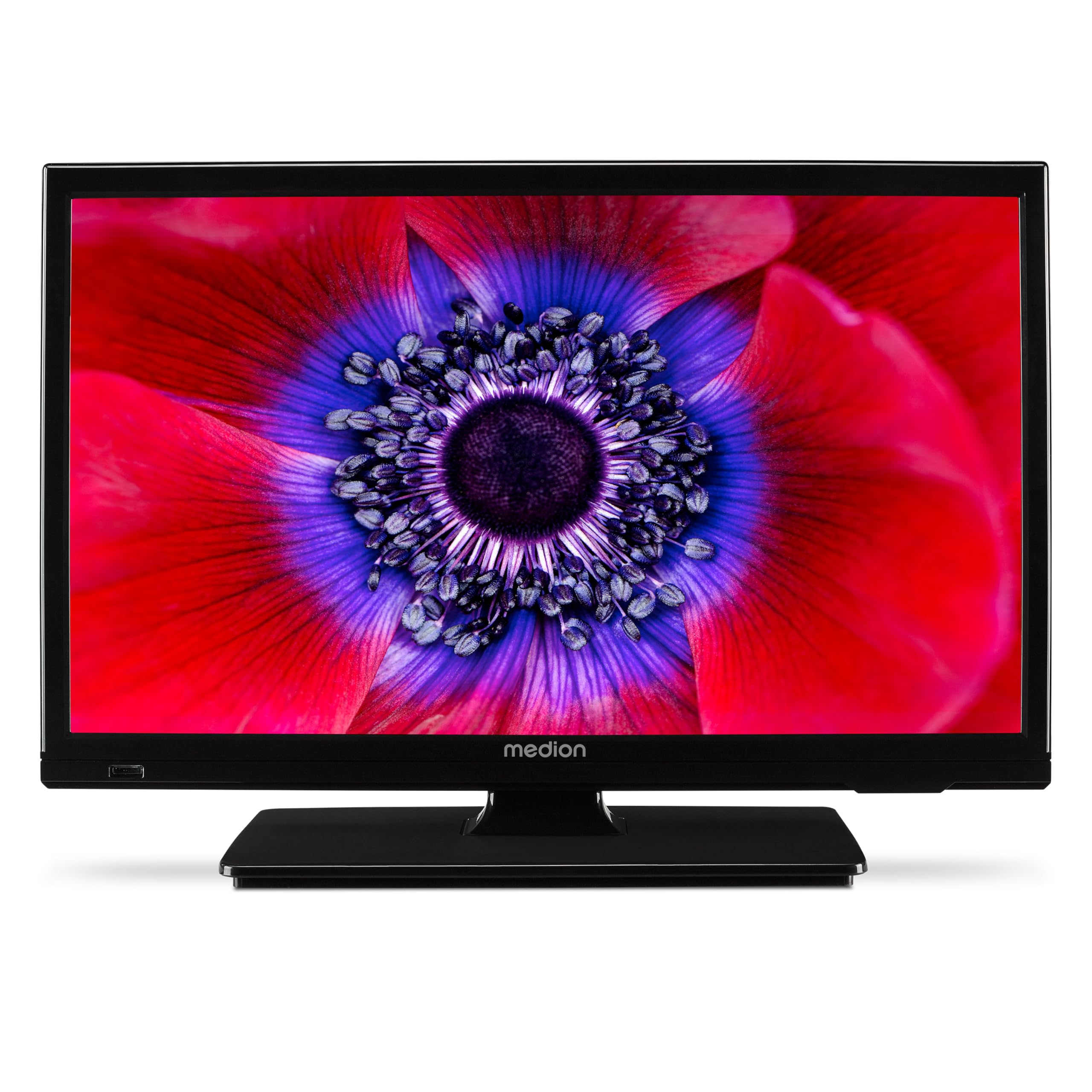
Obrázek 1: MEDION E11909 19-inch HD TV. This image shows the front view of the television, highlighting its compact design suitable for various environments.
Bezpečnostní informace
Please observe the following safety instructions to prevent damage to the device or injury to yourself:
- Nevystavujte televizor dešti ani vlhkosti.
- Zajistěte dostatečné větrání; neblokujte větrací otvory.
- Používejte pouze napájecí adaptér dodaný se zařízením.
- Neotevírejte dvířka televizoruasing; veškerý servis svěřte kvalifikovanému personálu.
- Uchovávejte televizor mimo dosah zdrojů tepla a přímého slunečního záření.
- When using the 12V car adapter, ensure the vehicle's power outlet is clean and provides stable power.
Obsah balení
Zkontrolujte prosím, zda jsou v balení přítomny všechny položky:
- MEDION E11909 MD20059 LCD TV
- Remote control with batteries (AAA)
- Externí napájecí adaptér
- Car adapter (12V)
- DVB-T anténa
- AV adaptér
- Stojan se šrouby
- Uživatelská příručka
- Záruční knížka
Nastavení
1. Připevnění stojanu
- Carefully place the TV screen-down on a soft, clean surface.
- Zarovnejte stojan s montážními otvory na spodní straně televizoru.
- Zajistěte stojan pomocí dodaných šroubů.
2. Připojení napájení
- Pro domácí použití: Connect the external power adapter to the TV's DC IN port and then plug it into a standard wall outlet.
- For Mobile Use (Car/Caravan): Connect the 12V car adapter to the TV's DC IN port and then plug it into your vehicle's 12V DC power socket.
3. Connecting Antennas and External Devices
Refer to the connection diagram below for port locations.

Obrázek 2: Rear panel connections. This image illustrates the various input and output ports on the back of the television, including HDMI, USB, SCART, VGA, AV In, YPbPr, PC Audio In, Headphone Jack, Digital Audio Out, and the 12V DC power input.
- Anténa/kabel: Connect your DVB-T antenna (included), cable, or satellite dish to the appropriate RF IN port.
- Zařízení HDMI: Connect devices like Blu-ray players or game consoles to the HDMI ports.
- Zařízení USB: Vložte USB disky pro přehrávání médií do USB portu.
- Older Devices: Use the SCART, VGA, or AV IN ports for older equipment.
4. Počáteční nastavení
After connecting power and turning on the TV for the first time, an initial setup wizard will guide you through language selection, country, and channel scanning. Follow the on-screen instructions.
Provozní
1. Zapnutí/vypnutí
Stiskněte tlačítko MOC tlačítko na dálkovém ovladači nebo na televizoru pro zapnutí nebo vypnutí přístroje.
2. Funkce dálkového ovládání
The remote control allows you to navigate menus, change channels, adjust volume, and select input sources. Refer to the remote control diagram in your separate warranty booklet for specific button functions.
3. Channel Selection and Volume
- Použijte CH +/- tlačítka pro změnu kanálů.
- Použijte VOL +/- tlačítka pro nastavení hlasitosti.
4. Výběr zdroje vstupu
Stiskněte tlačítko ZDROJ button on the remote control to cycle through available input sources (TV, HDMI1, HDMI2, AV, USB, DVD).
5. Using the Integrated DVD Player
- Insert a DVD disc into the disc slot on the side of the TV.
- The TV should automatically switch to DVD mode. If not, press the ZDROJ button and select DVD.
- Použijte tlačítka přehrávání na dálkovém ovladači (PLAY, PAUSE, STOP, FF, REW) to control DVD playback.

Obrázek 3: TV with integrated DVD player. This image shows the television screen displaying high-definition content, with a DVD disc partially visible, indicating the integrated DVD player functionality.
6. Using the Media Player (USB)
- Vložte paměťové zařízení USB do portu USB.
- Stiskněte tlačítko ZDROJ button and select USB.
- Procházejte svým files (photos, music, videos) using the remote control and press OK hrát.

Obrázek 4: Easy playback of photos, videos, and more. This image highlights the USB port on the TV's side and icons representing music, photos, and video files, indicating the TV's multimedia playback capabilities.
Údržba
1. Čištění obrazovky
Jemně otřete obrazovku měkkým hadříkem, který nepouští vlákna. V případě odolných skvrn lehceampOtřete hadřík vodou nebo specializovaným čističem obrazovek. Nestříkejte tekutinu přímo na obrazovku.
2. Čištění jednotky
Otřete televizor casinměkkým, suchým hadříkem. Nepoužívejte abrazivní čisticí prostředky ani rozpouštědla.
3. Skladování
Pokud budete televizor skladovat delší dobu, odpojte jej od napájení, vyjměte baterie z dálkového ovladače a uložte jej na chladném a suchém místě, nejlépe v originálním obalu.
Odstraňování problémů
If you encounter problems with your TV, please refer to the following common issues and solutions:
- Bez napájení:
- Check if the power adapter is securely connected to both the TV and the power outlet.
- Ensure the power outlet is functional. - Žádný obraz/zvuk:
- Verify that the correct input source is selected (e.g., HDMI1, TV, DVD).
- Check all cable connections (antenna, HDMI, AV).
- Perform a channel scan if using TV mode. - DVD Not Playing:
- Ensure the disc is inserted correctly with the label facing up.
- Check if the disc is clean and free from scratches.
- Try a different DVD to rule out disc issues. - Dálkové ovládání nefunguje:
- Replace the batteries (AAA).
- Ujistěte se, že mezi dálkovým ovladačem a infračerveným senzorem televizoru nejsou žádné překážky.
Pokud problém přetrvává i po vyzkoušení těchto řešení, kontaktujte zákaznickou podporu.
Specifikace
- Značka: STŘEDNÍ
- Model: E11909 (MD 20059)
- Velikost obrazovky: 18.5 palce (47 cm)
- Technologie displeje: LCD LED
- Rezoluce: 768p (HD)
- Obnovovací frekvence: 60 Hz
- Poměr stran: 1.77:1
- Technologie připojení: HDMI, USB
- Speciální vlastnosti: Built-in DVD player, 12V Car Adapter, Triple Tuner for HD reception (Cable, Satellite, DVB-T2)
- Zahrnuté komponenty: LCD TV (MD 20059)
- Rozměry produktu: 16 H x 44 Š x 31 V cm
- Zvukový výstup: 2 x 3 W RMS Stereo Speakers
Záruka a podpora
Your MEDION E11909 (MD 20059) TV comes with a manufacturer's warranty. Please refer to the included warranty booklet for detailed terms and conditions, including the warranty period and coverage.
Pro technickou podporu, servis nebo další dotazy navštivte oficiální webové stránky MEDION website or contact their customer service department. Contact information can typically be found in your warranty booklet or on the MEDION support page.