
1. Úvod
Děkuji za nákupasing the JVC XS-N2239TC Wireless Stereo Speaker System. This manual provides essential information for the safe and efficient use of your new speaker system. Please read these instructions thoroughly before operating the device and retain them for future reference.
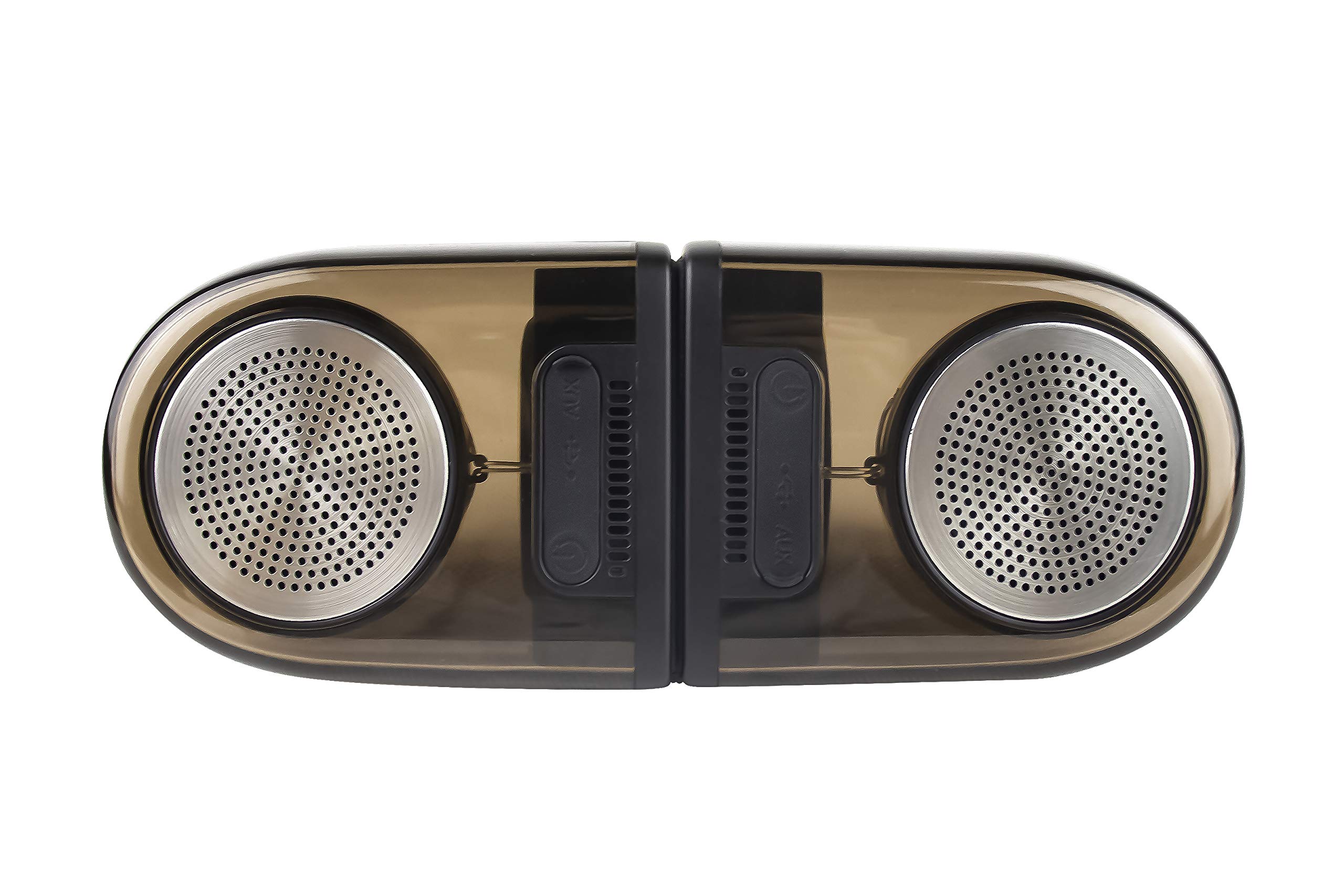
Image of the JVC XS-N2239TC speaker system, showcasinjeho design a komponenty.
2. Obsah krabice
Zkontrolujte prosím, zda jsou v balení obsaženy všechny následující položky:
- 1 x JVC XS-N2239TC Speaker Unit
- Kabel 1 x AUX
- 1 x Uživatelská příručka (tento dokument)
- 1 x nabíjecí kabel
- 1 x Záruční list
3. Nastavení
3.1 Umístění
The JVC XS-N2239TC speakers are designed for versatile placement, suitable as Bookshelf or Floor Standing units. Ensure the speakers are placed on a stable, flat surface or floor, away from direct sunlight, heat sources, and moisture. For optimal stereo sound, position the two speakers appropriately within your listening area.
3.2 Připojení napájení
- Connect the charging cable to the speaker's power input port.
- Zapojte druhý konec nabíjecího kabelu do vhodné elektrické zásuvky.
- Ensure the speaker is fully charged before initial use for optimal battery life.
4. Návod k obsluze
4.1 Zapnutí/vypnutí
Locate the power button on the speaker unit. Press and hold the button for a few seconds to power the speaker on or off. An indicator light will typically confirm the power status.
4.2 Konektivita
4.2.1 Bezdrátové připojení
The speaker supports wireless streaming. To connect wirelessly:
- Ensure the speaker is powered on and in pairing mode (refer to the speaker's indicator lights for status).
- On your device (e.g., smartphone, tablet, television), enable wireless functionality.
- Hledat available devices and select "JVC XS-N2239TC" from the list.
- Once connected, you can stream audio wirelessly to the speaker system.
4.2.2 Připojení USB
The speaker features a plug-and-play USB card reader. Insert a USB storage device containing audio files into the designated USB port on the speaker. The speaker will automatically detect and begin playing compatible audio files.
4.2.3 Připojení AUX
Use the provided AUX cable to connect the speaker to devices with a 3.5mm audio output jack, such as televisions or other audio sources. Plug one end of the AUX cable into the speaker's AUX input and the other end into your audio source's output.
4.3 Ovládací prvky
4.3.1 Multifunctional Panel Keys
The speaker unit is equipped with multifunctional panel keys. These keys allow you to:
- Adjust volume (increase/decrease).
- Play/Pause audio playback.
- Navigate tracks (forward/backward) when playing from USB or wireless sources.
4.3.2 Dálkové ovládání
The included remote control provides convenient access to various functions from a distance. Use the remote to:
- Zapnutí/vypnutí reproduktoru.
- Upravte hlasitost.
- Control playback (play, pause, skip tracks).
- Switch input modes (e.g., Wireless, USB, AUX).
5. Údržba
5.1 Čištění
To clean the speaker, use a soft, dry cloth. Do not use abrasive cleaners, waxes, or solvents as they may damage the finish. Ensure the speaker is powered off and unplugged before cleaning.
5.2 Voděodolnost
The JVC XS-N2239TC speaker is designed with water resistance. While it can withstand splashes, it is not intended for submersion. Avoid exposing the speaker to excessive moisture or direct water jets to prevent damage.
6. Řešení problémů
If you encounter issues with your speaker system, please refer to the following common solutions:
- Bez napájení: Ensure the charging cable is securely connected to both the speaker and a working power outlet. Check if the power button has been pressed correctly.
- Žádný zvuk: Verify the volume level on both the speaker and your connected device. Ensure the correct input mode (Wireless, USB, AUX) is selected. Check all cable connections.
- Problémy s bezdrátovým připojením: Make sure the speaker is within range of your device. Try unpairing and re-pairing the speaker with your device. Ensure no other devices are interfering with the wireless signal.
- Problémy s přehráváním z USB: Confirm the USB device is formatted correctly and contains compatible audio files. Zkuste jiné zařízení USB.
- Dálkové ovládání nefunguje: Check the remote control's batteries and replace them if necessary. Ensure there are no obstructions between the remote and the speaker's sensor.
Pokud problém přetrvává, kontaktujte prosím zákaznickou podporu.
7. Specifikace
| Funkce | Detail |
|---|---|
| Značka | JVC |
| Název modelu | JVC XS-N2239TC |
| Technologie připojení | USB, bezdrátový |
| Typ bezdrátové technologie | Bezdrátový |
| Protokol připojení | USB |
| Režim zvukového výstupu | Stereo |
| Typ reproduktoru | Regál |
| Typ montáže | Stojící na podlaze |
| Vlastnosti produktu | Dálkové ovládání |
| Kontrolní metoda | Vzdálený |
| Kompatibilní zařízení | Televize |
| Počet zvukových kanálů | 2.1 |
| Velikost reproduktoru | 7.5 centimetrů |
| Subwoofer Speaker Diameter | 5 palce |
| Tweeter Driver Diameter | 1 palce |
| Typ zvukového ovladače | Dynamický ovladač |
| Barva | Černý |
| Je voděodolný | VĚRNÝ |
| Úroveň odolnosti proti vodě | Vodotěsný |
| Specifické použití pro produkt | Systémy domácí zábavy |
| Průměrná životnost baterie | 6 hodiny |
| Hmotnost položky | 0.56 kg |
8. Záruka a podpora
8.1 Informace o záruce
Tento produkt je dodáván s a 1 roky záruka poskytuje výrobce od data nákupu. Uschovejte si prosím doklad o koupi a záruční list pro případné reklamace.
8.2 Zákaznická podpora
For any complaints, technical assistance, or support regarding your JVC XS-N2239TC speaker system, please contact JVC customer care:
- Číslo péče o zákazníky: +91-9910332380
Než budete kontaktovat podporu, mějte prosím připravené číslo modelu produktu a podrobnosti o nákupu.