
Zavedení
The Logilink Full HD USB Webcam UA0371 is designed for high-quality video communication, offering 1080p resolution at 30 frames per second. It features an integrated microphone for clear audio and a versatile mounting clip for various setups. This manual provides essential information for the proper installation, operation, and maintenance of your webvačka.
Co je v krabici
- Logilink Full HD USB Webcam UA0371
- Integrovaný USB kabel
Konec produktuview
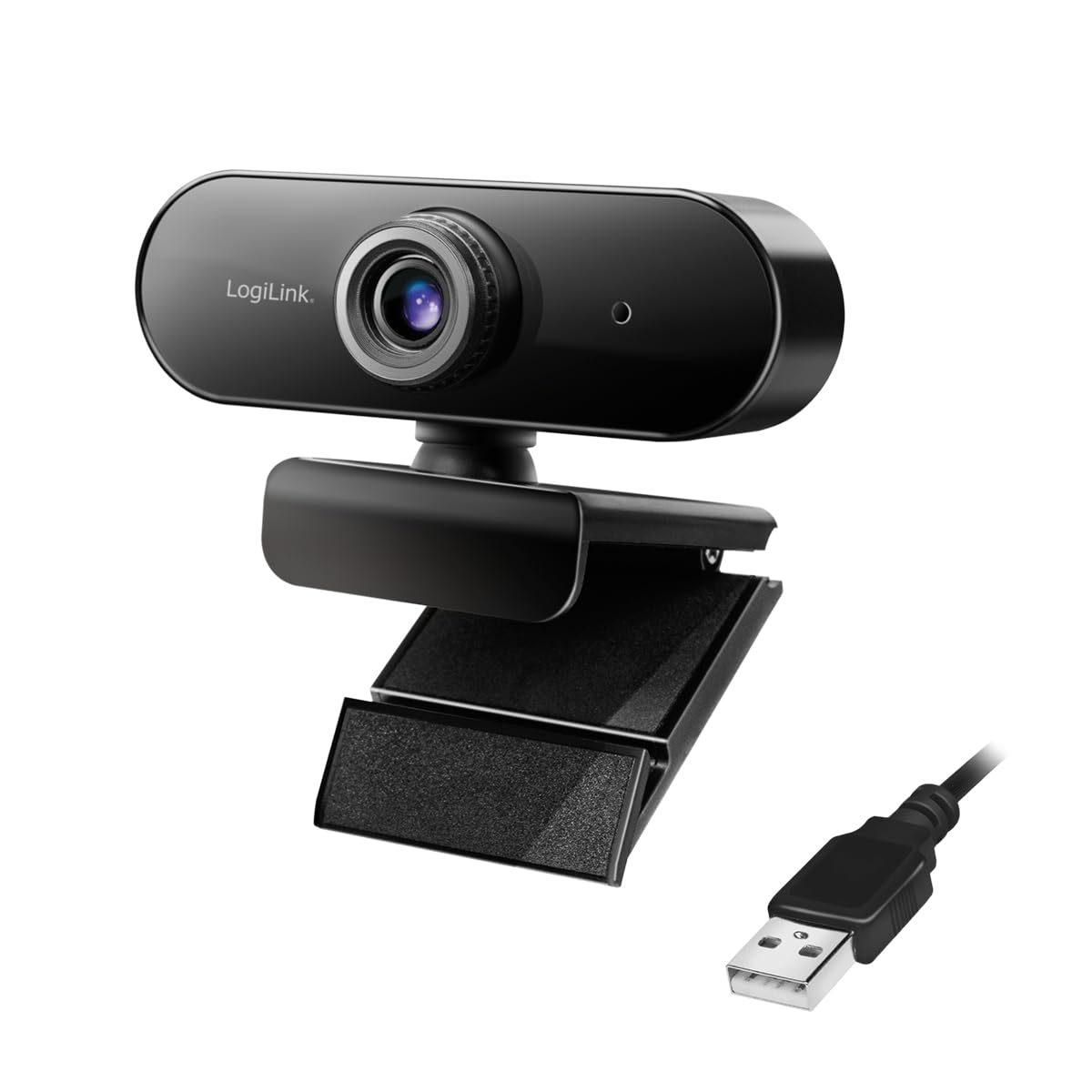
Přední view of the Logilink Full HD USB Webcam UA0371, showing the lens and Logilink branding.
The Logilink UA0371 webcam is equipped with a 1080p sensor for clear video capture and an integrated microphone for audio input. Its design includes a flexible clip for easy attachment to various displays or surfaces, and a standard tripod thread for alternative mounting options.

Detailní záběr view of the adjustable mounting clip, demonstrating its design for secure attachment.
Nastavení
1. Připojení Webvačka
- Rozbalte webcam and its integrated USB cable.
- Plug the USB cable into an available USB port on your computer. The webcam is designed for plug-and-play functionality and typically does not require additional driver installation.
2. Montáž Webvačka
The webCam nabízí flexibilní možnosti montáže:
- On a Monitor or Laptop Screen: Use the adjustable clip to securely attach the webcam to the top edge of your display. Adjust the angle as needed.

The webcam securely mounted on the top edge of a computer monitor.
- Na rovném povrchu: Fold the clip to create a stable base, allowing the webcam to stand on a desk or tabletop.
- Na stativu: The webcam includes a standard tripod thread on its base for mounting on a compatible tripod (not included).

The webcam attached to a tripod for alternative positioning.
Návod k obsluze
Pomocí Webcam with Applications
- Po připojení webcam, your operating system should automatically recognize it.
- Open your desired video conferencing, streaming, or recording application (e.g., Zoom, Skype, Microsoft Teams, OBS Studio).
- Navigate to the application's settings or preferences, typically under 'Video' and 'Audio' input devices.
- Vybrat 'Logilink Webcam UA0371' (or similar name) as your primary video input device.
- Vybrat 'Logilink Webcam UA0371' (or similar name) as your primary audio input device to utilize the integrated microphone.
- Adjust any video or audio settings within the application as needed (e.g., resolution, brightness, microphone volume).

Two individuals engaged in a video call using the webcam on a laptop.

A person participating in a video conference using the webcam with a desktop setup.
Údržba
To ensure optimal performance and longevity of your Logilink Webcam UA0371, follow these maintenance guidelines:
- Čištění objektivu: Jemně otřete webcam lens with a soft, dry, lint-free cloth. Avoid using abrasive cleaners, solvents, or harsh chemicals, as these can damage the lens coating.
- Čištění těla: Použijte mírně damp hadřík na čištění vnějšku webcam. Ensure no moisture enters the device.
- Skladování: Pokud nepoužíváte, uložte webcam in a clean, dry environment away from extreme temperatures and direct sunlight.
Odstraňování problémů
If you encounter issues with your Logilink Webcam UA0371, refer to the following common problems and solutions:
- Webcam not detected by computer:
- Ujistěte se, že je kabel USB bezpečně připojen k oběma webcam and your computer's USB port.
- Zkuste připojit webkameru k jinému USB portu na vašem počítači.
- Restartujte počítač.
- Zkontrolujte Správce zařízení (Windows) nebo Informace o systému (macOS) ve svém operačním systému, zda webkamera je uvedena.
- No video or poor image quality:
- Verify that the Logilink Webcam UA0371 is selected as the video input device within your video conferencing or recording application's settings.
- Ensure there is adequate lighting in your environment.
- Vyčistěte webcam lens if it appears smudged or dirty.
- Check the application's video resolution settings; ensure it is set to 1080p or a suitable resolution.
- No audio or poor audio quality from the microphone:
- Confirm that the Logilink Webcam UA0371's microphone is selected as the audio input device in your application's settings and your operating system's sound settings.
- Ujistěte se, že mikrofon není ve vaší aplikaci nebo operačním systému ztlumený.
- Adjust the microphone input volume in your system or application settings.
Specifikace
| Funkce | Specifikace |
|---|---|
| Číslo modelu | UA0371 |
| Rozlišení záznamu videa | 1080p |
| Technologie fotosenzoru | CMOS |
| Technologie připojení | USB |
| Rozměry produktu | 3.35 x 2.36 x 2.36 palce |
| Hmotnost položky | 5.3 unce |
| Maximální ohnisková vzdálenost | 10 milimetrů |
| Maximální clona | 3.5 milimetrů |
| Formát záznamu videa | MP4 |
| Podporovaný formát zvuku | AAC, PCM |
Záruka a podpora
For detailed warranty information, technical support, or further assistance with your Logilink Full HD USB Webcam UA0371, please visit the official Logilink webnebo se obraťte na jejich zákaznický servis. Uschovejte si doklad o koupi pro případ reklamace.