
Zavedení
Děkujeme, že jste si vybrali Blackview BV9900E Rugged Smartphone. This manual provides essential information and instructions to help you set up, operate, and maintain your device. Please read this manual carefully before using your smartphone to ensure proper functionality and safety.
Černýview BV9900E is designed for durability and performance, featuring advanced camera capabilities, a powerful processor, and robust protection against environmental elements.
Konec produktuview
Černýview BV9900E combines high-performance features with a rugged design, making it suitable for demanding environments. Key components and features include:
- AI Quad Camera System: 48MP main camera, 16MP ultra-wide, 2MP depth, 0.3MP auxiliary, with Super Night Mode and Underwater Mode.
- Výkonný procesor: MediaTek Helio P90 Octa-core AI processor for smooth operation.
- Ampúložiště: 6 GB RAM a 128 GB interní úložiště.
- Durable Display: 5.84-inch FHD+ Waterdrop screen protected by Corning Gorilla Glass 5.
- Extrémní odolnost: IP68 & IP69K waterproof and dustproof, MIL-STD-810G certified for drop resistance, and IceMode for operation in temperatures down to -30°C.
- Baterie s dlouhou výdrží: 4380mAh battery with 10W wireless charging and 18W fast charging support.
- Pokročilé senzory: Integrated heart rate monitor and barometer.
- Konektivita: Dual SIM support, 4G LTE, NFC, GPS, GLONASS, Beidou, Galileo.
Oficiální video s produktemasing Černýview BV9900E's key features, including its ruggedness, camera capabilities, performance, and various sensors.
Co je v krabici

The retail package for the Blackview BV9900E includes the smartphone, a pair of earphones, a SIM ejector tool, a user manual, a screen protector, a power adapter, and a USB Type-C charging cable.
- Černýview BV9900E Smartphone
- Kabel USB typu C
- Napájecí adaptér
- Sluchátka
- Nástroj pro vysunutí SIM karty
- Ochrana obrazovky
- Uživatelská příručka
Nastavení
1. Vložení SIM karet a karty MicroSD
Černýview BV9900E supports Dual SIM cards (Nano SIM size) and a MicroSD card for expandable storage. Note that if two SIM cards are used, a MicroSD card cannot be inserted simultaneously, as it shares a slot with one of the SIM cards.
- Vyhledejte držák SIM karty na boku zařízení.
- Vložte nástroj pro vysunutí SIM karty do malého otvoru vedle zásobníku a jemně zatlačte, dokud zásobník nevyskočí.
- Vložte kartu (karty) Nano SIM a/nebo kartu MicroSD do určených slotů v držáku a dbejte na správnou orientaci.
- Opatrně zatlačte zásobník zpět do zařízení, dokud nebude v jedné rovině s bokem.
2. Počáteční zapnutí a nastavení
- Stiskněte a podržte tlačítko napájení (umístěné na pravé straně), dokud se nerozsvítí černáview zobrazí se logo.
- Follow the on-screen prompts to complete the initial setup, including language selection, Wi-Fi connection, Google account login, and security settings (fingerprint, PIN, pattern).
Návod k obsluze
Displej a rozhraní
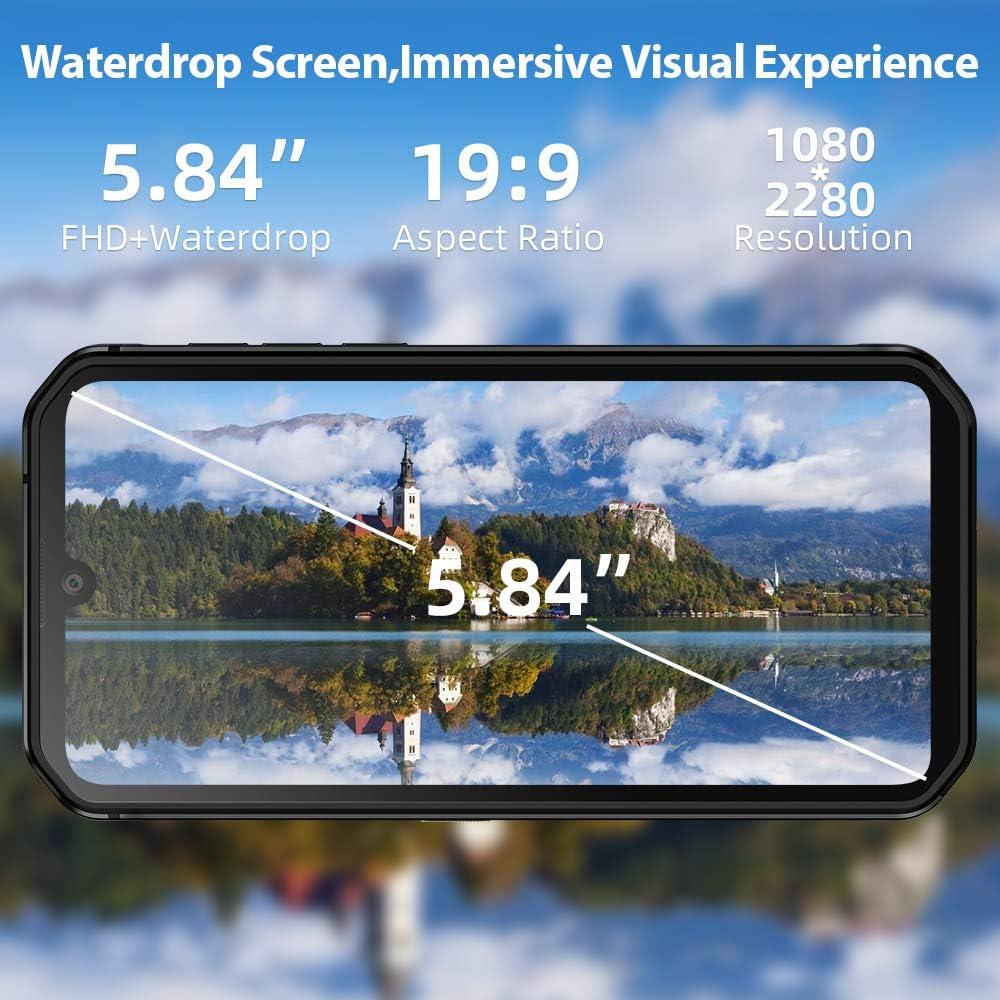
The 5.84-inch FHD+ Waterdrop screen offers a wide field of view with a resolution of 1080x2280 pixels.
The BV9900E features a 5.84-inch FHD+ Waterdrop display with a resolution of 1080 x 2280 pixels and a 19:9 aspect ratio. Navigation is primarily via the touchscreen. The device runs on Android 10, offering a user-friendly interface and access to a wide range of applications.
- Domovská obrazovka: Přístup k aplikacím, widgetům a oznámením.
- Panel oznámení: Přejeďte prstem dolů z horní části obrazovky na view oznámení a rychlé nastavení.
- Nastavení: Access device settings for customization and management.
- Tmavý režim: Android 10 supports a system-wide Dark Mode, which can be enabled in display settings for improved visual comfort and battery saving.
Funkce fotoaparátu

Černýview BV9900E features a 48MP AI Quad Rear Camera with a 16MP ultra-wide lens, supporting Super Night Shot Mode and 120° ultra-wide field of view HDR.
The BV9900E is equipped with a versatile AI Quad Camera system:
- Hlavní fotoaparát: 48MP snímač pro fotografie ve vysokém rozlišení.
- Ultraširokoúhlý záběr: 16MP lens with a 120° field of view pro rozsáhlé záběry.
- Makro objektiv: 4cm focus macro lens for detailed close-up photography.
- Přední kamera: 16MP pro selfie a videohovory.
- Nahrávání videa: Supports 4K video recording at 30 frames per second (fps).
- Speciální režimy:
- Super noční režim: Enhances low-light photography for clearer images in dark conditions.
- Podvodní režim: Allows for photography and videography while submerged. Ensure all ports are securely sealed before using this mode.
To use the camera, open the Camera app. You can switch between photo, video, and other modes by swiping across the screen or selecting the desired mode from the interface. Tap the shutter button to capture an image or start/stop video recording.
Sensors and Tools

Černýview BV9900E integrates multiple sensors, including GPS, Glonass, Beidou, Galileo for navigation, a heart rate monitor, and a barometer.
- GPS navigace: Supports GPS, GLONASS, Beidou, and Galileo for accurate positioning.
- Monitor srdečního tepu: Located on the rear of the device, use the dedicated app to measure your heart rate.
- Barometr: Measures atmospheric pressure, useful for outdoor activities and altitude tracking.
- Boční snímač otisků prstů: Pro bezpečné a rychlé odemčení zařízení.
- NFC (Near Field Communication): For contactless payments and quick data transfer.
Vlastnosti odolnosti

Černýview BV9900E features an extremely solid structure with a metal frame, secured screws, shock-proof liquid silicone, and Corning Gorilla Glass 5 for enhanced durability.
Černýview BV9900E is built to withstand harsh conditions:
- Krytí IP68 a IP69K: Certified for water and dust resistance. It can withstand submersion in water up to 1.5 meters for 30 minutes.
- MIL-STD-810G Compliance: Meets military standards for durability, including resistance to drops from up to 1.5 meters.
- Corning Gorilla Glass 5: Provides enhanced scratch and drop resistance for the display.
- Ledový režim: Allows the phone to function in extremely cold temperatures, down to -30°C. This mode optimizes essential functions for cold environments.
While the device is rugged, it is important to ensure all port covers are securely closed before exposing it to water or dust to maintain its protective ratings.
Nabíjení a baterie
The BV9900E is equipped with a 4380mAh Lithium-ion battery, offering extended usage times. It supports both wired and wireless charging.
- Kabelové nabíjení: Use the provided USB Type-C cable and power adapter for 18W fast charging. A full charge takes approximately 2.5 hours.
- Bezdrátové nabíjení: The device supports 10W wireless charging. Place the phone on a compatible wireless charging pad.
- Životnost baterie: The average battery life is approximately 5 years, with up to 6 hours of talk time.
To optimize battery life, consider adjusting screen brightness, disabling unnecessary background apps, and using power-saving modes when available.
Konektivita
Černýview BV9900E offers comprehensive connectivity options:
- 4G LTE: Supports global 4G LTE bands for reliable cellular connectivity.
- Duální 4G VoLTE: Allows for voice calls over LTE on both SIM cards simultaneously.
- Wi-Fi: Připojte se k bezdrátovým sítím pro přístup k internetu.
- Bluetooth: For connecting to wireless accessories like headphones or speakers.
- NFC: Enable NFC for contactless payments and quick pairing with other NFC-enabled devices.
Údržba
Pro zajištění dlouhé životnosti a optimálního výkonu vašeho Blackview BV9900E, dodržujte tyto pokyny pro údržbu:
- Čištění: Použijte měkký, damp hadříkem. Nepoužívejte agresivní chemikálie ani abrazivní materiály.
- Kryty portů: Always ensure all port covers (USB-C, SIM tray) are securely closed to maintain water and dust resistance.
- Aktualizace softwaru: Pravidelně kontrolujte a instalujte aktualizace systému, abyste zajistili, že vaše zařízení má nejnovější funkce a bezpečnostní záplaty.
- Správa úložiště: Pravidelně odstraňujte nepotřebné filea aplikace pro uvolnění úložného prostoru a zlepšení výkonu.
- Teplota: Avoid exposing the device to extreme temperatures outside its operating range, except when using IceMode in cold conditions.
Odstraňování problémů
Pokud narazíte na problémy s vaším Blackview BV9900E, try the following solutions:
| Problém | Možné řešení |
|---|---|
| Zařízení se nezapíná | Ujistěte se, že je baterie nabitá. Připojte zařízení k nabíječce alespoň na 15 minut a poté jej zkuste znovu zapnout. |
| Aplikace padá nebo zamrzávají | Close background apps. Clear app cache or data. Restart the device. Ensure sufficient storage space. |
| Špatná kvalita hovoru | Check network signal strength. Ensure SIM cards are correctly inserted. Try enabling or disabling VoLTE in settings. |
| Water or dust ingress (despite ratings) | Immediately power off the device. Do not attempt to charge. Contact customer support. Ensure all port covers were properly sealed. |
| Baterie se rychle vybíjí | Adjust screen brightness. Disable GPS, Wi-Fi, Bluetooth when not in use. Check battery usage in settings to identify power-hungry apps. |
| Snímač otisků prstů nefunguje | Ujistěte se, že máte prst čistý a suchý. Znovu zaregistrujte své otisky prstů v nastavení. |
If the problem persists, please contact Blackview zákaznickou podporu pro další pomoc.
Specifikace

Physical dimensions of the Blackview BV9900E smartphone.
| Funkce | Detail |
|---|---|
| Název modelu | BV9900E |
| Operační systém | Android 10 (as per feature bullets, though specs list 9.0) |
| Procesor | MediaTek Helio P90 Octa-core, 2200 MHz |
| BERAN | 6 GB |
| Interní úložiště | 128 GB |
| Rozšiřitelné úložiště | Up to 128 GB (MicroSD, shares SIM slot) |
| Velikost displeje | 5.84 palců |
| Rozlišení displeje | 1080 x 2280 FHD+ |
| Typ zobrazení | LCD |
| Ochrana displeje | Corning Gorilla Glass 5 |
| Zadní kamera | 48 MP (main) + 16 MP (ultra-wide) + 2 MP + 0.3 MP (quad setup) |
| Přední kamera | 16 MP |
| Rozlišení videa | 4K při 30 fps |
| Kapacita baterie | 4380 mAh (lithium-iontová) |
| Nabíjení | 18W Fast Charge, 10W Wireless Charge |
| Typ SIM karty | Nano SIM (podpora dvou SIM karet) |
| Konektivita | 4G LTE, Wi-Fi, Bluetooth, NFC |
| Navigace | GPS, GLONASS, Beidou, Galileo |
| Senzory | Fingerprint (side-mounted), Heart Rate Sensor, Barometer |
| Hodnocení trvanlivosti | IP68, IP69K, MIL-STD-810G |
| Provozní teplota | Supports -30°C (IceMode) |
| Rozměry (D x Š x V) | 15.6 × 7.8 × 1.4 cm (156.5 × 78.3 × 14.2 mm) |
| Hmotnost | 230 gramů |
Záruka a podpora
Černýview provides a standard warranty for its products. Please refer to the warranty card included in your product packaging for specific terms and conditions, including warranty period and coverage.
For technical support, troubleshooting assistance, or warranty claims, please visit the official Blackview website or contact their customer service. Contact information can typically be found on the Blackview webwebu nebo v dokumentaci dodané se zařízením.
When contacting support, please have your device model (BV9900E) and serial number ready.