
1. Úvod
Thank you for choosing the Sharkoon CA300T ATX PC Case. This full tower case is designed for high-performance gaming systems, offering extensive compatibility, efficient cooling, and advanced cable management features. This manual provides essential information for the proper setup, operation, and maintenance of your new PC case.
2. Bezpečnostní informace
- Před instalací nebo demontáží jakýchkoli součástí uvnitř skříně počítače vždy odpojte napájecí zdroj ze zásuvky.
- Handle components with care to avoid damage from electrostatic discharge. Consider using an anti-static wrist strap.
- Uchovávejte malé díly a obalové materiály mimo dosah dětí.
- Avoid placing the PC case in direct sunlight, near heat sources, or in environments with high humidity.
- Do not attempt to modify the case structure, as this may void your warranty and cause damage.
3. Obsah balení
Zkontrolujte prosím obsah balení, abyste se ujistili, že jsou přítomny všechny položky:
- PC skříň Sharkoon CA300T ATX
- Accessory box (screws, cable ties, standoffs, etc.)
- RGB lighting controller (if applicable)
- Návod k použití (tento dokument)
4. Konec produktuview a funkce
The Sharkoon CA300T is a premium full tower ATX PC case designed for enthusiasts. It features a modern design with robust construction, tempered glass panels, and advanced cooling options.
Klíčové vlastnosti:
- Full Tower Design: Ample space for high-end components and custom liquid cooling solutions.
- Panely z tvrzeného skla: Side panels made of tempered glass for a clear view vnitřních součástí.
- RGB osvětlení: Integrated RGB lighting for customizable aesthetics.
- Optimalizované proudění vzduchu: Includes three 120mm fans and supports multiple radiators for superior cooling.
- Advanced Cable Management: Features an openable cable pocket/channel and ample routing options for a clean build.
- Prachové filtry: Three-layer top plate with a dust filter to maintain system cleanliness.
- Rozsáhlá konektivita: Front panel includes 2x USB 3.0 ports and additional USB ports.
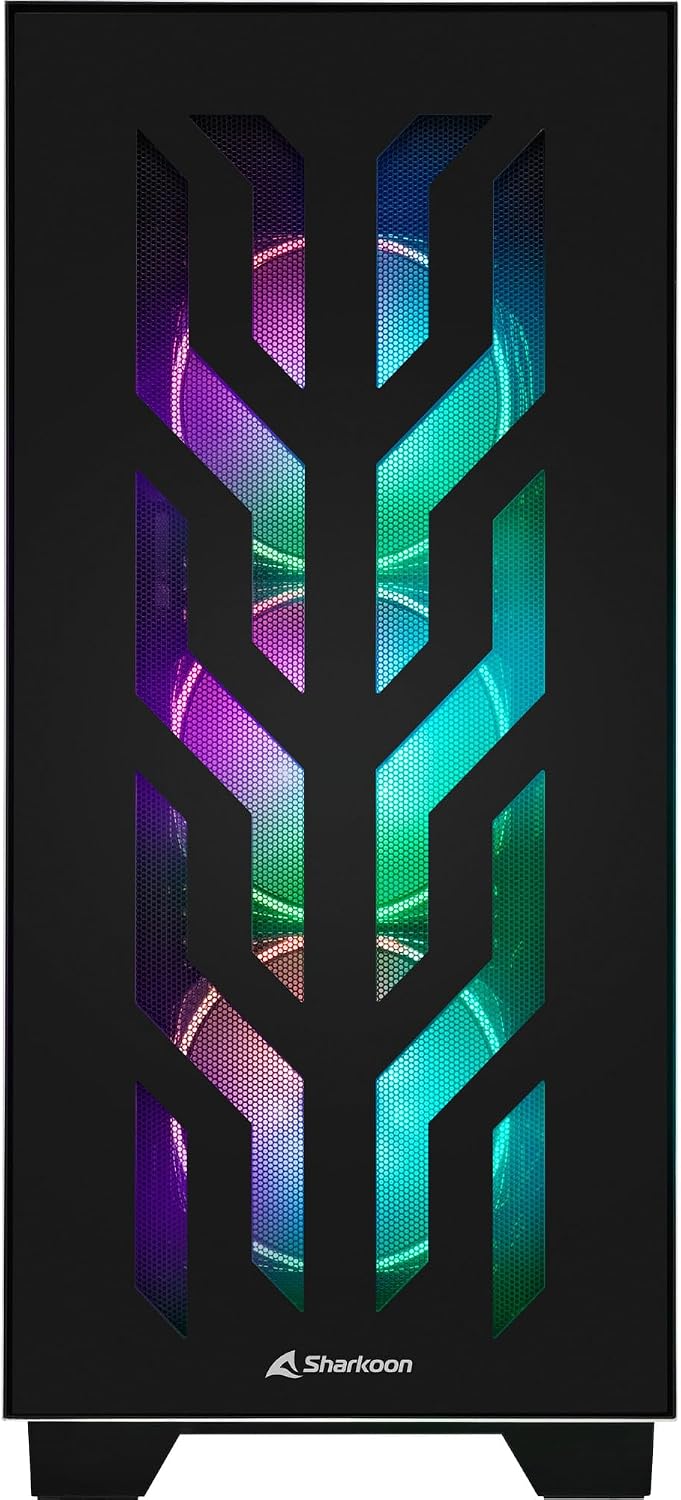
Obrázek 4.1: Přední strana view of the Sharkoon CA300T PC case, showcasing the illuminated RGB fans behind the mesh panel.
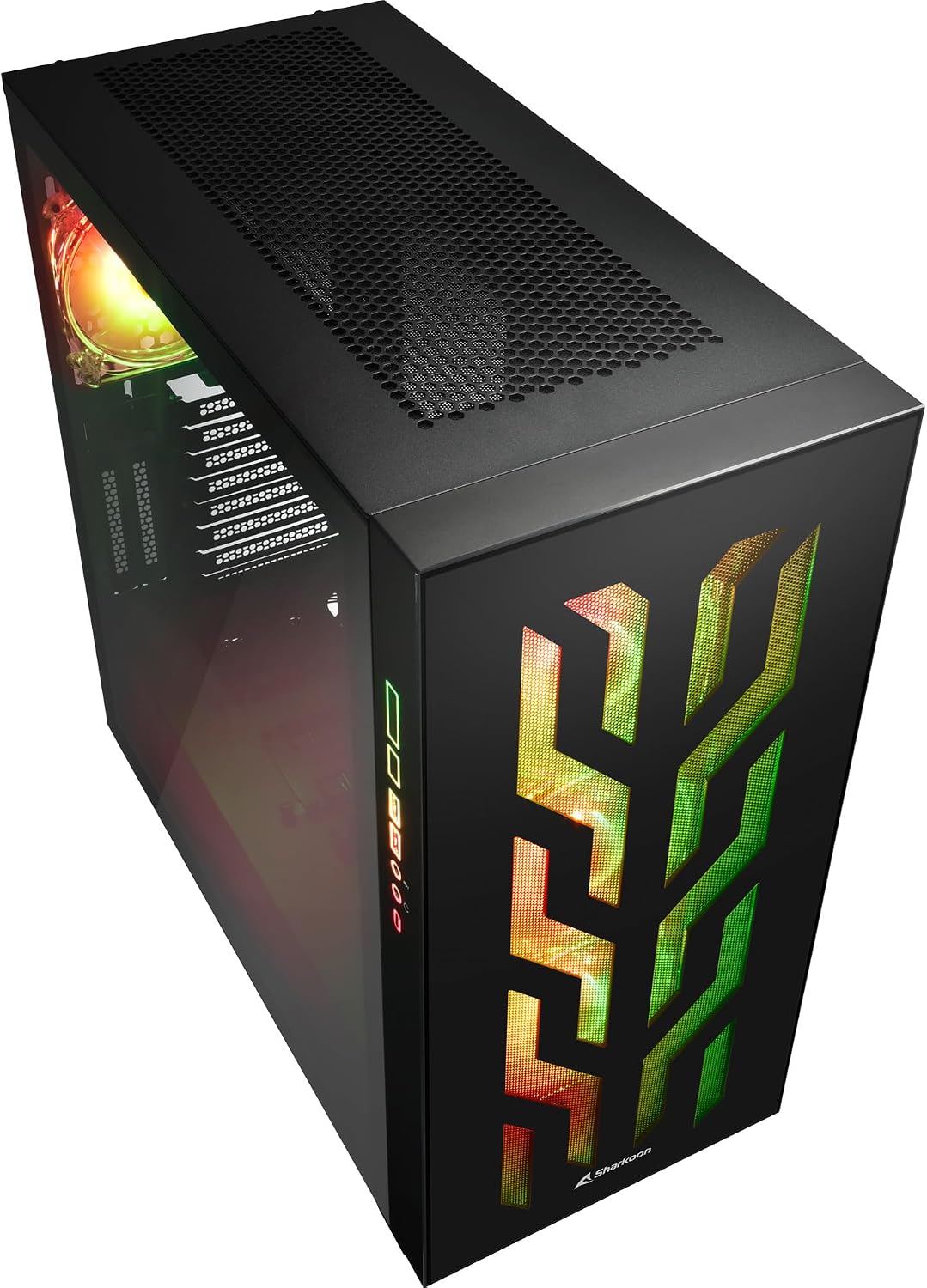
Obrázek 4.2: Úhlové view of the Sharkoon CA300T PC case, showing the tempered glass side panel and the vibrant RGB lighting from the interior.
5. Nastavení
5.1 Vybalení
- Opatrně vyjměte skříň počítače z obalu.
- Inspect the case for any signs of damage during transit. Contact your retailer if any damage is found.
- Locate the accessory box inside the case, which contains screws and other installation hardware.
5.2 Demontáž bočních panelů
The Sharkoon CA300T features tempered glass side panels for easy access to components.
- Locate the two screws on the rear of the case securing the side panel.
- Odšroubujte tyto dva šrouby.
- Gently pull the panel upwards and away from the case to remove it. Repeat for the other side if necessary.

Obrázek 5.1: Interiér view of the Sharkoon CA300T PC case, showing the main compartment with the left tempered glass panel removed, ready for component installation.

Obrázek 5.2: Interiér view of the Sharkoon CA300T PC case with the left side panel completely removed, exposing the motherboard tray and various mounting points.
5.3 Instalace základní desky
- Install the necessary standoffs onto the motherboard tray according to your ATX motherboard's screw holes.
- Carefully place your ATX motherboard onto the standoffs, aligning the screw holes.
- Zajistěte základní desku dodanými šrouby.
5.4 Instalace jednotky napájecího zdroje (PSU)
The CA300T supports bottom-mounted power supplies.
- Zasuňte zdroj do určené přihrádky ve spodní zadní části skříně.
- Secure the PSU to the case with screws from the rear.
5.5 Instalace měniče
The case provides internal bays for 3.5-inch and 2.5-inch drives.
- Locate the drive cages or mounting points for your 3.5-inch or 2.5-inch drives.
- Mount your drives using the appropriate screws or tool-less mechanisms.
5.6 Instalace grafické karty a rozšiřující karty
The case offers multiple expansion slots and supports vertical GPU mounting.
- Odstraňte potřebné kryty rozšiřujících slotů ze zadní strany skříně.
- Vložte grafickou kartu nebo jiné rozšiřující karty do slotů PCIe na základní desce.
- Secure the cards with screws. For vertical GPU mounting, an additional riser cable (not included) is required.
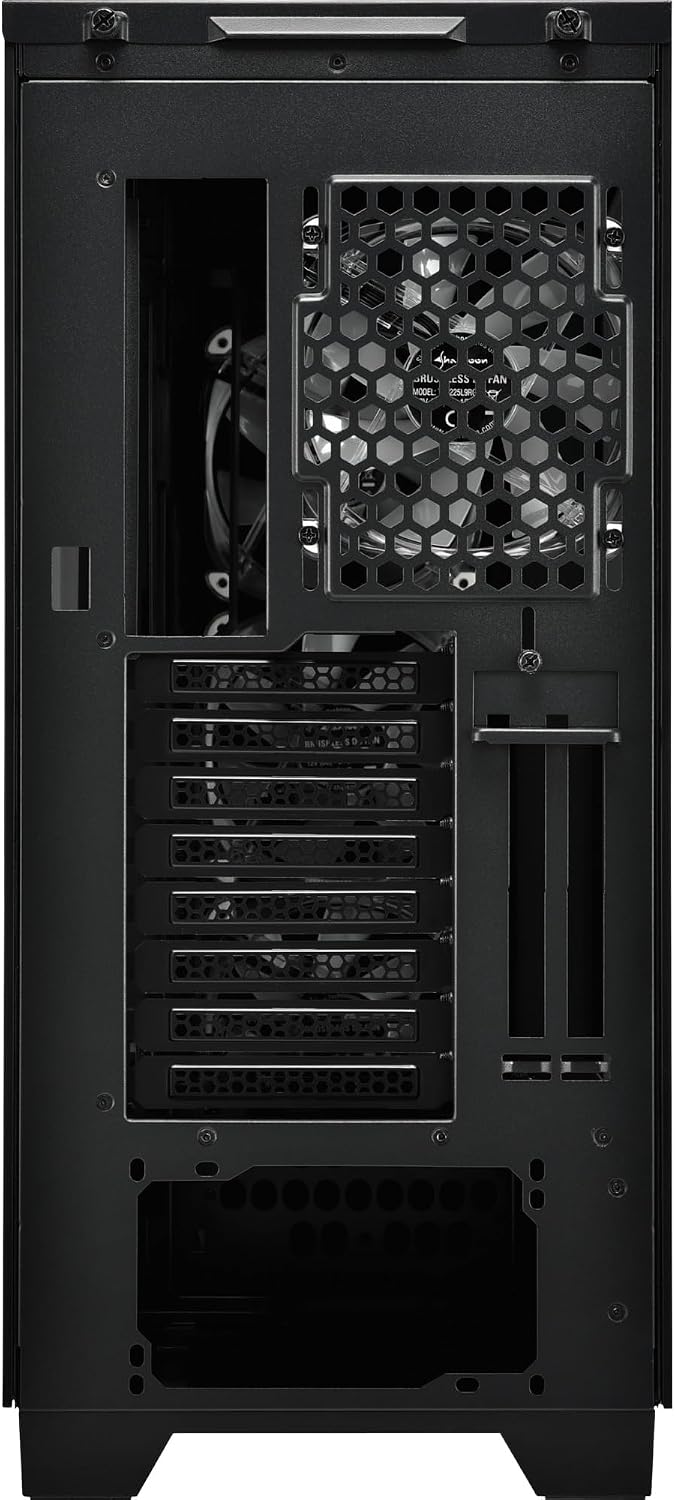
Obrázek 5.3: Zadní view of the Sharkoon CA300T PC case, illustrating the expansion slots, rear fan mount, and PSU opening.
5.7 Správa kabelů
Využijte kanály pro vedení kabelů a úchyty za přihrádkou základní desky k uspořádání kabelů pro lepší proudění vzduchu a estetiku.

Obrázek 5.4: Zadní interiér view of the Sharkoon CA300T PC case, highlighting the dedicated cable management area behind the motherboard tray.
6. Provoz
6.1 Zapnutí/vypnutí
After all components are installed and cables are connected, press the power button on the front panel to turn on your system. Press it again to turn off, or use your operating system's shutdown function.
6.2 Ovládání RGB osvětlení
The integrated RGB lighting can be controlled via the dedicated RGB controller (if included) or through compatible motherboard software, depending on how the RGB components are connected. Refer to your motherboard manual for software control options.
7. Údržba
7.1 Čištění prachových filtrů
The Sharkoon CA300T features a three-layer top plate with a dust filter. Regularly clean all dust filters to maintain optimal airflow and cooling performance.
- Vypněte a odpojte počítač ze zásuvky.
- Carefully remove the dust filters (e.g., from the top, front, and bottom).
- Clean the filters using compressed air or by gently washing them with water. Ensure they are completely dry before reinstallation.
7.2 Obecná péče
- Otřete vnější část pouzdra měkkým hadříkemamp tkanina. Vyhněte se abrazivním čisticím prostředkům.
- Ensure all cables are securely connected and not obstructing airflow.
8. Řešení problémů
Pokud narazíte na problémy s sestavením počítače, zvažte následující běžné kroky pro řešení potíží:
- Bez napájení: Ensure the power supply is properly connected to the wall outlet and the motherboard. Check all power cables (24-pin, CPU, GPU).
- Ventilátory se netočí: Verify that all fan headers are correctly connected to the motherboard or fan controller. Check BIOS settings for fan control.
- Bez displeje: Confirm that your monitor is connected to the graphics card (not the motherboard's integrated graphics, unless intended). Reseat the graphics card and RAM modules.
- RGB nefunguje: Check RGB cable connections to the motherboard or controller. Ensure any necessary software is installed and configured.
- Přehřívání: Ensure all fans are spinning correctly and dust filters are clean. Verify proper thermal paste application on the CPU cooler.
For more complex issues, consult the manuals for your individual components (motherboard, GPU, PSU) or seek professional assistance.
9. Specifikace
| Funkce | Specifikace |
|---|---|
| Značka | Sharkoon |
| Název modelu | CA300T |
| Typ pouzdra | Plná věž |
| Kompatibilita základní desky | ATX |
| Doporučené použití | Hraní |
| Barva | Černý |
| Materiál | Kov |
| Power Supply Mount Type | Spodní montáž |
| Způsob chlazení | Vzduch |
| Velikost ventilátoru | 120 mm |
| Počet fanoušků | 3 |
| Total Expansion Slots | 4 |
| Total USB 3.0 Ports | 2 |
| Celkový počet portů USB | 3 |
| Speciální funkce | RGB Lighting, Openable Cable Pocket, Three-layer Top Plate with Dust Filter |
| HDD Bay Size | 3.5 palce |
| Number of Internal Bays | 4 |
| Kompatibilní zařízení | ATX Motherboards, 3.5-inch Hard Drives |
| Světlá barva | RGB |
| Hmotnost položky | 14.7 kg |
10. Záruka
The Sharkoon CA300T PC Case comes with a 2letá záruka výrobce. Please retain your proof of purchase for warranty claims. The warranty covers defects in materials and workmanship under normal use. It does not cover damage caused by misuse, accidents, unauthorized modifications, or improper installation.
11. Podpora
For technical support, warranty inquiries, or further assistance, please visit the official Sharkoon webwebu nebo kontaktujte jejich oddělení zákaznických služeb. Kontaktní informace a často kladené otázky naleznete na jejich stránkách podpory.
Oficiální Webmísto: www.sharkoon.com