
Zavedení
This manual provides detailed instructions for the Amkette Evo Fox Elite Pro Wireless Gamepad. This device is designed for use with PC (X Input), PS3, and Android TV, offering a high-performance wireless gaming experience with dual vibration and extended battery life.


Pokyny pro nastavení
Follow these steps to set up your Amkette Evo Fox Elite Pro Wireless Gamepad for various platforms.
Obsah balení:
- Amkette Evo Fox Elite Pro Wireless Gamepad
- High Performance USB Receiver
- Charging Cable (Charger included)
Charging the Gamepad:
Before initial use, ensure the gamepad is fully charged. Connect the charging cable to the gamepad and a power source. A full charge typically takes approximately 2 hours. The gamepad contains 2 Lithium Ion batteries.
Připojení k zařízením:
The gamepad utilizes a 2.4 GHz wireless USB receiver for connectivity.
- Vložte USB přijímač: Plug the high-performance USB receiver into an available USB port on your PC, PS3 console, or Android TV.
- Power On the Gamepad: Press the central 'Evo Fox' button to power on the gamepad. The gamepad will automatically attempt to connect to the receiver.
- Automatická detekce: The gamepad features auto-detect functionality for PC, PS3, and Android TV. Once connected, the device should recognize the gamepad. For PC, it supports X Input.


Návod k obsluze
Understand the features and functions of your gamepad for optimal gaming performance.
Základní ovládání:
- Analogové páčky: Two high-precision analog sticks for movement and camera control.
- D-Pad: Směrový ovladač pro přesné zadávání směru.
- Akční tlačítka: Standard A, B, X, Y buttons (or corresponding PlayStation symbols) for in-game actions.
- Ramenní tlačítka/spouště: L1/R1 (bumpers) and L2/R2 (triggers) for additional controls.
- Tlačítka Start/Vybrat/Domů: For menu navigation and system functions.
Dual Vibration Feedback:
The gamepad is equipped with dual vibration motors that provide immersive haptic feedback during gameplay, enhancing realism for impacts, explosions, and other in-game events.

Životnost baterie:
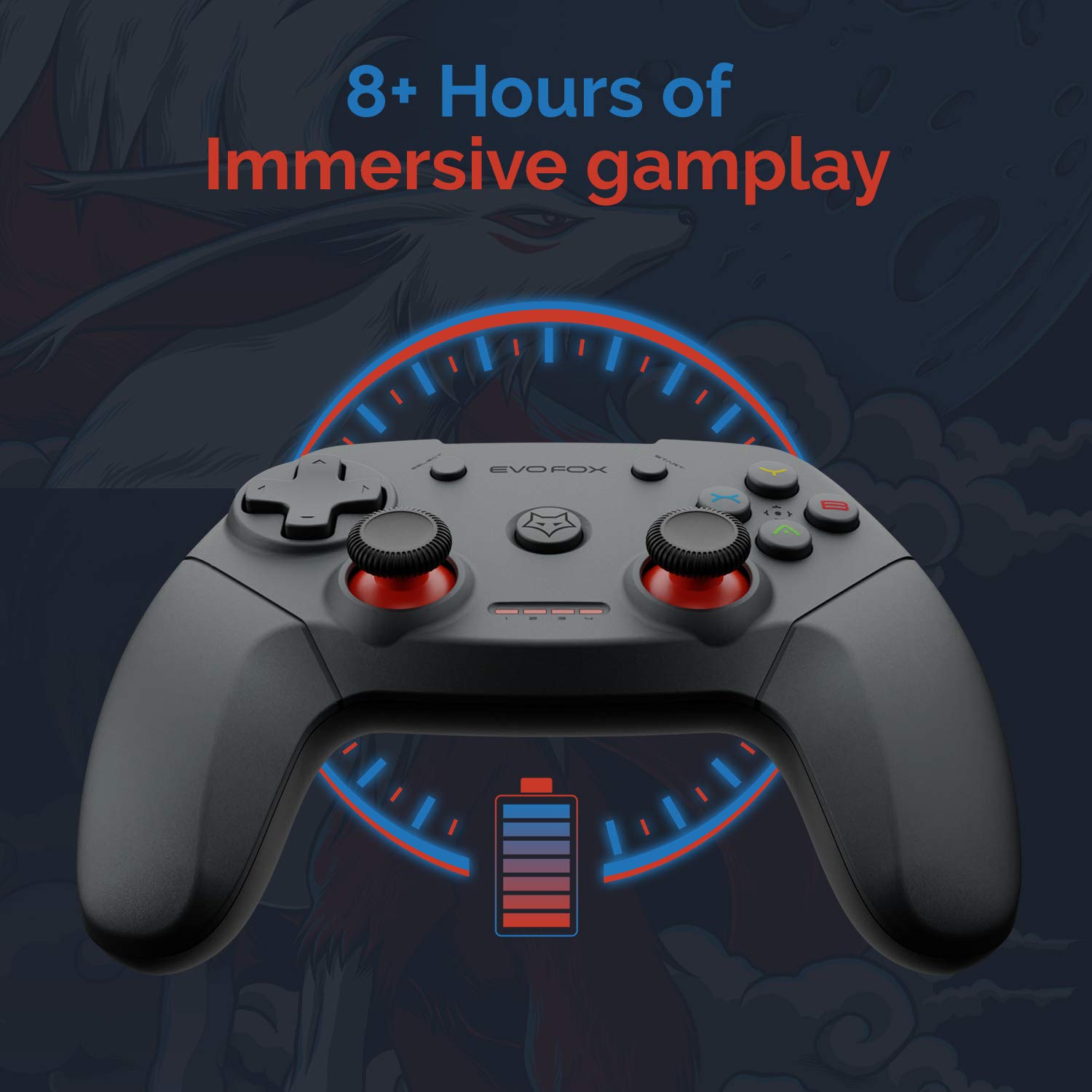
The gamepad offers an average battery life of 8+ hours on a single charge, allowing for extended gaming sessions. The battery indicator lights on the gamepad will provide an indication of the remaining charge.
Řízení spotřeby:
The gamepad does not feature a dedicated 'off' button. To conserve battery life, it is recommended to remove the USB dongle from the connected device when the gamepad is not in use. Leaving the dongle connected may cause the gamepad to remain active and drain its battery, especially with wall-mounted TVs where the dongle might be less accessible.
Údržba
Proper care and maintenance will extend the life of your Amkette Evo Fox Elite Pro Wireless Gamepad.
- Čištění: Use a soft, dry cloth to clean the surface of the gamepad. Avoid using harsh chemicals or abrasive materials.
- Skladování: Gamepad skladujte na chladném a suchém místě mimo dosah přímého slunečního záření a extrémních teplot.
- Péče o baterie: Recharge the gamepad when the battery indicator is low. Avoid completely draining the battery frequently to prolong its overall lifespan.
- USB přijímač: Chraňte USB přijímač před prachem a fyzickým poškozením.
Odstraňování problémů
If you encounter issues with your gamepad, refer to the following common problems and solutions.
Problémy s připojením:
- Gamepad Disconnects Frequently:
- Ensure the USB receiver is not in a hidden spot or obstructed, which can cause range issues. Consider using a USB extension cable if the receiver is far from the gamepad or in an obstructed location.
- Some users have reported conflicts with USB 3.0 ports or other USB devices (like a mouse) when connected to the same USB controller. Try connecting the gamepad's USB receiver to a USB 2.0 port, preferably on the back panel of a PC, and ensure other peripherals are on different USB controllers if possible.
- Ujistěte se, že je gamepad dostatečně nabitý.
- Gamepad se nepřipojuje:
- Ověřte, zda je USB přijímač bezpečně zapojen do zařízení.
- Press the central 'Evo Fox' button on the gamepad to ensure it is powered on.
- Zkuste zapojit USB přijímač do jiného USB portu.
- Resetting the Gamepad: If the gamepad is unresponsive, a hard reset may be required. Locate a small pinhole on the gamepad (often on the back or bottom). Use a thin object like a paperclip to press and hold the reset button inside for a few seconds.
Problémy s baterií:
- Gamepad Not Charging:
- Zkontrolujte nabíjecí kabel a zdroj napájení, zda jsou správně připojeny.
- Zkuste jiný nabíjecí kabel nebo USB port.
- Krátká výdrž baterie:
- Ensure the gamepad is fully charged before use (approx. 2 hours).
- Remember to remove the USB dongle when not in use to prevent passive battery drain.
Tlačítka/joysticky nereagují:
- Perform a gamepad reset as described above.
- Ensure the gamepad is properly connected and recognized by your device.
- Test the gamepad with another game or application to rule out software-specific issues.
Specifikace
| Funkce | Detail |
|---|---|
| Značka | Amkette |
| Číslo modelu | 827 |
| Barva | Černý |
| Technologie připojení | 2.4 GHz Wireless (via USB Receiver) |
| Kompatibilní zařízení | PC (X Input), PS3, Android TV |
| Typ ovladače | Gamepad |
| Hardwarová platforma | Desktop |
| Operační systém | Android |
| Rozměry produktu | 18 x 12 x 12 cm |
| Hmotnost položky | 210 g |
| Baterie | 2 lithium-iontové baterie (součástí balení) |
| Doba nabíjení baterie | 2 hodiny |
| Průměrná životnost baterie | 8 hodiny |
| Energetický obsah lithiové baterie | 8 W hodin |
| Zahrnuté komponenty | Gamepad, USB Receiver, Charger |
| První dostupný termín | 1. září 2020 |
Záruka a podpora
Amkette provides comprehensive support for its products.
Informace o záruce:
The Amkette Evo Fox Elite Pro Wireless Gamepad comes with a 1-Year Manufacturing Warranty. Tato záruka se vztahuje na vady materiálu a zpracování při běžném používání.
Zákaznická podpora:
For any technical assistance, warranty claims, or product-related inquiries, please contact Amkette customer support:
- Telefon/WhatsApp: +919312691448 XNUMX XNUMX XNUMX
- E-mail: techsupport@amkette.in
Před kontaktováním podpory si prosím připravte číslo modelu produktu (827) a podrobnosti o nákupu.