
1. Úvod
Děkuji za nákupasing the Salora SBO680 Soundbar. This manual provides essential information for the safe and efficient operation of your new audio system. Please read it thoroughly before use and retain it for future reference.
The Salora SBO680 is a sophisticated audio solution designed to enhance your home entertainment experience. Featuring 2.1 audio output channels, it delivers immersive sound with a 60W RMS rated power, ensuring crystal-clear audio reproduction. The soundbar speaker has an RMS power of 40W and a 6.35 cm (2.5 inch) tweeter diameter, providing crisp highs and detailed mid-range frequencies. Its active subwoofer, with an RMS power of 20W, adds rich, deep bass to your audio, improving the overall listening experience. The product is available in an elegant black color, complementing any interior decor, and is ideal for home use. Volume control is conveniently managed via buttons, offering ease of use. With wired and wireless connectivity technology, the Salora SBO680 offers versatile options for seamless integration into your entertainment setup.

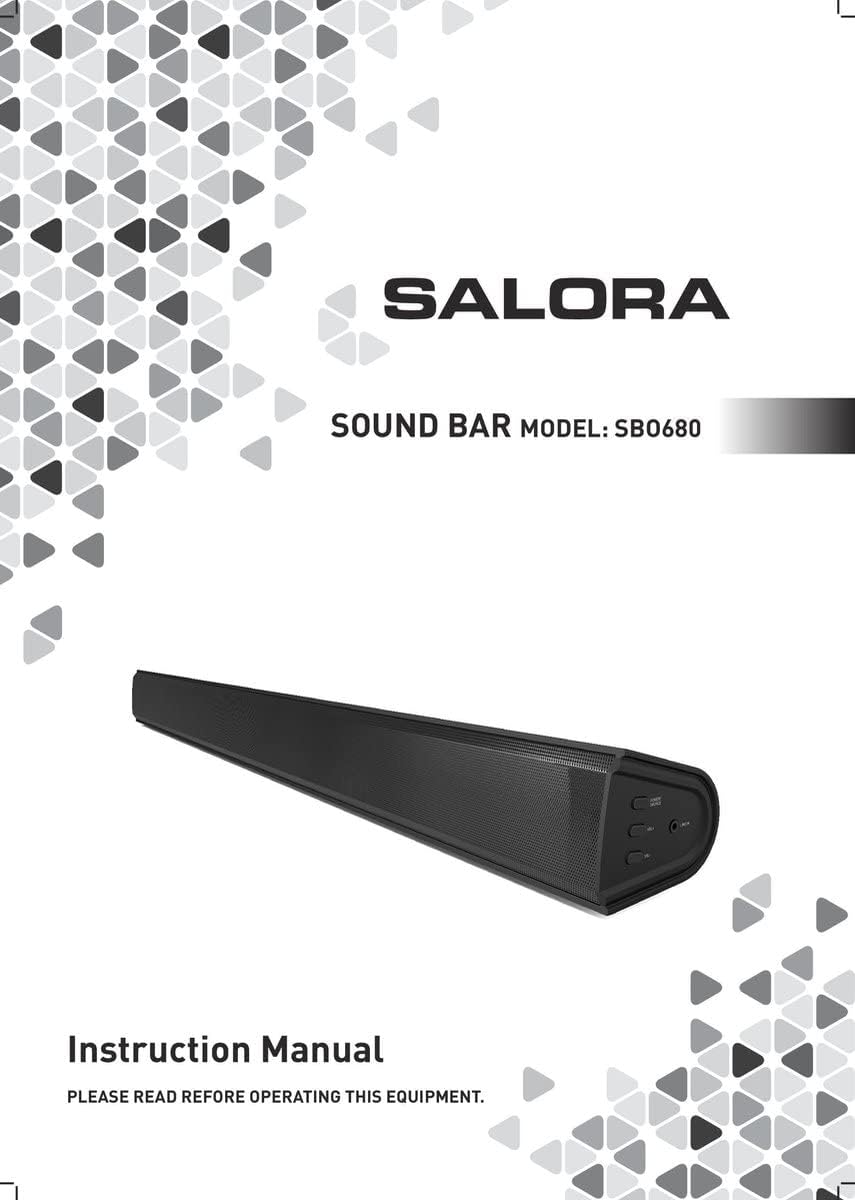
Image: Front cover of the Salora SBO680 Soundbar instruction manual.
2. Důležité bezpečnostní informace
- Přečtěte si pokyny: Před použitím výrobku si přečtěte všechny bezpečnostní a provozní pokyny.
- Uschovejte pokyny: Uschovejte bezpečnostní a provozní pokyny pro budoucí použití.
- Dbejte varování: Dodržujte všechna varování na výrobku a v návodu k obsluze.
- Postupujte podle pokynů: Dodržujte všechny pokyny k obsluze a použití.
- Čištění: Před čištěním odpojte tento výrobek ze zásuvky. Nepoužívejte tekuté čističe nebo aerosolové čističe. Použijte reklamuamp hadřík na čištění.
- Přílohy: Nepoužívejte nástavce, které nejsou doporučeny výrobcem produktu, protože mohou způsobit nebezpečí.
- Voda a vlhkost: Nepoužívejte tento výrobek v blízkosti vody – napřampv blízkosti vany, umyvadla, kuchyňského dřezu, prádelní vany, ve vlhkém sklepě nebo v blízkosti bazénu.
- Větrání: Slots and openings in the cabinet are provided for ventilation to ensure reliable operation of the product and to protect it from overheating. These openings must not be blocked or covered.
- Zdroje energie: Operate this product only from the type of power source indicated on the marking label. If you are not sure of the type of power supply to your home, consult your product dealer or local power company.
- Ochrana napájecího kabelu: Power-supply cords should be routed so that they are not likely to be walked on or pinched by items placed upon or against them.
- Blesk: Aby byla zajištěna vyšší ochrana tohoto produktu během bouřky nebo když jej necháte delší dobu bez dozoru a nepoužíváte, odpojte jej ze zásuvky.
- Servis: Nepokoušejte se sami opravovat tento produkt, protože otevřením nebo sejmutím krytů se můžete vystavit nebezpečnému objtage nebo jiná nebezpečí. Veškeré opravy svěřte kvalifikovanému servisnímu personálu.
3. Obsah balení
Please check that all items are present and in good condition.
- Salora SBO680 Soundbar
- Dálkové ovládání (vyžaduje 2 baterie AAA, nejsou vždy součástí balení)
- Uživatelská příručka (tento dokument)
- Napájecí kabel
4. Konec produktuview
4.1 Přední a boční strana View
Obrázek: Přední strana view of the Salora SBO680 Soundbar, showing the speaker grille.

Image: Close-up of the side panel controls, including Power/Source, Volume Up, Volume Down, and Line In port.
- Power/Source Button: Press to turn on/off or switch input modes.
- Zvýšení hlasitosti (+): Zvyšte hlasitost.
- Snížit hlasitost (-): Snížit hlasitost.
- Port LINE IN: 3.5mm audio vstup pro externí zařízení.
4.2 Zadní View a Připojení

Obrázek: Zadní view of the Salora SBO680 Soundbar, showing various input ports and mounting points.

Image: Close-up of the rear connection panel, featuring USB, HDMI ARC, Optical, and DC 20V power input.
- USB port: Pro přehrávání zvuku filez USB disku.
- Port HDMI ARC: Connect to a TV's HDMI ARC port for audio and control.
- OPTICAL Port: Digital audio input from devices like TVs or game consoles.
- Port DC 20V: Vstupní napětí pro soundbar.
4.3 Dálkové ovládání

Image: The included remote control for the Salora SBO680 Soundbar, showing various buttons for power, volume, input, and sound modes.
The remote control allows you to manage volume, bass/treble, and input selection. It requires 2 AAA batteries (not always included).
- Vypínač: Zapne nebo vypne soundbar.
- Vstupní tlačítko: Přepíná mezi vstupními zdroji (HDMI ARC, optický, AUX, Bluetooth, USB).
- Hlasitost +/-: Adjusts the main volume.
- BA+/-: Nastavuje úrovně basů.
- TR+/-: Upravuje úrovně výšek.
- Music/TV/Movie: Pre-set equalizer modes for different audio content.
- PÁR: Zahájí režim párování Bluetooth.
- VÝCHOZÍ: Resets sound settings to factory defaults.
5. Nastavení a připojení
Before connecting, ensure the soundbar and all devices are powered off.
5.1 Připojení napájení
- Connect the power cable to the DC 20V port on the back of the soundbar.
- Zapojte druhý konec napájecího kabelu do zásuvky ve zdi.
5.2 Connecting to a TV (Recommended)
The Salora SBO680 offers multiple ways to connect to your TV. HDMI ARC is recommended for the best audio quality and ease of control.
5.2.1 Připojení HDMI ARC
HDMI ARC (Audio Return Channel) allows you to send audio from your TV to the soundbar using a single HDMI cable and control the soundbar with your TV remote.
- Connect one end of an HDMI cable (not included) to the HDMI ARC port on the soundbar.
- Connect the other end of the HDMI cable to the HDMI ARC port on your TV. (Look for a port labeled "HDMI ARC" or "HDMI IN (ARC)").
- Turn on the soundbar and select the HDMI ARC input using the remote or the Power/Source button.
- Ensure your TV's audio output settings are configured for HDMI ARC or external speakers.
5.2.2 Optické připojení
Use an optical cable for high-quality digital audio if your TV does not support HDMI ARC.
- Připojte jeden konec optického kabelu (není součástí balení) k optickému portu na soundbaru.
- Connect the other end of the optical cable to the optical digital output port on your TV or other audio source.
- Turn on the soundbar and select the OPTICAL input.
- Ujistěte se, že je zvukový výstup vašeho televizoru nakonfigurován na optický výstup.
5.3 Připojení Bluetooth
Stream audio wirelessly from your smartphone, tablet, or other Bluetooth-enabled devices. The soundbar remembers up to 8 devices.
- Turn on the soundbar and select the BLUETOOTH input using the remote or the Power/Source button. The indicator light will flash, indicating pairing mode.
- Na svém zařízení Bluetooth povolte Bluetooth a vyhledejte dostupná zařízení.
- Select "Salora SBO680" from the list of devices.
- Once paired, the indicator light on the soundbar will stop flashing and remain solid.
- Nyní můžete přehrávat zvuk ze svého zařízení prostřednictvím soundbaru.
- To disconnect, disable Bluetooth on your device or select a different input on the soundbar.
5.4 AUX (Line In) Connection
Connect older devices or devices without digital audio outputs using a 3.5mm audio cable.
- Connect one end of a 3.5mm audio cable (not included) to the LINE IN port on the side of the soundbar.
- Druhý konec připojte ke konektoru pro sluchátka nebo audio výstupu vašeho externího zařízení.
- Turn on the soundbar and select the AUX input.
- Přehrávejte zvuk ze svého zařízení.
5.5 Přehrávání z USB
Přehrát zvuk filepřímo z USB flash disku.
- Insert a USB flash drive (containing compatible audio files) into the USB port on the back of the soundbar.
- Turn on the soundbar and select the USB input.
- Soundbar automaticky začne přehrávat zvuk files from the USB drive. Use the remote control to navigate tracks.
6. Návod k obsluze
6.1 Základní obsluha
- Zapnutí/vypnutí: Press the Power button on the remote or the Power/Source button on the soundbar.
- Nastavení hlasitosti: Use the Volume +/- buttons on the remote or the soundbar.
- Výběr vstupu: Press the Input button on the remote or the Power/Source button on the soundbar to cycle through available inputs (HDMI ARC, Optical, AUX, Bluetooth, USB).
- Ztlumit: Press the Mute button on the remote to temporarily silence the audio. Press again to unmute.
6.2 Sound Modes and Equalizer
The Salora SBO680 offers pre-set equalizer modes and manual bass/treble adjustments to optimize your listening experience.
- Přednastavené režimy: Use the MUSIC, TV, or MOVIE buttons on the remote to select an optimized sound profile pro váš obsah.
- Nastavení basů: Use the BA+/- buttons on the remote to increase or decrease bass levels.
- Nastavení výšek: Use the TR+/- buttons on the remote to increase or decrease treble levels.
- Výchozí nastavení: Press the DEFAULT button on the remote to reset all sound settings to their factory defaults.

Image: Illustration showing the soundbar and remote control, with sound waves emanating from the soundbar, symbolizing immersive audio.
7. Údržba
7.1 Čištění
- Před čištěním vždy odpojte soundbar ze zásuvky.
- K otření vnějších povrchů použijte měkký, suchý hadřík.
- Do not use liquid cleaners, abrasive cleaners, or chemical solvents, as these may damage the finish.
- For the speaker grille, use a soft brush or a vacuum cleaner with a brush attachment to gently remove dust.
7.2 Skladování
- If storing the soundbar for an extended period, unplug it from the power source.
- Skladujte na chladném a suchém místě, mimo dosah přímého slunečního záření a extrémních teplot.
- It is recommended to keep the original packaging for storage and transport.
8. Řešení problémů
If you encounter issues with your Salora SBO680 Soundbar, refer to the following common problems and solutions.
| Problém | Možná příčina | Řešení |
|---|---|---|
| Žádná síla | Napájecí kabel není připojen nebo zásuvka není aktivní. | Ujistěte se, že je napájecí kabel bezpečně připojen k soundbaru a k funkční zásuvce. |
| Žádný zvuk | Incorrect input selected, volume too low, or incorrect TV audio settings. |
|
| Párování Bluetooth se nezdařilo | Soundbar není v režimu párování, zařízení je příliš daleko nebo je dochází k rušení. |
|
| Dálkové ovládání nefunguje | Batteries depleted or remote not aimed correctly. |
|
| Zkreslený zvuk | Volume too high, poor audio source, or incorrect equalizer settings. |
|
9. Specifikace
| Název modelu | Salora SBO680 |
| Značka | SALORA |
| Výstupní výkon (RMS) | 60W (Soundbar: 40W, Subwoofer: 20W) |
| Typ reproduktoru | Soundbar s vestavěným subwooferem |
| Režim zvukového výstupu | Stereo (2.1 kanál) |
| Technologie připojení | Bluetooth, HDMI ARC, Optical, USB, AUX (3.5mm Line In) |
| Bezdrátová komunikace | Bluetooth |
| Kompatibilní zařízení | Chytrý telefon, tablet, televize |
| Kontrolní metoda | Dálkové ovládání, tlačítka na zařízení |
| Rozměry produktu (D x Š x V) | 81 x 9 x 7.85 cm (31.9 x 3.5 x 3.1 palce) |
| Hmotnost položky | 2.6 kilogramů (5.73 lb) |
| Barva | Černý |
| Materiál | Plast |
| Zdroj napájení | Electric Cable (DC 20V) |
| Dálkové baterie | 2 x AAA (nejsou vždy součástí balení) |
| Maximální dosah (Bluetooth) | 12 metrů |
| Speciální funkce | Podpora zvuku ve vysokém rozlišení |
10. Záruka a podpora
For warranty information, please refer to the warranty card included with your product or contact your local retailer.
If you require technical support or have questions not covered in this manual, please visit the official SALORA webnebo kontaktujte jejich oddělení zákaznických služeb.