
SOMIC MS300
Uživatelská příručka bezdrátových Bluetooth sluchátek SOMIC MS300
Model: MS300
Zavedení
Thank you for choosing the SOMIC MS300 Wireless Bluetooth Headphones. This manual provides essential information for setting up, operating, and maintaining your headphones to ensure optimal performance and longevity. The MS300 headphones offer high-fidelity stereo sound, extended battery life, and versatile connectivity options for various devices.

Image: SOMIC MS300 Wireless Bluetooth Headphones in white, showcasinelegantní design.
Obsah balení
- SOMIC MS300 Wireless Bluetooth Headphones
- 3.5mm Audio Cable (with built-in line mic)
- Nabíjecí kabel (USB)
- Uživatelská příručka (tento dokument)
Nastavení
Nabíjení sluchátek
Before first use, fully charge your SOMIC MS300 headphones.
- Connect the charging cable to the charging port on the headphone.
- Druhý konec nabíjecího kabelu připojte k USB zdroji napájení (např. k USB portu počítače, USB adaptéru do zásuvky).
- Kontrolka bude zobrazovat stav nabíjení (podrobnosti naleznete v části o LED indikátorech).
- A full charge provides up to 72 hours of playtime. For quick use, a 5-minute charge can provide approximately 2 hours of playtime.

Image: SOMIC MS300 headphones on a desk, demonstrating the fast charging capability with text overlays indicating "Charge for 5 minutes" and "Used for 2 hours".
Zapnutí/vypnutí
- To power on: Press and hold the Power Switch button until the indicator light illuminates.
- To power off: Press and hold the Power Switch button until the indicator light turns off.
Návod k obsluze
Párování Bluetooth (bezdrátový režim)
The SOMIC MS300 headphones utilize advanced Qualcomm Bluetooth 5.0 for stable and fast connections. They can connect to two devices simultaneously.
- Ujistěte se, že jsou sluchátka vypnutá.
- Press and hold the Power Switch button for approximately 5-7 seconds until the indicator light flashes blue and red alternately, indicating pairing mode.
- On your device (smartphone, tablet, laptop), enable Bluetooth and search for "SOMIC MS300" in the list of available devices.
- Select "SOMIC MS300" to connect. Once connected, the indicator light will turn solid blue or flash blue slowly.
- To connect a second device: After connecting the first device, disable Bluetooth on the first device. Put the headphones back into pairing mode. Connect the second device. Then, re-enable Bluetooth on the first device; the headphones should automatically reconnect to both.

Image: A person wearing the SOMIC MS300 headphones, highlighting their comfortable and lightweight design for extended use.
Kabelové připojení
The headphones can be used in wired mode with the included 3.5mm audio cable, even when the battery is depleted.
- Insert one end of the 3.5mm audio cable into the 3.5mm jack on the headphone.
- Insert the other end into the 3.5mm audio output of your device (e.g., cellphone, PC, laptop).
- In wired mode, the headphones function as passive headphones, and the built-in line mic on the cable can be used for calls.
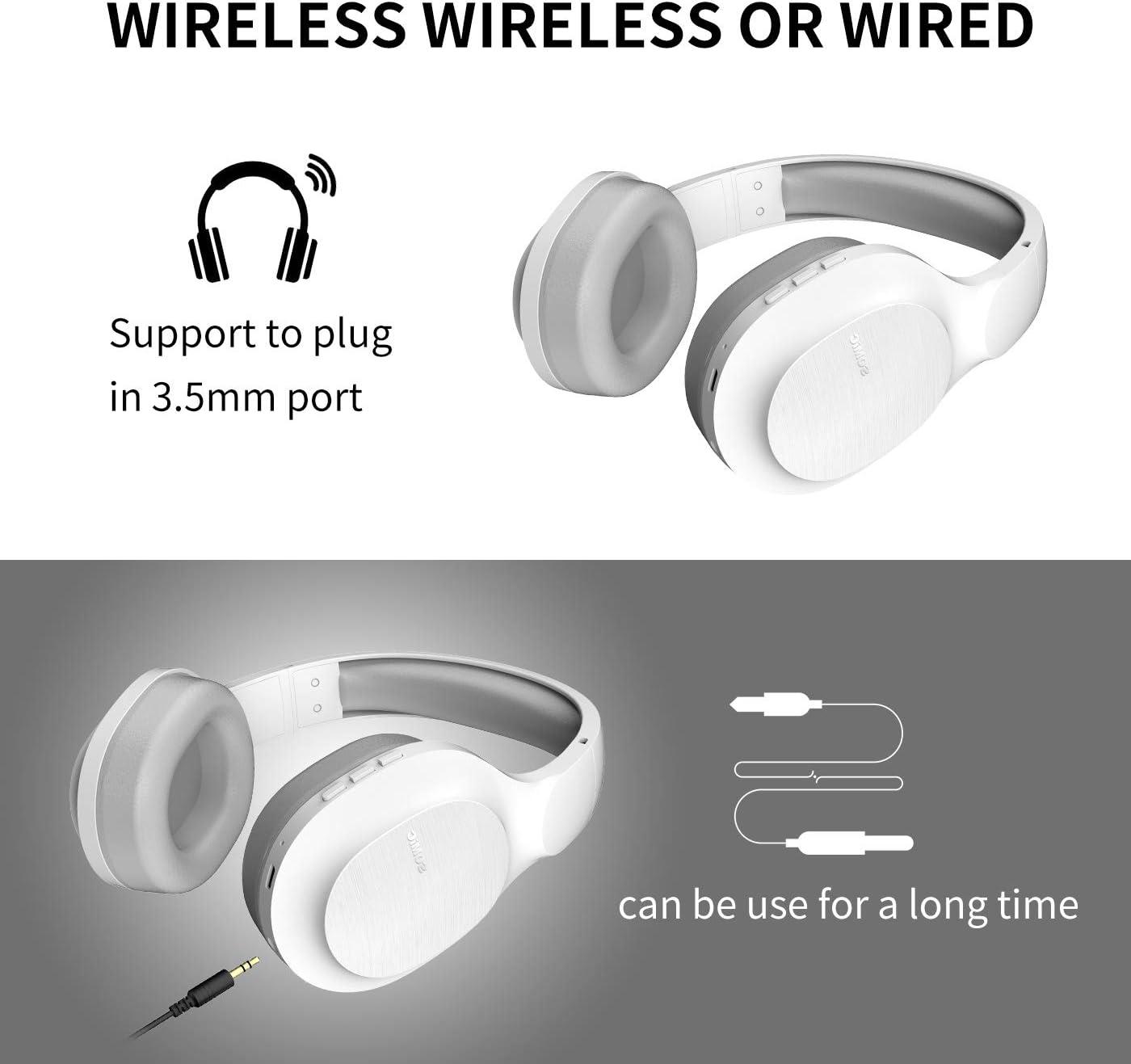
Image: SOMIC MS300 headphones demonstrating both wireless usage and the option to connect via a 3.5mm audio cable for wired listening.
Ovládací prvky
The functional controls are conveniently located on the ear cup.
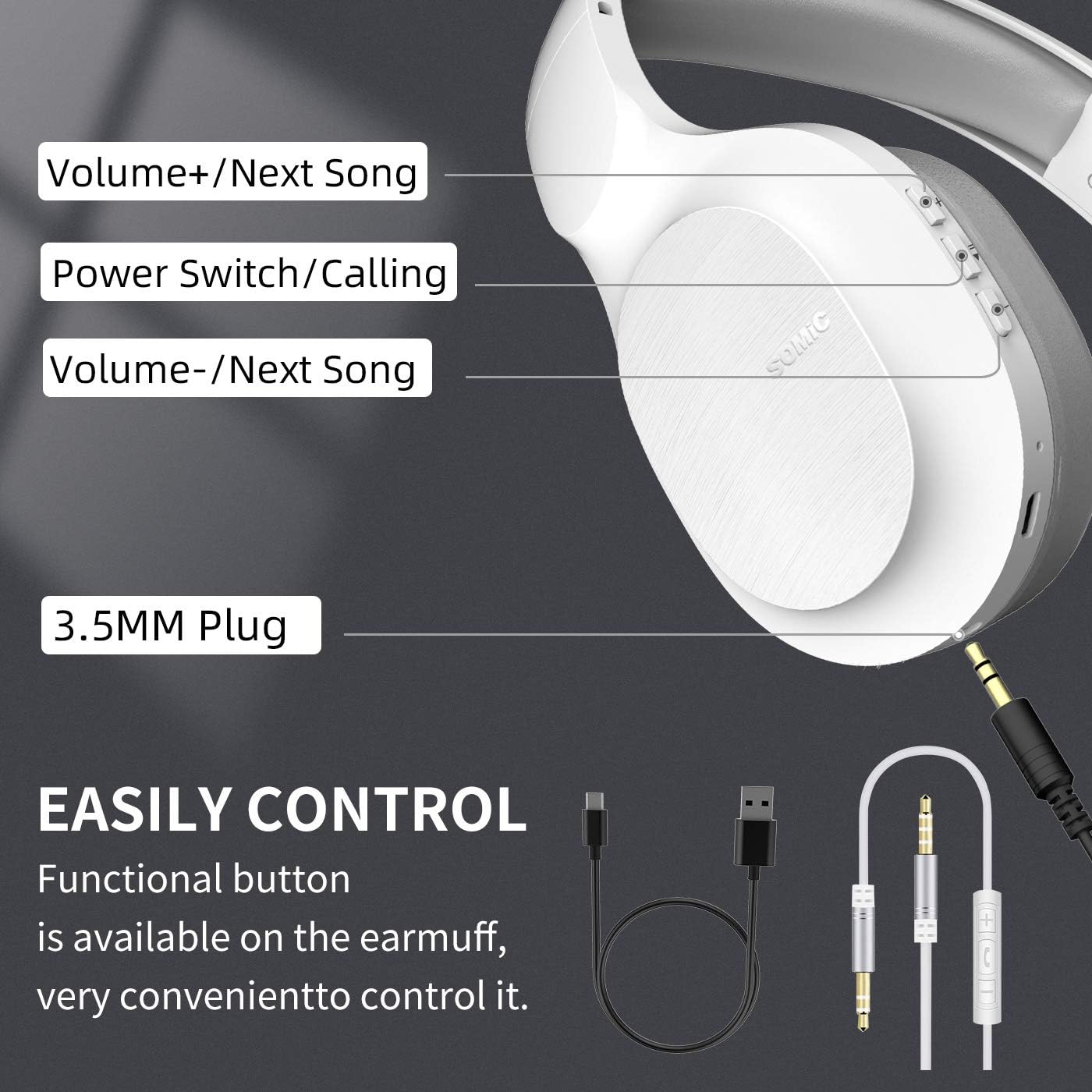
Image: A detailed diagram of the SOMIC MS300 headphone's right ear cup, labeling the Volume+/Next Song, Power Switch/Calling, Volume-/Previous Song buttons, and the 3.5mm plug.
- Hlasitost + / Další skladba:
- Krátké stisknutí: Zvýšení hlasitosti.
- Dlouhé stisknutí: Přeskočí na další skladbu.
- Power Switch / Calling:
- Krátké stisknutí: Přehrávání/Pozastavení hudby.
- Short press (during call): Answer/End call.
- Dlouhé stisknutí: Zapnutí/vypnutí.
- Dvojité stisknutí: Opakované vytočení posledního čísla.
- Hlasitost - / Předchozí skladba:
- Krátké stisknutí: Snížení hlasitosti.
- Dlouhé stisknutí: Přechod na předchozí skladbu.
Údržba
Proper maintenance ensures the longevity and optimal performance of your SOMIC MS300 headphones.
- Čištění: Use a soft, dry cloth to clean the headphones. Do not use abrasive cleaners, alcohol, or chemical solvents.
- Skladování: Sluchátka skladujte na chladném a suchém místě mimo dosah přímého slunečního záření a extrémních teplot.
- Péče o baterie: Avoid fully discharging the battery frequently. If storing for a long period, charge the headphones to about 50% every few months.
- Vyhněte se vlhkosti: Nevystavujte sluchátka vodě ani nadměrné vlhkosti.
- Zacházejte opatrně: Zabraňte pádu sluchátek na zem nebo jejich vystavení silným nárazům.
Odstraňování problémů
| Problém | Možná příčina | Řešení |
|---|---|---|
| Sluchátka se nezapínají. | Baterie je slabá nebo vybitá. | Plně nabijte sluchátka. |
| Nelze spárovat přes Bluetooth. | Sluchátka nejsou v režimu párování; Bluetooth zařízení je vypnuté; zařízení je příliš daleko od zařízení. | Ujistěte se, že jsou sluchátka v režimu párování (bliká červeně/modře). Zapněte Bluetooth zařízení. Přesuňte sluchátka blíže k zařízení (do 10 metrů). |
| V bezdrátovém režimu není slyšet žádný zvuk. | Příliš nízká hlasitost; nejsou připojena sluchátka; na zařízení je vybrán nesprávný zvukový výstup. | Increase headphone and device volume. Re-pair headphones. Select "SOMIC MS300" as audio output on your device. |
| V kabelovém režimu není žádný zvuk. | 3.5mm cable not fully inserted; cable damaged; device audio jack issue. | Ensure cable is fully inserted into both headphone and device. Try a different 3.5mm cable if available. Test with another device. |
| Špatná kvalita zvuku. | Slabá baterie; rušení; kvalita zvuku zdroje. | Charge headphones. Move away from other wireless devices. Try different audio source. |
Specifikace
| Funkce | Detail |
|---|---|
| Název modelu | MS300 |
| Technologie připojení | Bezdrátové (Bluetooth 5.0), Kabelové (3.5mm jack) |
| Verze Bluetooth | 5.0 (Qualcomm chip) |
| Typ zvukového ovladače | Dynamický měnič (40 mm) |
| Frekvenční rozsah | 20 Hz - 20 000 Hz (40 kHz) |
| Životnost baterie | Up to 72 Hours (music/talking time) |
| Doba nabíjení (rychlé nabíjení) | 5 minut pro 2 hodiny používání |
| Tvar sluchátka | Přes ucho |
| Materiál | Plastic, Memory-Protein Earmuffs |
| Typ ovládání | Volume Control, Play/Pause, Call Answer/End, Track Skip |
| Rozměry produktu | 8.66 x 4.33 x 10.24 palce |
| Hmotnost položky | 15.5 unce |
| Výrobce | SOMIC |

Image: SOMIC MS300 headphones from behind, emphasizing their strong endurance with a "72" hours playtime graphic.
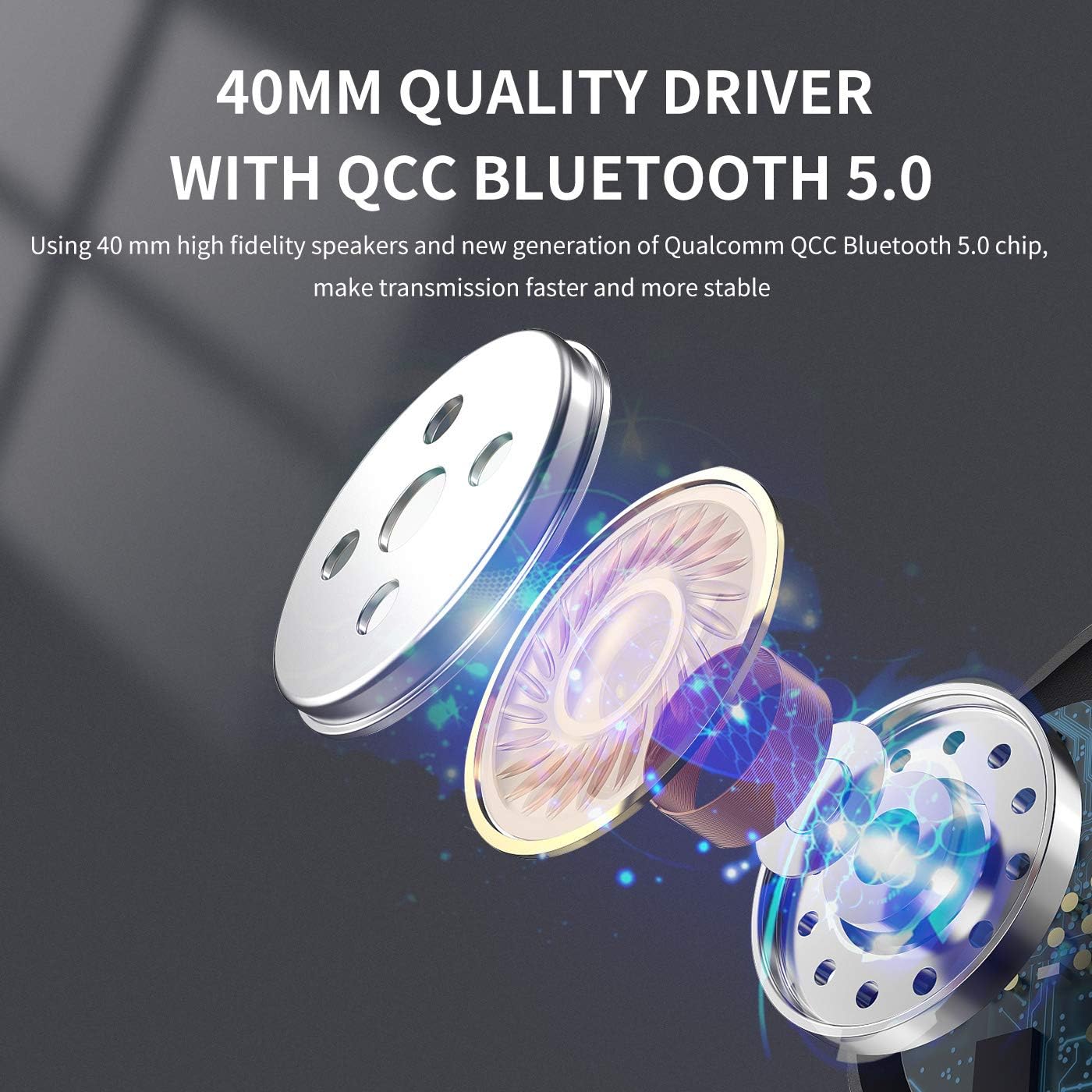
Obrázek: Explodoval view diagram illustrating the 40mm high-fidelity speakers and Qualcomm QCC Bluetooth 5.0 chip inside the SOMIC MS300 headphones.
Záruka a podpora
SOMIC provides a standard warranty for its products. Please refer to the warranty card included in your package for specific terms and conditions, or visit the official SOMIC webstránky, kde najdete nejaktuálnější informace o záruce.
For technical support, troubleshooting assistance, or warranty claims, please contact SOMIC customer service through their official webstránky nebo kontaktní informace uvedené na obalu produktu.
SOMIC Official Webmísto: Visit SOMIC Store on Amazon
Ask a question about this manual
Ask about setup, troubleshooting, compatibility, parts, safety, or missing instructions. Manuals+ will review the question and use this page’s manual context to help answer it.