
HP W200
HP w200 HD 720P digitální Webuživatelská příručka kamery
Model: W200
Zavedení
This manual provides instructions for the setup, operation, and maintenance of your HP w200 HD Digital Webcam. Please read this manual thoroughly before using the device to ensure proper functionality and longevity.
The HP w200 webcam offers 720P HD video at 30 frames per second, a built-in microphone, and a wide-angle view, making it suitable for various video communication applications.
Obsah balení
- HP w200 HD Digital Webvačka
Nastavení
The HP w200 webcam features a plug-and-play design, requiring no additional driver installation for most operating systems.
Systémové požadavky
- Operating Systems: Windows XP (SP2, SP3), Vista, 7, 8, 10; Mac OS X 10.6 or higher.
- Dostupný USB port.
Kroky instalace
- Umístění Webvačka:
Připojte webcam to your monitor or place it on a flat surface using its adjustable clip. The clip allows for secure placement and angle adjustment.

Image: The HP w200 webcam demonstrating its 720-degree wide view angle, 270-degree swivel adjustment, and up-down adjustment capabilities. The webcam is shown mounted on a surface, highlighting its flexible design.
- Connecting to your Computer:
Zapojte webcam's USB cable into an available USB port on your computer. The device is plug-and-play, meaning your operating system should automatically detect and install the necessary drivers.
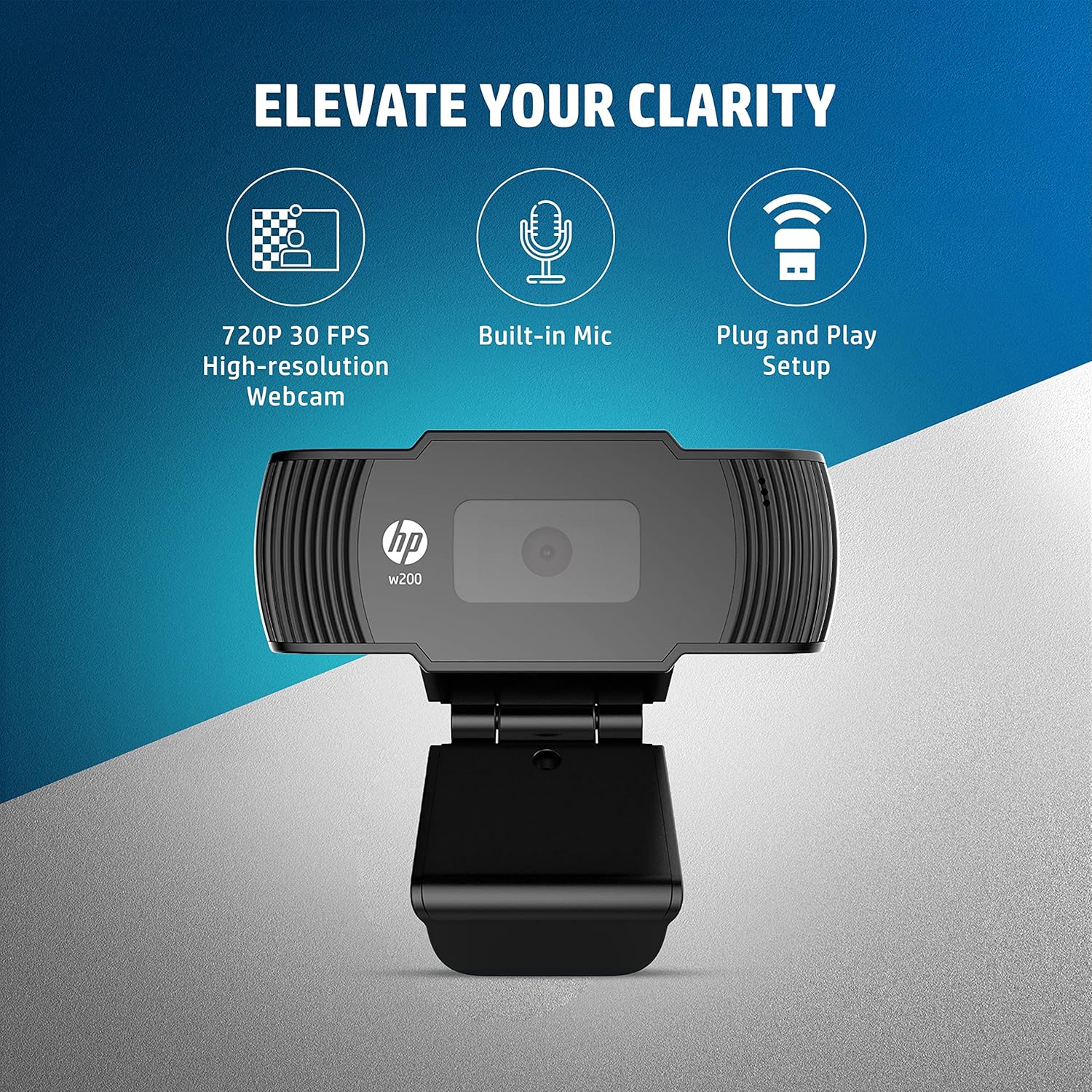
Image: A visual representation of the HP w200 webcam's key features: 720P 30 FPS high-resolution, built-in microphone, and plug-and-play setup. The image emphasizes the ease of use and core functionalities.
- Ověření:
After connecting, open a video conferencing application (e.g., Zoom, Skype, Microsoft Teams) or your operating system's camera application to verify that the webcam is recognized and functioning correctly.
Návod k obsluze
The HP w200 webcam is designed for ease of use with various video communication platforms.
Pomocí Webcam for Video Calls
- Spuštění aplikace: Open your preferred video calling application (e.g., Zoom, Skype, Microsoft Teams, Facebook Messenger, YouTube, WhatsApp, Google Hangouts, Line, Viber, WeChat).
- Vyberte zařízení: In the application's settings, navigate to the audio and video input options. Select "HP w200 Webcam" as your video device and "HP w200 Microphone" (or similar) as your audio input device.
- Upravit pozici: Upravte webcam's position and angle using its 270-degree swivel and up-down adjustment to achieve the desired view.
- Start Communication: Begin your video call or recording. The webcam will provide 720P HD video at 30 frames per second.
Použití mikrofonu
The webcam includes a single digital microphone for audio input. Ensure it is selected as the default microphone in your application settings for clear communication.
Údržba
To ensure optimal performance and longevity of your HP w200 webvačky, dodržujte tyto pokyny pro údržbu:
- Čištění objektivu: Jemně otřete webcam lens with a soft, lint-free cloth. Avoid using harsh chemicals or abrasive materials that could scratch the lens.
- Skladování: Pokud nepoužíváte, uložte webcam in a clean, dry environment away from extreme temperatures and direct sunlight.
- Péče o kabely: Abyste předešli vnitřnímu poškození, neohýbejte ani nekruťte kabel USB.
Odstraňování problémů
| Problém | Možné řešení |
|---|---|
| WebPočítač nedetekoval kameru. |
|
| No video output in application. |
|
| No audio input from microphone. |
|
| Špatná kvalita videa. |
|
Specifikace
| Funkce | Detail |
|---|---|
| Číslo modelu | W200 |
| Rozlišení videa | Max. 1280 x 720P |
| Snímková frekvence | Max. 30 FPS |
| Typ zaměření | Opraveno |
| Mikrofon | Single Digital Mic |
| Nastavitelnost | Swivel 270°, Up-Down Adjustable Clip |
| Konektivita | USB |
| Rozměry (D x Š x V) | 1.14 x 3.15 x 0.94 palce (přibližně 29 x 80 x 24 mm) |
| Hmotnost | 3.81 unce (cca 108 gramů) |
| Barva | Černý |
| Technologie fotosenzoru | CMOS |
| Formát záznamu videa | MP4 |

Image: The HP w200 webcam with its physical dimensions and weight indicated. The image shows the length as 80 mm, height as 32.9 mm, and weight as 108g, providing a clear understanding of its compact size.
Informace o záruce
This HP w200 webkamera je dodávána s 1letá záruka výrobce od data nákupu. Uschovejte si doklad o koupi pro případ reklamace. Záruka se vztahuje na vady materiálu a zpracování při běžném používání.
Podpora
Pro další pomoc nebo technickou podporu navštivte oficiální stránky podpory HP website or contact HP customer service. Refer to your product packaging or the HP webwebu, kde najdete konkrétní kontaktní údaje ve vašem regionu.
Ask a question about this manual
Ask about setup, troubleshooting, compatibility, parts, safety, or missing instructions. Manuals+ will review the question and use this page’s manual context to help answer it.