
1. Úvod
Thank you for choosing the Joyroom JR-X1 Bluetooth Wireless Earphones. These earphones are designed to provide a comfortable and high-quality audio experience with bone conduction technology, allowing you to enjoy sound without blocking your ears. This manual will guide you through the setup, operation, and maintenance of your new earphones.

Figure 1: Joyroom JR-X1 Bluetooth Wireless Earphones, showcasinjejich elegantní design.
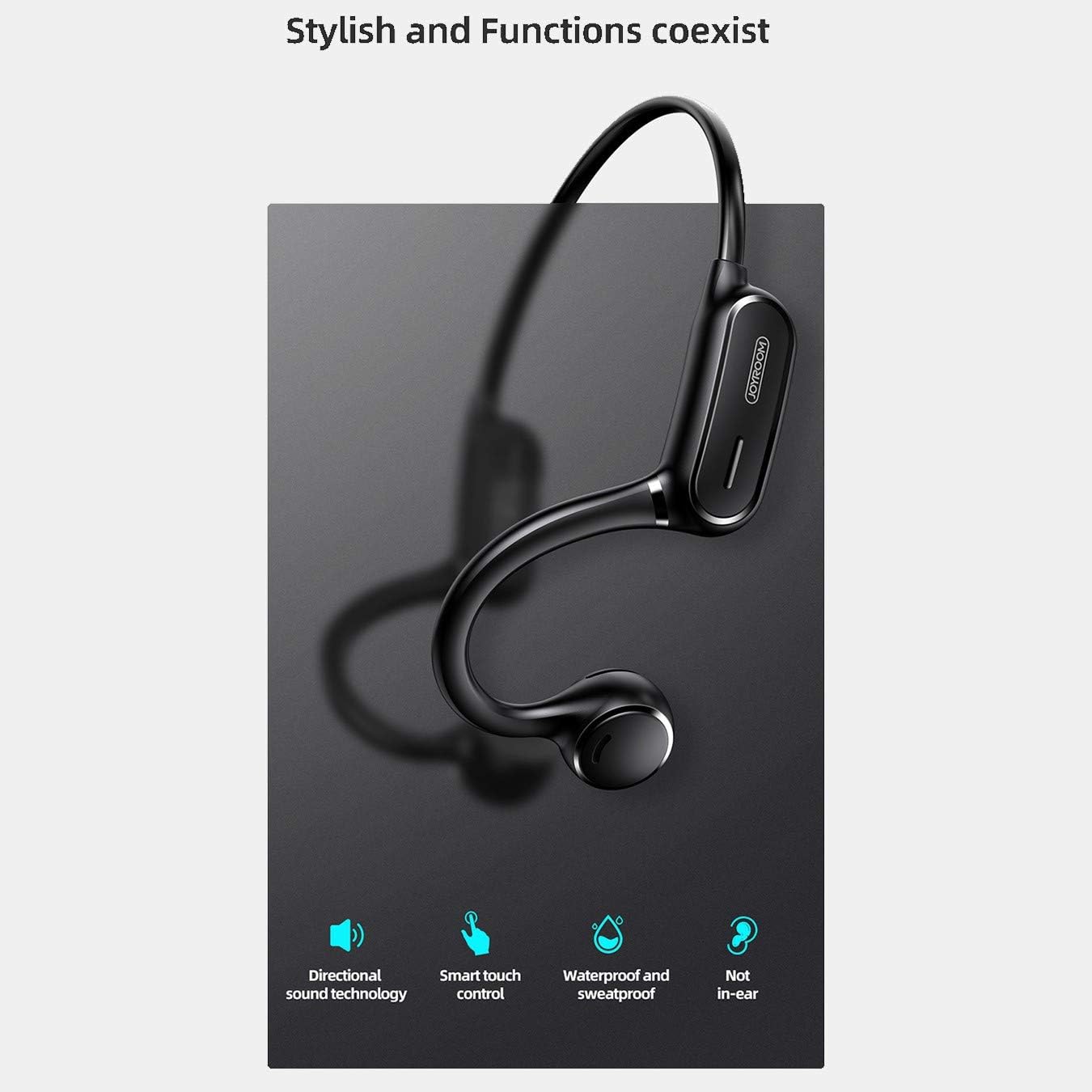
Figure 2: Key features of the JR-X1, including directional sound technology, smart touch control, waterproof and sweatproof design, and non-in-ear wearing style.
2. Nastavení
2.1. Nabíjení sluchátek
Before first use, fully charge your JR-X1 earphones. Connect the charging cable to the charging port on the earphones and a compatible USB power source (5V/1A). The indicator light will show the charging status and turn off or change color once fully charged. A full charge takes approximately 2 hours.
2.2. Zapnutí/vypnutí
- Zapnutí: Press and hold the multi-function button for a few seconds until the indicator light flashes and you hear a power-on prompt.
- Vypnout: Press and hold the multi-function button for a few seconds until the indicator light turns off and you hear a power-off prompt.
2.3. Párování Bluetooth
- Ujistěte se, že jsou sluchátka vypnutá.
- Press and hold the multi-function button until the indicator light flashes red and blue alternately, indicating pairing mode.
- Na svém zařízení (chytrém telefonu, tabletu atd.) povolte Bluetooth a vyhledejte dostupná zařízení.
- Select "JR-X1" from the list of found devices.
- Once connected, the indicator light will stop flashing and you will hear a connection confirmation.
The earphones will automatically power off after 5 minutes if not connected to a device.

Figure 3: The JR-X1 earphones are designed for comfortable, non-in-ear wearing, utilizing bone conduction technology.
3. Návod k obsluze
3.1. Přehrávání hudby
- Přehrát/pozastavit: Tap the multi-function button once.
- Další skladba: Double-tap the multi-function button.
- Předchozí skladba: Triple-tap the multi-function button.
3.2. Ovládání hlasitosti
The JR-X1 features volume control. Refer to the specific buttons or touch areas on your earphones for volume adjustment. Typically, there are dedicated volume up (+) and volume down (-) buttons or touch gestures.
3.3. Správa hovorů
- Přijmout/ukončit hovor: Tap the multi-function button once.
- Odmítnout hovor: Stiskněte a podržte multifunkční tlačítko po dobu 2 sekund.
- Hlasový asistent (Siri/Google Assistant): Tap the multi-function button three times to activate your device's voice assistant.

Figure 4: The JR-X1 features smart touch controls for easy operation, including managing calls and music playback.
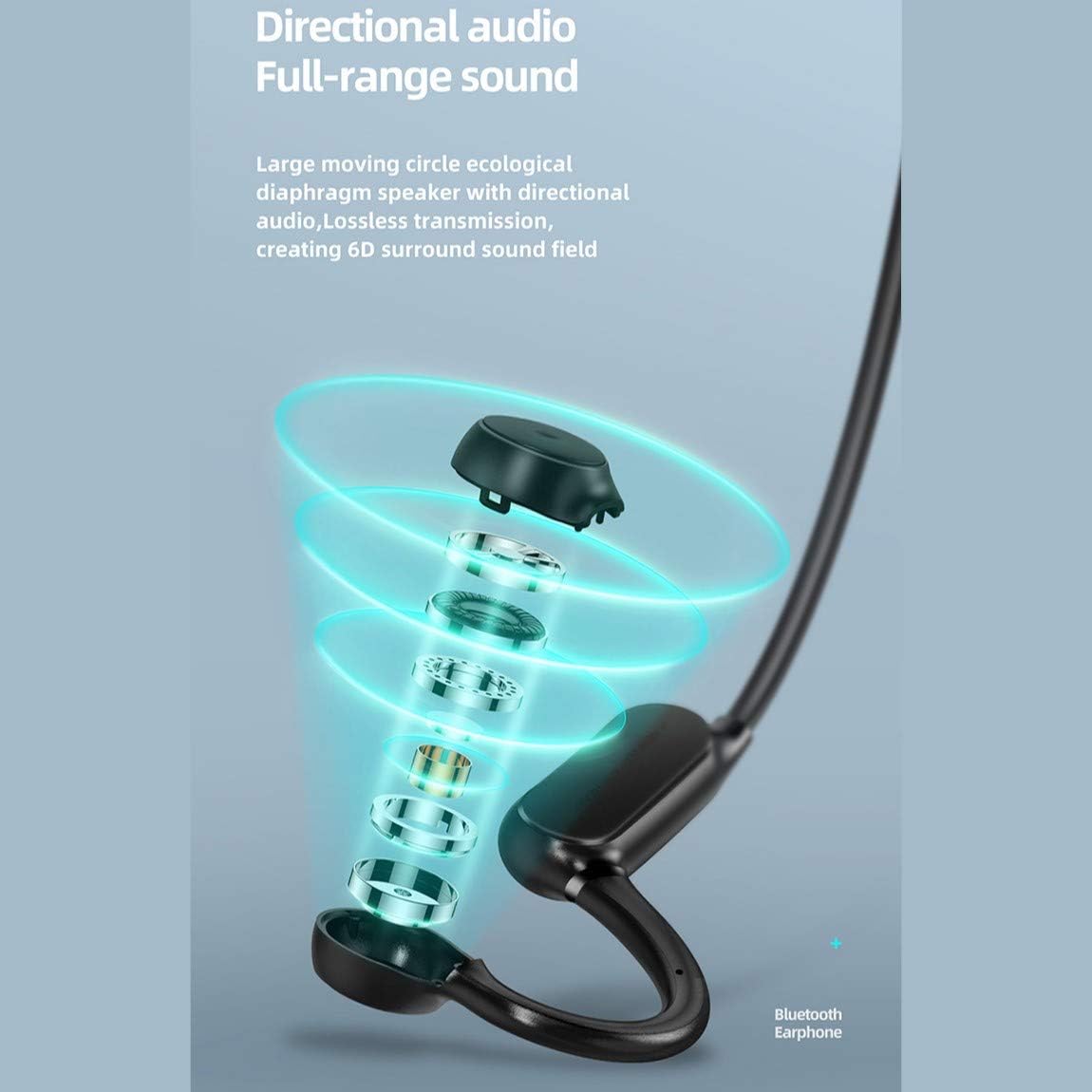
Figure 5: The directional audio technology provides full-range sound through a large moving circle ecological diaphragm speaker, ensuring lossless transmission and a 6D surround sound field.
4. Údržba
4.1. Čištění
Regularly clean your earphones to ensure optimal performance and hygiene. Use a soft, dry, lint-free cloth to wipe the surfaces. Do not use harsh chemicals, cleaning solvents, or strong detergents.
4.2. Skladování
When not in use, store the earphones in a cool, dry place, away from direct sunlight and extreme temperatures. Avoid placing heavy objects on them or storing them in a tangled state.
4.3. Voděodolnost
The JR-X1 earphones are designed to be waterproof and sweatproof. However, they are not intended for submersion in water. Avoid prolonged exposure to heavy rain or swimming. After exposure to sweat or light rain, wipe them dry before charging.
5. Řešení problémů
5.1. Earphones Not Powering On
- Ensure the earphones are fully charged. Connect them to a power source and check the charging indicator.
- Press and hold the power button for a longer duration (5-7 seconds) to ensure it's not a brief press.
5.2. Cannot Pair with Device
- Make sure the earphones are in pairing mode (indicator flashing red and blue alternately).
- Ujistěte se, že je na vašem zařízení povoleno Bluetooth a že je v dosahu (obvykle 10 metrů).
- Vypněte a zapněte Bluetooth na vašem zařízení.
- If previously paired, try forgetting "JR-X1" from your device's Bluetooth settings and re-pairing.
- Ensure no other devices are currently connected to the earphones.
5.3. Žádný zvuk nebo nízká hlasitost
- Zkontrolujte úroveň hlasitosti na sluchátkách i na připojeném zařízení.
- Ujistěte se, že jsou sluchátka správně připojena k vašemu zařízení.
- Zkuste přehrát různé zdroje zvuku, abyste vyloučili problém s médiem file.
5.4. Přerušované připojení
- Pro snížení rušení se přibližte k připojenému zařízení.
- Vyhněte se prostředí se silným signálem Wi-Fi nebo jinými zařízeními Bluetooth, která by mohla způsobovat rušení.
- Ujistěte se, že jsou sluchátka plně nabitá.
6. Specifikace
| Funkce | Specifikace |
|---|---|
| Značka | Radostná místnost |
| Číslo modelu | JR-X1 |
| Typ | Wireless Earphones (Bone Conduction) |
| Barva | Bílý |
| Materiály | ABS + silikon |
| Verze Bluetooth | 5.0 |
| Citlivost | 84 ± 3 dB |
| Rozsah frekvenční odezvy | 20 Hz - 20 kHz |
| Citlivost mikrofonu | -38 dB |
| Kapacita baterie sluchátek | 230 XNUMX mAh |
| Impedance | 10 Ohm ± 15% (800 Hz) |
| Jmenovitý výkon | 1 Wattů |
| Prázdno | Approx. 6 hours (70-80% volume) |
| Doba hovoru | Přibl. 6 hodin |
| Pohotovostní doba | Cca. 10 dní |
| Automatické vypnutí | 5 minutes if not connected |
| Nabíjecí vstup | 5V/1A |
| Doba nabíjení | Přibl. 2 hodin |
| Speciální funkce | Lightweight, Microphone Included, Waterproof, Sweatproof |
| Kontrolní metoda | Dotykové ovládání, ovládání hlasitosti |
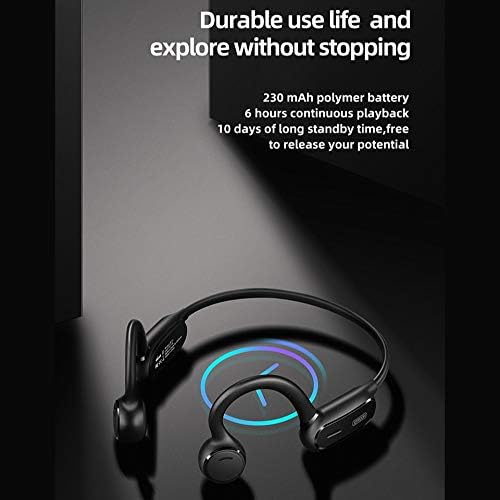
Figure 6: The JR-X1 features a 230 mAh polymer battery, offering approximately 6 hours of continuous playback and up to 10 days of standby time.

Figure 7: Equipped with Bluetooth 5.0 and a QCC master chip, the JR-X1 ensures fast, stable connection, low latency, and efficient power consumption.
7. Záruka a podpora
7.1. Informace o záruce
The Joyroom JR-X1 Bluetooth Wireless Earphones come with a standard manufacturer's warranty. Please refer to the warranty card included in your product packaging for specific terms, conditions, and duration. Keep your purchase receipt as proof of purchase for warranty claims.
7.2. Zákaznická podpora
For any technical assistance, troubleshooting not covered in this manual, or warranty inquiries, please contact Joyroom customer support. Contact details can typically be found on the official Joyroom webmístě nebo na obalu produktu.