
Altec Lansing MZX559-PP
Altec Lansing Nanobuds User Manual
Model: MZX559-PP
Zavedení
The Altec Lansing Nanobuds are truly wireless earbuds designed for an immersive audio experience with complete freedom of movement. Featuring Bluetooth 5.0 technology, these earbuds offer a stable connection up to 50 feet, making them ideal for various activities from travel to sports. Their ergonomic design ensures a comfortable and secure fit, while the IPX5 water-resistant rating provides protection against sweat and rain.
This manual provides essential information on setting up, operating, maintaining, and troubleshooting your Nanobuds to ensure optimal performance and longevity.

Image: Altec Lansing Nanobuds in their open charging case, highlighting the purple earbuds and the compact design.
Co je v krabici
Your Altec Lansing Nanobuds package includes the following components:
- Altec Lansing Nanobuds (Left and Right Earbuds)
- Nabíjecí pouzdro
- USB kabel (USB-C)

Image: The Nanobuds charging case with the included USB-C charging cable, illustrating the complete package contents.
Nastavení
Počáteční nabíjení
Before first use, ensure your Nanobuds and charging case are fully charged. To charge:
- Place both earbuds securely into the charging case, ensuring they make good connection with the charging contacts.
- Connect the USB-C cable to the charging port on the case and plug it into a 5V or greater power source.
- The LED indicator on the case will flash while charging. Once fully charged, the LEDs may change or turn off depending on the model.
Aktivace a párování
For first-time activation and pairing:
- Vložte obě sluchátka do nabíjecího pouzdra.
- Remove both earbuds from the case. This action will activate the earbuds and put them into pairing mode.
- Na smartphonu nebo zařízení s podporou Bluetooth přejděte do nastavení Bluetooth.
- Select "Altec Lansing Nanobuds" from the list of available devices to connect.
- Jakmile se sluchátka spárují, automaticky se připojí k vašemu zařízení, když je v budoucnu vyjmete z pouzdra.

Image: The Nanobuds charging case placed on a laptop, demonstrating a common charging scenario.
Návod k obsluze
Zapnutí/vypnutí
- Zapnout: Vyjměte sluchátka z nabíjecího pouzdra.
- Vypnout: Vložte sluchátka zpět do nabíjecího pouzdra.
Dotykové ovládání
The Nanobuds feature intuitive touch controls for easy management of your audio and calls:
- Přehrát/pozastavit: Jediným klepnutím na jedno sluchátko.
- Další skladba: Dvakrát klepněte na pravé sluchátko.
- Předchozí skladba: Dvakrát klepněte na levé sluchátko.
- Přijmout/ukončit hovor: Během příchozího hovoru klepněte jedním klepnutím na kterékoli sluchátko.
- Odmítnout hovor: Během příchozího hovoru stiskněte a podržte kterékoli ze sluchátek po dobu 2 sekund.
- Aktivace hlasového asistenta (Siri/Google Assistant): Trojitě klepněte na kterékoli sluchátko.
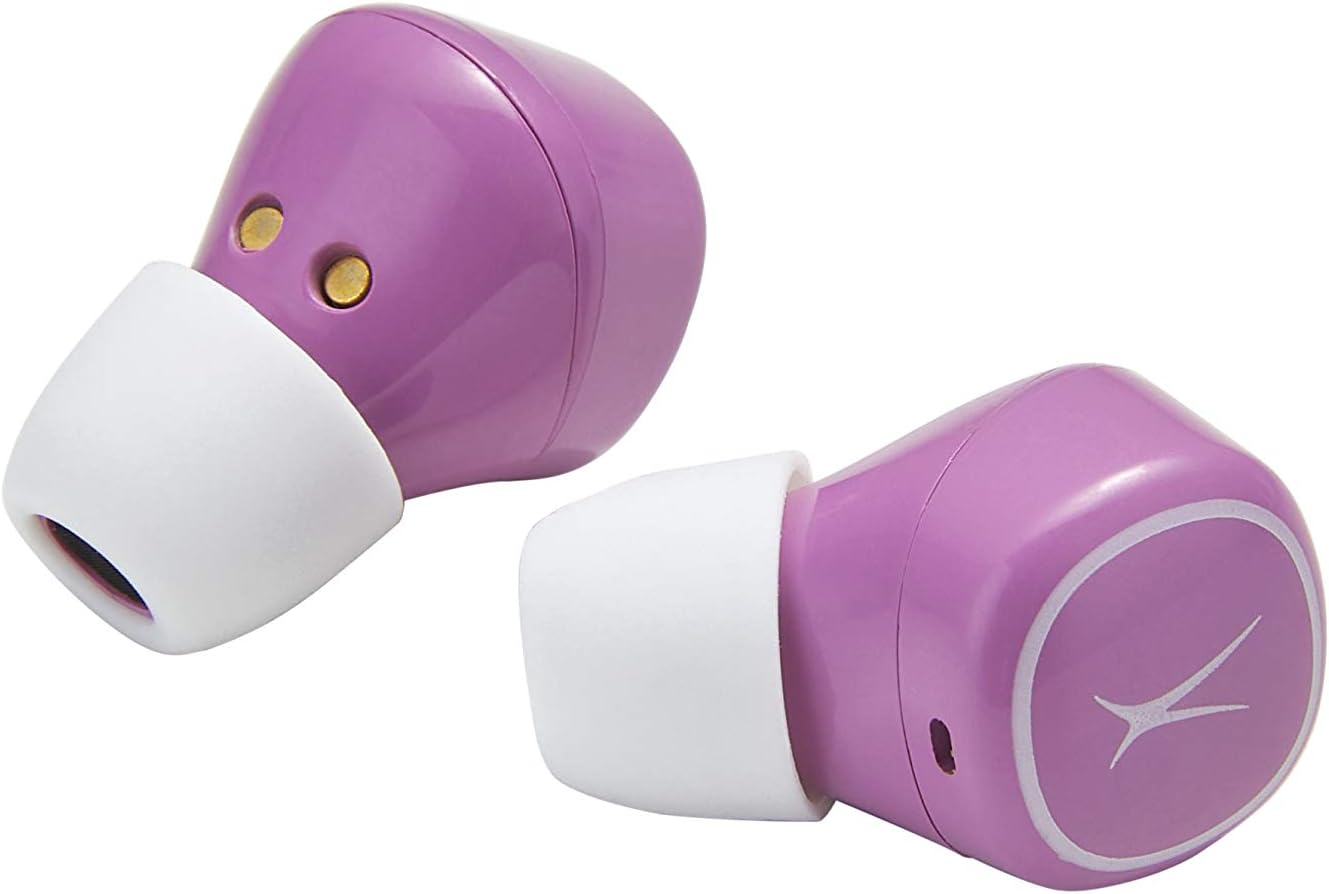
Image: Close-up of the Nanobuds earbuds, illustrating their ergonomic shape and the touch-sensitive surface.
Údržba
Čištění a péče
- Otřete sluchátka a nabíjecí pouzdro měkkým, suchým hadříkem, který nepouští vlákna.
- Nepoužívejte abrazivní čisticí prostředky, rozpouštědla nebo aerosolové spreje.
- Pro správné nabíjení se ujistěte, že jsou nabíjecí kontakty na sluchátkách i pouzdře čisté a bez nečistot.
Voděodolnost (IPX5)
The Nanobuds are IPX5 water-resistant, meaning they can withstand splashes of water from any direction. This makes them suitable for workouts and light rain. However, they are not designed for submersion in water. Do not expose them to pressurized water or prolonged immersion.
Odstraňování problémů
Běžné problémy a řešení
- Sluchátka se nezapínají: Ensure the charging case is charged. If the LEDs do not turn on when earbuds are removed from the case, charge the case then try again.
- Earbuds not pairing together or with device:
Perform a Manual Reset (only if other solutions fail):
- Vyjměte obě sluchátka z pouzdra.
- Hold down the left and right sensor for 9 seconds. Both earbuds will flash blue three times, then flash red and blue before resetting.
- Place both earbuds back into the case to activate them.
- Take both earbuds out of the case to re-pair them.
- Reconnect the smartphone to your earbuds.
- Problémy s nabíjením: Ensure earbuds are making good connection with the contacts in the case. Securely connect the USB-C cable to the charging port on the case and plug into a 5V or greater power source.
- Problémy s kvalitou zvuku: If the size of the earbud tips does not match your ear canals or the headset is not worn properly, you may not obtain correct sound qualities. Change earbud tips to ones that fit more snugly.
Specifikace
| Funkce | Detail |
|---|---|
| Název modelu | Nanobuds |
| Číslo modelu | MZX559-PP |
| Technologie připojení | Bluetooth 5.0 |
| Bezdrátové Dosah | Až 50 stop |
| Výdrž baterie (sluchátka) | Až 4 hodin na jedno nabití |
| Výdrž baterie (s pouzdrem) | Up to 16 additional hours |
| Úroveň odolnosti proti vodě | IPX5 (voděodolný) |
| Typ ovládání | Dotykové ovládání |
| Materiál | Plast |
| Hmotnost položky | 3.5 uncí |
| Rozměry produktu | 3.94 x 3.39 x 1.93 palce |
| UPC | 021331153395 |
Záruka a podpora
For detailed warranty information and additional support, please refer to the official documents and resources below:
- Uživatelská příručka (PDF)
- Průvodce řešením problémů (PDF)
- Navštivte Altec Lansing Store pro více produktů a podporu.
Ask a question about this manual
Ask about setup, troubleshooting, compatibility, parts, safety, or missing instructions. Manuals+ will review the question and use this page’s manual context to help answer it.