
Zavedení
Thank you for choosing the SENTRY HPXKX50 RGB Gaming Mouse. This high-performance wired gaming mouse is designed to enhance your gaming and computing experience with its precise optical sensor, customizable RGB lighting, and ergonomic design. This manual provides detailed instructions on setting up, operating, maintaining, and troubleshooting your new mouse.
Obsah balení
- SENTRY HPXKX50 RGB Gaming Mouse
- Uživatelská příručka (tento dokument)

Image: The retail packaging for the SENTRY HPXKX50 RGB Gaming Mouse, showing the mouse inside the box with its features highlighted.
Nastavení
Follow these simple steps to set up your SENTRY HPXKX50 RGB Gaming Mouse:
- Rozbalte myš: Carefully remove the mouse and its USB cable from the packaging.
- Připojte se k vašemu zařízení: Locate an available USB port on your computer (PC, Laptop, Mac) or compatible gaming console (PS4/PS5). Insert the USB connector of the mouse into the USB port.
- Instalace ovladače: The SENTRY HPXKX50 is a plug-and-play device. Your operating system (Windows, macOS) will automatically detect and install the necessary drivers. No additional software installation is required for basic functionality.
- Ověřit připojení: Once connected, the mouse's RGB lighting will illuminate, indicating a successful connection. You can now move the mouse to test cursor movement.

Obrázek: Detailní záběr view of the USB connector of the SENTRY HPXKX50 RGB Gaming Mouse, which is used for connecting to a computer.

Image: Icons illustrating the compatibility of the SENTRY HPXKX50 RGB Gaming Mouse with various devices, including laptops, desktop computers, HDTVs, PS4/PS5 consoles, and Mac computers.
Provozní
The SENTRY HPXKX50 RGB Gaming Mouse offers intuitive operation with its standard buttons and advanced features.
Základní funkce
- Levé kliknutí: Tlačítko primární akce.
- Klikněte pravým tlačítkem myši: Tlačítko sekundární akce, obvykle pro kontextové nabídky.
- Rolovací kolečko: Posouvá obsah nahoru nebo dolů. Lze také stisknout pro funkci kliknutí prostředním tlačítkem myši.
- Tlačítko DPI: Located behind the scroll wheel, this button allows you to cycle through different DPI (Dots Per Inch) sensitivity settings.
RGB osvětlení
The mouse features dynamic RGB lighting that illuminates the edges and scroll wheel. The lighting effects are pre-programmed and will cycle automatically, adding an aesthetic appeal to your setup.
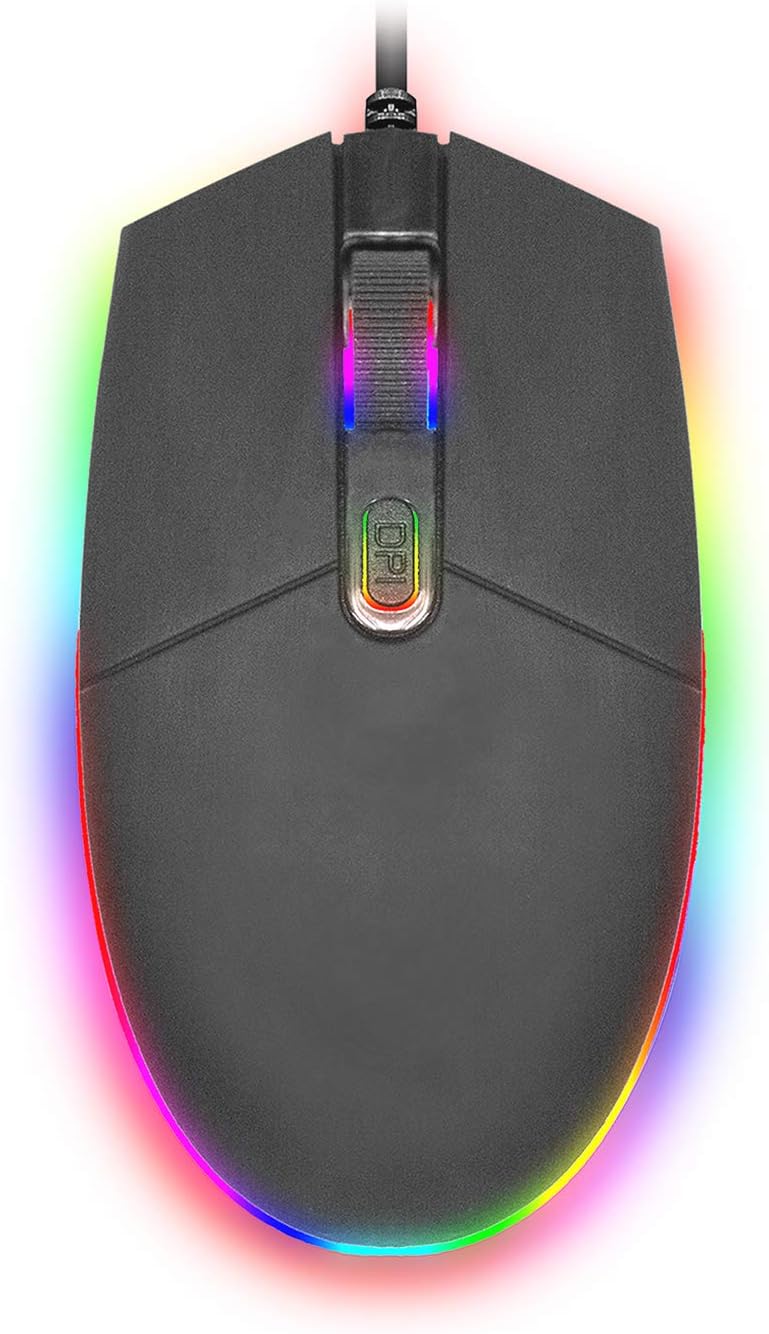
Obrázek: Pohled shora dolů view of the SENTRY HPXKX50 RGB Gaming Mouse, showcasing its vibrant, multi-color RGB lighting along the base and around the scroll wheel.

Obrázek: Vedlejší profesionálfile view of the SENTRY HPXKX50 RGB Gaming Mouse, highlighting the illuminated RGB strip along its bottom edge in a dark environment.
Citlivost DPI
The HPXKX50 mouse is equipped with a high-precision optical sensor, offering up to 7200 DPI. This allows for highly sensitive and accurate cursor movements, ideal for fast-paced gaming or precise graphic design work. Press the DPI button to switch between sensitivity levels. The mouse is designed for smooth tracking and ultra-high sensitivity.

Image: The SENTRY HPXKX50 RGB Gaming Mouse with an overlay indicating its 7200 DPI high-precision optical sensor, emphasizing its accuracy for gaming.
Údržba
To ensure the longevity and optimal performance of your SENTRY HPXKX50 RGB Gaming Mouse, follow these maintenance guidelines:
- Čištění: K otření povrchu myši použijte měkký, suchý hadřík, který nepouští vlákna. V případě odolné nečistoty lehceamphadřík opláchněte vodou. Nepoužívejte agresivní chemikálie, rozpouštědla ani abrazivní čisticí prostředky.
- Péče o senzor: Keep the optical sensor on the bottom of the mouse clean and free from dust or debris. Use a cotton swab or compressed air to gently clean the sensor area.
- Správa kabelů: Avoid sharp bends or kinks in the USB cable. Store the mouse in a way that prevents the cable from being tangled or stressed. The braided cable is designed for durability.
- Skladování: Pokud myš delší dobu nepoužíváte, skladujte ji na chladném a suchém místě mimo dosah přímého slunečního záření a extrémních teplot.
Odstraňování problémů
If you encounter issues with your SENTRY HPXKX50 RGB Gaming Mouse, refer to the table below for common problems and solutions:
| Problém | Možná příčina | Řešení |
|---|---|---|
| Myš neodpovídá | Volné USB připojení, vadný USB port, problém s ovladačem. | Ensure USB cable is firmly plugged in. Try a different USB port. Restart your computer. |
| Pohyb kurzoru je nepravidelný nebo trhaný | Znečištěný optický senzor, nevhodný povrch podložky pod myš. | Clean the optical sensor. Use a clean, uniform mouse pad surface. |
| RGB lighting is off or flickering | Insufficient power from USB port, internal fault. | Try a different USB port, preferably a direct port on the motherboard (for desktops). If the issue persists, contact support. |
| Tlačítko DPI nemění citlivost | Konflikt softwaru, porucha tlačítka. | Ensure no conflicting mouse software is running. Restart your computer. |
Specifikace
| Funkce | Detail |
|---|---|
| Značka | HLÍDKA |
| Číslo modelu | 50M1-05000 |
| Technologie připojení | Kabel USB |
| Technologie detekce pohybu | Optický |
| DPI (body na palec) | Až 7200 XNUMX DPI |
| Osvětlení | RGB |
| Barva | Černý |
| Hardwarová platforma | PC |
| Kompatibilita operačního systému | Windows, macOS (Plug & Play) |
| Hmotnost položky | 6.4 unce (přibližně 181 g) |
| Rozměry produktu (DxŠxV) | 4.75 x 2 x 7.25 palců (přibližně 12.07 x 5.08 x 18.42 cm) |
| Speciální funkce | Ergonomický design |
| Výrobce | Kabel Velkoobchod |
Záruka a podpora
For warranty information and customer support, please refer to the documentation provided with your purchase or visit the official SENTRY or CableWholesale webUschovejte si doklad o koupi pro případ reklamace.
For additional assistance, you may contact the manufacturer directly through their official support channels.