
Yenkee YSP 2025
Uživatelská příručka k počítačovému reproduktorovému systému Yenkee YSP 2025 2.0
Model: YSP 2025
1. Úvod
Děkuji za nákupasing the Yenkee YSP 2025 2.0 PC Speaker System. This manual provides detailed instructions for setting up, operating, and maintaining your new speakers. Please read this manual thoroughly before use to ensure proper operation and to maximize the lifespan of your product.
The Yenkee YSP 2025 speaker system is designed to enhance your multimedia audio experience with powerful and clear sound. It features versatile connectivity options including Bluetooth 5.0, 3.5mm audio input, TF card reader, and USB port for various audio sources.
2. Bezpečnostní informace
Pro zajištění bezpečného provozu a prevenci poškození dodržujte prosím následující bezpečnostní opatření:
- Do not expose the speakers to water, moisture, or extreme temperatures.
- Neumisťujte reproduktory do blízkosti zdrojů tepla, jako jsou radiátory, topení, kamna nebo jiná zařízení (včetně amplifikátory), které produkují teplo.
- Používejte pouze nástavce/příslušenství specifikované výrobcem.
- Odpojte toto zařízení během bouřky s blesky nebo když se delší dobu nepoužívá.
- Veškeré opravy svěřte kvalifikovanému servisnímu personálu. Servis je nutný, pokud bylo zařízení jakýmkoli způsobem poškozeno, například je poškozen napájecí kabel nebo zástrčka, pokud do zařízení vnikla tekutina nebo do něj spadly předměty, zařízení bylo vystaveno dešti nebo vlhkosti, nefunguje normálně. , nebo byla vypuštěna.
- Nezakrývejte žádné větrací otvory. Nainstalujte v souladu s pokyny výrobce.
- Chraňte napájecí kabel před šlapáním nebo přiskřípnutím, zejména u zástrček, zásuvek a v místě, kde vychází z přístroje.
3. Obsah balení
Po vybalení zkontrolujte obsah balení. Pokud některé položky chybí nebo jsou poškozené, obraťte se na prodejce.
- Yenkee YSP 2025 2.0 PC Speaker System (2 speakers)
- Dálkové ovládání
- 3.5mm audio kabel
- Napájecí kabel
- Uživatelská příručka
4. Konec produktuview
Familiarize yourself with the components and controls of your Yenkee YSP 2025 speaker system.

Obrázek 4.1: Přední view of the Yenkee YSP 2025 speakers, showing the main speaker with control panel on the side and the secondary speaker.
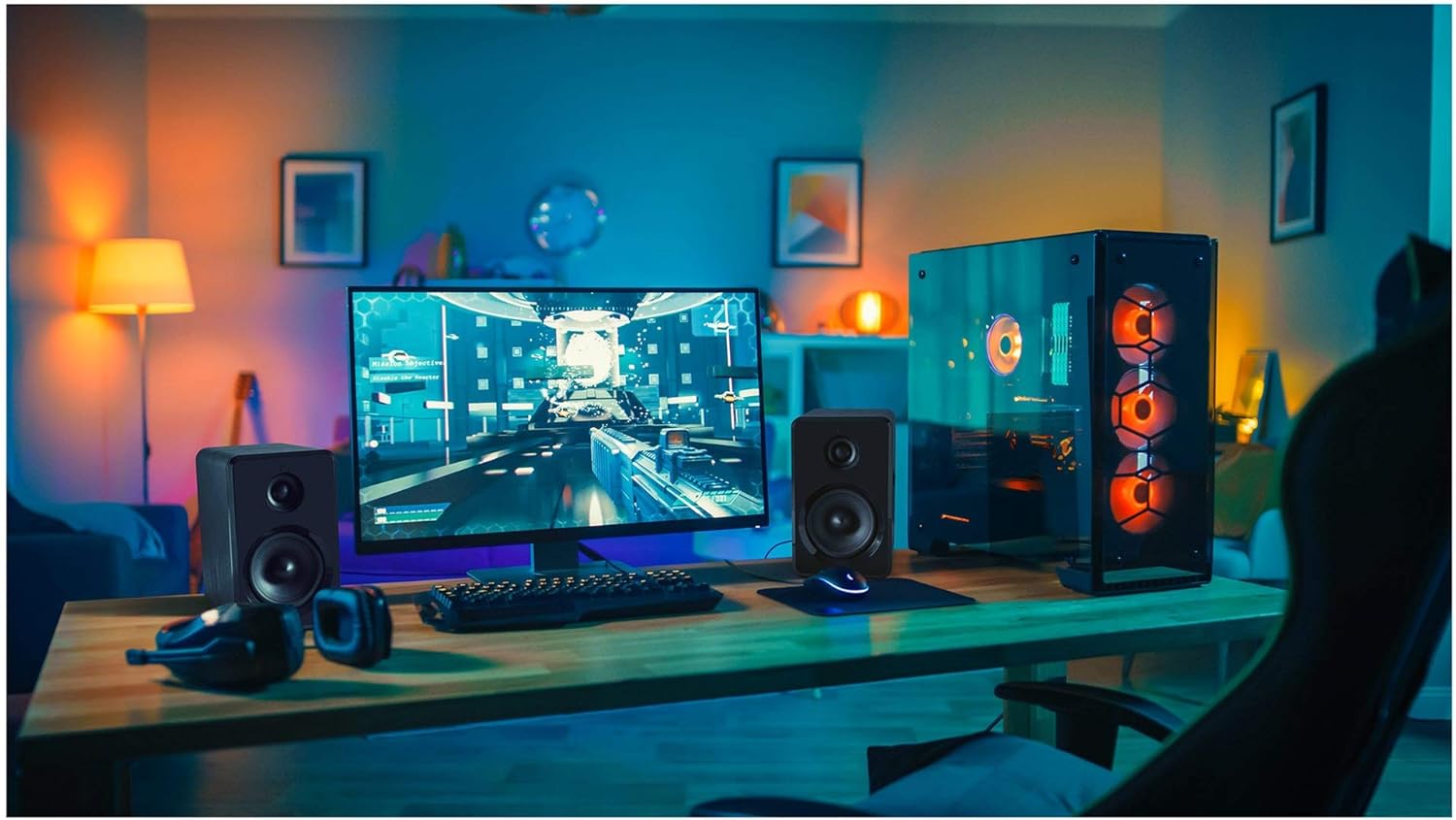
Obrázek 4.2: Yenkee YSP 2025 speakers integrated into a typical desktop computer setup, demonstrating their compact size and placement beside a monitor.

Obrázek 4.3: The retail packaging for the Yenkee YSP 2025 speakers, highlighting key features and including an image of the remote control.
4.1 Main Speaker Controls and Ports
The main speaker houses the primary controls and connectivity ports:
- Knoflík hlasitosti: Upravuje celkovou hlasitost.
- Tlačítko režimu: Cycles through input modes (Bluetooth, AUX, USB, TF).
- Tlačítko Přehrát/Pozastavit: Controls playback in Bluetooth, USB, and TF modes.
- Tlačítka předchozí/následující stopy: Navigates tracks in Bluetooth, USB, and TF modes.
- USB port: Pro přehrávání z USB flash disku.
- Slot na kartu TF: Pro přehrávání z TF (microSD) karet.
- AUX vstup (3.5 mm): Pro připojení externích audio zařízení pomocí kabelu.
- Příkon: Připojuje se k napájecímu adaptéru.
- Výstup reproduktoru: Připojuje se k sekundárnímu reproduktoru.
4.2 Dálkové ovládání
Dodávané dálkové ovládání poskytuje pohodlný přístup k různým funkcím:
- Zapnutí/vypnutí
- Výběr režimu
- Zvýšení/snížení hlasitosti
- Ztlumit
- Přehrát/Pozastavit
- Předchozí/Další stopa
- Předvolby ekvalizéru (pokud jsou k dispozici)
5. Nastavení
5.1 Umístění reproduktorů
For optimal sound quality, place the speakers on a stable, flat surface. Position them equidistant from your listening position, forming an equilateral triangle for the best stereo imaging. Ensure there is adequate ventilation around the speakers.
5.2 Připojení reproduktorů
- Connect the cable from the secondary speaker to the "Speaker Output" port on the main speaker.
- Connect the power cable to the "Power Input" on the main speaker, then plug the other end into a standard wall outlet (100-240V).
5.3 Připojení zdrojů zvuku
5.3.1 Připojení AUX
Use the included 3.5mm audio cable to connect your device (e.g., computer, smartphone, MP3 player) to the "AUX Input" port on the main speaker.
5.3.2 USB/TF Card Connection
Insert a USB flash drive or TF (microSD) card into the respective port on the main speaker. The system will automatically switch to USB/TF mode and begin playing supported audio files.
6. Návod k obsluze
6.1 Zapnutí/vypnutí
Press the Power button on the remote control or the main speaker to turn the speakers on or off.
6.2 Výběr režimu
Press the "MODE" button on the main speaker or the remote control to cycle through the available input modes: Bluetooth, AUX, USB, and TF.
6.3 Ovládání hlasitosti
Rotate the volume knob on the main speaker clockwise to increase volume and counter-clockwise to decrease. Alternatively, use the Volume Up/Down buttons on the remote control.
6.4 Párování Bluetooth
- Switch the speaker system to Bluetooth mode. The indicator light will flash, indicating it's ready for pairing.
- Na zařízení s podporou Bluetooth (např. chytrý telefon, tablet, počítač) povolte Bluetooth a vyhledejte dostupná zařízení.
- Select "Yenkee YSP 2025" from the list of devices.
- Po spárování kontrolka přestane blikat a zůstane svítit nepřerušovaně. Nyní můžete bezdrátově přehrávat zvuk ze svého zařízení.
6.5 Přehrávání z USB/TF
When a USB flash drive or TF card is inserted, the speakers will automatically switch to the corresponding mode and begin playing audio files. Use the Play/Pause and Previous/Next Track buttons on the main speaker or remote control to manage playback.
7. Údržba
Správná údržba zajišťuje dlouhou životnost a výkon vašich reproduktorů:
- Čištění: Use a soft, dry cloth to clean the speaker surfaces. Do not use abrasive cleaners, waxes, or solvents.
- Skladování: If storing the speakers for an extended period, unplug them from the power outlet and store them in a cool, dry place, away from direct sunlight and extreme temperatures.
- Větrání: Ujistěte se, že ventilační otvory nejsou zablokovány, aby nedošlo k přehřátí.
8. Řešení problémů
If you encounter issues with your Yenkee YSP 2025 speakers, refer to the following common problems and solutions:
| Problém | Možná příčina | Řešení |
|---|---|---|
| Žádný zvuk |
|
|
| Zkreslený zvuk |
|
|
| Problémy s párováním pomocí rozhraní Bluetooth |
|
|
| USB/TF karta nepřehrává |
|
|
9. Specifikace
Detailed technical specifications for the Yenkee YSP 2025 speaker system:
| Číslo modelu | YSP 2025 |
| Typ reproduktoru | 2.0 PC Speaker System |
| Výstupní výkon (RMS) | 40 W |
| Frekvenční odezva | 60 Hz - 20 kHz |
| Verze Bluetooth | 5.0 |
| Možnosti připojení | Bluetooth, 3.5mm AUX, USB, TF Card |
| Rozměry (na reproduktor) | 115 x 185 x 159 mm (Š x V x H) |
| Celková hmotnost | 2.5 kg |
| Napájení | AC 100-240V |
| Kontrolní metoda | Push Button, Remote Control |
| Barva | Černý |
10. Záruka a podpora
Yenkee products are manufactured to the highest quality standards. For information regarding warranty terms and conditions, please refer to the warranty card included with your product or contact your local retailer. Keep your purchase receipt as proof of purchase.
For technical support or service inquiries, please contact the retailer where you purchased the product or visit the official Yenkee webstránky pro kontaktní informace.
Ask a question about this manual
Ask about setup, troubleshooting, compatibility, parts, safety, or missing instructions. Manuals+ will review the question and use this page’s manual context to help answer it.