
1. Úvod
The Fdit TAG-101 Audio Signal Generator is a versatile low-frequency signal source designed for various applications including production lines, hobbyist projects, and maintenance tasks. It is capable of generating sine and square wave signals within a frequency range of 10 Hz to 1 MHz with low distortion. This manual provides essential information for the safe and effective operation of your device.
2. Bezpečnostní pokyny
- Vždy připojujte zařízení k uzemněné zásuvce se správným napětímtage (AC 220V, 50/60Hz).
- Neprovozujte zařízení ve vlhku nebo damp podmínky.
- Nevystavujte zařízení extrémním teplotám nebo přímému slunečnímu záření.
- Neotevírejte casing of the device. Refer all servicing to qualified personnel.
- Během provozu zajistěte dostatečné větrání kolem jednotky.
- Disconnect the power cable before cleaning or when the device is not in use for extended periods.
3. Obsah balení
Zkontrolujte prosím balení, zda neobsahuje následující položky:
- 1 x Fdit TAG-101 Audio Signal Generator
- 1 x Návod k obsluze (tento dokument)
- 1 x napájecí kabel

Figure 3.1: Included Power Cable
4. Konec produktuview
The Fdit TAG-101 features a user-friendly front panel with controls for frequency, amplitude, waveform selection, and output attenuation.

Obrázek 4.1: Rozložení předního panelu

Figure 4.2: Key Features of the Signal Generator
4.1. Ovládací prvky a konektory
- FREQUENCY Dial: Adjusts the output frequency within the selected range.
- RANGE (Hz) Buttons: Selects the frequency multiplication range (X1, X10, X100, X1K, X10K) to achieve frequencies from 10Hz to 1MHz.
- ATTENUATOR (dB) Knob: Provides step-wise attenuation of the output signal (0dB, -10dB, -20dB, -30dB, -40dB, -50dB).
- AMPLITUDE Knob: Fine-tunes the output signal amplituda.
- WAVE FORM Switches: Selects between Sine wave and Square wave output.
- Vypínač: Zapíná nebo vypíná zařízení.
- EXT SYNC Input: BNC connector for external synchronization.
- OUTPUT (600Ω) Connector: BNC connector for signal output.
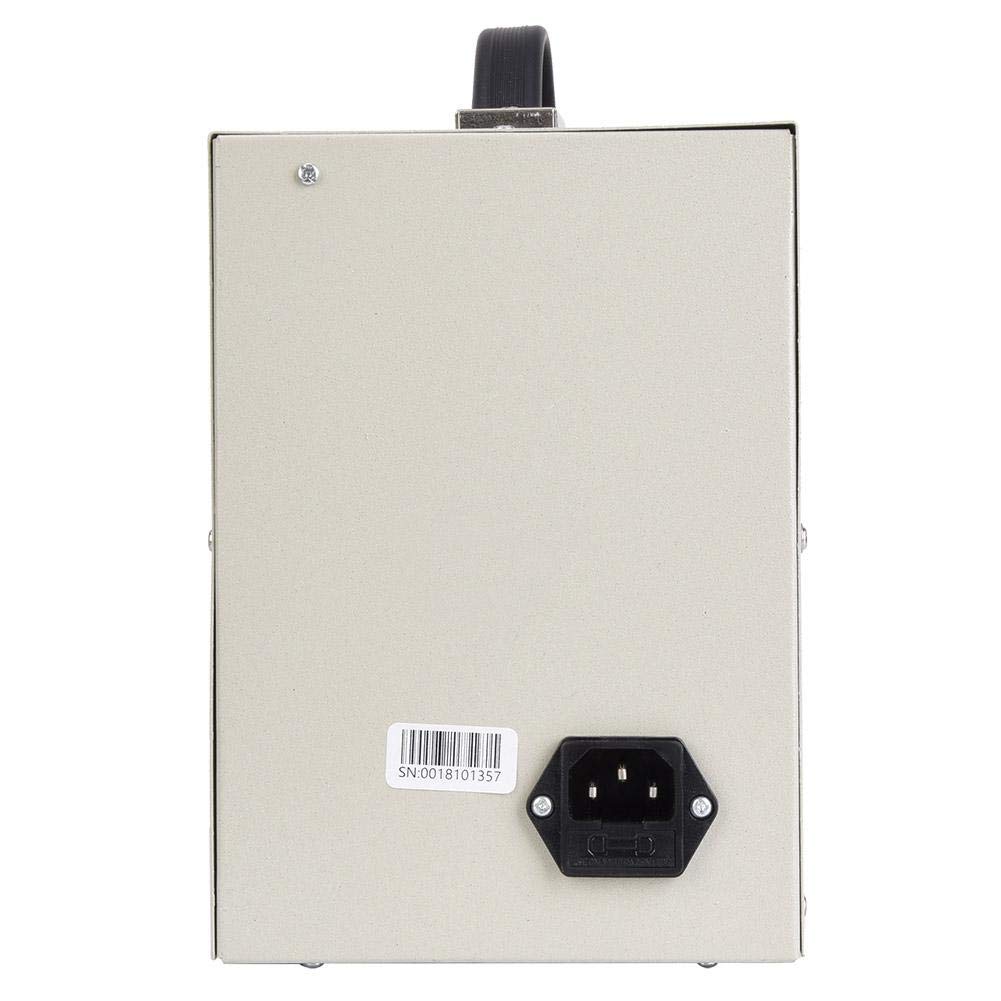
Figure 4.3: Rear Panel with Power Input
5. Nastavení
- Rozbalte zařízení: Carefully remove the signal generator and all accessories from its packaging.
- Umístění: Place the signal generator on a stable, flat surface with adequate ventilation. Ensure it is away from direct heat sources, moisture, and strong electromagnetic fields.
- Připojte napájení: Insert the provided power cable into the power input socket on the rear panel of the device. Plug the other end into a suitable AC 220V (50/60Hz) grounded power outlet.
- Počáteční kontrola: Before powering on, visually inspect the device for any signs of damage.
6. Návod k obsluze
6.1. Zapnutí/vypnutí
- Chcete-li zařízení zapnout, stiskněte MOC přepněte do polohy „ZAPNUTO“.
- Pro vypnutí stiskněte tlačítko MOC přepněte do polohy „VYPNUTO“.
6.2. Nastavení frekvence
- Select the desired frequency range using the ROZSAH (Hz) buttons (X1, X10, X100, X1K, X10K). For example, to set a frequency around 500 Hz, you might select the X100 range.
- Otočte FREKVENCE dial to fine-tune the frequency within the selected range. The dial is marked from 0 to 100. The actual frequency is the dial reading multiplied by the selected range factor.
6.3. Seřizování Amplituda
- Použijte ATTENUATOR (dB) knob to set the coarse output level. Options include 0dB, -10dB, -20dB, -30dB, -40dB, and -50dB.
- Použijte AMPLITUDE knob (MIN/MAX) for fine adjustment of the output signal strength.
6.4. Selecting Waveform
- Stiskněte příslušné WAVE FORM switch to select either a Sine wave or a Square wave output.
6.5. External Synchronization (EXT SYNC)
The EXT SYNC input allows an external voltage signal to modulate the oscillation frequency. A 1V external voltage can change the oscillation frequency by 1%.
- Connect the external synchronization signal source to the EXT SYNC BNC konektor.
6.6. Výstupní připojení
- Connect your test equipment (e.g., oscilloscope, frequency counter) to the OUTPUT (600Ω) BNC connector using a suitable coaxial cable.
7. Údržba
- Čištění: K čištění vnější strany zařízení používejte měkký, suchý hadřík. Nepoužívejte abrazivní čisticí prostředky ani rozpouštědla.
- Skladování: When not in use, store the signal generator in a cool, dry place, away from dust and direct sunlight.
- Kalibrace: For optimal performance, periodic calibration by a qualified technician is recommended.
8. Řešení problémů
| Problém | Možná příčina | Řešení |
|---|---|---|
| Zařízení se nezapne | Napájecí kabel není připojen; Vadná zásuvka; Vypínač je vypnutý | Check power cable connection; Test power outlet; Ensure POWER switch is ON |
| Žádný výstup signálu | Output cable faulty; Amplitude set to minimum; Attenuator set too high; Incorrect frequency range selected | Check output cable; Adjust AMPLITUDE knob; Adjust ATTENUATOR knob; Verify FREQUENCY and RANGE settings |
| Zkreslený výstupní signál | Overload on output; Faulty output cable; Internal malfunction | Snižte výstup amplitude or check load impedance; Replace output cable; Contact support if problem persists |
9. Specifikace
| Parametr | Hodnota |
|---|---|
| Frekvenční rozsah | 10 Hz to 1 MHz (5 ranges) |
| Přesnost frekvence | ± 5 % plného rozsahu |
| Výstupní impedance | 600Ω |
| Řízení výstupu | 0dB, -10dB, -20dB, -30dB, -40dB, -50dB (fine adjustment) |
| Sine Wave Output Voltage | 5-6 V RMS |
| Sine Wave Distortion (500 Hz to 50 kHz) | ≤ 0.05 % |
| Sine Wave Distortion (50 Hz to 500 kHz) | ≤ 0.5 % |
| Sine Wave Output Flatness (relative to 1 kHz) | ± 1.5 dB |
| Square Wave Range | 10Hz-1MHz |
| Square Wave Output Level | 10V Peak Value |
| Square Wave Rise Time | 0.5 μs |
| Synchronization Performance Range | 1V external voltage changes oscillation frequency by 1% |
| Synchronization Input Impedance | 10 kΩ |
| Napájení | AC 220V (50/60Hz), 8W |
10. Záruka a podpora
Warranty information for the Fdit TAG-101 Audio Signal Generator is not explicitly provided in the product details. For any warranty claims, technical support, or service inquiries, please contact your retailer or the manufacturer directly.
Please retain your purchase receipt as proof of purchase for any potential warranty services.