
comiso x26M
Uživatelská příručka Bluetooth reproduktoru COMISO
Model: X26M
Značka: comiso
Zavedení
Thank you for choosing the COMISO X26M Bluetooth Speaker. This compact and powerful speaker is designed to deliver high-quality 360° HD sound with enhanced bass, making it ideal for various environments, from home to outdoor adventures. Featuring Bluetooth 5.3 for stable connectivity, TWS stereo pairing capability, a built-in microphone for hands-free calls, and IP65 waterproof and dustproof rating, the X26M offers versatility and durability. This manual provides detailed instructions on setting up, operating, and maintaining your speaker to ensure optimal performance.

Image: The COMISO X26M Bluetooth Speaker, black in color, held in a hand, demonstrating its portable size and water-resistant design with visible water droplets.
Obsah balení
Po vybalení zkontrolujte obsah balení, abyste se ujistili, že jsou přítomny všechny položky:
- 1 x COMISO X26M Bluetooth Speaker
- 1 x USB nabíjecí kabel
- 1 x Průvodce rychlým startem
- 1 x Servisní karta
- 1 x Hook (detachable)
Klíčové vlastnosti
Omnidirectional 360° HD Sound
The X26M speaker delivers balanced, detailed sound in a 360° radius. A built-in amplifier powers the speaker for full sound, offering a rich audio experience and enhanced bass that exceeds expectations for its compact size.

Image: A black COMISO X26M speaker with visual representations of sound waves expanding outwards, highlighting its 360° HD sound capability.
Bluetooth 5.3 & Built-in Microphone
Equipped with the latest Bluetooth 5.3 technology, the speaker ensures lower power consumption, faster transmission, and a more stable signal without delay. The integrated microphone allows for convenient hands-free calling.
Pravé bezdrátové stereofonní párování (TWS)
For an immersive audio experience, you can connect two X26M mini portable speakers to create a true stereo sound setup. This feature is easy to operate and enhances the soundstage výrazně.

Image: Two COMISO X26M speakers positioned on either side of a tablet, illustrating their dual pairing capability for stereo sound.
IP65 vodotěsný a prachotěsný
The speaker boasts an IP65 rating, providing protection against water jets and dust ingress. This makes it suitable for outdoor sports, hiking, or worry-free use in environments like bathrooms and kitchens.
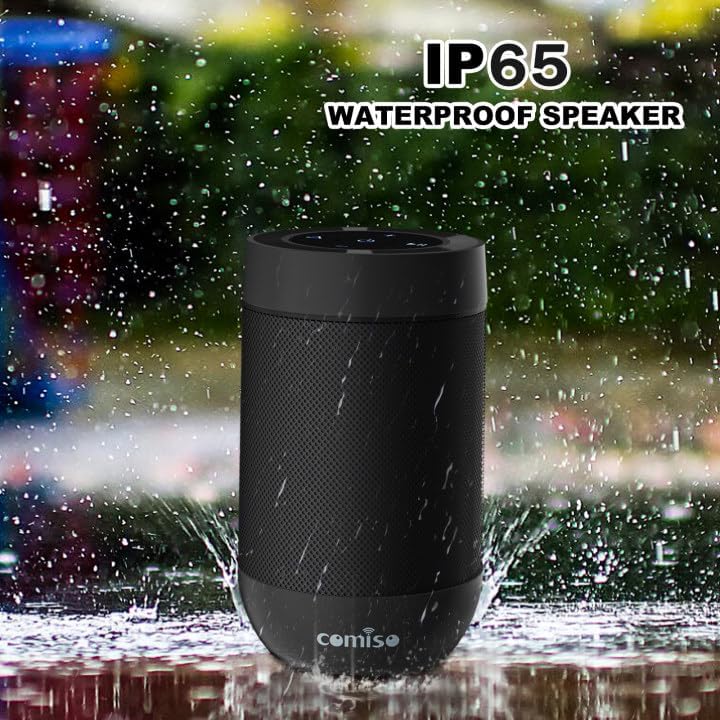
Image: The COMISO X26M speaker shown with water splashing around it, emphasizing its IP65 waterproof feature.
Podpora TF karet
In addition to Bluetooth streaming, the speaker supports TF (Micro SD) cards, allowing you to play music directly from your stored music library.
Ultra-Portable Design
Weighing under 5.5 ounces and measuring 3.2 inches tall with a 2.2-inch diameter, the cylindrical design is ultra-compact. Its pocket-handheld size and detachable hook make it perfect for travel, hiking, or desktop use.

Image: A person riding a bicycle outdoors with the COMISO X26M speaker attached to their backpack, demonstrating its suitability for outdoor activities and portability.
Nastavení
1. Nabíjení reproduktoru
Before first use, fully charge the speaker. Connect the provided USB charging cable to the speaker's charging port (located under the silicon cover near the base) and a USB power source (e.g., computer USB port, wall adapter). The charging indicator light will illuminate. A full charge takes approximately 2 hours.
2. Zapnutí/vypnutí
- Zapnutí: Stiskněte a podržte tlačítko napájení (⏻) for approximately 2-3 seconds until you hear an audible prompt and the indicator light turns on.
- Vypnutí: Stiskněte a podržte tlačítko napájení (⏻) for approximately 2-3 seconds until you hear an audible prompt and the indicator light turns off.
3. Párování Bluetooth
- Ensure the speaker is powered on and in Bluetooth pairing mode (the indicator light will typically flash blue rapidly).
- Na svém zařízení (chytrý telefon, tablet, počítač) povolte Bluetooth a vyhledejte dostupná zařízení.
- Select "COMISO X26M" from the list of found devices.
- Po připojení uslyšíte potvrzovací tón a kontrolka se rozsvítí modře.
The speaker has a Bluetooth range of up to 10 meters (33 feet) in an open area.
4. True Wireless Stereo (TWS) Pairing (for two X26M speakers)
To achieve a true stereo sound experience, you can pair two COMISO X26M speakers together:
- Ensure both X26M speakers are powered on and not connected to any Bluetooth device.
- On jeden of the speakers (this will become the primary speaker), long-press the TWS button (often indicated by a triangle or chain link icon) for approximately 2 seconds. You will hear a "DI~DI" prompt tone, and the light will flash.
- The two speakers will automatically search for and pair with each other. Once successfully paired, you will hear a confirmation tone, and the indicator light on the primary speaker will flash, while the secondary speaker's light will be solid.
- Now, turn on Bluetooth on your device and connect to the primary "COMISO X26M" speaker. Both speakers will play audio in stereo.
The speakers will remember their TWS pairing for future use.
5. Použití TF karty
Pro přehrávání hudby přímo z karty TF (Micro SD):
- Insert a TF card (with pre-loaded music files) into the TF card slot on the speaker (under the silicon cover).
- Reproduktor se automaticky přepne do režimu přehrávání z TF karty.
- Use the speaker's control buttons to play, pause, skip tracks, and adjust volume.
Návod k obsluze
Button Functions (Refer to speaker top panel for layout)
| Tlačítko/Ikona | Funkce |
|---|---|
| ⏻ (Tlačítko napájení) | Stisknutím a podržením zapnete/vypnete napájení. |
| + (Zvýšit hlasitost) | Krátkým stisknutím zvýšíte hlasitost. Dlouhým stisknutím přejdete na další skladbu. |
| - (Snížit hlasitost) | Krátkým stisknutím snížíte hlasitost. Dlouhým stisknutím přejdete na předchozí skladbu. |
| ▶‖ (Přehrát/Pozastavit) | Krátkým stisknutím přehrajete/pozastavíte hudbu. |
| ⟁ (TWS/Mode Button) | Long press for TWS pairing (when two speakers are present). Short press to switch between Bluetooth and TF Card modes. |
Uskutečňování a přijímání hovorů
When connected to a smartphone via Bluetooth, the built-in microphone allows for hands-free calling:
- Přijmout hovor: Krátce stiskněte tlačítko Přehrát/Pozastavit (▶‖) když zazvoní příchozí hovor.
- Ukončit hovor: Krátce stiskněte tlačítko Přehrát/Pozastavit (▶‖) během hovoru.
- Odmítnout hovor: Dlouze stiskněte tlačítko Přehrát/Pozastavit (▶‖) když zazvoní příchozí hovor.
- Znovu vytočit poslední číslo: Dvakrát stiskněte tlačítko Přehrát/Pozastavit (▶‖).
Údržba
- Čištění: Reproduktor otřete měkkým, damp tkanina. Nepoužívejte agresivní chemikálie nebo abrazivní čisticí prostředky.
- Skladování: Pokud reproduktor delší dobu nepoužíváte, skladujte jej na chladném a suchém místě mimo dosah extrémních teplot a přímého slunečního záření.
- Péče o baterie: Chcete-li prodloužit životnost baterie, vyvarujte se častého úplného vybíjení. Reproduktor pravidelně nabíjejte, i když jej nepoužíváte neustále.
- Voděodolnost: While IP65 rated, avoid submerging the speaker in water. Ensure the silicon cover for charging port and TF card slot is securely closed to maintain water resistance.
Odstraňování problémů
| Problém | Možné řešení |
|---|---|
| Reproduktor se nezapne. | Ujistěte se, že je reproduktor nabitý. Připojte jej ke zdroji napájení a zkuste to znovu. |
| Nelze spárovat se zařízením Bluetooth. |
|
| Žádný zvuk nebo nízká hlasitost. |
|
| Párování TWS selhalo. |
|
| Poor sound quality / distortion. |
|
Specifikace
| Funkce | Detail |
|---|---|
| Název modelu | X26M |
| Značka | comiso |
| Technologie připojení | Bluetooth 5.3 |
| Typ reproduktoru | Přenosný venkovní reproduktor |
| Režim zvukového výstupu | Stereo (s párováním TWS) |
| Maximální výstupní výkon reproduktoru | 8 Watts (total for TWS pair, 5W per speaker) |
| Úroveň odolnosti proti vodě | IP65 (Water Resistant & Dustproof) |
| Životnost baterie | Až 12 hodin |
| Doba nabíjení | Přibližně 2 hodin |
| Dosah Bluetooth | 10 metrů (33 stop) |
| Vestavěný mikrofon | Ano |
| Podpora TF karet | Ano |
| Rozměry produktu | 4"D x 2"W x 2"H (approx. 3.2 inches tall, 2.2 inches diameter) |
| Hmotnost položky | 4.2 unce |
Záruka a podpora
The COMISO X26M Bluetooth Speaker comes with a Limited Warranty. For specific warranty terms and conditions, please refer to the included Service Card or visit the official COMISO website. If you encounter any issues or require technical assistance, please contact COMISO customer support through their official channels or the retailer from whom you purchased the product.
Pro další pomoc můžete navštívit COMISO Store on Amazon.
Ask a question about this manual
Ask about setup, troubleshooting, compatibility, parts, safety, or missing instructions. Manuals+ will review the question and use this page’s manual context to help answer it.