
Timex TW500
Timex Wireless Charging Alarm Clock Radio
Model: TW500
Zavedení
The Timex TW500 is a versatile alarm clock radio designed for modern living. It features wireless charging for compatible devices, a USB charging port, dual digital alarms, an FM radio with presets, a dimmable display, and a sleep timer. This manual provides detailed instructions for setting up and operating your device.
Konec produktuview

Přední View: The Timex TW500 alarm clock radio features a large, clear green LED display showing the time, along with indicators for PM, alarm status, and charging. Control buttons are located on the top panel.

Možnost duálního nabíjení: This image illustrates the dual charging feature of the TW500, with a smartphone wirelessly charging on the top surface and another smartphone connected to the USB-A charging port located on the back of the unit.
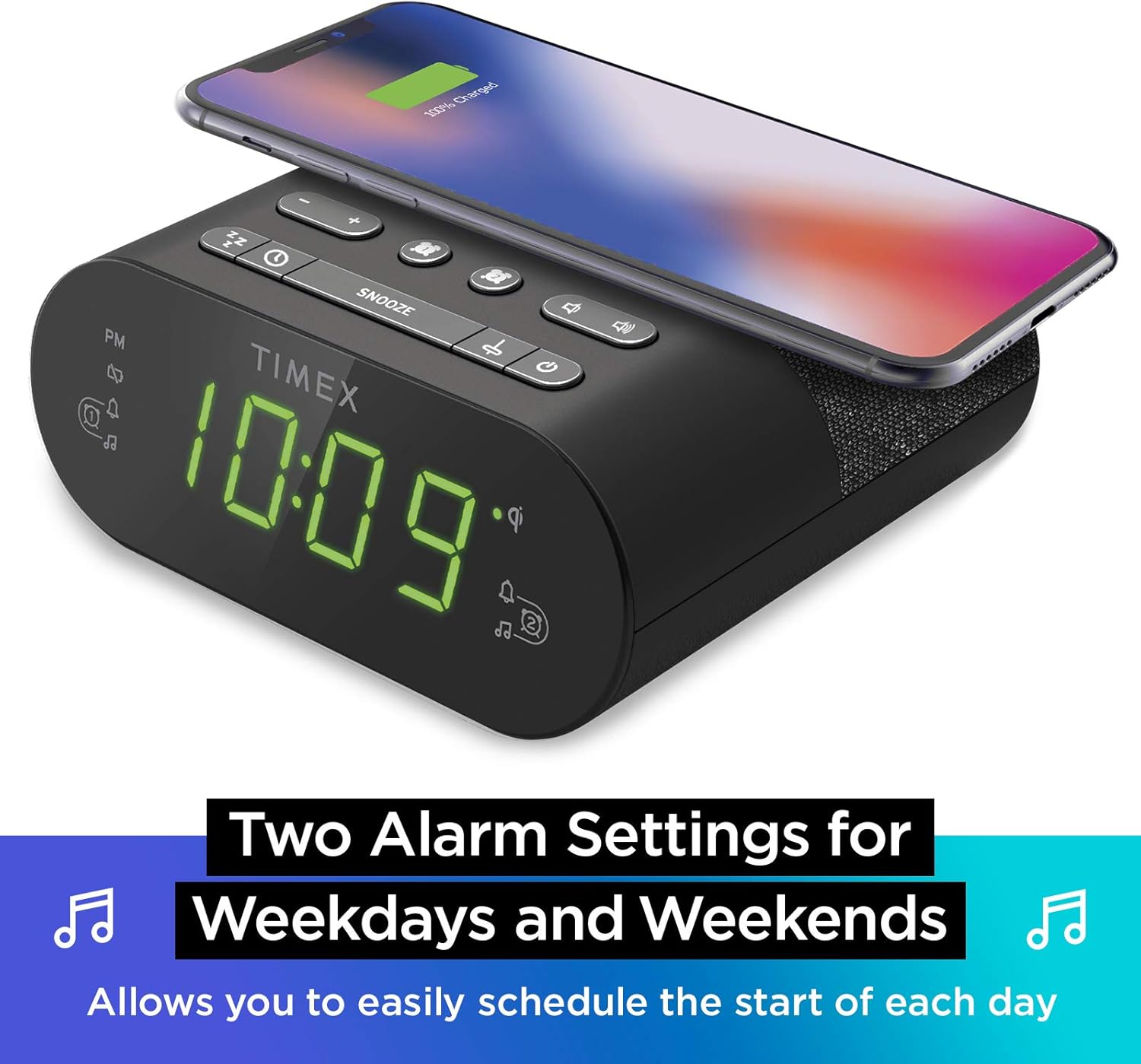
Nastavení duálního budíku: The TW500 supports two independent alarm settings, allowing users to schedule separate wake times for different days or for two individuals.
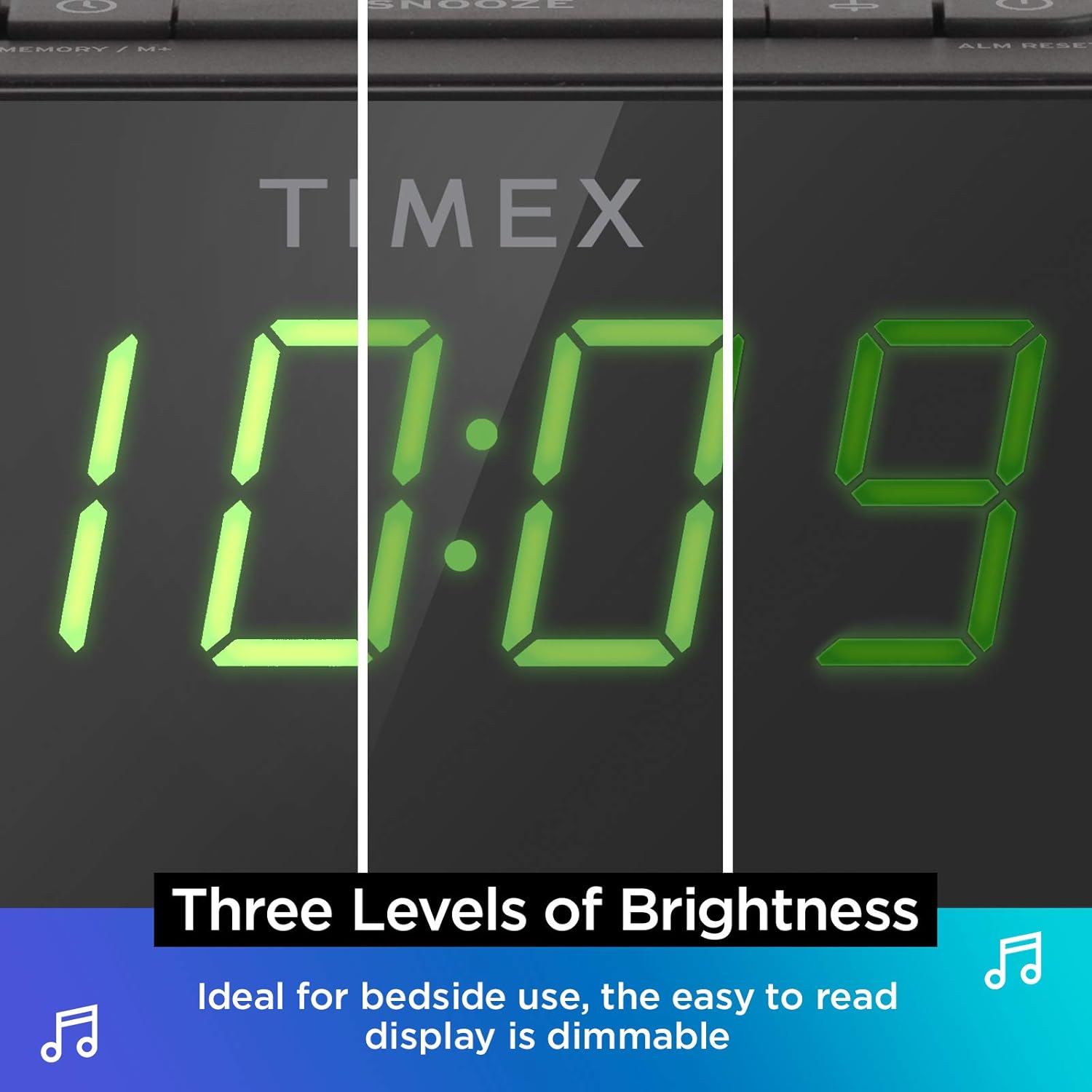
Stmívatelný displej: The digital display offers multiple brightness levels, ensuring comfortable viewing in various lighting conditions, from bright daylight to a dark bedroom.
Nastavení
1. Připojení napájení
Connect the supplied AC power adapter to the DC jack on the back of the unit and plug the other end into a working wall outlet. The unit will power on and the display will light up.
2. Instalace záložní baterie
Pro nepřetržité měření času při výpadku proudutages, install one CR-2032 battery (included) into the battery compartment on the bottom of the unit. Ensure correct polarity (+/-) as indicated.
3. Nastavení antény
Extend the FM wire antenna on the back of the unit fully for optimal FM radio reception. Adjust its position as needed to improve signal quality.
Návod k obsluze
Nastavení času
- Stiskněte a podržte NASTAVENÍ ČASU tlačítko na horním panelu, dokud nezačne blikat zobrazení času.
- Stiskněte tlačítko - or + tlačítky pro nastavení hodiny. Věnujte pozornost indikátoru PM.
- Stiskněte tlačítko NASTAVENÍ ČASU button again to confirm the hour and move to minutes setting.
- Stiskněte tlačítko - or + tlačítka pro nastavení minut.
- Stiskněte tlačítko NASTAVENÍ ČASU button one last time to save the time and exit time setting mode.
Nastavení alarmů (Alarm 1 a Alarm 2)
The TW500 features two independent alarms. The process is identical for both.
- Stiskněte a podržte POPLACH JEDNA or DRUHÝ POPLACH tlačítko , dokud nezačne blikat čas budíku.
- Stiskněte tlačítko - or + buttons to adjust the alarm hour. Observe the PM indicator.
- Stiskněte příslušné POPLACH JEDNA or DRUHÝ POPLACH button again to confirm the hour and move to minutes setting.
- Stiskněte tlačítko - or + tlačítka pro nastavení minut budíku.
- Stiskněte příslušné POPLACH JEDNA or DRUHÝ POPLACH button again to select the alarm source (FM radio or Tone). The corresponding icon will light up.
- Stiskněte příslušné POPLACH JEDNA or DRUHÝ POPLACH button one last time to save the alarm setting. The alarm indicator will remain lit.
To turn an alarm off, repeatedly press the corresponding POPLACH JEDNA or DRUHÝ POPLACH tlačítko, dokud kontrolka alarmu nezhasne.
Provoz FM rádia
- Stiskněte tlačítko ON/OFF tlačítko pro zapnutí rádia.
- Stiskněte tlačítko - or + buttons to tune to your desired FM station. Press and hold to auto-scan for the next available station.
- Stiskněte tlačítko OBJEM - or OBJEM + tlačítka pro nastavení hlasitosti.
- Nastavení předvoleb: Stiskněte a podržte MEMORY/M+ button. The preset number will flash. Use the - or + vyberte číslo předvolby (1–10). Stiskněte MEMORY/M+ znovu uložit.
- Vyvolání předvoleb: Krátce stiskněte PŘEDVOLBY FM tlačítko pro procházení uložených stanic.
- Stiskněte tlačítko ON/OFF tlačítko pro vypnutí rádia.
Bezdrátové nabíjení
The top surface of the TW500 features a Qi-compatible wireless charging pad.
- Place your Qi-enabled smartphone or other compatible device directly onto the wireless charging pad.
- Ensure the device is centered on the charging pad for optimal connection. A charging indicator on your device or the TW500 (if applicable) will confirm charging has begun.
- Po úplném nabití zařízení vyjměte.
USB nabíjení
A 5W USB-A charging port is located on the back of the unit.
- Connect your device's USB charging cable to the USB port on the TW500.
- Připojte druhý konec kabelu k zařízení. Nabíjení se spustí automaticky.
Zobrazit stmívač
Jas displeje lze nastavit podle vašich preferencí.
- Stiskněte tlačítko DIMMER button repeatedly to cycle through different brightness levels (High, Medium, Low, Off).
Časovač spánku
Časovač vypnutí vám umožňuje usnout s rádiem, které se po uplynutí nastavené doby automaticky vypne.
- Během přehrávání rádia stiskněte tlačítko SPÁT button repeatedly to cycle through sleep timer options (e.g., 10, 20, 30, 60, 90 minutes, Off).
- Rádio bude hrát po zvolenou dobu a poté se automaticky vypne.
Funkce Snooze
Když zazní alarm, stiskněte velké PODŘIMOVAT button on the top of the unit to temporarily silence the alarm for 9 minutes. The alarm will sound again after the snooze period.
Údržba
- Čištění: K čištění vnější strany jednotky používejte měkký, suchý hadřík. Nepoužívejte tekuté čisticí prostředky ani abrazivní materiály.
- Výměna baterie: Replace the CR-2032 backup battery annually or if the time display is incorrect after a power outage.
- Skladování: Pokud budete přístroj skladovat delší dobu, odpojte jej od napájení a vyjměte záložní baterii.
Odstraňování problémů
| Problém | Možná příčina | Řešení |
|---|---|---|
| Jednotka se nezapne. | Power adapter not connected or outlet is not working. | Ensure AC adapter is securely plugged into the unit and a live wall outlet. Test the outlet with another device. |
| Alarm se nespustí. | Budík není nastavený, hlasitost budíku je příliš nízká nebo budík je vypnutý. | Verify alarm time and source are set correctly. Increase radio volume if alarm source is FM. Ensure alarm indicator is lit. |
| Špatný příjem FM rádia. | Anténa není vysunutá nebo je v oblasti slabý signál. | Fully extend the FM wire antenna and reposition it for better reception. Try moving the unit to a different location. |
| Bezdrátové nabíjení nefunguje. | Device not Qi-compatible, not centered, or foreign object on pad. | Ensure your device supports Qi wireless charging. Re-position the device centrally on the pad. Remove any metal objects or thick cases. |
| Nabíjení přes USB nefunguje. | Vadný kabel nebo zařízení není kompatibilní. | Try a different USB cable. Ensure the device is compatible with standard USB charging. |
Specifikace
- Model: TW500
- Rozměry: 5.48 cm (Š) x 2.17 cm (H) x 5.20 cm (V)
- Hmotnost: 0.7 libry (přibližně 0.32 kg)
- Příkon: Napájecí adaptér (součástí balení)
- Bateriová záloha: 1 x baterie CR-2032 (součástí balení)
- Bezdrátové nabíjení: Kompatibilní s Qi
- USB nabíjecí port: 5W USB A
- Rádio: FM with 10 presets
- Zobrazit: 0.9" Green LED, Dimmable
- Budíky: Dual Digital Alarms (Wake to Radio or Tone)
Oficiální video produktu
Toto video poskytuje vizuální ukázkuview of the Timex TW500, highlighting its key features such as wireless charging, USB charging, FM radio, dual alarms, and dimmable display. It demonstrates the product's compact design and functionality.
Záruka a podpora
This Timex product comes with a limited warranty. For detailed warranty information, product support, or to register your product, please refer to the warranty card included in your product packaging or visit the official Timex website. If you are not 100% satisfied with your new Timex alarm clock radio and its performance, please contact the seller for assistance.
Výrobce: Timex
UPC: 758859207179