
Zavedení
Thank you for choosing the gorsun Kids Bluetooth Headphones, Model E61. These headphones are designed to provide a safe and enjoyable audio experience for children, featuring volume limiting technology and a comfortable, durable design. Please read this manual carefully before using the headphones to ensure proper operation and maintenance.
Co je v krabici
- gorsun Kids Bluetooth Headphones (Model E61)
- 3.5mm audio kabel
- Nabíjecí kabel USB-C
- Odnímatelné kočičí uši
- Skladovací taška
- Uživatelská příručka (tento dokument)

Image: The contents of the gorsun Kids Bluetooth Headphones package, showing the headphones, a 3.5mm audio cable, a USB-C charging cable, detachable cat ears, and a storage bag.
Nastavení
1. Nabíjení sluchátek
- Vyhledejte nabíjecí port USB-C na náušníku sluchátek.
- Connect the provided USB-C charging cable to the headphone's charging port.
- Zapojte druhý konec kabelu USB-C do kompatibilního zdroje napájení USB (např. počítače, síťového adaptéru).
- The indicator light will illuminate during charging and turn off when fully charged. A full charge takes approximately 2 hours.
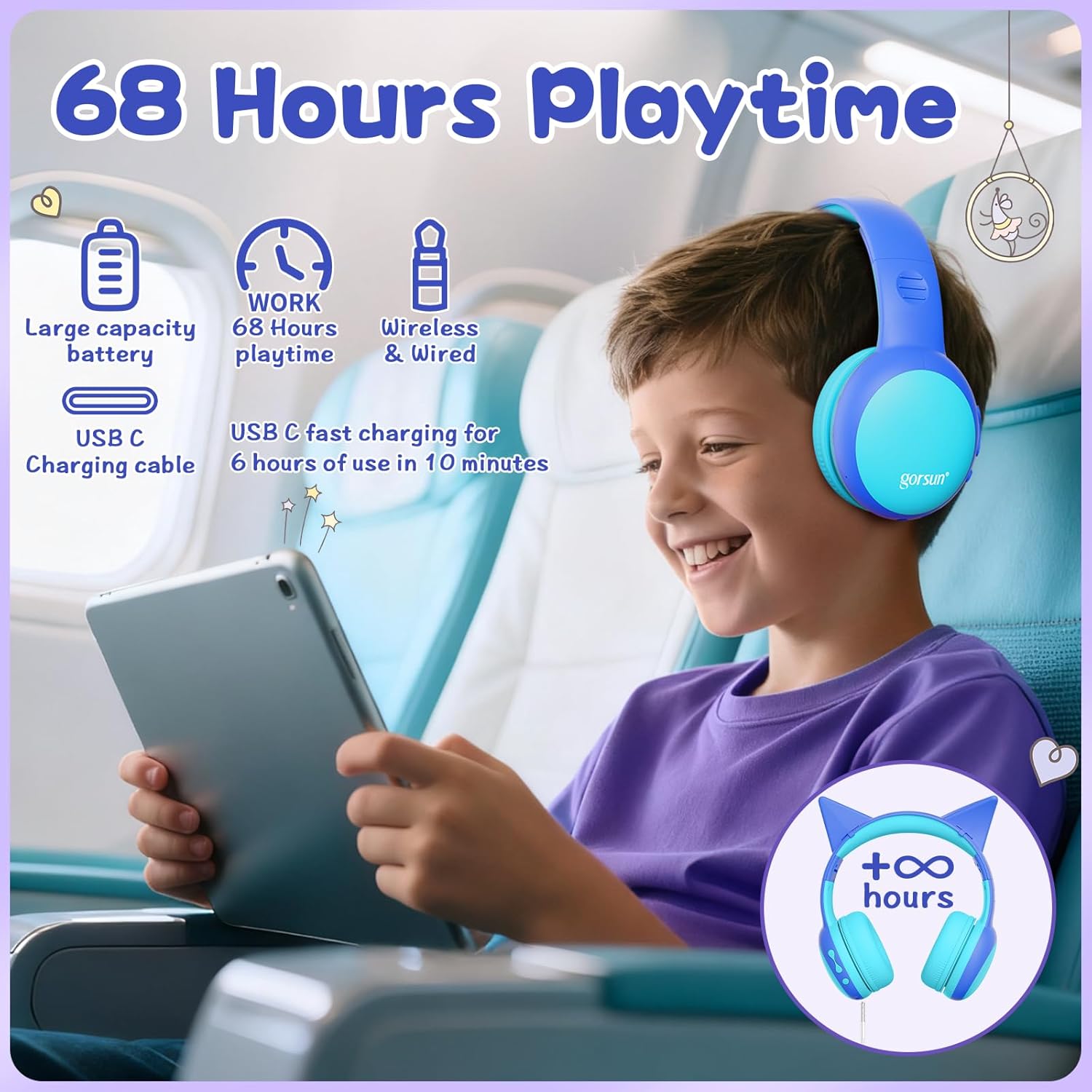
Image: A child wearing the gorsun headphones on an airplane, with visual cues indicating 68 hours of playtime and USB-C fast charging capabilities.
2. Attaching/Detaching Cat Ears (Optional)
- To attach: Align the base of the cat ears with the slots on the headband and gently push until they click into place.
- To detach: Gently pull the cat ears away from the headband.
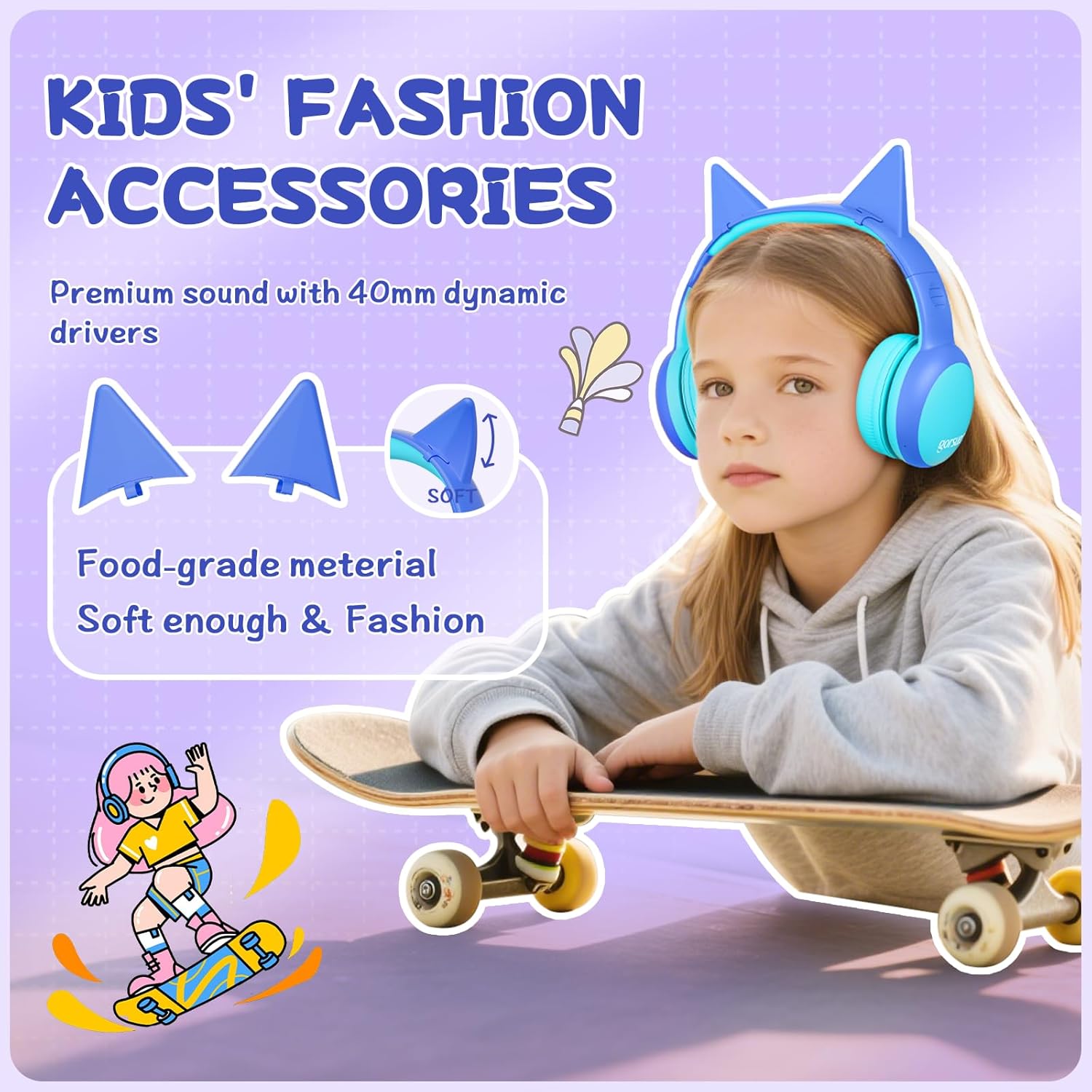
Obrázek: Podrobný view of the gorsun headphones, highlighting the detachable cat ears and the internal 40mm dynamic drivers for sound quality.
3. Nastavení čelenky
The headband is 8-level adjustable. Gently slide the earcups up or down to find a comfortable and secure fit for the user's head.

Image: A visual representation of the gorsun headphones' comfort features, including the ±10° adaptive swivel earcups, 8-position adjustable headband, and skin-friendly soft earmuffs.
Návod k obsluze
1. Zapnutí/vypnutí
- To Power On: Press and hold the Power Button (MFB) until the indicator light flashes.
- To Power Off: Press and hold the Power Button (MFB) until the indicator light turns off.
2. Párování Bluetooth
- Ujistěte se, že jsou sluchátka vypnutá.
- Press and hold the Power Button (MFB) for approximately 5 seconds until the indicator light flashes red and blue alternately, indicating pairing mode.
- On your device (smartphone, tablet, laptop), enable Bluetooth and search for "gorsun E61" (or similar).
- Select "gorsun E61" to connect. Once paired, the indicator light will flash blue slowly.

Image: The gorsun headphones displayed alongside various compatible devices such as iPads, laptops, PCs, phones, and Nintendo Switch, emphasizing Bluetooth 5.1 connectivity.
3. Drátový režim
If the battery is low or Bluetooth is not available, you can use the provided 3.5mm audio cable:
- Plug one end of the 3.5mm audio cable into the headphone's 3.5mm audio input port.
- Plug the other end into your audio device's 3.5mm jack.
- Sluchátka se automaticky přepnou do kabelového režimu.
4. Ovládání hlasitosti a navigace po stopách
- Zvýšit hlasitost: Krátce stiskněte tlačítko „+“.
- Snížit hlasitost: Krátce stiskněte tlačítko „-“.
- Další skladba: Dlouze stiskněte tlačítko „+“.
- Předchozí skladba: Dlouze stiskněte tlačítko „-“.
- Přehrát/pozastavit: Short press the Power Button (MFB).
5. Přijímání/ukončování hovorů
- Přijmout/ukončit hovor: Short press the Power Button (MFB).
- Odmítnout hovor: Long press the Power Button (MFB).
6. Volume Limiting Modes (85dB/94dB)
The headphones feature dual volume limits for safe listening:
- Study Mode (85dB): Ideal for quieter environments.
- Travel Mode (94dB): Suitable for noisy environments.
- To switch between modes: Double-tap the Power Button (MFB). A voice prompt will confirm the mode change.

Image: A visual guide to the dual-mode volume control, showing a child using the headphones in "Travel Mode" (94dB) on an airplane and another child in "Study Mode" (85dB) while reading, with instructions to double-press the power button to switch modes.
Údržba
- Čištění: K čištění sluchátek používejte měkký, suchý hadřík. Nepoužívejte agresivní chemikálie ani abrazivní materiály.
- Skladování: When not in use, fold the headphones and store them in the provided travel pouch to protect them from dust and damage.
- Vyhněte se vlhkosti: Keep the headphones away from water and excessive humidity. They are not water-resistant.
- Zacházejte opatrně: Zabraňte pádu sluchátek na zem nebo jejich vystavení silným nárazům.
Odstraňování problémů
Žádná síla
- Ujistěte se, že jsou sluchátka plně nabitá. Připojte je ke zdroji napájení pomocí kabelu USB-C.
- Check if the charging cable and power source are working correctly.
Nelze spárovat přes Bluetooth
- Make sure the headphones are in pairing mode (indicator light flashing red and blue alternately).
- Ensure Bluetooth is enabled on your device and it is within 10 meters of the headphones.
- Turn off and on the Bluetooth function on your device, then try pairing again.
- Pokud bylo zařízení dříve spárováno, zkuste jej „zapomenout“ v nastavení Bluetooth v telefonu a znovu jej spárovat.
No Sound in Wired Mode
- Ensure the 3.5mm audio cable is securely plugged into both the headphones and your audio device.
- Check if the volume on both the headphones and your audio device is turned up.
- Test the audio cable with another device if possible to rule out a faulty cable.
Sound is Too Low/High
- Adjust the volume using the "+" and "-" buttons on the headphones.
- Check the volume settings on your connected audio device.
- Ensure the correct volume limiting mode (85dB/94dB) is selected by double-tapping the Power Button (MFB).
Specifikace
| Funkce | Detail |
|---|---|
| Model | E61 |
| Konektivita | Bluetooth 5.1, 3.5mm AUX (kabelové) |
| Dosah Bluetooth | Až 10 metrů (33 stop) |
| Limit hlasitosti | 85dB / 94dB (Switchable) |
| Prázdno | Up to 68 hours (Bluetooth) |
| Doba nabíjení | Přibl. 2 hodin |
| Nabíjecí port | USB-C |
| Velikost ovladače | 40mm dynamické ovladače |
| Impedance | 32 ohmů |
| Citlivost | 85 dB |
| Frekvenční rozsah | 20-20,000 Hz |
| Mikrofon | Vestavěný HD mikrofon |
| Umístění uší | Over-Ear |
| Materiál | Akrylonitrilbutadienstyren (ABS) |
| Hmotnost | 0.3 kg |
| Vlastnosti | Foldable, Adjustable Headband, Swivel Earcups, Detachable Cat Ears, Sound Isolation |
Informace o záruce
gorsun provides a Záruka 12 měsíců from the date of purchase against defects in materials and workmanship. This warranty does not cover damage caused by misuse, accident, unauthorized modification, or normal wear and tear. Please retain your proof of purchase for warranty claims.
Zákaznická podpora
For any questions, technical support, or warranty claims, please contact gorsun customer service through the retailer where you purchased the product or visit the official gorsun webstránky pro kontaktní informace.
We are committed to providing you with the best possible experience.