
MaximalPower VF BLUEAIR400
MaximalPower Replacement HEPA Filter User Manual
Model: VF BLUEAIR400
1. Úvod
This manual provides essential information for the proper use, installation, and maintenance of your MaximalPower Replacement HEPA Filter, designed for Blueair 400 Series Air Purifiers.
This filter is compatible with Blueair Classic Air Purifier Models: 400PF, 401, 401PF, 410B, 402, 403, 405, 410, 450E, 455, and 455EB.

Image: The MaximalPower Replacement HEPA Filter shown in its retail packaging.
2. Bezpečnostní informace
Please read all safety instructions carefully before handling or installing the filter.
- Remove Filter from Plastic Bag: Always remove the filter from its plastic packaging completely before installation and use.
- Destroy Bag Completely: After removing the filter, destroy the plastic bag immediately.
- Uchovávejte mimo dosah dětí: The plastic bag and filter should be kept away from children to prevent suffocation or other hazards.
- Check for Arcing/Sparking: In rare cases, some replacement filters with metal mesh may cause arcing or sparking if the mesh is too close to internal components of the air purifier. If you observe any clicking sounds or sparking, immediately turn off and unplug your air purifier and contact customer support. Do not continue to use the filter if arcing occurs.
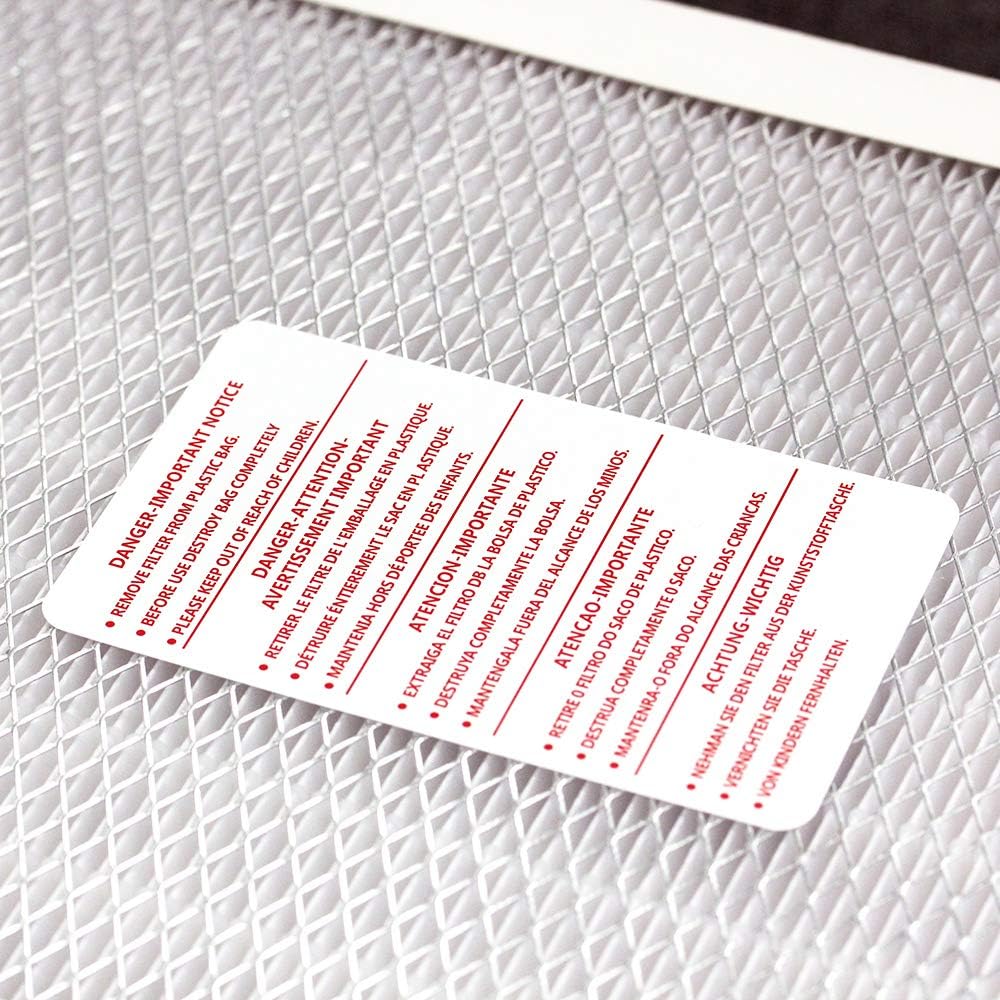
Image: A safety warning card advising to remove the filter from its plastic bag and keep the bag away from children.
3. Nastavení a instalace
The MaximalPower Replacement HEPA Filter is designed for easy installation without the need for special tools.
- Ensure your Blueair 400 Series Air Purifier is turned off and unplugged from the power outlet.
- Locate the filter compartment on your air purifier. Refer to your air purifier's original manual for specific instructions on opening the compartment.
- Carefully remove the old filter from the air purifier. Dispose of the old filter according to local regulations.
- Unpack the new MaximalPower HEPA filter, ensuring all plastic packaging is removed.
- Identify the side of the filter marked "This side must face front" or similar text. This side typically has a pleated paper appearance, while the opposite side has an aluminum mesh.
- Insert the new filter into the air purifier's filter slot, making sure the side with the text "This side must face front" is facing outwards, as indicated by the air purifier's design.
- Přihrádku na filtr bezpečně uzavřete.
- Plug your air purifier back into the power outlet and turn it on. Reset the filter indicator light if your model has one.

Image: A visual guide demonstrating how to properly install the filter, highlighting the "This side must face front" instruction and showing the pleated paper side and aluminum mesh side.
4. Práce s filtrem
Once installed, the MaximalPower HEPA filter will immediately begin to purify the air. This filter is designed to trap 99.97% of particles greater than 0.3 microns, including dirt, dust, pollen, pet dander, allergens, and spores.

Image: The filter highlighting its efficiency in removing up to 99.97% of particles.
For optimal performance, ensure your air purifier is operating in an appropriate setting for your room size and air quality needs. Refer to your air purifier's manual for detailed operating instructions.
5. Údržba
Regular filter replacement is crucial for maintaining the efficiency of your air purifier and ensuring clean air quality.
- Frekvence výměny: This filter generally lasts for 4-6 months under normal usage conditions.
- Kontrolka: Your Blueair air purifier model may have a filter indicator light that signals when a replacement is needed. Follow your air purifier's instructions for resetting this light after replacement.
- Environmentální faktory: In environments with higher levels of pollutants, pet dander, or frequent use, the filter may need to be replaced more frequently than every 6 months.
- Čištění: The HEPA filter is not washable and should not be cleaned. Attempting to clean the filter can damage its filtration media and reduce its effectiveness.
Video: An official product video demonstrating the MaximalPower HEPA Filter for Blueair 400 Series Air Purifier, showcasinjeho vlastnosti a výhody.
6. Řešení problémů
| Problém | Možná příčina | Řešení |
|---|---|---|
| Reduced Airflow / Poor Air Quality | Filter is clogged or past its lifespan. | Replace the filter. Ensure the air purifier's pre-filters (if any) are clean. |
| Unusual Noises (e.g., clicking, buzzing) | Filter not seated correctly; potential arcing from metal mesh. | Turn off and unplug the air purifier immediately. Re-seat the filter. If noise persists, discontinue use and contact customer support. |
| Kontrolka filtru stále svítí | Indicator light not reset after filter replacement. | Refer to your Blueair air purifier's manual for instructions on how to reset the filter indicator light. |
7. Specifikace
- Značka: Maximální výkon
- Model: VF BLUEAIR400
- Typ: HEPA filtr
- Účinnost filtrace: Removes 99.97% of particles greater than 0.3 microns
- Compatible Air Purifiers: Blueair 400 Series (400PF, 401, 401PF, 410B, 402, 403, 405, 410, 450E, 455, 455EB, 480i)
- Typ materiálu: Glass Microfiber
- Rozměry položky: Přibližně 21 x 10 x 4 palce
- Hmotnost položky: Přibližně 3.54 libry
- Doporučená náhrada: Každých 4-6 měsíců
8. Záruka a podpora
MaximalPower is a US-based brand that stands behind its products. This product is backed by a warranty and customer service support.
For warranty claims, technical assistance, or any questions regarding your MaximalPower Replacement HEPA Filter, please contact MaximalPower customer service. Refer to the product packaging or the official MaximalPower webstránky pro kontaktní informace.
Poznámka: MaximalPower is not affiliated with Blueair and only sells non-OEM/aftermarket replacement filters compatible with the specified models. The Blueair brand name and logos are registered trademarks of their respective owners. Any use of the Blueair brand name or model designation for this product is made solely for the purpose of demonstrating compatibility.
Ask a question about this manual
Ask about setup, troubleshooting, compatibility, parts, safety, or missing instructions. Manuals+ will review the question and use this page’s manual context to help answer it.