
LEXIN ET COM
LEXIN ET-COM Bluetooth Motorcycle Intercom System User Manual
Model: ET COM | Brand: LEXIN
1. Úvod
The LEXIN ET-COM is a Bluetooth motorcycle communication system designed to enhance your riding experience. It allows for two-way intercom communication between riders, hands-free phone calls, music streaming, and FM radio reception. This system incorporates advanced DSP and CVC noise cancellation technologies for clear audio, even at high speeds.
Mezi klíčové vlastnosti patří:
- Obousměrný interkom: Communicate with up to 2 riders within a 1200-meter range.
- Bluetooth V5.0: Zajišťuje stabilní a efektivní bezdrátové připojení.
- DSP & CVC Noise Cancellation: Reduces external noise for clear audio quality.
- Dlouhá výdrž baterie: 800mAh battery provides up to 15 hours of music playback, 8 hours of talk time, and 300 hours of standby.
- FM rádio: Vestavěné FM rádio pro zábavu na cestách.
- Podpora hlasového asistenta: Access Siri and S Voice for hands-free control.
- Vodotěsnost IP67: Navrženo tak, aby odolalo různým povětrnostním podmínkám.
- Interchangeable Face Plates: Customize the unit's appearance with different colored housings.

Image: The LEXIN ET-COM unit securely mounted on the side of a motorcycle helmet.

Image: A visual representation of DSP and CVC advanced noise cancellation technology, showing how external noise is copied and canceled for improved audio clarity.
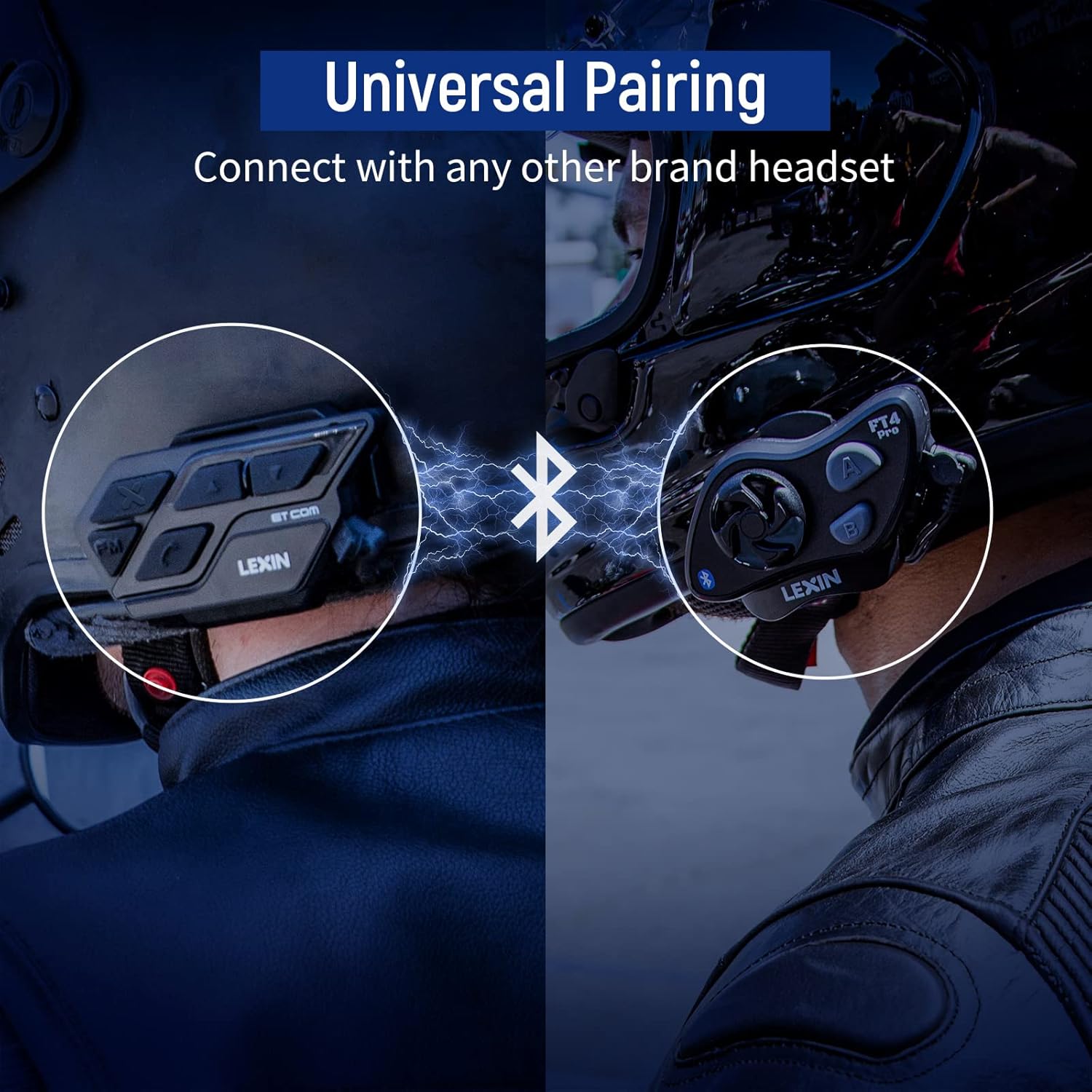
Image: A motorcycle helmet with the LEXIN ET-COM unit shown in rainy conditions, highlighting its IP67 water resistance for all-weather use.

Image: The LEXIN ET-COM unit displaying its 800mAh battery capacity, indicating 300 hours of standby time, 15 hours of music playback, and 1.5 hours of charging time.
2. Obsah balení
Prosím, ověřte, zda jsou v balení přítomny všechny položky:
- LEXIN ET-COM Main Unit
- Microphone (Boom or Button type)
- Steel Needle (for housing removal)
- Allen Key
- Montážní šrouby
- Microphone Fixing Piece
- Podložky pod reproduktory
- kovový klip
- Lepicí základna 3M
- Uživatelská příručka
- Datový kabel USB typu C
- 5 Additional Decorative Color Housings

Image: A comprehensive diagram illustrating all components included in the LEXIN ET-COM package, along with a visual guide for helmet installation.
3. Nastavení a instalace
3.1 Nabíjení jednotky
Before first use, fully charge the ET-COM unit. Connect the provided Type-C USB data cable to the charging port on the unit and to a USB power source. The LED indicator will show charging status and turn off when fully charged.
3.2 Montáž na helmu
The ET-COM unit can be mounted to your helmet using either the metal clip or the 3M adhesive base. Choose the method that best suits your helmet type and preference.
- Montáž klipu: Slide the metal clip between the helmet shell and the inner padding. Secure the ET-COM unit to the clip.
- Lepicí držák: Clean the desired mounting area on the helmet surface. Peel off the protective film from the 3M adhesive base and firmly press the ET-COM unit onto the helmet. Hold for 30 seconds to ensure a strong bond.
3.3 Instalace reproduktorů a mikrofonu
Nainstalujte reproduktory a mikrofon do helmy:
- Attach the speaker pads to the inside of the helmet, aligning them with your ears.
- Place the speakers into the pads.
- Position the microphone in front of your mouth, ensuring it is close but not touching. Use the microphone fixing piece if necessary.
- Connect the speaker and microphone cables to the corresponding ports on the ET-COM unit.
3.4 Párování s telefonem přes Bluetooth
To pair your ET-COM with your mobile phone:
- Ensure the ET-COM unit is off.
- Press and hold the Power button until the LED indicator flashes red and blue alternately, indicating pairing mode.
- On your phone, enable Bluetooth and search for new devices.
- Select "LEXIN ET-COM" from the list of available devices.
- Po spárování bude LED indikátor pomalu modře blikat.
3.5 Intercom Pairing (Unit-to-Unit)
To pair two ET-COM units for intercom communication:
- Ensure both ET-COM units are off.
- On both units, press and hold the Intercom button until the LED indicators flash red and blue alternately.
- Krátce stiskněte tlačítko interkomu na jedné z jednotek. Jednotky se začnou navzájem vyhledávat.
- Once paired, the LED indicators on both units will flash blue slowly.

Image: An illustration demonstrating the universal pairing capability of the LEXIN ET-COM, connecting with another brand's headset via Bluetooth.
4. Návod k obsluze
4.1 Zapnutí/vypnutí
- Zapnutí: Press and hold the Power button for approximately 3 seconds until the LED flashes blue.
- Vypnout: Press and hold the Power button for approximately 3 seconds until the LED flashes red and then turns off.
4.2 Ovládání hlasitosti
- Zvýšení hlasitosti: Stiskněte tlačítko pro zvýšení hlasitosti (+).
- Snížit hlasitost: Stiskněte tlačítko pro snížení hlasitosti (-).
4.3 Přehrávání hudby
- Přehrát/pozastavit: Press the Multi-function button (often the central button).
- Další skladba: Press the Volume Up button (+) for 2 seconds.
- Předchozí skladba: Press the Volume Down button (-) for 2 seconds.
4.4 FM rádio
- Zapnutí/vypnutí FM rádia: Stiskněte tlačítko FM.
- Skenovací stanice: Press the Volume Up (+) or Volume Down (-) button briefly to change stations.
4.5 Komunikace přes interkom
- Spuštění interkomu: Briefly press the Intercom button.
- Konec interkomu: Briefly press the Intercom button again.
4.6 Telefonní hovory
- Přijmout hovor: Krátce stiskněte multifunkční tlačítko.
- Ukončit hovor: Krátce stiskněte multifunkční tlačítko.
- Odmítnout hovor: Stiskněte a podržte multifunkční tlačítko po dobu 2 sekund.
- Znovu vytočit poslední číslo: Dvakrát stiskněte multifunkční tlačítko.
4.7 Hlasový asistent
- Activate Voice Assistant (Siri/S Voice): Press and hold the Multi-function button for 2 seconds (when not on a call or intercom).
Obrázek: Podrobný view of the LEXIN ET-COM unit, highlighting the various control buttons for power, volume, FM, and intercom functions.
5. Údržba
5.1 Čištění
Jednotku otřete měkkým, damp cloth. Do not use harsh chemicals or abrasive cleaners. Ensure the charging port cover is securely closed to maintain water resistance.
5.2 Péče o baterii
Chcete -li prodloužit životnost baterie:
- Charge the unit fully before long periods of storage.
- Nevystavujte jednotku extrémním teplotám.
- Recharge the unit at least once every three months if not in regular use.
5.3 Changing Face Plates
The ET-COM unit features interchangeable decorative face plates:
- Carefully insert the steel needle into the small slot on the side of the unit to release the current face plate.
- Gently pry off the old face plate.
- Align the new face plate with the unit and press firmly until it clicks into place.

Image: A step-by-step guide demonstrating how to remove and replace the interchangeable 6-color face plates on the LEXIN ET-COM unit.
6. Řešení problémů
| Problém | Možná příčina | Řešení |
|---|---|---|
| Jednotka se nezapne | Low battery; Unit frozen | Charge the unit fully; Perform a reset by pressing and holding the Power button for 10 seconds. |
| Žádný zvuk z reproduktorů | Příliš nízká hlasitost; Reproduktory nejsou správně připojeny; Vadné reproduktory | Increase volume; Check speaker connections; Test with another audio source or contact support. |
| Nelze spárovat s telefonem/interkomem | Unit not in pairing mode; Bluetooth interference; Already paired to max devices | Ensure unit is in pairing mode (flashing red/blue); Move away from other Bluetooth devices; Clear previous pairings and try again. |
| Dosah interkomu je krátký nebo je připojení nestabilní | Obstructions (buildings, terrain); Weather conditions; Too many paired devices | Ensure clear line of sight; Reduce distance between units; Try re-pairing. |
| Poor audio quality / static | Microphone placement; Speaker placement; Environmental noise | Adjust microphone closer to mouth; Ensure speakers are centered over ears; DSP/CVC should mitigate noise, but extreme conditions may affect quality. |
7. Specifikace
- Název modelu: ET COM
- Verze Bluetooth: V5.0
- Technologie připojení: Bezdrátový
- Rozsah interkomu: Až 1200 metrů (0.7 mil) pro 2 jezdce
- Typ baterie: Lithium-iontová
- Kapacita baterie: 800 XNUMX mAh
- Doba přehrávání hudby: Až 15 hodin
- Doba hovoru: Až 8 hodin
- Pohotovostní doba: Až 300 hodin
- Doba nabíjení: Přibližně 1.5 hodiny
- Úroveň odolnosti proti vodě: IP67 (Impermeable)
- Zrušení hluku: DSP a CVC
- Typ ovládání: Hlasové ovládání
- Sluchátkový jack: USB
- Form Factor: Cirkum-aurikulární
- Popis věkového rozmezí: Dospělý
8. Záruka a podpora
For warranty information and technical support, please refer to the official LEXIN webnebo se obraťte na prodejce. Uschovejte si doklad o koupi pro případné reklamace.
If you encounter issues not covered in this manual, please reach out to LEXIN customer service for assistance.
Ask a question about this manual
Ask about setup, troubleshooting, compatibility, parts, safety, or missing instructions. Manuals+ will review the question and use this page’s manual context to help answer it.