
1. Úvod
This manual provides instructions for the CAIWEI WiFi Bluetooth Mini Projector, Model US2-C180AB-01F. This device is a portable LCD projector designed for displaying video, images, and other media. It features wireless connectivity options including WiFi for screen mirroring and Bluetooth for audio and peripheral device connections. The projector operates on an Android 6.0 system, allowing for direct application installation and internet browsing.
2. Obsah balení
Ověřte, zda jsou všechny níže uvedené položky součástí balení. Pokud některé položky chybí nebo jsou poškozené, kontaktujte zákaznickou podporu.
- CAIWEI Mini Projector
- Dálkové ovládání
- Síťový napájecí kabel
- AV kabel
- HDMI kabel
- Uživatelská příručka

Figure 2.1: Projector and Included Accessories. This image displays the projector along with its standard accessories: a remote control, AC power cable, AV cable, HDMI cable, and the user manual. The physical dimensions of the projector (204mm length, 150mm width, 88mm height) are also indicated.
3. Konec produktuview
3.1 Projector Components and Controls
Familiarize yourself with the various ports and control buttons on the projector.

Figure 3.1: Projector Controls and Ports. This diagram illustrates the top panel controls including keystone adjustment, focus wheel, power key, menu, directional keys, return, and source selection. The side panel shows ports for Audio Out, AV, USB, HDMI, VGA, and the speaker grille, along with a vent.
3.2 Klíčové vlastnosti
- Bezdrátové připojení: Integrated Android 6.0 operating system with WiFi and Bluetooth 4.0 for direct app installation, internet browsing, and wireless screen mirroring from smartphones (Airplay/Miracast/DLNA).
- Displej s vysokým rozlišením: Native resolution of 1280x720 pixels, supporting up to 1920x1080. Features 3800 LED lumens brightness and a 4000:1 contrast ratio.
- Long-Life LED Lamp: The LED light source has an expected lifespan of approximately 50,000 hours.
- Multimediální kompatibilita: Podporuje různé file formats including TXT, JPEG, BMP, PNG, MP3, WMA, ASF, OGG, AAC, WAV, 3GP, AVI, MKV, FLV, MOV, MP4, MPG, VOB, and RMVB.

Figure 3.2: Android OS and Wireless Connection. This image highlights the projector's Android 6.0 operating system interface, demonstrating its ability to run applications. It also illustrates the wireless connection feature, allowing screen mirroring from smartphones, tablets, and laptops without physical cables.
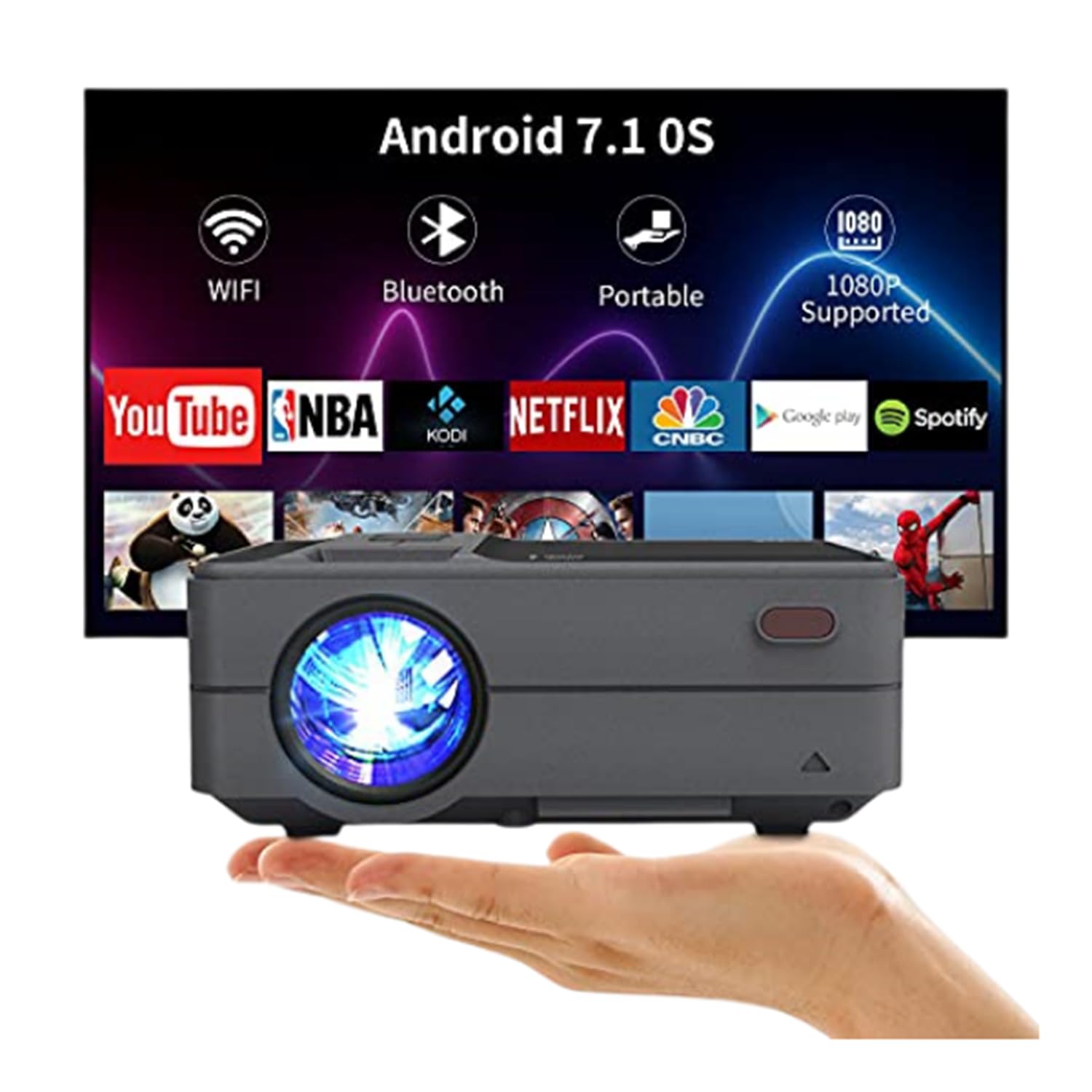
Figure 3.3: Bluetooth 4.0 Connectivity. This image demonstrates the projector's Bluetooth 4.0 capabilities, showing its compatibility with various Bluetooth devices such as external speakers, gamepads, keyboards, and mice for enhanced user interaction and audio output.
4. Nastavení
4.1 Připojení napájení
- Connect the AC power cable to the projector's power input port.
- Plug the other end of the AC power cable into a power outlet.
4.2 Počáteční zapnutí
- Stisknutím tlačítka napájení na projektoru nebo na dálkovém ovladači zapněte zařízení.
- Allow a few moments for the projector to boot up and display the main interface.
4.3 Zaostření a korekce lichoběžníkového zkreslení
- Soustředit: Rotate the focus ring located on the top of the projector until the projected image appears clear and sharp.
- Korekce lichoběžníkového zkreslení: Use the keystone adjustment control to correct trapezoidal distortion if the projector is not perfectly perpendicular to the screen. The projector supports manual ±15° keystone correction.
5. Návod k obsluze
5.1 Výběr zdroje
Chcete-li vybrat vstupní zdroj:
- Press the 'Source' button on the projector or remote control.
- Navigate through the available input options (HDMI, USB, AV, VGA) using the directional keys.
- Press 'OK' or 'Enter' to confirm your selection.
5.2 Bezdrátové zrcadlení obrazovky (WiFi)
The projector supports wireless screen casting for smartphones and tablets.
- For iOS Devices (Airplay): Ensure both the projector and your iOS device are connected to the same WiFi network. On your iOS device, open Control Center and select 'Screen Mirroring', then choose the projector from the list of available devices.
- For Android Devices (Miracast/DLNA): Ensure both the projector and your Android device are connected to the same WiFi network. On your Android device, enable 'Wireless Display', 'Screen Cast', or 'Smart View' (names may vary by device) and select the projector.
5.3 Připojení Bluetooth
Chcete-li připojit zařízení Bluetooth:
- Go to the projector's settings menu and navigate to the Bluetooth section.
- Povolte na projektoru Bluetooth.
- Put your Bluetooth device (e.g., speaker, gamepad, keyboard, mouse) into pairing mode.
- Select your device from the list of available devices on the projector's screen to pair.
5.4 Media Playback from USB
Insert a USB flash drive into the USB port. The projector's media player will typically detect the drive automatically. Navigate through the files and select the desired media for playback.
6. Placement and Image Adjustment
6.1 Projection Distance and Size
The projector can produce an image size ranging from 24 to 200 inches, with an optimal projection distance between 3.41 and 19.84 feet. Refer to the table below for recommended distances for common screen sizes.
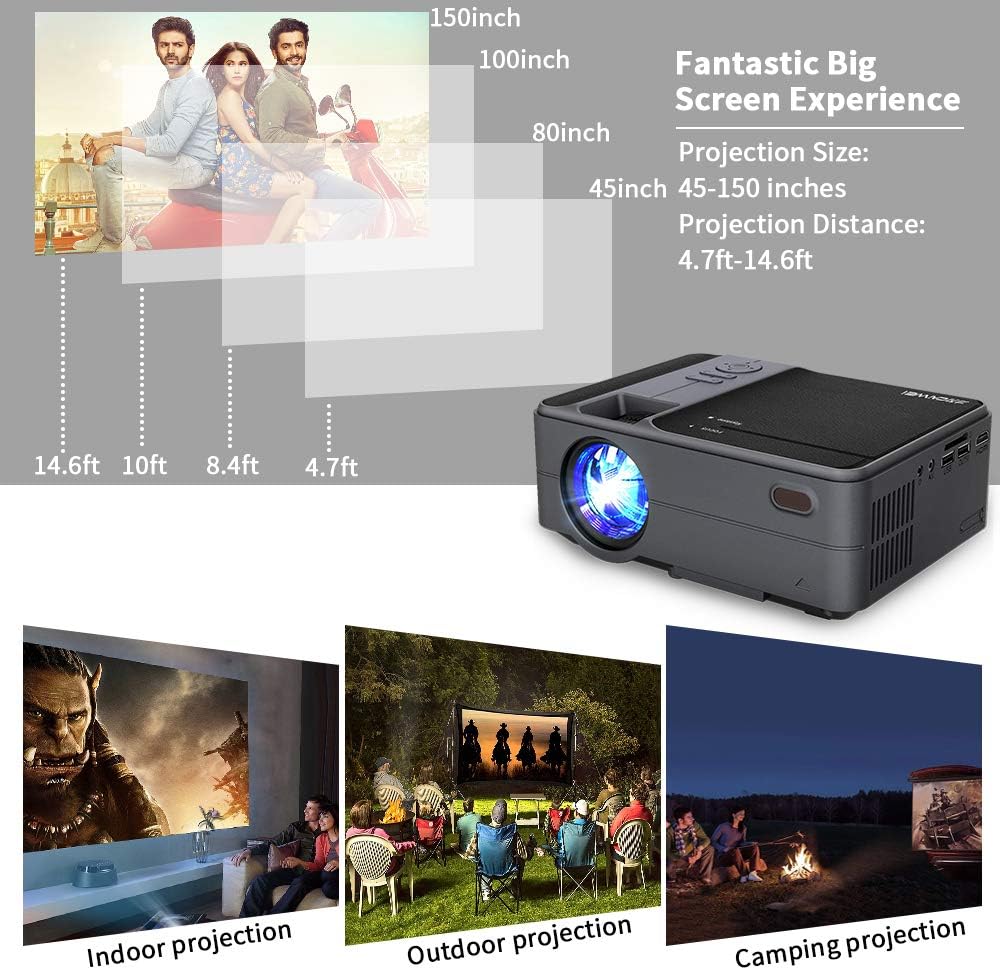
Figure 6.1: Projection Distance Guide. This chart provides recommended projection distances for achieving specific screen sizes, ranging from 45 inches at 4.7 feet to 150 inches at 14.6 feet.
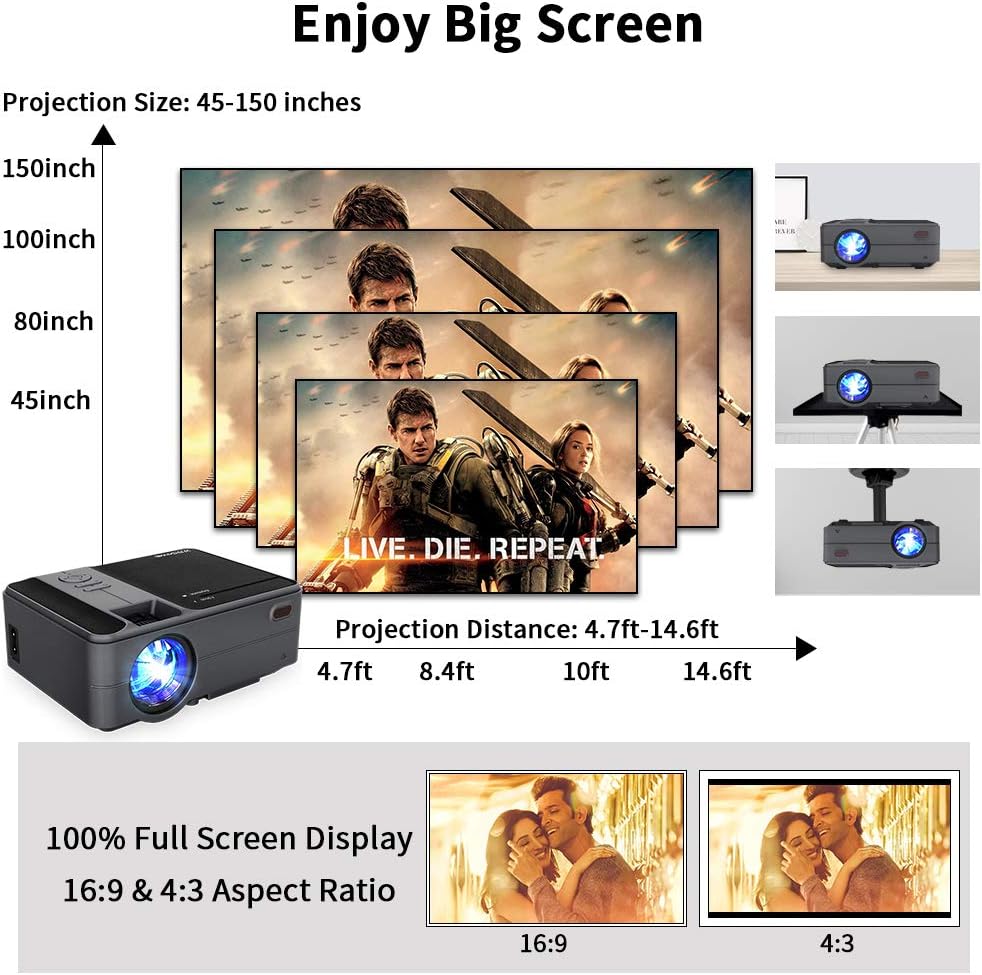
Figure 6.2: Projection Size Examples. This image visually represents various projection sizes (45, 80, 100, and 150 inches) and their respective projection distances, illustrating the scalability of the projected image.
6.2 Úpravy obrazu
The projector offers several options for adjusting the image to suit your viewprostředí.
- Digitální zoom: The projector supports a 25% digital zoom function, allowing you to adjust the image size without physically moving the projector.
- Korekce lichoběžníkového zkreslení: Manual ±15° keystone correction is available to correct image distortion.
- Převrácení obrázku: A 360-degree image flip function allows for flexible mounting options, including front, rear, and ceiling projection.

Figure 6.3: Image Adjustment Features. This image illustrates the projector's capabilities for 25% digital zoom, manual ±15° keystone correction, and 360-degree image flip, providing flexibility for various projection setups.
7. Údržba
Pravidelná údržba pomáhá zajistit optimální výkon a prodlužuje životnost projektoru.
- Čištění objektivu: K jemnému čištění čočky projektoru použijte měkký hadřík bez žmolků, speciálně určený pro optické čočky. Nepoužívejte abrazivní materiály ani agresivní chemikálie.
- Čištění větracích otvorů: Periodically clean the air vents to prevent dust buildup, which can obstruct airflow and lead to overheating. Use a soft brush or compressed air.
- Skladování: When not in use for extended periods, store the projector in a cool, dry, and dust-free environment.
8. Řešení problémů
Pokud se s projektorem setkáte s problémy, podívejte se na následující běžné problémy a jejich řešení:
| Problém | Možná příčina | Řešení |
|---|---|---|
| Žádná síla | Napájecí kabel není připojen; Vadná zásuvka | Ujistěte se, že je napájecí kabel bezpečně připojen. Vyzkoušejte zásuvku s jiným zařízením. |
| Žádný obrázek | Incorrect input source; Cable connection loose; Device not powered on | Select the correct input source. Check all cable connections. Ensure connected device is powered on. |
| Rozmazaný obrázek | Focus not adjusted; Keystone not adjusted | Adjust the focus ring. Use keystone correction to square the image. |
| Žádný zvuk | Volume too low; Mute enabled; External audio device not connected/selected | Increase volume. Disable mute. Ensure external audio device is properly connected and selected. |
| Dálkové ovládání nefunguje | Slabé/vybité baterie; Překážka mezi dálkovým ovladačem a projektorem | Vyměňte baterie. Zajistěte nerušený výhled na infračervený přijímač projektoru. |
| Problémy s bezdrátovým připojením | Incorrect WiFi password; Devices not on same network; Signal interference | Verify WiFi password. Ensure projector and device are on the same network. Reduce interference. |
9. Specifikace
| Funkce | Specifikace |
|---|---|
| Model | US2-C180AB-01F |
| Typ motoru | LCD |
| Světelný zdroj | LED |
| Jas | 3800 lumenů |
| Kontrastní poměr | 4000:1 |
| Nativní rozlišení | 1280 x 720 |
| Max Podporované rozlišení | 1920 x 1080 |
| Velikost obrázku | 24 - 200 palce |
| Projekční vzdálenost | 3.41 - 19.84 m |
| Poměr stran | 16:9 / 4:3 |
| Vstupní/Výstupní porty | HDMI, USB, VGA, AV, SD, 3.5mm Audio Out |
| Operační systém | Android 6.0 |
| CPU | ARM Cortec-A53 Quad-Core 1.7GHz |
| BERAN | 1 GB DDR3 |
| ROM | 8GB EMMC |
| Bezdrátové připojení | WiFi, Bluetooth 4.0 |
| Spotřeba energie | 40 wattů |
| Rozměry (D x Š x V) | 204 x 148 x 80 mm |
| Hmotnost | 1 KG (2.2 lb) |
10. Záruka a podpora
The CAIWEI Mini Projector comes with a 12-month warranty for free replacement parts. Lifetime technical support is also provided. For assistance or inquiries, please refer to the contact information provided with your purchase documentation.