
Easytry123 AR-RY12
User Manual for Easytry123 Replacement Remote Control
Model: AR-RY12
Zavedení
This manual provides comprehensive instructions for the Easytry123 replacement remote control, designed for various Fujitsu Air Conditioner models including AUYG18LVLB, ASYG07LUCA, ASYG09LUCA, RSB09LDC, RSB18LDC, RSB24LDC, RGV09LA, ASHA09LEC, ASHA12LEC, ASHA18LEC, ASHA12LGC, and ASHA14LGC. This remote control is an infrared (IR) device intended to replace your original unit, offering essential functions for your air conditioning system.

Obrázek 1: Přední view of the Easytry123 replacement remote control, showing the display and various control buttons.
Nastavení
Instalace baterie
The remote control requires two AAA batteries (not included). Follow these steps to install them correctly:
- Najděte kryt prostoru pro baterie na zadní straně dálkového ovladače.
- Slide the cover downwards or press the "OPEN" tab and lift to remove it.
- Insert two AAA batteries, ensuring the positive (+) and negative (-) polarities align correctly with the markings inside the compartment.
- Nasaďte kryt přihrádky na baterie tak, že jej zasunete zpět na místo, dokud bezpečně nezacvakne.
Důležité: Do not mix old and new batteries, or batteries of different types. Incorrect battery installation can prevent the remote from functioning or cause damage.
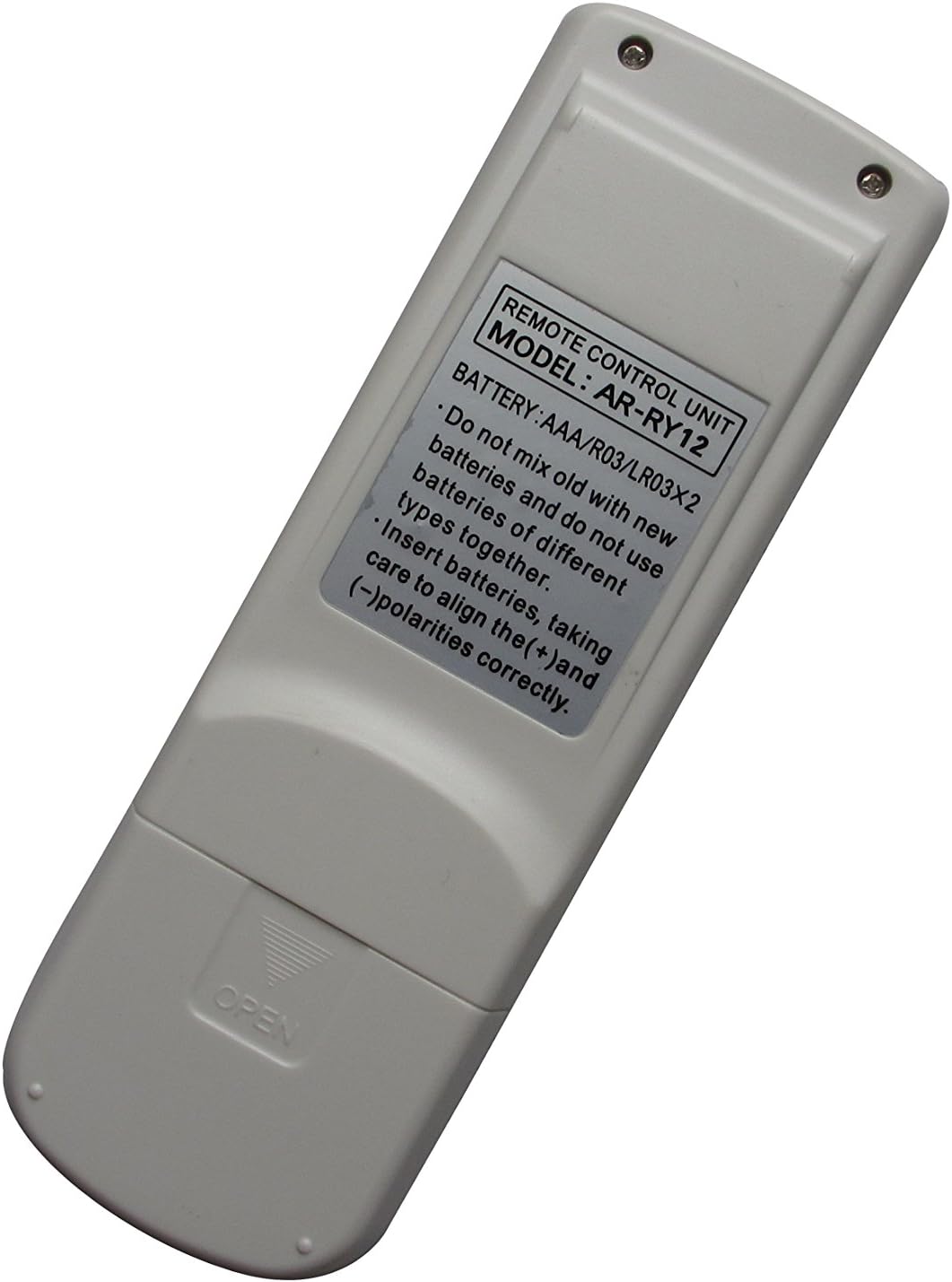

Obrázek 2: Zadní view of the remote control (left) indicating the battery compartment, and (right) the compartment open for battery insertion.
Návod k obsluze
This remote control features an ergonomic design with clearly labeled buttons for easy operation of your Fujitsu Air Conditioner. Point the remote control directly at the air conditioner's receiver when operating.
Klíčové funkce:
- HLAVNÍ OVLADAČ: Likely cycles through main operating modes (e.g., Cool, Heat, Fan, Dry, Auto).
- ZAČÁTEK KONEC: Powers the air conditioner On or Off. This button is typically highlighted (e.g., yellow).
- OVLÁDÁNÍ VENTILÁTORU: Upravuje rychlost ventilátoru (např. Automaticky, Nízká, Střední, Vysoká).
- VZDUCH ČISTÝ: Activates or deactivates the air purification function, if available on your AC unit.
- COIL DRY: Initiates a coil drying function to prevent mold and odors.
- SPÁT: Activates sleep mode, which typically adjusts temperature and fan speed for comfortable sleep.
- NASTAVIT TEMPO ▲ / ▼: Zvyšuje nebo snižuje požadovanou teplotu.
- SOUBOR ▲ / ▼ (Right side): Used for setting timer or other specific parameters.
- HOUPAČKA: Řídí směr otáčení lamel pro distribuci vzduchu.
- REŽIM ČASOVAČE: Accesses timer settings for scheduled operation.
- ČASOVAČ + / -: Adjusts timer settings (e.g., On/Off time).
- NASTAVENÍ HODIN: Nastaví aktuální čas na displeji dálkového ovladače.
- TEST RUN: For service or diagnostic purposes; typically not for regular user operation.
- RESETOVÁNÍ: Resets the remote control to default settings. Use a pointed object (like a paperclip) to press this recessed button.
Note: Not all functions may be supported by every Fujitsu Air Conditioner model. Refer to your air conditioner's original manual for specific feature compatibility.
Údržba
Proper care ensures the longevity and reliable operation of your remote control.
- Čištění: Wipe the remote control with a soft, dry cloth. Do not use liquid cleaners, sprays, or abrasive materials, as these can damage the remote.
- Výměna baterie: Replace batteries when the remote's response becomes sluggish or the display dims. If the remote will not be used for an extended period, remove the batteries to prevent leakage and corrosion.
- Skladování: Dálkový ovladač skladujte na chladném a suchém místě mimo přímé sluneční světlo a extrémní teploty.
Odstraňování problémů
Pokud máte problémy s dálkovým ovladačem, vyzkoušejte následující řešení:
| Problém | Možná příčina / řešení |
|---|---|
| Dálkové ovládání nefunguje. |
|
| Některé funkce nefungují. |
|
| Displej je tmavý nebo prázdný. |
|
Specifikace
- Model: AR-RY12
- Značka: Easytry123
- Kompatibilní zařízení: Fujitsu Air Conditioners (various models)
- Technologie připojení: Infračervený (IR)
- Typ ovladače: Ovládání tlačítkem
- Speciální funkce: Ergonomický design
- Zdroj napájení: 2 x AAA baterie (nejsou součástí balení)
Záruka a podpora
For information regarding warranty, returns, or technical support, please refer to the seller's policy on the platform where the product was purchased. As this is a replacement remote, specific warranty details may vary.
For further assistance, you may contact the seller directly through the online marketplace.
Ask a question about this manual
Ask about setup, troubleshooting, compatibility, parts, safety, or missing instructions. Manuals+ will review the question and use this page’s manual context to help answer it.